


Best 10 iOS Crypto Wallet Apps for Apple Devices 2026
Updated: October 2026. Prepared by ilink, a fintech, blockchain and software development company with 14+ years of experience.
A crypto wallet on your iPhone lets you buy, store, send and swap crypto and connect to Web3 apps. Demand keeps growing: Grand View Research valued the global crypto wallet market at $15.5 billion in 2025 and projects $100.8 billion by 2033, a 26.6% annual growth rate (Grand View Research).
Quick answer:
- Multi-chain everyday wallet: Walletverse or Trust Wallet
- Ethereum and dApps: MetaMask
- Solana: Phantom
- No seed phrase: Zengo
- Pair with a hardware wallet: Ledger Wallet
- Bitcoin only: Muun or Blockstream
iOS Crypto Wallets Compared
| Wallet | Best for | Networks and assets (per App Store) | Backup and recovery | App Store rating |
|---|---|---|---|---|
| Walletverse | All-in-one mobile wallet | 600+ assets in listing, 700+ on site; ERC20, TRC20, BEP20, BEP2, Avalanche C-Chain, Polygon, Solana | Self-custody, keys encrypted on device | 5.0 (42) |
| MetaMask | Ethereum and dApps | Ethereum, Bitcoin, Solana, BSC, Base, Arbitrum, Polygon, TRON and more | Self-custody; social login option | 4.7 (76,628) |
| Trust Wallet | Broad multi-chain support | 100+ blockchains, 10+ million assets | Self-custody, keys AES-encrypted on device | 4.7 (199,160) |
| Coinbase Wallet | Easy onboarding | Base, Solana, BNB, Ethereum, Monad and more | Email, Google or Apple account recovery, or recovery phrase or passkey | 4.5 (161,375) |
| Exodus | Simple portfolio and payments | 1+ million assets, swaps across 50+ networks | Self-custody | 4.6 (37,804) |
| Phantom | Solana users | Bitcoin, Ethereum, Solana, Polygon, Base, HyperEVM | Self-custody, biometric authentication | 4.8 (64,248) |
| Zengo | No seed phrase | 380+ assets; 6 blockchains and 4 layer 2s | MPC, 3FA recovery | 4.7 (4,401) |
| Ledger Wallet | Hardware wallet owners | 15,000+ crypto on 100+ blockchains | Keys on the Ledger device | 4.9 (15,213) |
| Muun | Bitcoin and Lightning | Bitcoin, Lightning | Emergency Kit with private keys | 4.1 (336) |
| Blockstream | Bitcoin, Lightning and Liquid | Bitcoin on-chain, Lightning, Liquid | Recovery phrase; Jade hardware wallet support | 4.7 (1,250) |
Ratings and review counts from the US App Store on October 31, 2026. Features are taken from each app’s App Store listing; availability can vary by country.
What Is an iOS Crypto Wallet?
A crypto wallet is an app that stores the keys that authorize your blockchain transactions. It lets you send, receive and hold crypto and, in many wallets, swap tokens and connect to dApps.
- Hot wallets are mobile apps like the ones in this list. They’re convenient for daily use, but your phone’s security matters.
- Cold wallets are hardware devices that keep keys offline. They’re better for long-term storage of larger amounts, and some pair with an iPhone app, such as Ledger Wallet or Blockstream with Jade.
- Self-custody vs custodial: with a self-custody wallet only you control the keys. On an exchange app, the exchange holds your funds.
Crypto Wallet vs Apple Wallet
Apple Wallet is Apple’s built-in app for payment cards, Apple Cash, transit cards, tickets, boarding passes, keys and IDs (Apple). It doesn’t hold crypto or blockchain keys. To store crypto on an iPhone, you need a separate crypto wallet app from the App Store.
The two can work together:
- Apple Pay for buying crypto. Several crypto wallets let you pay with Apple Pay, including Coinbase Wallet, Zengo, Ledger Wallet, Blockstream and, where available in your region, Walletverse.
- Crypto cards in Apple Wallet. Exodus says its Exodus Card can be added to Apple Wallet to spend your balance (App Store).
The 10 Best iOS Crypto Wallets in 2026
1. Walletverse
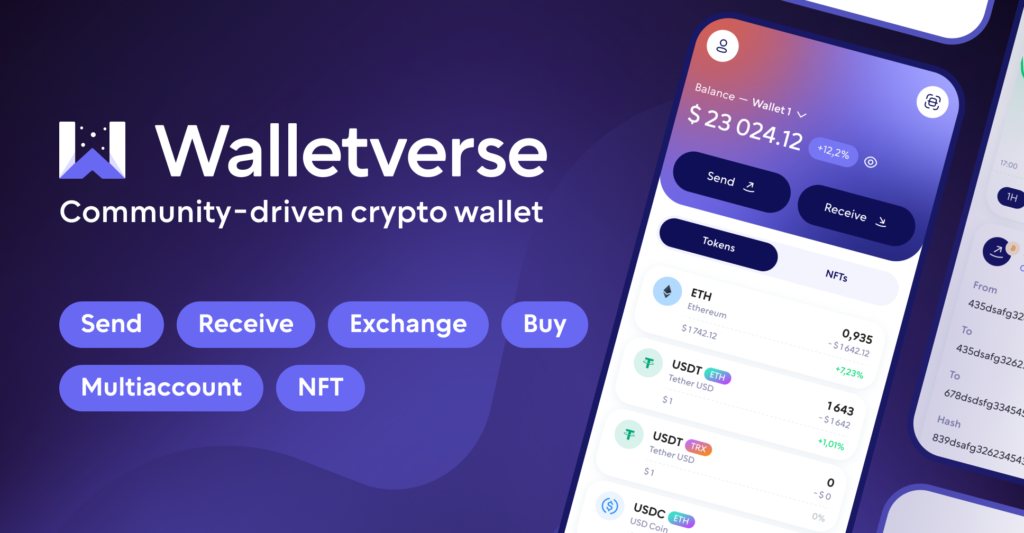
Walletverse is a free self-custody wallet for iOS and Android with 700+ cryptocurrencies and tokens on ERC20, TRC20, BEP20, BEP2, Avalanche C-Chain, Polygon and Solana.
- Swaps: a built-in aggregator connects 100+ DEX and CEX venues with more than 10,000 trading pairs, including Uniswap, PancakeSwap, 1inch and Binance.
- Buying crypto: Visa, Mastercard or local payment methods through MoonPay, Simplex, Banxa, Transak or Wert. Apple Pay is available where supported in your region.
- Web3: connect to dApps via WalletConnect. Create multiple accounts and addresses in one app.
- Security: private keys stay encrypted on your device, with passcode and biometric protection. Built-in AML checks, powered by Crystal, let you check an address before you send.
- Extras: staking for ETH, SOL, TRX and other coins, NFTs, a crypto news feed, price alerts and a loyalty program with swap-fee discounts.
Pros: many networks and swap venues in one app; AML address checks; free. Cons: mobile only, with no desktop app or browser extension; fewer App Store reviews than the larger wallets.


2. MetaMask

MetaMask describes itself as trusted by over 100 million users. It supports Ethereum, Bitcoin, Solana, Linea, BSC, Base, Arbitrum, Avalanche, Polygon, Optimism, TRON and more. The app includes swaps with network fees included in quotes, staking, connections to thousands of dApps and 24/7 threat monitoring (App Store).
Pros: the standard wallet for Ethereum dApps; broad network list. Cons: many features can be overwhelming if you only want to buy, hold and send.
3. Trust Wallet

Trust Wallet says it’s trusted by over 200 million users and supports 100+ blockchains and 10+ million assets. Private keys are stored on your device and encrypted with AES. It has a dApp browser, custom tokens, watch addresses and adjustable RPC nodes (App Store).
Pros: very wide asset coverage; advanced settings for experienced users. Cons: the number of features and earning options can confuse beginners.
4. Coinbase Wallet

Coinbase Wallet is a self-custody wallet, separate from the Coinbase exchange app. You can trade tokens on Base, Solana, BNB, Ethereum, Monad and other networks, and buy crypto with Apple Pay, a bank account or cards. You can recover the wallet with your email, Google or Apple account, or choose a recovery phrase or passkey instead. Spot trading is powered by third-party DEX aggregators (App Store).
Pros: easy onboarding and recovery; Apple Pay purchases. Cons: the app now also promotes perpetual futures and prediction markets, which carry high risk.
5. Exodus

Exodus has been around since 2015. It offers over 1 million assets and swaps across 50+ networks. Its Exodus Card can be added to Apple Wallet, and you can stake assets such as ETH, SOL, ADA and ATOM in the app (App Store).
Pros: clean portfolio view; card that works with Apple Wallet. Cons: the app is increasingly payments-focused, with features beyond a simple wallet.
6. Phantom

Phantom says it’s trusted by 20M+ users. It supports swaps across Bitcoin, Ethereum, Solana, Polygon, Base and HyperEVM, SOL staking and biometric authentication (App Store).
Pros: 4.8 App Store rating from 64,000+ reviews; strong Solana experience. Cons: fewer networks than MetaMask or Trust Wallet.
7. Zengo

Zengo uses MPC cryptography, so there is no seed phrase to manage: signing is split between Zengo and the user. Recovery uses a 3FA model. It supports 380+ assets on 6 blockchains (Bitcoin, Ethereum, BNB, Doge, Tron, Tezos) and 4 layer 2s (Polygon, Arbitrum One, Optimism, Base). You can buy with PayPal, Apple Pay, bank wire or cards (App Store).
Pros: no seed phrase to lose; 24/7 support. Cons: fewer assets than most wallets here; some security features require the paid Zengo Pro plan.
8. Ledger Live
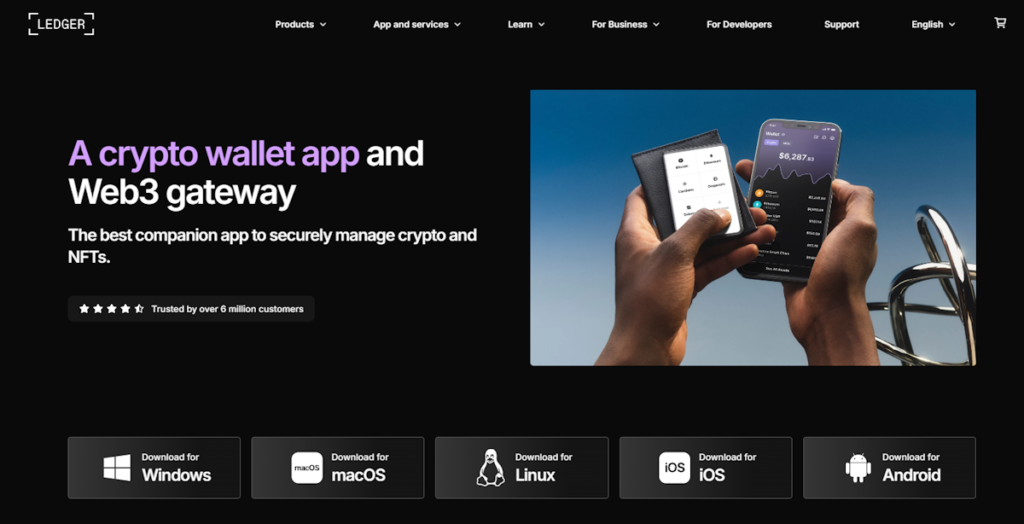
Ledger Wallet is the companion app for Ledger hardware devices. It supports over 15,000 crypto across 100+ blockchains, compares prices across 50+ providers, offers swaps through DEX and CEX aggregators and connects to dApps via WalletConnect. You can buy with cards, bank transfer or Apple Pay (App Store).
Pros: keys stay on the hardware device; very wide asset support. Cons: requires a Ledger device you have to buy; less convenient for quick daily payments.
9. Muun
Muun is a self-custodial wallet for bitcoin and the Lightning Network, with all payments from one wallet. It estimates fees from the mempool and lets you export an Emergency Kit with your private keys for use if Muun is unavailable (App Store).
Pros: simple Lightning payments; Emergency Kit for independent recovery. Cons: Bitcoin only; the lowest App Store rating in this list (4.1).
10. Blockstream Green
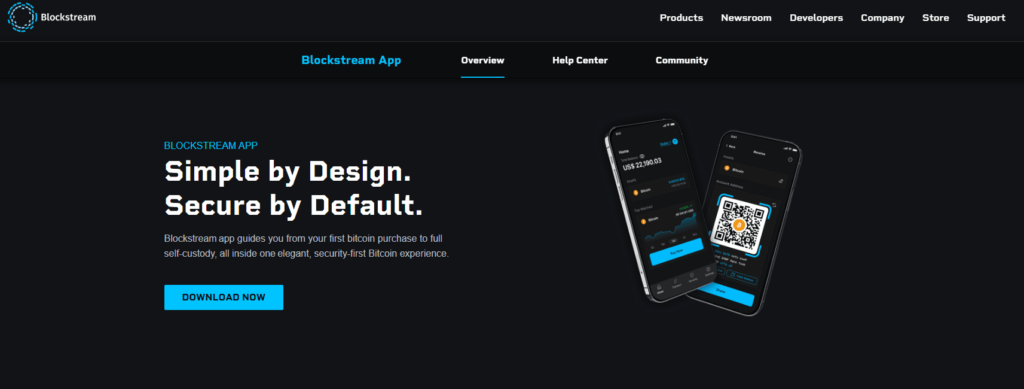
The Blockstream app is an open-source, self-custodial wallet for all three layers of Bitcoin: on-chain, Lightning and Liquid. You can swap between them in the app, buy bitcoin with Apple Pay, card or bank transfer, connect through Tor and pair the Blockstream Jade hardware wallet (App Store).
Pros: open source; privacy options; hardware wallet support. Cons: Bitcoin only.
Swapping Crypto on Your iPhone
Most wallets in this list have built-in swaps, but they work differently:
- Aggregators (Walletverse, MetaMask, Ledger Wallet) compare routes across several DEX and CEX venues.
- Cross-chain swaps (Phantom, Exodus, Blockstream between Bitcoin layers) move value from one network to another.
Before you confirm a swap:
- Check the final amount you’ll receive, not just the rate.
- Check all fees: network fee, provider fee and any spread.
- Check that the receiving network is correct.
- For large amounts, compare quotes in two apps.
Supported Coins: What to Check
A large number of supported assets isn’t the main thing. What matters is whether a wallet supports your coins on the right networks:
- Bitcoin only: Muun and Blockstream are focused wallets. Blockstream also supports Lightning and Liquid.
- Ethereum and EVM tokens: almost every wallet here supports them. Check the specific network, such as Base, Arbitrum or Polygon.
- Solana: Phantom, MetaMask, Trust Wallet, Coinbase Wallet and Walletverse.
- TRON (USDT on TRC20): Walletverse, MetaMask, Trust Wallet and Zengo list TRON.
Always send a small test amount first when you use a network for the first time.
iOS Crypto Wallet Security Tips
- Download only from the App Store and check the developer name. Fake wallet apps are a common way to steal recovery phrases.
- Back up your recovery phrase offline, on paper or metal. Don’t store it as a screenshot, in Notes or in cloud storage.
- Turn on Face ID or Touch ID and a strong passcode for both the iPhone and the wallet.
- Keep iOS and the wallet app updated.
- Check addresses before you send. Some wallets, Walletverse among them, offer AML checks of addresses.
- Be careful with dApp approvals. Only connect to sites you trust and revoke approvals you no longer need.
- For larger amounts, consider a hardware wallet paired with your iPhone.
How to Choose the Best iPhone Crypto Wallet
- Decide on custody. For full control, choose self-custody. Zengo and Coinbase Wallet offer alternatives to a classic seed phrase.
- Match the wallet to your coins. Bitcoin only → Muun or Blockstream. Solana → Phantom. Ethereum dApps → MetaMask. Many networks → Walletverse or Trust Wallet.
- Check how you’ll buy and swap. Apple Pay support, fiat providers and swap venues differ by app and country.
- Plan for long-term storage. If your balance grows, pair a hardware wallet such as Ledger or Jade.
How to Set Up Walletverse on iPhone
- Download Walletverse from the App Store.
- Open the app and create a new wallet.
- Set a passcode and enable Face ID or Touch ID.
- Follow the in-app instructions to back up your wallet.
- Add crypto: receive it from another wallet, buy it in the app or swap it.
FAQ
Most frequent questions and answers
The best iOS wallet app depends on how you use crypto.
If you want an all-in-one, mobile-first wallet for everyday use, Walletverse is a strong option because it combines:
self-custody security (you control access)
passcode + biometrics
multi-currency support (700+ cryptocurrencies)
Web3/dApps and multi-account features
easy buying options, including Apple Pay
That mix makes it suitable for both beginners and experienced users on Apple devices.
Setting up Walletverse on iOS is straightforward:
Download Walletverse from the App Store.
Open the app and create a new wallet.
Set a strong passcode.
Enable Face ID / Touch ID (biometric security).
Follow the in-app instructions to back up your recovery data safely.
Add crypto by receiving funds from another wallet or buying inside the app (if available in your region).
Tip: never store recovery phrases as screenshots or in cloud notes.
Yes. Walletverse supports Apple Pay for buying crypto.
Inside the app, select Buy, choose the asset and amount, then pick Apple Pay as the payment method and confirm the purchase.
Availability can vary by country and payment provider, but Apple Pay is supported in Walletverse as a purchase option.
You can get Walletverse directly from the App Store.
Search for “Walletverse,” download it, and follow the onboarding steps to start managing crypto on your iPhone.
Walletverse is free to download and includes features for buying, sending, and exchanging crypto, plus Web3 access (dApps) and multi-account support.
It depends on what you hold. For many networks in one app, consider Walletverse or Trust Wallet. For Ethereum dApps, MetaMask. For Solana, Phantom. For Bitcoin only, Muun or Blockstream. For maximum security, Ledger Wallet with a Ledger device.
Yes, in several wallets, including Coinbase Wallet, Zengo, Ledger Wallet and Blockstream. In Walletverse, Apple Pay is available where supported in your region. Availability depends on the payment provider and your country.


