


Buy Telcoin (TEL) with USD, EUR and Other Fiat Currencies
This article was developed in collaboration with ilink, a seasoned FinTech and Web3 software developer with over 13 years of experience and a proven track record of delivering successful digital projects worldwide. Their expertise ensures the technical accuracy and reliability of the information presented here.
In an increasingly connected world, the ability to move money across borders quickly and affordably remains a challenge. Telcoin (TEL) is bridging this gap by combining blockchain technology with mobile telecommunications infrastructure, creating a decentralized payment network that reaches billions of users globally. This guide, prepared for Walletverse users, provides a comprehensive overview of Telcoin and, most importantly, how you can easily purchase TEL tokens using familiar fiat currencies like USD, EUR, GBP, and more.
What is Telcoin (TEL)?
Telcoin is a decentralized platform that integrates blockchain technology with mobile telecommunications networks to enable affordable, accessible financial services worldwide. Launched in 2017 by the Telcoin Association, the project aims to connect GSMA mobile operators around the same blockchain standard, harnessing their collective reach to serve billions of users through shared infrastructure for the next generation of money and finance.
The platform operates as a Layer-1 blockchain designed specifically for telecom-grade reliability while maintaining Ethereum Virtual Machine (EVM) compatibility. This architecture allows mobile network operators (MNOs) to run blockchain as a network service, seamlessly integrating with existing telecom infrastructure.
Where Can I Buy Telcoin (TEL) With Cash: 10 Best Crypto Wallets
To buy and store TEL, you need a reliable crypto wallet that supports Ethereum and Polygon-based tokens. Here are 10 top contenders for 2026, with a special focus on the all-in-one solution, Walletverse.
1. Walletverse

Walletverse delivers a complete crypto management experience directly on your smartphone, combining intuitive design with institutional-grade security protocols. This community-driven, non-custodial wallet ensures you maintain exclusive control over your private keys while enjoying seamless access to the broader Web3 ecosystem.
Walletverse simplifies blockchain interaction with a clean interface supporting over 700 cryptocurrencies, including both Ethereum and Polygon-based TEL tokens. Whether you’re swapping assets, exploring decentralized applications, or managing multiple investment portfolios, Walletverse handles everything with speed and precision. The app’s architecture thoughtfully balances accessibility for newcomers with advanced features for experienced users.
Pros:
- Exceptional User Trust: Boasts a 4.8-star rating on Google Play and a perfect 5.0 on the App Store, reflecting consistent quality and responsive support.
- Comprehensive Asset Support: Manage 700+ cryptocurrencies across multiple accounts, keeping your portfolio organized and accessible.
- Flexible Payment Methods: Purchase crypto instantly using Apple Pay, Google Pay, credit/debit cards, or fiat currencies including USD, EUR, GBP, JPY, CAD, AUD, and more.
- Institutional-Grade Security: Passcode and biometric authentication protect your funds. As a non-custodial wallet, even the Walletverse team cannot access your assets, true self-custody.
- Innovative GasFree System: The proprietary GasFree USDT Transaction System enables USDT transfers on TRON without holding TRX for gas, eliminating a major hurdle for new users.
- Passive Income Opportunities: Stake popular assets like Solana (SOL), Ethereum (ETH), and TRX directly within the app to earn rewards.
- Compliance Features: Built-in AML and CYT security checks add an extra layer of transaction safety.
Cons:
- Currently available only as a mobile app (no desktop version yet).



2. MetaMask

The industry standard for Ethereum interaction, MetaMask serves as both a browser extension and mobile wallet. It’s the go-to choice for users who need direct access to Telcoin’s multi-chain ecosystem across Ethereum and Polygon.
- Pros: Free, highly secure, supports all ERC-20 tokens including TEL, direct dApp integration, extensive developer ecosystem.
- Cons: Can intimidate absolute beginners; requires manual network configuration for Polygon.
3. Trust Wallet

Binance’s official wallet offers broad multi-chain support with a user-friendly mobile interface. Its built-in Web3 browser makes connecting to decentralized exchanges seamless for purchasing TEL.
- Pros: Free, supports millions of assets across 65+ blockchains, integrated with Binance DEX, built-in Web3 browser.
- Cons: Fiat on-ramps rely on third-party services with potentially higher fees.
4. Ledger Nano X

The gold standard for cold storage, the Ledger Nano X keeps private keys offline while enabling Bluetooth connectivity for mobile convenience. Store TEL securely using the Ethereum or Polygon app.
- Pros: Unparalleled security for long-term holders, Bluetooth mobile compatibility, supports 5,500+ tokens.
- Cons: Costs around $150, less convenient for frequent transactions.
5. Trezor Model T
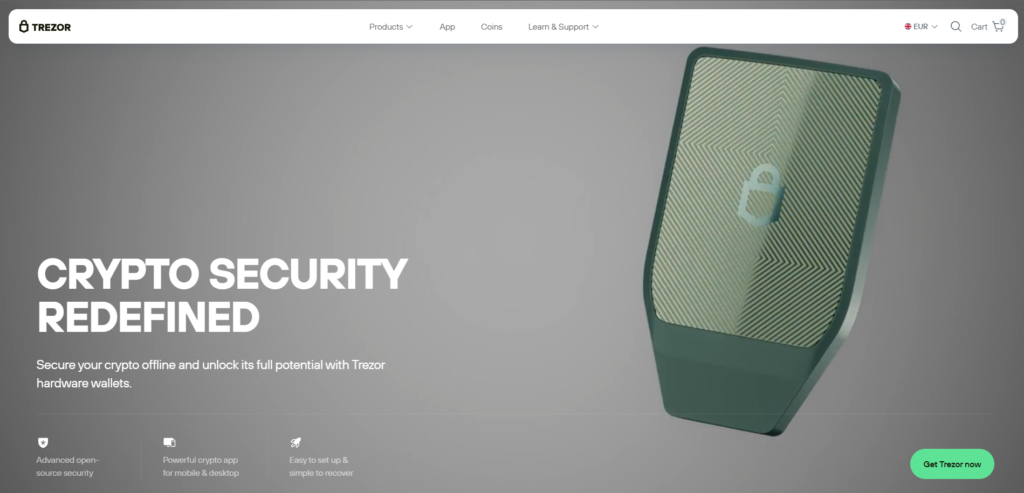
A premium hardware wallet with a touchscreen interface and open-source firmware. Its transparency and robust security make it a favorite among security-conscious investors.
- Pros: Excellent security, open-source transparency, intuitive touchscreen interface, strong community trust.
- Cons: Higher price point, USB-C only (no wireless connectivity).
6. Coinbase Wallet

A standalone non-custodial wallet from Coinbase, offering a smooth onboarding experience for users transitioning from the exchange. It supports both Ethereum and Polygon networks for TEL storage.
- Pros: Free, seamless Coinbase integration, supports NFTs and dApps, very user-friendly.
- Cons: Limited to EVM-compatible chains; fewer network options than competitors.
7. Rabby Wallet

A rising star in the DeFi space, Rabby optimizes the multi-chain experience with transaction simulation and automatic network switching, critical for safely interacting with Telcoin’s evolving ecosystem.
- Pros: Free, advanced security features, transaction simulation prevents signing malicious transactions, perfect for multi-chain DeFi users.
- Cons: Primarily a browser extension (desktop-focused), less established than MetaMask.
8. OKX Wallet

The official wallet of the OKX exchange supports over 60 blockchains with built-in swap functionality and direct dApp access. Its MPC technology options add an extra security layer.
- Pros: Free, vast chain support, integrated with OKX DEX and exchange, strong security features.
- Cons: Feature-rich interface may overwhelm beginners; some features require OKX account.
9. OneKey App

A rapidly growing multi-chain wallet available across iOS, Android, and desktop. It offers native support for 100+ chains and 30,000+ tokens with advanced security checks.
- Pros: Free, open-source, advanced security integrated with GoPlus and Blockaid, supports hardware wallet connection, zero-fee stablecoin transfers on supported networks.
- Cons: Newer to market with a smaller user base than established competitors.
10. Zengo

A unique mobile wallet using Multi-Party Computation (MPC) technology to eliminate seed phrase risk entirely. Ideal for users concerned about losing their recovery phrase.
- Pros: Free, no seed phrase to lose (uses 3-factor authentication), built-in Web3 firewall for dApp protection, supports 120+ assets.
- Cons: Supports fewer total assets than traditional multi-coin wallets; MPC technology may be unfamiliar.
Buy TEL with Apple Pay
Apple Pay transforms crypto purchasing into a frictionless experience. With wallets like Walletverse, you can use Apple Pay to instantly buy a base cryptocurrency like USDT or ETH, then swap it for TEL within the app. The entire process completes in under a minute, requires no manual card entry, and leverages Apple’s Face ID or Touch ID for maximum security.
Buy TEL with Google Pay
Google Pay brings the same convenience to Android users. By selecting Google Pay in a wallet like Walletverse, you can fund your crypto purchases using your device’s PIN, pattern, or biometric authentication. This makes buying TEL with fiat as simple as confirming a payment on your phone, with Google’s fraud protection systems working in the background.
How to Buy Telcoin (TEL) with fiat?
Buying TEL with regular money is simple through Walletverse. Just follow these steps.
- Download Walletverse from Google Play Store or Apple App Store.
- Create a new wallet and securely store your recovery phrase offline. Enable passcode and biometric login.
- Tap “Buy Crypto” on the main screen.
- Search for “TEL” and select TEL.
- Choose your currency like USD or EUR and enter the amount you want to spend.
- Pick Apple Pay, Google Pay, or your credit card as the payment method.
- Review the details including fees and the exchange rate.
- Confirm with your fingerprint or face scan. Your TEL appears in your wallet instantly.
Telcoin (TEL) represents a groundbreaking convergence of blockchain technology and mobile telecommunications, creating a decentralized payment network with genuine global reach . With its recent Kraken listing, historic U.S. digital bank charter, and Q1 2026 mainnet launch approaching, the project continues building regulated bridges between traditional finance and blockchain infrastructure . The Year 3 allocation of 900 million TEL demonstrates sustained commitment to ecosystem development, targeting 50+ mobile network operator validators and expanded Digital Cash stablecoin offerings .
While the token has experienced recent market pressure, trading 21.9% lower weekly amid broader crypto weakness, analysts note that oversold conditions and the mainnet catalyst could signal potential inflection points . With a maximum supply of 100 billion tokens and real-world adoption across 100+ countries, Telcoin occupies a unique position at the intersection of telecom and DeFi .
With the advent of user-friendly, self-custody wallets like Walletverse, the process of buying TEL with fiat currencies such as USD or EUR has been stripped of its complexity. By integrating familiar payment methods like Apple Pay and Google Pay, Walletverse empowers you to take full control of your digital assets securely and efficiently.
Data current as of March 2026.
FAQ
Most frequent questions and answers
TEL’s value lies in its utility as the native token for a telecommunications blockchain network with real-world adoption across 100+ countries, partnerships with 40+ mobile wallets, and recent regulatory milestones including a U.S. bank charter.
You can buy TEL with USD directly in the Walletverse app by selecting “Buy Crypto,” choosing TEL, and paying with Apple Pay, Google Pay, or a credit card.
Since TEL operates on both Ethereum and Polygon, any wallet supporting these networks works. Walletverse offers the best combination of ease of use and built-in purchase options, while hardware wallets like Ledger provide maximum security for long-term holders.
You can buy TEL tokens directly in the Walletverse app, on centralized exchanges like Kraken (recently listed January 2026), Bybit, and Bitrue, or on decentralized exchanges across Ethereum and Polygon.
The cheapest way is to buy USDT via bank transfer on Walletverse, then swap it for TEL within the app to avoid high exchange withdrawal fees, leveraging Polygon’s low transaction costs.


