


Buy StormX (STMX) with USD, EUR and Other Fiat Currencies
StormX (STMX) is a small-cap crypto asset that many users first discover through its cashback and rewards use case rather than through trading alone. If you want to buy STMX with USD, EUR, GBP, CAD, AUD, or other fiat currencies, the process is usually straightforward: choose a wallet or on-ramp that supports fiat purchases, buy a supported asset if STMX is not offered directly, and then swap into STMX on an exchange or through a wallet that supports token swaps. Because STMX is an ERC-20 token on Ethereum, Ethereum-compatible wallets are especially relevant for storage and transfers.
This guide was prepared by ilink, a FinTech and Web3 software developer with 13 years of experience and completed projects worldwide.
What Is StormX (STMX)?
StormX is the native token of the StormX ecosystem, a crypto rewards platform built around cashback, shopping rewards, and token-based utility. On its official website, StormX describes the product simply as “Earn crypto shopping at your favorite stores.” Its token page says STMX is used for cashback rewards in the app or browser extension.
Historically, StormX started as a blockchain-based rewards and micro-task project and later became better known for crypto cashback. Binance’s project description summarized StormX as a platform that let users complete small tasks for crypto rewards, while more recent descriptions from Binance and Coinbase focus more on shopping rewards and token-based platform benefits. Coinbase also describes StormX as a project created to let users receive crypto compensation for online purchases.
From a technical perspective, STMX is an ERC-20 token. That matters for buyers because Ethereum-compatible wallets and tools can usually store it, send it, and in many cases swap into it. Binance’s contract-replacement announcement and Etherscan both point to the current ERC-20 contract address used for STMX.
Current market data shows STMX is now a very small-cap asset, which makes it much more speculative than larger cryptocurrencies. As of April 8, 2026, CoinMarketCap listed STMX around $0.0000151 with a market cap near $186.5K, a circulating supply of about 12.35 billion tokens, and a maximum supply of 12.5 billion. Coinbase’s market page showed a similar price range in EUR and described STMX’s all-time high at about €0.2108, which highlights how far below past peaks the token currently trades. CoinGecko and other trackers show slightly different market-cap figures, so readers should expect small discrepancies between data providers.
That combination of a real-world rewards use case and a very low current valuation is exactly why STMX attracts interest. Some buyers see it as a niche token with a recognizable product history. Others view it as a high-risk asset because liquidity, ranking, and market depth are far weaker than for top-tier coins. A reliable buying guide should acknowledge both sides.
Where Can I Buy StormX (STMX) with Cash? 10 Best Crypto Wallets
1. Walletverse

Walletverse is a mobile-first, non-custodial crypto wallet designed for users who want one app for buying, storing, sending, swapping, and using crypto in Web3. It supports 700+ cryptocurrencies, includes DeFi and dApp access, allows purchases with Apple Pay, Google Pay, cards, and multiple fiat currencies, and is positioned for both beginners and more advanced users. For STMX buyers, its main strength is convenience: you can fund the wallet with fiat, manage multiple assets, and keep control of your keys in a self-custody environment.
Pros
- Mobile-first design with simple onboarding;
- Supports Apple Pay, Google Pay, cards, and multiple fiat currencies;
- Non-custodial setup with passcode and biometric protection;
- Web3, DeFi, staking, and multi-account features in one app.
Cons
- Mobile-only approach may not suit users who prefer desktop-first wallets;
- Direct STMX purchase availability can depend on the on-ramp or swap path used;
- Self-custody still means the user is responsible for wallet backup and access.



2. MetaMask

MetaMask remains one of the best-known self-custody wallets for Ethereum and EVM-compatible assets. That makes it a natural option for STMX storage because STMX is an ERC-20 token. MetaMask’s own 2026 wallet guide highlights strong Web3 connectivity, multi-network support, and biometric security on mobile, while third-party guides continue to position it as a default starting point for Ethereum-based activity.
Pros
- Strong fit for ERC-20 assets like STMX;
- Excellent DeFi and dApp connectivity;
- Good choice for users who may later use swaps and Ethereum-based tools.
Cons
- Less beginner-friendly than some simpler wallets;
- Fiat purchase experience depends on region and provider options;
- Gas fees on Ethereum can make small transactions less efficient.
3. Trust Wallet

Trust Wallet is a popular self-custody wallet with broad blockchain coverage, in-app buying, swapping, and transfer features. Its official buy page says it supports more than 10 million assets across 100+ blockchains, and its help center explains that fiat purchases can be made through third-party providers using methods such as card and bank transfer. For STMX, Trust Wallet is a strong all-round option because it combines mobile convenience with broad token support.
Pros
- Broad asset and chain coverage;
- Easy mobile interface for mainstream users;
- Useful if you want one wallet for STMX and many other assets.
Cons
- Purchase options and fees vary by provider and location;
- Direct STMX availability may not always be the cheapest route;
- On-ramp pricing can differ significantly between providers.
4. Ledger Nano X

Ledger is best suited to users who prioritize long-term storage and stronger isolation of private keys. Ledger’s official app listing says the Ledger wallet ecosystem supports sending, receiving, buying, selling, swapping, and staking crypto, while its website continues to position Ledger as a security-focused gateway for DeFi and Web3. For STMX, Ledger makes the most sense if you plan to hold rather than trade frequently.
Pros
- Strong security posture for long-term holders;
- Good fit for users building a larger portfolio;
- Works well for storing ERC-20 assets.
Cons
- Hardware setup adds cost and complexity;
- Less convenient for very casual or first-time users;
- Buying STMX may still involve external swaps or on-ramp steps.
5. Trezor Model T
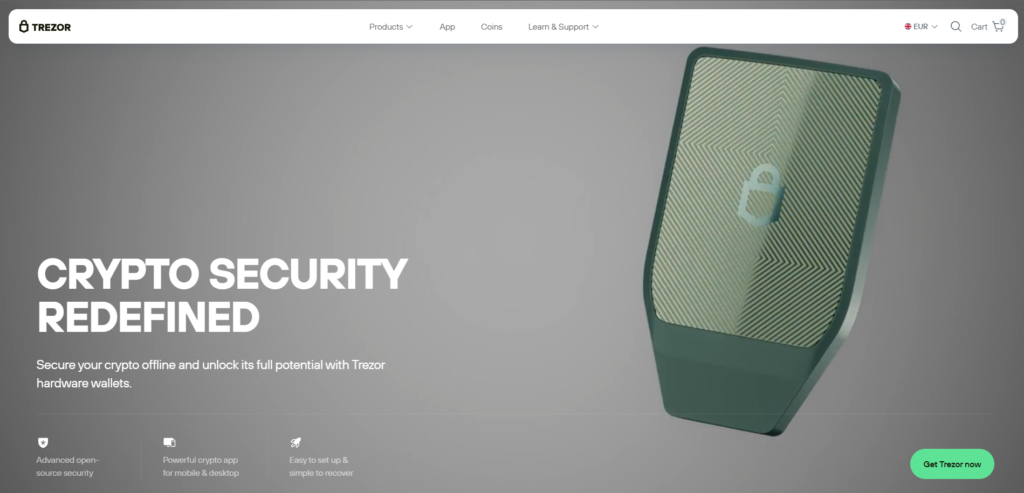
Trezor is another strong hardware-wallet choice for users who want safer long-term custody. Trezor’s official site and Trezor Suite pages say users can buy, sell, and swap thousands of coins and tokens, and the mobile and desktop ecosystem is built around managing assets securely through Trezor Suite. For STMX, Trezor is most attractive to users who value cold-storage style protection.
Pros
- Strong brand reputation in hardware-wallet security;
- Good option for long-term STMX holders;
- Trezor Suite adds buying and swapping convenience.
Cons
- Less convenient than a pure mobile wallet;
- Hardware purchase required;
- Better for holding than for fast everyday trading.
6. Coinbase Wallet

Coinbase Wallet is a self-custody wallet built for users who want direct control of their crypto while keeping a relatively familiar interface. Coinbase describes it as a wallet that helps users send and receive peer-to-peer transfers without financial intermediaries, and its wallet page emphasizes self-custody and additional security options. It is a reasonable option for holding ERC-20 tokens such as STMX after purchase.
Pros
- User-friendly for people already familiar with Coinbase;
- Good support for Ethereum-based assets and NFTs;
- Self-custody with a cleaner interface than many advanced wallets.
Cons
- STMX is not tradable on Coinbase’s main platform page, so buying may require a transfer or swap path;
- Some users may prefer broader multi-chain wallet options;
- Fiat onboarding can be easier on the exchange side than inside the wallet itself.
7. Exodus

Exodus is one of the most accessible multi-platform wallets for users who want desktop and mobile support together. Exodus says users can buy crypto directly in-wallet with card, bank account, Apple Pay, or Google Pay, and its main site emphasizes in-app buying, selling, swapping, and staking. That makes Exodus a practical wallet for users who may want to buy a major asset with fiat first and then move into STMX.
Pros
- Very approachable interface for beginners;
- Desktop and mobile support;
- Built-in buy and swap flows with popular payment methods.
Cons
- Not as Web3-native as wallets built primarily for dApps;
- Fees and available assets depend on the payment provider;
- Direct STMX availability may vary.
8. Guarda

Guarda is an all-in-one crypto wallet that supports buying, exchanging, staking, and managing many assets. Its official site describes it as a secure wallet for Bitcoin, Ethereum, Tether, TRON, stablecoins, and thousands of other assets, and its buy page says users can purchase crypto with debit or credit card directly in-wallet. For STMX buyers, Guarda is attractive because it combines fiat on-ramps with easy ERC-20 token support.
Pros
- Broad token support and in-wallet buying;
- Easy to use across web, desktop, and mobile;
- Good middle ground between simplicity and flexibility.
Cons
- Fees depend on integrated partners;
- Not as specialized for Web3 as MetaMask;
- Direct STMX purchase may still require a swap route.
9. Atomic Wallet

Atomic Wallet is a long-running multi-asset wallet focused on buying, swapping, staking, and portfolio management. Its official site says it supports 1000+ coins and tokens, and staking materials describe management across dozens of blockchains and multiple in-app functions. For STMX, Atomic is a decent option for users who want a broad, all-purpose wallet rather than a wallet specialized for one ecosystem.
Pros
- Broad asset coverage;
- Buy, swap, and stake features in one interface;
- Useful for users holding many smaller assets.
Cons
- Software-wallet model is less secure than hardware storage;
- Some features depend on third-party services;
- Direct fiat-to-STMX routes may not always be available.
10. Coinomi

Coinomi is a long-established multi-chain wallet that supports thousands of assets across dozens of blockchains. Its official materials say users can buy crypto with cards, bank transfers, Apple Pay, and Google Pay through integrated on-ramp partners, and it remains a recognizable option for people who want one wallet for many chains. Since Coinomi supports manual token addition and multi-chain management, it can work well for STMX holders.
Pros
- Wide asset coverage with multi-chain support;
- Supports multiple fiat purchase methods;
- Good for users who want one wallet for many token types.
Cons
- Interface feels less modern than some newer wallets;
- Fees and availability depend on external providers;
- Not the strongest choice for deep DeFi usage compared with MetaMask.
Buy STMX with Apple Pay
Buying STMX with Apple Pay is possible in two different ways.
The first is the direct path: choose a wallet or crypto app whose on-ramp partner supports STMX itself, complete KYC if required, and pay with Apple Pay.
The second, and often more realistic, path is to buy ETH, USDT, or another supported asset with Apple Pay and then swap it into STMX. This route is common with smaller ERC-20 tokens.
Walletverse is a strong option here because it is built around quick mobile purchases and supports Apple Pay alongside cards and multiple fiat currencies. If you want a simple self-custody route on mobile, that can be one of the easiest ways to start.
Among other wallets, Exodus says users can buy crypto with Apple Pay directly in-wallet, Zengo supports Apple Pay in its buy flow, and Coinomi says Apple Pay is available through integrated purchase partners. That does not guarantee STMX is offered directly in every region, but it does make these wallets useful starting points for a buy-then-swap approach.
Before confirming the purchase, check three things.
- Supported asset availability;
- Total purchase fee and network fee;
- Whether you are buying STMX directly or buying another asset first.
That last point matters because small ERC-20 tokens are often easiest to access through a funded wallet plus swap flow rather than through a direct fiat purchase.
Buy STMX with Google Pay
The logic for Google Pay is very similar.
If your wallet’s payment partner supports STMX directly, you can buy it in one step.
If not, buy a widely supported asset first and convert it into STMX afterward. Because STMX is Ethereum-based, buying ETH or a stablecoin first is often the cleanest route.
Walletverse supports Google Pay and is especially convenient for Android users who want a mobile-first self-custody wallet. It also supports multiple fiat currencies, which is useful if you are buying outside the U.S.
Exodus says Google Pay is supported for in-wallet crypto purchases, and Coinomi explicitly says its purchase flow can use Google Pay. Zengo’s regional buy pages also describe Google Pay as an available option in supported markets.
For smaller purchases, compare the full cost carefully. Google Pay itself is only the payment method. Your actual total depends on the wallet, the on-ramp provider, the spread, and Ethereum network costs if you later swap into STMX.
How to Buy The StormX (STMX) with Fiat?
Here is the most practical step-by-step method for buying STMX with fiat currencies such as USD, EUR, GBP, CAD, INR, or AUD.
Step 1. Choose a wallet or platform
Pick a wallet that fits your needs.
If you want a mobile self-custody experience with broad fiat support, Walletverse is a practical choice.
If you want a more Ethereum-native setup, MetaMask is a strong option.
If you want desktop plus mobile convenience, Exodus is easier for many beginners.
Step 2. Complete account or identity checks if required
Many fiat on-ramp providers require identity verification before allowing card, bank, Apple Pay, or Google Pay purchases. That is standard across much of the regulated crypto market.
Step 3. Check whether direct STMX purchase is available
Some wallets and on-ramp providers may support STMX directly.
If they do not, buy a liquid asset first, usually ETH or a stablecoin supported by the wallet and your region.
Step 4. Fund the wallet with fiat
Use your preferred payment method.
Common options include:
- Credit or debit card;
- Apple Pay;
- Google Pay;
- Bank transfer;
- Local fiat payment methods where supported.
Step 5. Swap into STMX if needed
If you bought ETH or USDT first, use the wallet’s swap function or send the funds to a supported exchange where STMX trading is available.
Because STMX is an ERC-20 token, make sure the receiving wallet or platform supports Ethereum-based transfers.
Step 6. Store STMX in a wallet you control
After purchase, many users prefer to keep STMX in a self-custody wallet rather than leaving it on an exchange.
That is where Walletverse, MetaMask, Trust Wallet, Exodus, Ledger, and Trezor all become relevant, depending on whether you prefer mobile convenience or stronger cold-storage style protection.
Step 7. Review fees before buying
The cheapest route is not always the most obvious one.
A direct fiat purchase may look simple but can include a wider spread.
A two-step route may have better pricing on the asset itself but add swap and network costs.
For small STMX purchases, Ethereum fees can matter more than many beginners expect.
FAQ
Most frequent questions and answers
That depends on what you mean by “good.” StormX has a recognizable rewards use case and an established project history, but current market data places it firmly in very small-cap territory, which makes it much riskier than larger, more liquid assets. It may appeal to buyers who specifically want exposure to the StormX ecosystem, but it should be treated as a speculative token rather than a blue-chip crypto.
The simplest path is to use a wallet or on-ramp that supports fiat purchases, fund the wallet with USD, and either buy STMX directly or buy ETH/USDT first and swap into STMX. Walletverse is convenient here because it supports USD and other fiat currencies alongside mobile payment options and self-custody.
Because STMX is an ERC-20 token, Ethereum-compatible wallets are the safest starting point. Good options include Walletverse, MetaMask, Trust Wallet, Coinbase Wallet, Exodus, Ledger, Trezor, Guarda, Atomic Wallet, and Coinomi. The best choice depends on whether you care most about mobile ease, Web3 access, or long-term storage.
You can buy STMX through exchanges or through wallets that connect to fiat on-ramp providers and token-swap services. In practice, many users buy a major asset first and then convert into STMX. Walletverse can be a useful starting point for that route because it combines fiat purchases, self-custody, and token management in one mobile app.
Often, the cheapest path is not the direct card purchase. It can be cheaper to buy a liquid asset with a competitive on-ramp, then swap into STMX while monitoring fees and Ethereum network costs. The best method depends on region, provider spreads, and transaction size.
Yes. In many cases you can buy crypto with EUR through card, bank transfer, Apple Pay, or Google Pay, then convert into STMX if direct support is unavailable. For example with Walletverse crypto wallet.
Yes, Walletverse is suitable for managing STMX as part of a broader self-custody portfolio, especially if you want a mobile wallet that also supports Web3 access, multiple assets, and fiat purchase options.
Yes. STMX is an ERC-20 token on Ethereum, which is why Ethereum-compatible wallets are relevant for buying, storing, and sending it.


