


Buy MX TOKEN (MX) with USD, EUR and Other Fiat Currencies
MX TOKEN (MX) is one of the better-known exchange ecosystem tokens still actively traded in 2026.
If you want to buy MX with USD, EUR, GBP, CAD, AUD, INR, JPY, KZT, and other fiat currencies, the easiest route is usually a wallet with a built-in fiat on-ramp and token swap support. In many cases, users buy a liquid asset first and then move into MX if direct regional support is limited.
This article was prepared by ilink, a FinTech and Web3 software developer with 13 years of experience and completed projects worldwide.
What Is MX TOKEN (MX)?
MX is the native token of the MEXC ecosystem. MEXC describes MX as the token that powers its platform and says MX holders can participate in ecosystem activities such as Launchpool and Kickstarter, while also receiving benefits such as a 20% discount on trading fees.
That utility model makes MX different from many smaller speculative tokens. It is tied directly to exchange-related benefits rather than existing only as a passive asset. MEXC’s token information pages frame MX around platform access, utility, and tokenomics, which is why the token is usually discussed as an exchange ecosystem coin rather than a general-purpose payment coin.
From a market perspective, MX sits in the mid-sized altcoin category. CoinGecko lists the token with a circulating supply of around 92 million MX and a market cap around $162–163 million, while Coinbase also reports a circulating supply near 91.8–92 million MX and similar market-cap ranges. In euro terms, CoinGecko shows MX at about €1.53, which makes it easy for EUR-based buyers to estimate purchase cost without converting manually.
MX also remains well below its earlier peak levels. Coinbase’s GBP page lists an all-time high of about £4.40, while the current live price is around £1.35. That means MX still carries the normal volatility profile of a crypto exchange token, even though it has a clearer utility story than many small-cap assets.
Where Can I Buy MX TOKEN (MX) with Cash? 10 Best Crypto Wallets
1. Walletverse

Walletverse is a mobile, non-custodial wallet designed for users who want to buy, store, send, and swap crypto in one place. Based on your product details, it supports 700+ cryptocurrencies, multiple accounts, dApps, fiat purchases through Apple Pay, Google Pay, credit and debit cards, and a wide list of fiat currencies including USD, EUR, GBP, INR, CAD, AUD, JPY, and KZT. It also includes passcode and biometric protection and is built around self-custody.
For MX buyers, Walletverse is a practical option because it gives you a simple mobile route: buy crypto with fiat, then manage or swap assets inside one wallet flow.
Pros
- Mobile-first and beginner-friendly;
- Non-custodial with passcode and biometric protection;
- Supports many fiat currencies and payment methods;
- Good for buying, swapping, and holding altcoins in one app.
Cons
- Mobile-only format may not suit desktop-first users;
- Direct fiat availability for specific smaller tokens can vary by provider.



2. MetaMask

MetaMask is a strong choice for users who prefer Ethereum and Web3-native wallets. While the search results here did not surface a dedicated MX buy page the way MetaMask provides for some tokens, MetaMask remains a common option for token storage, swaps, and on-chain asset management once users acquire the asset through a compatible route.
Pros
- Strong Web3 and DeFi compatibility;
- Useful for token management and swaps;
- Good fit for users already comfortable with self-custody.
Cons
- Less beginner-friendly than simpler wallets;
- Direct MX purchase availability may depend on provider support.
3. Trust Wallet

Trust Wallet is a broad self-custody wallet often used by buyers who want one app for many assets, swaps, and dApp access. It is a practical option if MX is only one part of a wider crypto portfolio.
Pros
- Broad token support;
- Good mobile experience;
- Useful for swaps and general Web3 access.
Cons
- Fiat methods depend on region and providers;
- Not specifically focused on MX.
4. TokenPocket
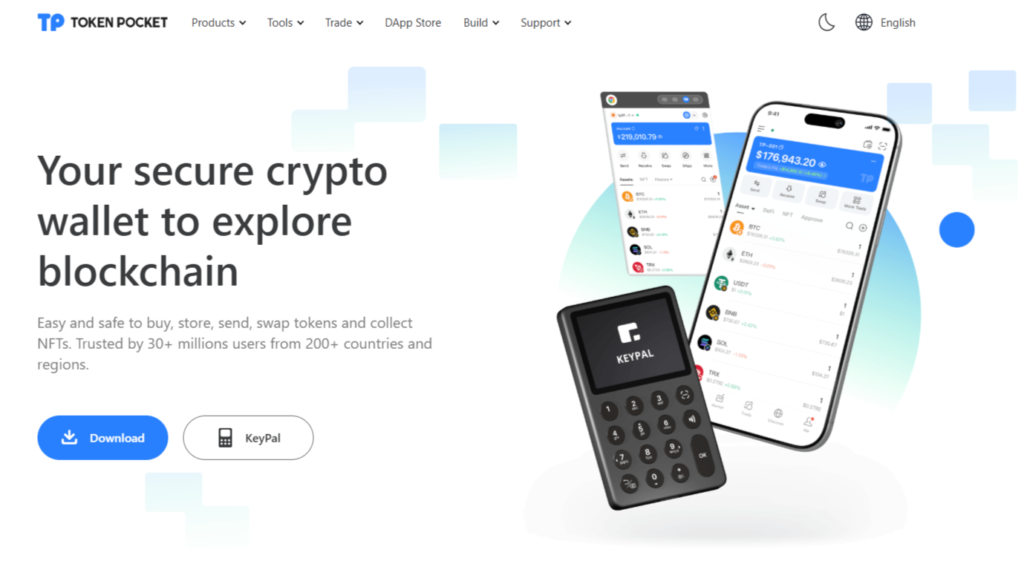
TokenPocket is better suited to users already comfortable with wallets, swaps, and on-chain tools. It is stronger for active Web3 users than for complete beginners.
Pros
- Good for active Web3 usage;
- Built-in token tools and swaps;
- Useful for more experienced on-chain users.
Cons
- Less intuitive for first-time wallet users;
- Better for intermediate and advanced users.
5. Zengo

Zengo uses an MPC-based security model instead of a traditional seed phrase, which some users find easier to manage. It is a good fit for mobile-first buyers who want simplified recovery.
Pros
- Simpler recovery experience;
- Beginner-friendly security model;
- Good for mobile-first users.
Cons
- Less customizable than seed-based wallets;
- Advanced users may prefer more manual control.
6. Coinbase Wallet

Coinbase Wallet is useful for buyers who already know Coinbase and want a simpler transition into self-custody. Coinbase also maintains live MX market pages showing current price, market cap, circulating supply, and 24-hour volume, which is useful for tracking the token before and after purchase.
Pros
- Familiar for Coinbase users;
- Good beginner-to-intermediate experience;
- Easy bridge from centralized exchange habits to self-custody.
Cons
- Less flexible than some DeFi-native wallets;
- Direct in-wallet buying experience varies by region.
7. Exodus

Exodus is a polished wallet across desktop and mobile, known for a cleaner interface and easier portfolio management. It is a good fit for users who want a simple visual experience rather than a highly technical Web3 setup.
Pros
- Clean design;
- Good multi-device experience;
- Easy portfolio-style asset management.
Cons
- Less customizable for advanced users;
- Fiat provider pricing can vary.
8. Guarda

Guarda supports web, desktop, and mobile use, which makes it useful for buyers who want self-custody across different devices. It is a practical option if flexibility matters more than having a wallet built around one specific token.
Pros
- Multi-platform access;
- Broad asset support;
- Useful for users who want device flexibility.
Cons
- Less streamlined than some mobile-first wallets;
- Always verify current token support before purchase.
9. Atomic Wallet

Atomic Wallet is a non-custodial wallet with broad asset support and straightforward purchase flows through partners. It can be a practical choice if your priority is easy purchase, storage, and occasional swaps rather than heavier Web3 functionality.
Pros
- Easy purchase flow;
- Broad asset support;
- Non-custodial structure.
Cons
- Less advanced for Web3-heavy use;
- Fiat features depend on external partners.
10. SafePal

SafePal is attractive for users who care about security and may later want a hardware-wallet route. It works well for buyers who plan to hold tokens longer rather than trade them constantly.
Pros
- Strong security positioning;
- Hardware upgrade path available;
- Good for longer-term self-custody.
Cons
- More setup than beginner-first wallets;
- Less intuitive for casual users.
Buy MX with Apple Pay
The easiest Apple Pay route usually starts with a wallet or provider that supports fiat purchases for mainstream crypto and then routes into MX. Your Walletverse setup supports Apple Pay, which makes it practical for buyers who want to fund a wallet quickly and then acquire or swap into MX from there.
If you are comparing direct token references, MX is also actively tracked on MEXC and Coinbase pricing pages, so it is easy to confirm current market conditions before buying. For EUR-based users, CoinGecko shows MX near €1.53, which helps estimate the approximate number of tokens you might receive for a given Apple Pay purchase size.
A common route looks like this:
- Open a wallet that supports Apple Pay;
- Buy a supported base asset or MX directly where available;
- Store or swap into MX inside the wallet.
Buy MX with Google Pay
Google Pay works in much the same way. Walletverse supports Google Pay in the product details you provided, which makes it a useful mobile-first route for going from fiat to crypto inside one app.
For pricing context, CoinGecko and Coinbase both show live MX market data, and MX continues to trade with a market cap around $160+ million and daily volume in the multi-million-dollar range. That liquidity profile is helpful because it generally means buyers can enter and exit more easily than with very small-cap assets.
In practice, the Google Pay route is often one of the easiest options for mobile users because it reduces extra steps and keeps the purchase process inside one wallet flow.
How to Buy The MX TOKEN (MX) with Fiat
1. Choose a Wallet
Pick a wallet that supports fiat on-ramp purchases and token management, such as Walletverse, Coinbase Wallet, MetaMask, or another option from the list above.
2. Set Up and Secure the Wallet
Create the wallet, back up the recovery method if needed, and enable passcode or biometric security. In self-custody, protecting your access is your responsibility.
3. Buy MX or a Supported Base Asset with Fiat
Use USD, EUR, GBP, CAD, AUD, INR, JPY, KZT, or another supported fiat currency to buy MX directly where available, or buy a supported base asset first using Apple Pay, Google Pay, cards, or bank transfer. CoinGecko and Coinbase both make it easy to monitor live MX pricing while you compare entry points.
4. Swap if Needed
If direct MX purchase is unavailable in your local corridor, buy a supported asset first and then swap into MX.
5. Hold or Transfer MX
After purchase, you can keep MX in your wallet, move it to another self-custody wallet, or use it within the MEXC ecosystem if that matches your strategy. MEXC says MX holders can access benefits such as Launchpool participation, Kickstarter access, and trading-fee discounts.
A useful note: your true purchase cost is not only the MX price. It can also include fiat on-ramp fees, spread, and any applicable network or transfer fees.
FAQ
Most frequent questions and answers
MX has a clearer utility model than many altcoins because it is the native token of the MEXC ecosystem and is tied to user benefits such as Launchpool access, Kickstarter participation, and a 20% trading fee discount. That said, it is still a crypto exchange token, so it remains exposed to market volatility and platform-related sentiment.
The easiest route is to use a wallet with fiat on-ramp support, choose USD, and buy MX directly where available or buy a base asset first and then swap into MX. In Walletverse, that can happen inside one self-custodial mobile flow with Apple Pay, Google Pay, cards, and multiple fiat currencies.
You can use Walletverse, MetaMask, Coinbase Wallet, Trust Wallet, Exodus, Guarda, SafePal, TokenPocket, Atomic Wallet, or Zengo. Your best choice depends on whether you want the easiest mobile buying flow, more advanced Web3 access, or a stronger long-term self-custody setup.
You can buy MX through wallets and platforms that support fiat on-ramp purchases or token swaps, for example Walletverse.
Yes. Walletverse is built for buying, storing, sending, and swapping a wide range of crypto assets in a self-custodial mobile environment, which makes it practical for managing MX after purchase.


