


Buy AITECH Cloud Network (ACN) with USD, EUR and Other Fiat Currencies
AITECH Cloud Network (ACN) is a crypto asset connected to one of the most active trends in the digital economy: AI infrastructure. As artificial intelligence tools, autonomous agents and high-performance computing workloads grow, demand for GPU access, cloud services and decentralized infrastructure is also increasing.
For users, this makes ACN an interesting token to explore. It is connected to a project focused on AI compute, agent deployment, Web3 infrastructure and ecosystem services. At the same time, buying ACN with USD, EUR or other fiat currencies still requires a safe wallet, a reliable payment method and a clear understanding of how token purchases and conversions work.
This article was prepared by ilink, a FinTech and Web3 software developer with 14 years of experience and completed projects worldwide.
What is AITECH Cloud Network (ACN)?
AITECH Cloud Network (ACN) is the token of AITECH Cloud Network, an AI infrastructure ecosystem built around compute access, autonomous agents, GPU resources and blockchain-based economic coordination.
The project developed from Solidus Ai Tech, which later moved toward the AITECH Cloud Network identity. In 2026, the project announced a rebrand and migration from the previous AITECH token model to ACN. The migration was designed at a 1:1 ratio, meaning eligible AITECH tokens were converted into ACN tokens on the new network structure.
The main idea behind AITECH Cloud Network is simple: AI needs infrastructure. Training models, running inference, deploying AI agents and processing large workloads all require computing power. Traditional cloud providers already serve this market, but Web3 projects are trying to create more open, token-based and decentralized access models.
AITECH Cloud Network focuses on several core areas:
- GPU compute access;
- AI agent deployment;
- Agent Forge and ecosystem tools;
- Staking;
- Governance;
- Compute-related payments;
- Token burn mechanics;
- Web3-enabled AI infrastructure.
The official AITECH Cloud Network website describes the project as “Intelligence Infrastructure for Next-Generation AI.” This positioning reflects a broader shift in the market. AI is no longer viewed only as software. It increasingly depends on data centers, chips, GPUs, cloud platforms and scalable infrastructure.
NVIDIA CEO Jensen Huang described this shift clearly when he said: “AI is now infrastructure.” This quote is relevant because it explains why crypto projects connected to decentralized compute and AI services are receiving more attention.
ACN is used inside the AITECH Cloud Network ecosystem for payments, staking, governance and access to services. Users may interact with the token when accessing compute resources, subscribing to AI-related services or participating in the project’s economic layer.
The project also uses a burn mechanism. According to the official AITECH Cloud Network website, more than 14 million ACN have been burned, more than 10% of the total supply has been staked and more than 800 million output tokens have been generated. These figures help show real ecosystem activity, although users should always check current project dashboards before making decisions.
ACN also belongs to a fast-growing market category. According to MarketsandMarkets, the global GPU-as-a-Service market is expected to grow from USD 8.21 billion in 2025 to USD 26.62 billion by 2030. This growth is driven by AI, machine learning, data analytics and demand for high-performance computing.
Crypto wallet adoption is also growing. Grand View Research estimated the global crypto wallet market at USD 15.54 billion in 2025 and projected it to reach USD 100.77 billion by 2033. Statista also expects the number of cryptocurrency users worldwide to reach 993.64 million in 2026.
For ACN, this creates a practical use case for fiat-to-crypto access. Users need simple ways to buy crypto with USD, EUR, GBP, CAD, AUD and other currencies, then store or convert assets securely in wallets that support Web3 activity.
Where Can I Buy AITECH Cloud Network (ACN) Cash - 10 Best Crypto Wallets
1. Walletverse

Walletverse is a mobile self-custody crypto wallet designed for users who want to buy, store, send and exchange digital assets from one app. It supports more than 700 cryptocurrencies and is suitable for both beginners and advanced crypto users.
For users who want to buy ACN with fiat, Walletverse can be useful because it supports Apple Pay, Google Pay, credit and debit cards, as well as fiat currencies such as USD, EUR, GBP, JPY, KZT, INR, CAD, AUD and more. If ACN is not available for direct purchase through a provider, users can buy another supported crypto asset first and then convert it into ACN through a compatible exchange or swap route.
Walletverse is non-custodial, which means users remain in control of their assets. The wallet uses passcode and biometric authentication, and the team cannot access user funds. It also includes Web3 and DeFi features, dApps, multi-account support, AML and KYT tools, and staking options for Solana, Ethereum and TRON.
A useful feature for new crypto users is the proprietary GasFree USDT Transaction System on TRON. It allows users to transfer USDT without holding TRX, paying transaction fees directly in USDT instead. This helps remove one of the most common barriers for beginners who are still learning how network fees work.
Walletverse is available on Google Play and the App Store, with stated ratings of 4.8 on Google Play and 5.0 on the App Store.
Pros:
- Supports 700+ cryptocurrencies;
- Allows crypto purchases with Apple Pay, Google Pay, cards and multiple fiat currencies;
- Non-custodial wallet with passcode and biometric protection;
- Suitable for beginners and experienced users;
- Includes Web3, DeFi, dApps and multi-account support;
- GasFree USDT transfers on TRON simplify stablecoin transactions.
Cons:
- Mobile-only wallet;
- Direct ACN availability may depend on region and liquidity partners;
- Users still need to check the correct token network before transfers.



2. MetaMask

MetaMask is one of the most widely used Web3 wallets for Ethereum and EVM-compatible networks. Since ACN is connected to Ethereum after the migration, MetaMask can be useful for users who want to manage ERC-20 assets and interact with decentralized applications.
Users may need to manually add ACN by entering the correct token contract. MetaMask also supports fiat on-ramp providers and swaps in many regions, although direct ACN purchases may not always be available.
Pros:
- Strong support for Ethereum and EVM networks;
- Widely used for Web3 and DeFi;
- Browser extension and mobile app available;
- Useful for users who interact with decentralized exchanges.
Cons:
- Beginners may find manual token setup confusing;
- Direct fiat-to-ACN purchases may not be available;
- Network fees can vary depending on blockchain activity.
3. Trust Wallet

Trust Wallet is a mobile multi-chain wallet that supports a wide range of crypto assets. It is popular among users who want a simple mobile wallet with Web3 access, token storage and built-in purchase options through third-party providers.
For ACN, users should first check whether the wallet supports the correct token version and network. If direct ACN purchase is unavailable, Trust Wallet may still help users buy another crypto asset and then use external routes to convert it.
Pros:
- Mobile-friendly interface;
- Supports many assets and blockchains;
- Includes Web3 browser functionality;
- Fiat purchases are available through third-party providers.
Cons:
- ACN support should be verified before use;
- Provider fees may differ by region;
- Some advanced features may be difficult for first-time users.
4. Trezor Suite
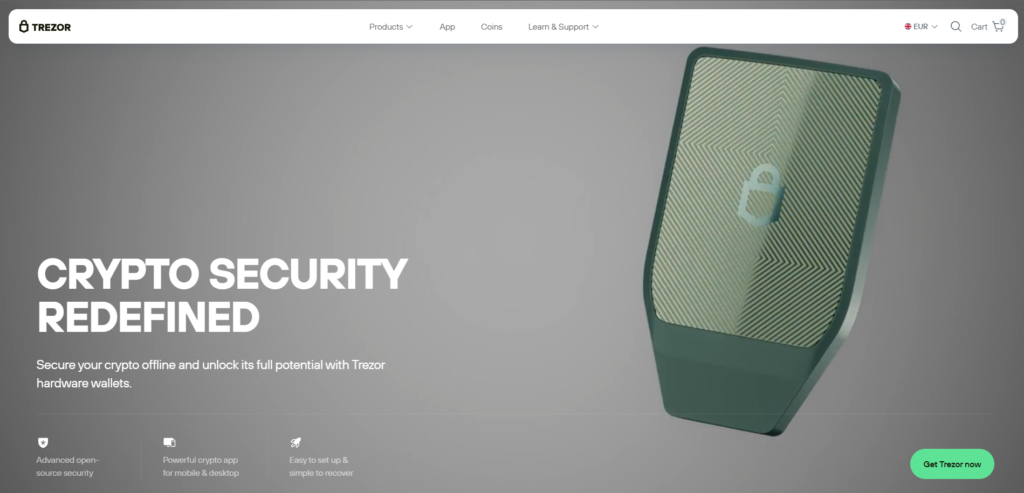
Trezor Suite is the wallet interface for Trezor hardware wallets. It is another option for users who want offline private key storage and stronger control over their assets.
For ACN, users should verify whether the token can be managed through Trezor-supported Ethereum tools or connected third-party wallets. This option is usually more suitable for long-term storage than quick fiat purchases.
Pros:
- Hardware-based wallet security;
- Good for users who hold crypto long term;
- Transparent asset management;
- Private keys stay offline.
Cons:
- Requires a hardware wallet;
- Not the fastest route for buying ACN with fiat;
- Token support may require external wallet connections.
5. SafePal

SafePal offers both software and hardware wallet options. It is a good choice for users who want flexibility between mobile crypto access and stronger long-term storage.
SafePal supports many crypto assets and Web3 features. Users interested in ACN should verify token support, network compatibility and available swap routes before sending funds.
Pros:
- Software and hardware wallet ecosystem;
- Supports many crypto assets;
- Good option for users who want stronger storage choices;
- Includes Web3 and swap access.
Cons:
- Direct fiat buying depends on third-party providers;
- Hardware wallet setup may be unnecessary for small purchases;
- Users must carefully protect their recovery phrase.
6. Exodus

Exodus is a desktop and mobile wallet known for its clean design and beginner-friendly asset management. It supports many cryptocurrencies and includes built-in exchange features.
For ACN, users should check whether the token is supported directly. If not, Exodus can still be useful for managing other assets that may later be converted into ACN through another platform.
Pros:
- Simple interface;
- Desktop and mobile versions;
- Built-in exchange options;
- Good portfolio overview.
Cons:
- Not every token is supported;
- Fiat purchases rely on third-party services;
- Less suitable for complex DeFi activity.
7. Ledger Live

Ledger Live is the companion app for Ledger hardware wallets. It is designed for users who want stronger private key protection and long-term storage.
For ACN, users may need to manage the token through Ethereum-compatible tools connected to Ledger. This option is usually better for users who already understand hardware wallets and ERC-20 token management.
Pros:
- Strong cold storage security;
- Private keys remain offline;
- Good for long-term holding;
- Can connect with Web3 wallets for supported networks.
Cons:
- Requires buying a hardware device;
- More setup steps than mobile wallets;
- ACN management may require additional configuration.
8. Atomic Wallet

Atomic Wallet is a multi-asset wallet with desktop and mobile access. It supports many cryptocurrencies and offers buying and swapping through partner services.
For ACN users, Atomic Wallet may be useful if it supports the required network or if users want to manage other assets before converting to ACN elsewhere. Direct support should always be checked before transferring tokens.
Pros:
- Supports many crypto assets;
- Desktop and mobile versions available;
- Built-in purchase and swap options;
- Simple portfolio management.
Cons:
- ACN availability should be confirmed first;
- Fees depend on third-party partners;
- Advanced Web3 tools are limited compared with MetaMask.
9. OKX Wallet

OKX Wallet is a multi-chain Web3 wallet connected to the wider OKX ecosystem. It supports swaps, NFTs, decentralized applications and multiple networks.
For ACN users, OKX Wallet may be useful if they want access to Web3 tools and token conversion options. Fiat purchase availability depends on the user’s region and supported payment providers.
Pros:
- Multi-chain wallet;
- Strong Web3 and DeFi functionality;
- Built-in swap features;
- Useful for active crypto users.
Cons:
- Interface may feel complex for beginners;
- ACN support should be checked before transferring funds;
- Fiat payment availability depends on region.
10. Coinbase Wallet

Coinbase Wallet is a self-custody wallet separate from a Coinbase exchange account. It allows users to store Ethereum-based assets, connect to Web3 apps and manage private keys independently.
For ACN, Coinbase Wallet may be useful for users who want a recognizable wallet brand and Ethereum-compatible storage. Direct buying depends on asset support and regional availability, so users should check current options before purchasing.
Pros:
- Self-custody wallet from a well-known crypto brand;
- Works with Ethereum-based assets;
- Easy Web3 app connection;
- Familiar interface for Coinbase users.
Cons:
- Not the same as holding assets on Coinbase Exchange;
- Direct ACN purchase may not be available everywhere;
- Users must manage their own recovery phrase.
Buy AITECH Cloud Network (ACN) Apple Pay
Buying AITECH Cloud Network (ACN) with Apple Pay can be convenient for users who want a fast mobile payment flow. Apple Pay allows users to confirm purchases without manually entering card details each time, which makes the process simpler for beginners.
There are usually two ways to buy ACN with Apple Pay.
The first option is direct purchase. If ACN is available through the wallet’s fiat provider in your region, you can select ACN, choose Apple Pay, enter the amount in USD, EUR or another supported currency, and confirm the transaction.
The second option is indirect purchase. If ACN is not available directly, you can buy another supported asset first, such as USDT, ETH or SOL. After that, you can convert the asset into ACN through a wallet swap, centralized exchange or decentralized exchange.
Walletverse supports Apple Pay for crypto purchases through fiat providers. This makes it a practical choice for mobile users who want to start with fiat and then manage crypto in a self-custody wallet.
Before confirming the transaction, check:
- The selected fiat currency;
- The payment provider fee;
- The token network;
- The receiving wallet address;
- The final amount of ACN or the asset being converted.
Apple Pay can simplify the buying process, but users should still review all details before confirming any crypto transaction.
Buy AITECH Cloud Network (ACN) with Google Pay
Google Pay is another convenient option for buying crypto with fiat, especially for Android users. It can make the checkout process faster and reduce the need to enter card information manually.
To buy ACN with Google Pay, open a wallet or platform that supports fiat purchases, choose the crypto buying section, search for ACN and select Google Pay as the payment method if it is available.
If ACN is not available for direct purchase, users can buy a widely supported asset first. USDT, ETH or SOL are common options because they are widely used for trading and conversion. After buying one of these assets, users can convert it into ACN through a supported exchange or swap route.
Walletverse supports Google Pay and is available on Google Play. It can be useful for users who want a mobile-first wallet with fiat access, self-custody, biometric protection and Web3 features.
Before using Google Pay, check the final details carefully. Fees, limits and available assets can depend on the user’s country, bank, card issuer and payment partner.
How to Buy The AITECH Cloud Network (ACN) with Fiat?
Buying ACN with fiat is usually done through a wallet, exchange or fiat payment provider that supports crypto purchases. In some cases, users can buy ACN directly. If direct purchase is not available, they can first buy another crypto asset and then convert it into ACN.
- Choose a wallet or exchange. Start with a wallet or platform that supports fiat payments, crypto purchases and withdrawals. Walletverse can be a convenient mobile option because it supports Apple Pay, Google Pay, credit and debit cards, and multiple fiat currencies.
- Create or open your wallet. Install the app, create a wallet or open your existing account. Secure access with a passcode, biometric authentication and a safely stored recovery phrase.
- Select your fiat currency. Choose the currency you want to use for the purchase. This can be USD, EUR, GBP, CAD, AUD, INR, KZT, JPY or another supported fiat currency.
- Choose a payment method. Select a payment option available in your region. Common methods include Apple Pay, Google Pay, credit card, debit card or bank transfer.
- Search for AITECH Cloud Network (ACN). Open the crypto buying section and search for ACN. If ACN is available for direct purchase, enter the amount and continue to checkout.
- Buy another crypto first if ACN is not available. If direct ACN purchase is not supported, buy a widely available asset first, such as USDT, ETH or SOL. This asset can later be converted into ACN.
- Convert the purchased asset into ACN. Use a wallet swap, centralized exchange or decentralized exchange to convert the asset into ACN. Before confirming the conversion, check the exchange rate, fees and supported network.
- Check the ACN network. ACN is connected to the new AITECH Cloud Network structure, so users should always select the correct blockchain before withdrawing or storing the token. Sending tokens through the wrong network can lead to a loss of funds.
- Confirm the transaction details. Before completing the purchase or conversion, review the payment provider fee, network fee, swap fee, receiving wallet address and final amount of ACN.
- Store ACN safely. After the transaction is complete, keep ACN in a secure wallet that supports the correct token version. Walletverse can be useful for users who want mobile self-custody, simple asset management and secure access to crypto.
Conclusion
AITECH Cloud Network (ACN) is connected to the growing market for AI infrastructure, GPU compute, autonomous agents and Web3-enabled cloud services. Its role is tied to ecosystem access, staking, governance, service payments and the broader economic layer of the network.
For users who want to buy ACN with USD, EUR or other fiat currencies, the best route depends on payment method, region, wallet support and available exchanges. Some users may be able to buy ACN directly. Others may need to buy a common asset first and then convert it into ACN.
Walletverse can be a strong option for the fiat-to-crypto step because it supports Apple Pay, Google Pay, credit and debit cards, multiple fiat currencies, 700+ cryptocurrencies, self-custody, biometric protection and Web3 features.
The most important rule is to check every detail before confirming a transaction. Review the token name, network, wallet address, provider fees and final amount. This helps reduce mistakes and gives users better control over their crypto assets.
Data current as of June 16, 2026.
FAQ
Most frequent questions and answers
ACN may be interesting for users who believe in the growth of AI infrastructure, GPU compute, autonomous agents and Web3 cloud services. The token is connected to AITECH Cloud Network, but it remains a crypto asset with volatility and market risk. Walletverse can help users manage crypto in a self-custody mobile wallet, but users should always do their own research before buying ACN.
You can buy ACN with USD through a supported exchange, wallet or fiat on-ramp provider if direct purchase is available in your region. If ACN is not available directly, you can buy USDT, ETH or another supported asset with USD and then convert it into ACN. Walletverse supports crypto purchases with cards, Apple Pay, Google Pay and fiat currencies, which can make the first step easier.
You can use a wallet that supports the correct ACN token version and network. Walletverse can be useful for users who want a mobile self-custody wallet with fiat purchase options, 700+ supported cryptocurrencies, Web3 access and biometric protection. Before transferring ACN, always confirm network support and the correct receiving address.
ACN can be bought through selected centralized exchanges, decentralized exchanges and wallet-based routes depending on availability. Some users may buy ACN directly, while others may buy USDT, ETH or SOL first and then convert it into ACN. Walletverse can support the fiat-to-crypto stage with Apple Pay, Google Pay, cards and multiple fiat currencies.
The cheapest way to buy ACN depends on payment method, provider fee, exchange fee, network fee and region. Bank transfers are often cheaper than card payments, but cards, Apple Pay and Google Pay may be faster. In Walletverse, users can start with fiat-supported crypto purchases and then compare whether direct buying or buying another asset first is more efficient.
Yes, ACN can be bought with EUR if a supported exchange, wallet or fiat provider offers it in your region. If direct EUR to ACN purchase is not available, users can buy another crypto asset with EUR and then convert it into ACN. Walletverse supports EUR among other fiat currencies, which can make the purchase process easier.
Yes, it may be possible to buy ACN with Apple Pay if your wallet or payment provider supports direct ACN purchases. If not, you can buy a supported crypto asset first and then convert it into ACN. Walletverse supports Apple Pay for crypto purchases through fiat providers.
Yes, Google Pay can be used for crypto purchases on platforms that support it. If ACN is not directly available, users can buy USDT, ETH or another supported asset first and then exchange it for ACN. Walletverse supports Google Pay, making it convenient for Android users who prefer mobile fiat payments.
Walletverse can be suitable for users who want mobile self-custody, simple crypto management and strong access protection. It supports more than 700 cryptocurrencies and includes passcode and biometric security. Users should still confirm ACN availability and network support before transferring tokens.
ACN is the new token identity connected to AITECH Cloud Network after the Solidus Ai Tech rebrand and migration process. The project announced a 1:1 migration from AITECH to ACN as part of its move toward a broader AI infrastructure ecosystem. Users should always follow official project channels when checking migration or token details.


