


Buy MobileCoin (MOB) with USD, EUR and Other Fiat Currencies
MobileCoin (MOB) is a privacy-focused cryptocurrency designed for fast mobile payments. Unlike many crypto assets that were built mainly for trading or smart contracts, MobileCoin was created around a more specific idea: digital cash that can work on phones and inside mobile-first apps.
This article was prepared by ilink, a FinTech and Web3 software developer with 14 years of experience and completed projects worldwide.
What is MobileCoin (MOB)?
MobileCoin (MOB) is a peer-to-peer digital currency created for private, fast and mobile-friendly payments. The project was founded in 2017 and the network went live in December 2020.
MobileCoin was developed with a clear product direction: make crypto payments feel easier on phones while preserving transaction privacy. The official MobileCoin code repository describes the network’s goal as safely and efficiently enabling the exchange of value while using cryptography to preserve cash-like privacy for users.
This is different from many public blockchains where wallet addresses, transaction amounts and transaction flows can often be analyzed openly. MobileCoin was designed to hide sensitive payment details and make private transfers more practical for everyday mobile use.
Signal also added MobileCoin support to its in-app payments feature. Signal described MobileCoin as a cryptocurrency designed to be used as digital cash on a phone and stated that sender, receiver, amount transferred and message data are private to Signal.
MobileCoin is built around several important ideas:
- Private mobile payments;
- Encrypted transaction details;
- Fast settlement;
- Mobile-first wallet use;
- Lightweight client access;
- Cash-like privacy;
- Peer-to-peer transfers;
- Messaging app payment use cases.
One of MobileCoin’s important technical features is Fog. Fog is designed to help mobile clients check balances and send payments without downloading and scanning the full blockchain locally. This matters because normal full-chain scanning can be heavy for mobile devices.
MobileCoin also uses privacy technologies inspired by CryptoNote and Ring Confidential Transactions. These technologies help protect transaction details and reduce public exposure of payment information.
From a tokenomics perspective, MobileCoin has a fixed total network value of 250,000,000 MOB. This is useful long-term information because it does not depend on daily price or market capitalization, which can change every minute.
Mobile payments remain an important global trend. Users increasingly expect transfers to be fast, simple and available directly from mobile apps. At the same time, privacy remains a major concern because financial transactions often reveal sensitive behavioral data.
The wider crypto wallet market is also growing. Grand View Research estimated the global crypto wallet market at USD 15.54 billion in 2025 and projected it to reach USD 100.77 billion by 2033. This growth shows why secure self-custody wallets and fiat-to-crypto access are becoming more important for users who want to buy and manage assets such as MOB.
For MobileCoin, the main buying route is usually a wallet, exchange or payment app that supports MOB directly. If direct purchase is not available, users may need to buy another asset first, such as USDT, USDC, BTC or ETH, and then convert it through a supported platform.
Where Can I Buy MobileCoin (MOB) Cash - 10 Best Crypto Wallets
1. Walletverse

Walletverse is a mobile self-custody crypto wallet created for users who want to buy, store, send and exchange digital assets from one app. It supports more than 700 cryptocurrencies and is suitable for beginners as well as more experienced crypto users.
For users who want to buy MOB with fiat, Walletverse can be useful as a fiat-to-crypto entry point because it supports Apple Pay, Google Pay, credit and debit cards, and fiat currencies such as USD, EUR, GBP, JPY, KZT, INR, CAD, AUD and more. If MOB is not available directly through a fiat provider, users can buy another supported asset first and then convert it into MOB through a compatible exchange or supported route.
Walletverse is non-custodial, which means users control access to their own assets. The wallet uses passcode and biometric authentication, and even the Walletverse team cannot access user funds. It also includes Web3 and DeFi features, dApps, multi-account support, AML and KYT tools, and staking options for Solana, Ethereum and TRON.
One useful feature for new users is the proprietary GasFree USDT Transaction System on TRON. It allows users to transfer USDT without holding TRX, paying transaction fees directly in USDT instead. This helps solve one of the most common beginner problems in crypto: not having the right gas token for a transaction.
Walletverse is available on Google Play and the App Store, with stated ratings of 4.8 on Google Play and 5.0 on the App Store.
Pros:
- Supports 700+ cryptocurrencies;
- Allows crypto purchases with Apple Pay, Google Pay, cards and multiple fiat currencies;
- Non-custodial wallet with passcode and biometric protection;
- Suitable for beginners and advanced users;
- Includes Web3, DeFi, dApps and multi-account support;
- Helps users start with fiat before converting into assets such as MOB.
Cons:
- Mobile-only wallet;
- Direct MOB availability may depend on region and liquidity partners;
- Users should confirm native MobileCoin support before transferring MOB.



2. Sentz
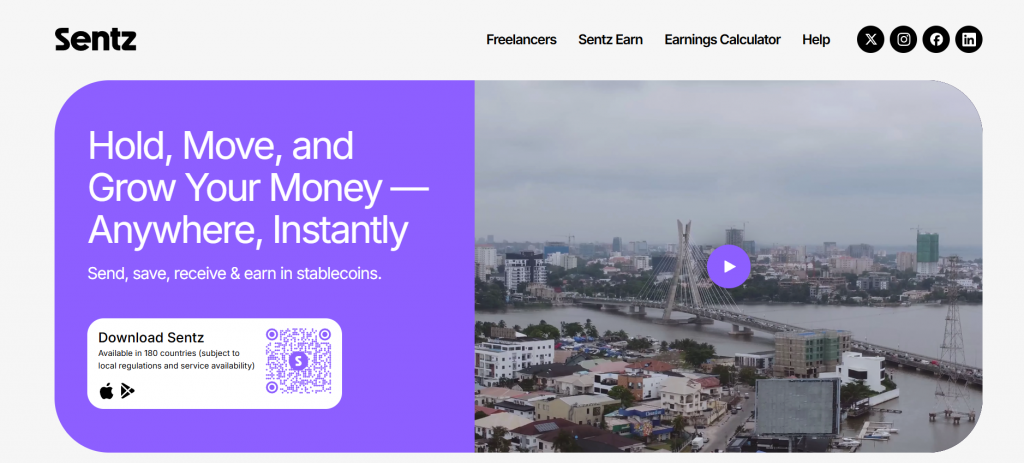
Sentz, previously connected with the MobileCoin ecosystem, is a self-custodial payment wallet focused on low-cost and fast global payments. It is designed for users who want mobile payments, stablecoin access and private transaction protection.
For MOB users, Sentz can be relevant because it is closely connected to the MobileCoin ecosystem. Users may be able to access MOB-related flows depending on current app support and regional availability.
Pros:
- Built around mobile payments;
- Self-custodial wallet structure;
- Designed for fast global transfers;
- Closely connected to the MobileCoin ecosystem.
Cons:
- Current MOB access should be checked before use;
- Features may vary by country;
- Users may need to understand eUSD, MOB and conversion flows.
3. Trust Wallet

Trust Wallet is a mobile multi-chain wallet that supports many digital assets and blockchain networks. It is often used by users who want a simple wallet for storing, buying and swapping crypto.
For MOB, users should first verify whether native MobileCoin is supported. If direct MOB support is unavailable, Trust Wallet may still be useful for buying and holding another asset, such as USDT, ETH or BNB, before converting through a supported MOB route.
Pros:
- Mobile-friendly design;
- Supports many crypto assets;
- Includes Web3 access;
- Fiat purchases are available through third-party providers.
Cons:
- Native MOB support should be verified first;
- On-ramp fees can vary;
- Not all privacy-focused coins are supported by every multi-chain wallet.
4. Guarda Wallet

Guarda Wallet is a non-custodial multi-currency wallet available on mobile, desktop, web and browser extension. It supports crypto buying, selling and swapping, and the platform states that users can buy crypto with debit or credit cards, Apple Pay and other payment methods.
For MOB users, Guarda can be useful as an indirect buying route. If direct MobileCoin support is not available, users can buy a more widely supported asset first, such as USDT, BTC or ETH, and then convert it into MOB through a compatible exchange or supported route. Before sending MOB, users should always confirm native MobileCoin network support.
Pros:
- Supports many assets and blockchains;
- Available on mobile, desktop, web and browser extension;
- Includes buying, selling and swap features;
- Non-custodial wallet where users control their private keys;
- Useful for users who want one wallet for different crypto assets.
Cons:
- Native MOB support should be checked before transfer;
- Direct fiat-to-MOB purchase may not be available;
- Fees and payment options depend on third-party providers and region.
5. SafePal

SafePal offers both software and hardware wallet options. It can be useful for users who want mobile access for everyday crypto activity and stronger storage choices for supported assets.
For MOB, users should confirm whether native MobileCoin is supported before sending funds. If direct support is unavailable, SafePal can still be used for managing assets used in indirect conversion routes.
Pros:
- Software and hardware wallet ecosystem;
- Supports many crypto assets;
- Good for users who want stronger storage options;
- Includes swaps and Web3 access.
Cons:
- MOB support should be confirmed first;
- Direct fiat buying depends on third-party providers;
- Users must carefully manage recovery phrases and network compatibility.
6. Exodus

Exodus is a desktop and mobile wallet known for its clean interface and simple portfolio management. It supports many assets and includes built-in exchange features.
For MOB, users should check current support before transferring funds. If MOB is not directly supported, Exodus may still be useful for managing common assets that can later be converted into MOB through another platform.
Pros:
- Simple and clean interface;
- Desktop and mobile versions;
- Built-in exchange options;
- Good portfolio overview.
Cons:
- MOB support should be checked first;
- Fiat purchases rely on third-party partners;
- Not every privacy coin or native network is supported.
7. Ledger Live

Ledger is a hardware wallet option for users who want stronger private key protection. Ledger support materials explain how users can work with MobileCoin through the MobileCoin desktop wallet.
This setup may be useful for users who want a more security-focused storage route. It is usually better for users who already understand hardware wallets and are comfortable connecting them with supported wallet software.
Pros:
- Strong cold storage security;
- Private keys remain offline;
- Useful for long-term storage;
- Can be connected with MobileCoin wallet tools.
Cons:
- Requires buying a hardware device;
- More setup steps than mobile wallets;
- Not the easiest route for quick fiat purchases.
8. Atomic Wallet

Atomic Wallet is a multi-asset wallet available on desktop and mobile. It offers storage, swaps and buying features through partner services.
Atomic Wallet has published a MobileCoin wallet page, which makes it relevant for users who want a broader multi-asset wallet experience. Before using it, users should still check current MOB support, network functionality and available swap routes.
Pros:
- Desktop and mobile access;
- Multi-asset wallet interface;
- Built-in purchase and swap features;
- Useful for users managing different assets.
Cons:
- MOB support should be checked before transferring funds;
- Fees depend on third-party partners;
- Some users may prefer an official MobileCoin wallet for native MOB storage.
9. Coinomi Wallet
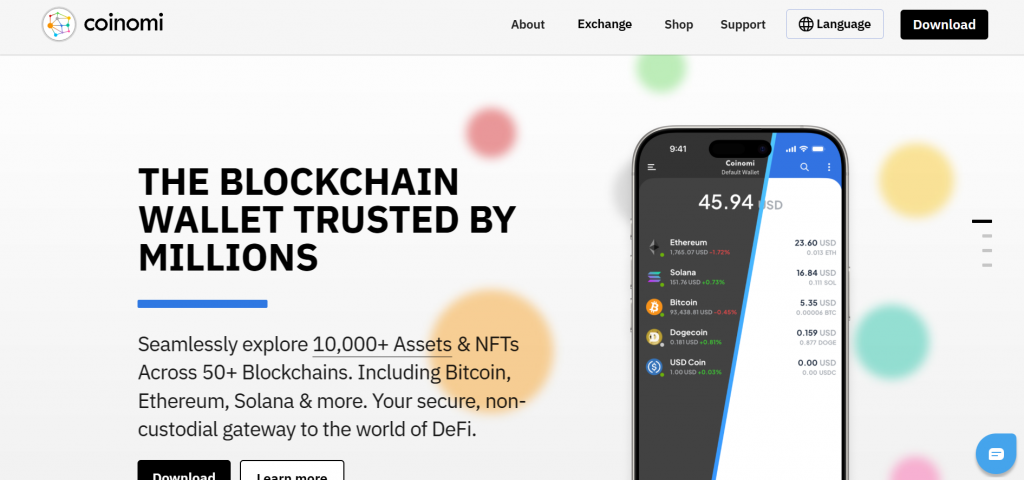
Coinomi is a non-custodial multi-chain wallet that supports more than 10,000 assets across 50+ blockchains, with mobile and desktop versions. The wallet also includes built-in exchange options and card-based crypto purchases through partners.
For users interested in MobileCoin, Coinomi may be useful for managing common crypto assets that can later be converted into MOB. It is better to present Coinomi as a flexible multi-asset wallet for the first crypto purchase or swap route, not as a guaranteed native MOB wallet. Users should verify MobileCoin support before transferring funds.
Pros:
- Supports a wide range of crypto assets;
- Available on iOS, Android and desktop;
- Non-custodial wallet with private keys stored on the user’s device;
- Includes built-in exchange features;
- Allows crypto purchases through partner services.
Cons:
- Native MOB support is not guaranteed and should be checked first;
- Fiat purchases depend on third-party providers;
- Users may still need another platform to complete the MOB conversion.
10. Coinbase Wallet

Coinbase Wallet is a self-custody wallet separate from a Coinbase exchange account. It allows users to hold crypto assets, connect to Web3 apps and manage their own recovery phrase.
For MOB, Coinbase Wallet may be useful mainly as a self-custody wallet for other assets used in an indirect buying route. Users should not assume native MobileCoin support without checking the current asset list and network compatibility.
Pros:
- Self-custody wallet from a well-known crypto brand;
- Easy Web3 app connection;
- Suitable for users who want control over private keys;
- Familiar interface for many Coinbase users.
Cons:
- Native MOB support may not be available;
- Not the same as a Coinbase exchange account;
- Users may need another wallet for direct MobileCoin storage.
Buy MobileCoin (MOB) with Apple Pay
Buying MobileCoin (MOB) with Apple Pay can be convenient if a wallet, exchange or fiat provider supports direct MOB purchases in your region. Apple Pay can make checkout faster because users do not need to manually enter card details each time.
There are usually two possible routes.
The first route is direct purchase. If MOB is available through the wallet’s fiat provider, users can choose MobileCoin, select Apple Pay, enter the amount in USD, EUR or another supported fiat currency, and confirm the transaction.
The second route is indirect purchase. If MOB is not available directly, users can buy another supported asset first, such as USDT, USDC, BTC or ETH. After that, they can convert the asset into MOB through a supported exchange or wallet route.
Walletverse supports Apple Pay for crypto purchases through fiat providers. This can be useful for users who want to start with fiat and then manage crypto in a self-custody mobile wallet.
Before confirming the transaction, check:
- The selected fiat currency;
- The payment provider fee;
- The exact token name;
- Whether MOB is supported directly;
- The receiving wallet address;
- The final amount of MOB or the asset being converted.
Apple Pay can make the first step easier, but users should still verify all details before sending funds.
Buy MobileCoin (MOB) with Google Pay
Google Pay is another convenient way to buy crypto with fiat, especially for Android users. It can make the payment flow faster and reduce the need to manually enter card details.
To buy MOB with Google Pay, open a wallet or platform that supports fiat purchases, choose the buying section, search for MobileCoin (MOB) and select Google Pay as the payment method if it is available.
If MOB is not available directly, users can buy another crypto asset first. USDT, USDC, BTC or ETH are common options because they are widely supported on many platforms. After buying one of these assets, users can convert it into MOB through a supported route.
Walletverse supports Google Pay and is available on Google Play. It can be useful for users who want mobile crypto access, fiat payment options, self-custody and biometric protection.
Before using Google Pay, users should check fees, limits, token details, provider availability and whether native MobileCoin withdrawals are supported. These conditions can vary by country, bank, card issuer and payment partner.
How to Buy The MobileCoin (MOB) with Fiat?
Buying MOB with fiat is usually done through a wallet, exchange or payment provider that supports crypto purchases. In some cases, users can buy MOB directly. If direct purchase is not available, they can first buy another crypto asset and then convert it into MOB.
- Choose a wallet or exchange. Start with a wallet or platform that supports fiat payments, crypto purchases and withdrawals. Walletverse can be a convenient mobile option because it supports Apple Pay, Google Pay, credit and debit cards, and multiple fiat currencies.
- Create or open your wallet. Install the app, create a wallet or open your existing account. Secure access with a passcode, biometric authentication and a safely stored recovery phrase.
- Select your fiat currency. Choose the currency you want to use for the purchase. This can be USD, EUR, GBP, CAD, AUD, INR, KZT, JPY or another supported fiat currency.
- Choose a payment method. Select a payment option available in your region. Common methods include Apple Pay, Google Pay, credit card, debit card or bank transfer.
- Search for MobileCoin (MOB). Open the crypto buying section and search for MOB. Check that the selected asset is MobileCoin, not another token with a similar ticker.
- Buy another crypto first if MOB is not available. If direct MOB purchase is not supported, buy a widely available asset first, such as USDT, USDC, BTC or ETH. This asset can later be converted into MOB through a supported platform.
- Convert the purchased asset into MOB. Use a supported exchange, wallet route or swap service to convert the asset into MOB. Before confirming the conversion, check the exchange rate, fees and withdrawal options.
- Check wallet compatibility. MobileCoin is not a standard ERC-20 or SPL token, so users should confirm that the receiving wallet supports native MOB before withdrawing. Sending MOB to an unsupported wallet can lead to a loss of funds.
- Confirm the transaction details. Before completing the purchase or conversion, review the payment provider fee, network fee, exchange fee, receiving wallet address and final amount of MOB.
- Store MOB safely. After the transaction is complete, keep MOB in a wallet that supports MobileCoin. Walletverse can be useful for users who want mobile self-custody and fiat access, while native MOB storage should always be checked before transferring funds.
Conclusion
MobileCoin (MOB) is a privacy-focused cryptocurrency designed for fast mobile payments and cash-like transaction privacy. Its role is tied to mobile-first payments, encrypted transaction details and use cases where users want transfers that do not expose sender, receiver and amount information publicly.
For users who want to buy MOB with USD, EUR or other fiat currencies, the best route depends on region, payment method, exchange support and wallet compatibility. Some users may be able to buy MOB directly. Others may need to buy a common crypto asset first and then convert it into MOB through a supported route.
Walletverse can be a strong option for the fiat-to-crypto step because it supports Apple Pay, Google Pay, credit and debit cards, multiple fiat currencies, 700+ cryptocurrencies, self-custody, biometric protection and Web3 features.
The most important rule is to check token support before transferring funds. MOB uses its own MobileCoin network, so users should confirm that the receiving wallet supports native MobileCoin and that deposits and withdrawals are active.
Data current as of June 17, 2026.
FAQ
Most frequent questions and answers
MOB may be interesting for users who care about private mobile payments, encrypted transaction details and mobile-first crypto design. It is connected to the MobileCoin network, but it remains a crypto asset with volatility, liquidity limits and project-specific risks. Walletverse can help users start with fiat-supported crypto purchases, but users should always do their own research before buying MOB.
You can buy MOB with USD through a supported exchange, wallet or fiat provider if direct purchase is available in your region. If MOB is not available directly, you can buy USDT, USDC, BTC or another supported asset with USD and then convert it into MOB through a platform that supports MobileCoin. Walletverse supports crypto purchases with cards, Apple Pay, Google Pay and fiat currencies, which can make the first step easier.
You need a wallet that supports native MobileCoin. Options may include Sentz, MobileCoin Desktop Wallet, Signal Payments where available, Atomic Wallet if current support is active, or compatible wallet tools connected to hardware storage. Walletverse can be useful for fiat-to-crypto access and self-custody, but users should always confirm MOB support before transferring funds.
MOB can be bought through selected exchanges and MobileCoin-supported wallet routes depending on region and availability. Some users may buy MOB directly, while others may buy USDT, USDC, BTC or ETH first and then convert it into MOB. Walletverse can support the fiat-to-crypto stage with Apple Pay, Google Pay, cards and multiple fiat currencies.
The cheapest way to buy MOB depends on payment method, provider fee, exchange fee, conversion route and withdrawal cost. Bank transfers are often cheaper than card payments, while Apple Pay, Google Pay and cards may be faster. In Walletverse, users can start with fiat-supported crypto purchases and then compare whether direct buying or buying another asset first is more efficient.
Yes, MOB can be bought with EUR if a supported exchange, wallet or fiat provider offers it in your region. If direct EUR to MOB purchase is unavailable, users can buy another crypto asset with EUR and convert it into MOB later. Walletverse supports EUR among other fiat currencies, which can make the first fiat-to-crypto step easier.
Yes, it may be possible to buy MOB with Apple Pay if your wallet or fiat provider supports direct MOB purchases. If direct purchase is not available, you can buy a supported crypto asset first and then convert it into MOB. Walletverse supports Apple Pay for crypto purchases through fiat providers.
Yes, Google Pay can be used for crypto purchases on platforms that support it. If MOB is not directly available, users can buy USDT, USDC, BTC or another supported asset first and exchange it for MOB through a supported route. Walletverse supports Google Pay, which can be convenient for Android users who prefer mobile fiat payments.
MobileCoin is designed to protect transaction privacy. Signal’s payments documentation says that sender, receiver, amount transferred and message details are private to Signal when using MobileCoin payments. Users should still understand that exchanges, fiat providers and regulatory checks may create separate data records outside the blockchain transaction itself.
Walletverse can be suitable for users who want mobile self-custody, fiat purchase access and strong app-level security. It supports more than 700 cryptocurrencies and includes passcode and biometric protection. Users should still confirm native MOB availability and MobileCoin network support before transferring MOB into any wallet.


