


Best Shiba Inu (SHIB) Wallet in 2026 for Beginners and Advanced
- Updated 2026-09-16
Last reviewed: September 2026
Choosing the best Shiba Inu wallet is no longer only about finding an app that can display an SHIB balance. In 2026, SHIB holders may need support for Ethereum, Shibarium, Web3 applications, ShibaSwap, token swaps, hardware signing, and secure self-custody.
The right wallet also depends on how you use SHIB. A beginner who wants a simple mobile SHIB wallet has different needs from an advanced DeFi user connecting to decentralized applications or a long-term holder looking for cold storage.
This guide compares seven Shiba Inu wallets across mobile usability, self-custody, Web3 access, transaction security, network compatibility, recovery, and long-term storage.
Quick Answer: What Is the Best Shiba Inu Wallet in 2026?
Walletverse is designed for users who want a simple mobile self-custody wallet for managing SHIB together with other cryptocurrencies.
MetaMask is better suited to advanced Ethereum, Shibarium, ShibaSwap, DeFi, and Web3 activity.
Trust Wallet is a convenient option for beginners managing assets across multiple blockchain networks.
Rabby is particularly useful for experienced DeFi users who want more transaction information before signing.
Ledger and Tangem provide hardware-based protection for users who prioritize long-term SHIB storage.
OneKey combines software wallet access with security-focused transaction tools and optional hardware protection.
There is no single SHIB wallet that is best for everyone. The most suitable option depends on whether you prioritize mobile convenience, Web3 access, transaction security, network support, or offline storage.
Best SHIB Wallets Compared
| Wallet | Type | Best For | Main Strength | Main Trade-Off |
|---|---|---|---|---|
| Walletverse | Software wallet | Mobile users and beginners | Simple multi-asset self-custody | No dedicated desktop or browser extension |
| MetaMask | Software wallet | ShibaSwap, DeFi and Web3 | Ethereum and EVM ecosystem access | More complex for beginners |
| Trust Wallet | Software wallet | Beginners with multi-chain assets | Broad blockchain support | Many features and networks to manage |
| Rabby | Software wallet | Advanced DeFi users | Detailed transaction visibility | Less beginner-oriented |
| Ledger | Hardware wallet | Long-term SHIB storage | Offline private-key protection | Requires purchasing a device |
| Tangem | Hardware wallet | Mobile-friendly cold storage | Simple NFC hardware format | Physical device required |
| OneKey | Software + hardware | Security-conscious Web3 users | Transaction security features | More complex product ecosystem |
How We Selected the Best Shiba Inu Wallets
We evaluated wallets according to the factors that matter most when storing and using SHIB:
SHIB and ERC-20 compatibility, Ethereum support, Shibarium or EVM network access, self-custody architecture, recovery options, mobile and desktop availability, Web3 and WalletConnect support, transaction clarity, hardware integration, integrated buying or swapping features, security documentation, ease of use, and suitability for both beginners and experienced crypto users.
Product information should be reviewed regularly because supported networks, security features, fees, payment options, and wallet functionality can change.
What Is a Shiba Inu Wallet?
A Shiba Inu wallet is software or hardware used to manage the cryptographic credentials that allow a user to access and transfer SHIB.
SHIB itself does not sit “inside” the wallet. The token balance is recorded on the blockchain. The wallet provides the keys and transaction-signing tools needed to send SHIB, receive SHIB, connect to decentralized applications, and interact with supported blockchain networks.
SHIB wallets generally fall into two categories.
A software or hot wallet runs on an internet-connected smartphone, browser, or computer. Hot wallets are convenient for everyday transfers, swaps, DeFi, and Web3 activity.
A hardware or cold wallet keeps private keys or signing credentials in a dedicated physical device. Hardware wallets can reduce exposure to malware and remote key theft and are commonly used for long-term crypto storage.
Ethereum vs Shibarium: Why the Network Matters
SHIB was originally launched as an ERC-20 token on Ethereum.
Shibarium is an EVM-compatible network connected to the Shiba Inu ecosystem. It is designed to provide faster and lower-cost transactions than using Ethereum Mainnet for every interaction.
The distinction matters because Ethereum and Shibarium are separate networks.
Ethereum transactions use ETH for gas, while Shibarium uses BONE as its gas token. Moving assets between Ethereum and Shibarium may require a bridge, and both the sending service and receiving wallet must support the same network and token representation.
An Ethereum-compatible address alone does not guarantee that a wallet fully supports every Shibarium feature.
This is especially important when withdrawing SHIB from an exchange. Always check the selected network before confirming a transfer.
ShibaSwap also operates within the broader Ethereum and Shibarium ecosystem, so users planning to swap tokens, provide liquidity, or use other decentralized applications should consider Web3 and network support when choosing a wallet.
Best Shiba Inu Wallets in 2026
1. Walletverse — Best Mobile SHIB Wallet for Simple Self-Custody

Walletverse is a mobile self-custody crypto wallet designed for users who want to manage SHIB and other digital assets from a smartphone.
The application supports more than 700 cryptocurrencies and combines wallet management, receiving and sending, portfolio tools, integrated purchasing routes, and crypto exchange functionality in one interface.
Why Choose Walletverse for SHIB?
Walletverse is most useful for users who prefer a mobile-first experience and do not need a desktop application or browser extension.
Users retain control over their wallet access rather than relying on a centralized exchange to hold the wallet credentials.
Security features include passcode protection, biometric authentication, wallet recovery tools, and support for multiple wallet accounts.
Integrated purchase and exchange availability can depend on country, payment provider, asset availability, rates, limits, and fees.


2. MetaMask — Best SHIB Wallet for ShibaSwap, DeFi and Web3

MetaMask is one of the most widely used self-custody wallets for Ethereum and EVM-compatible applications.
It is available as both a browser extension and mobile application and is commonly used to connect to decentralized exchanges, DeFi protocols, NFT platforms, and other Web3 applications.
Because Shibarium is EVM-compatible, MetaMask can also be configured for the network.
3. Trust Wallet — Best SHIB Wallet for Beginners with Multi-Chain Assets

Trust Wallet is a self-custody crypto wallet designed around broad multi-chain support.
It allows users to manage SHIB together with assets from numerous other blockchain ecosystems and provides mobile and browser-based access.
Its combination of a relatively simple interface, token management, swaps, purchasing integrations, and Web3 tools makes it accessible to users moving from a centralized exchange to their first personal crypto wallet.
The biggest challenge with any broad multi-chain wallet is network selection. Users should always verify that the sending and receiving networks match before transferring SHIB.
4. Rabby Wallet — Best for Advanced SHIB and DeFi Users

Rabby Wallet focuses heavily on Ethereum, EVM networks, and decentralized applications.
It is designed for users who regularly interact with smart contracts and want more visibility into what a transaction is expected to do before they approve it.
This can be valuable for SHIB users involved in DeFi, DEX trading, token swaps, NFTs, and Web3 applications, where malicious contracts and excessive token approvals can create additional risk.
Rabby is generally more suitable for experienced users than for someone who simply wants to receive SHIB and hold it.
5. Ledger — Best Hardware Wallet for Long-Term SHIB Storage

Ledger hardware wallets are designed to keep private keys away from general-purpose internet-connected devices.
Transactions are signed using the hardware device, which reduces exposure to many forms of remote key theft.
For long-term SHIB holders, this model can provide stronger isolation than keeping the same funds permanently in a mobile or browser hot wallet.
Hardware protection does not remove every risk. A user can still approve a malicious smart contract, reveal a recovery phrase, or send assets to the wrong network or address.
6. Tangem — Best Mobile-Friendly Hardware Wallet for SHIB
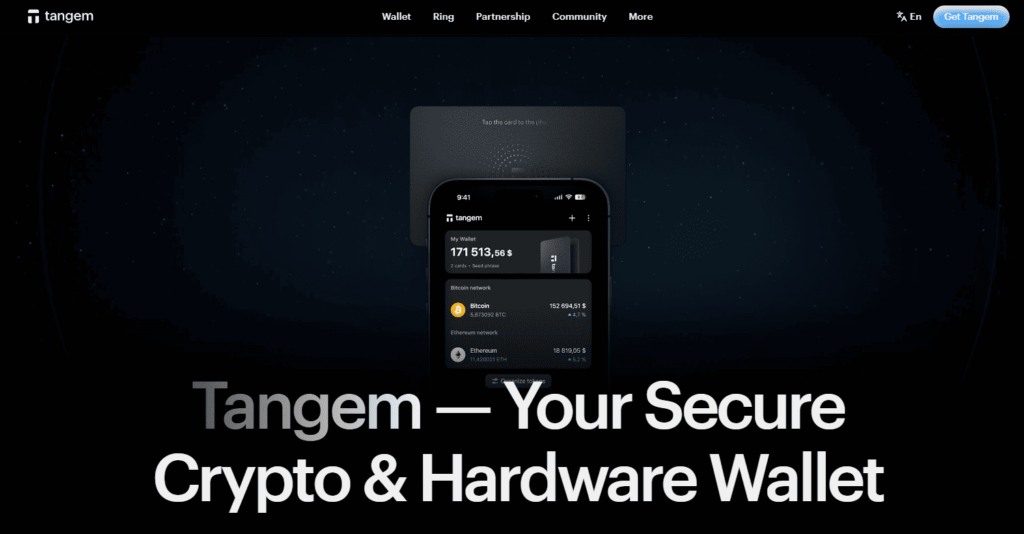
Tangem uses card- and ring-style hardware devices managed through a mobile application.
Its NFC-based format offers a different experience from traditional hardware wallets that use screens, cables, and physical navigation controls.
Private keys are kept within a dedicated hardware environment, while the mobile application provides the interface used to manage assets and prepare transactions.
Tangem can be attractive to SHIB holders who want hardware-based storage without giving up a phone-first workflow.
7. OneKey — Best for Security-Focused Web3 Users

OneKey combines software wallet applications with optional hardware devices and security tools designed around Web3 transaction management.
The wallet ecosystem is available across several device types and includes features intended to help users identify suspicious tokens, phishing attempts, and potentially risky transaction requests.
This approach can be useful for active SHIB users who interact with dApps and want additional information before signing smart-contract transactions.
Hot Wallet vs Cold Wallet for SHIB
A hot wallet is connected to the internet and normally offers faster access to SHIB.
Mobile applications and browser extensions are useful for sending tokens, swapping assets, connecting to ShibaSwap, and interacting with DeFi applications.
A cold or hardware wallet keeps sensitive signing credentials inside a dedicated physical device.
For users who rarely move their SHIB, hardware storage may reduce unnecessary exposure of private keys to an internet-connected environment.
Many experienced users combine the two approaches: a software wallet for regular Web3 activity and a separate hardware-protected wallet for longer-term holdings.
Which SHIB Wallet Is Best for Beginners?
Beginners should prioritize simplicity, clear recovery instructions, network visibility, and an interface that makes sending and receiving tokens easy to understand.
Walletverse and Trust Wallet are more accessible choices for mobile-first users.
A beginner planning to explore Ethereum dApps may eventually choose MetaMask, but should first understand recovery phrases, gas, networks, token approvals, and phishing.
The wallet with the most features is not automatically the best wallet for a new user. Reducing the chance of sending SHIB over the wrong network or losing recovery credentials can be more important than advanced functionality.
How to Create a Shiba Inu Wallet
The exact setup differs by wallet, but the general process is similar.
Choose a wallet that supports the network on which you plan to hold SHIB. Download the application or extension only from the wallet provider’s official source.
Create a new wallet and complete the official backup or recovery process.
Set a strong passcode or password and enable biometric authentication when available.
Search for Shiba Inu or SHIB, verify the correct asset and network, and copy the receiving wallet address.
When transferring SHIB for the first time, consider sending a small test transaction before moving the full balance.
Never send your recovery phrase or private key to customer support, store it in an unprotected screenshot, or enter it into a website reached through an unsolicited message.
How to Keep SHIB Safe
Self-custody gives you control over your crypto, but it also makes you responsible for protecting access to the wallet.
Download wallet applications only from official sources. Keep recovery credentials offline and private. Verify the token and network before transferring. Review smart-contract permissions before signing. Avoid unlimited token approvals when they are unnecessary. Disconnect WalletConnect sessions that are no longer needed.
Treat unexpected airdrops, NFTs, support messages, and wallet verification requests as potentially malicious.
For active DeFi use, consider separating your long-term holdings from the wallet account used to connect to unfamiliar applications.
Hardware wallets can reduce private-key exposure, but they cannot protect against every mistake. Always read the transaction details displayed before approving a signature.
FAQ
Most frequent questions and answers
Walletverse is a practical option for users who want a simple mobile self-custody wallet, while MetaMask is better suited to Ethereum, Shibarium, and Web3 applications. Tangem may be more appropriate for users who prioritize hardware-based protection and long-term storage.
Yes, wallets such as Walletverse, MetaMask, Trust Wallet, OneKey, and selected hardware-wallet applications may provide integrated SHIB purchase routes through third-party providers. Direct availability, identity verification, payment methods, fees, and limits depend on the user’s country and selected provider.
Yes. SHIB can be managed through multiple mobile crypto wallets, including Walletverse, MetaMask, Trust Wallet, and other Ethereum-compatible wallets.


