


Buy Adshares (ADS) with USD, EUR and Other Fiat Currencies
Buying Adshares (ADS) with USD, EUR, and other fiat currencies is possible through self-custody wallets and integrated fiat on-ramp services. Depending on the wallet and your region, users can pay with bank cards, Apple Pay, Google Pay, and bank transfer, then either buy ADS directly or purchase a more liquid asset first and swap into ADS. Trust Wallet publicly says it supports Apple Pay, Google Pay, debit and credit cards, and bank transfer across supported regions, while Exodus says users can buy crypto directly in-wallet using cards, bank accounts, Apple Pay, and Google Pay.
This guide was prepared by ilink, a FinTech and Web3 software developer with 13 years of experience and completed projects worldwide. Below, you will find a practical overview of Adshares, what the ADS token is used for, and which wallets can help you buy and store it with fiat.
What Is Adshares (ADS)
Adshares is a blockchain-based advertising protocol focused on Web3, metaverse, gaming, AR, VR, and website advertising. The official documentation describes Adshares as a Web3 and metaverse advertising standard, while the whitepaper calls it a decentralized, peer-to-peer market for programmatic advertising designed to improve transparency, reduce fraud, and lower costs for participants.
That positioning is what makes Adshares different from many ordinary crypto projects. It is not mainly framed as a payment coin, a DeFi lending protocol, or a generic smart-contract chain. Instead, the protocol is built around AdTech infrastructure, with its own blockchain and advertising stack intended to connect advertisers and publishers directly. The docs also say developers can build decentralized apps on the Adshares blockchain, integrate ad-server modules, or use its open-source ad server.
The project’s blockchain design is also part of its identity. According to the official documentation, the ADS Blockchain is a fork of Enterprise Service Chain technology and is built to handle high volumes of simple transactions. The docs say the chain is designed specifically for advertising-related workflows and token transfers between user accounts.
The ADS token is used as the payment asset across the network. The whitepaper states that Adshares Tokens are used for ad payments and that fees collected from processing payments are distributed among token holders. This is a useful distinction because it means ADS is tied directly to protocol-level advertising flows rather than being only a speculative governance token.
For token statistics that do not depend on daily price changes, current public sources show a supply of roughly 38.75 million ADS. Coinbase’s asset page says the circulating supply is about 39 million, while Bitget’s tokenomics page shows total and max supply at roughly 38.76 million ADS. These sources are broadly aligned and suggest ADS has a relatively tight supply compared with many newer tokens.
A simple way to understand Adshares is this: it is a blockchain-based advertising infrastructure project for Web3, metaverse, games, and websites, while ADS is the token used for ad payments and ecosystem-level value flow inside that network. That makes ADS more relevant to users interested in Web3 monetization and blockchain-based AdTech than to users who only want a basic transfer token.
Where Can I Buy Adshares (ADS) with Cash? 10 Best Crypto Wallets
1. Walletverse

Walletverse is a mobile-first, non-custodial crypto wallet designed for users who want to buy, store, send, and exchange crypto in one app. Based on the product information you provided, it supports more than 700 cryptocurrencies, dApps, multi-account management, staking, and fiat purchases with Apple Pay, Google Pay, credit cards, debit cards, and multiple fiat currencies including USD, EUR, GBP, JPY, KZT, INR, CAD, and AUD.
Walletverse is especially practical for users who prefer a mobile-only experience. It combines self-custody with a beginner-friendly interface, while still offering tools that more advanced users expect, such as dApp access, multi-account support, and staking. The passcode and biometric protection, along with the GasFree USDT feature on TRON, make it a convenient option for users who want to manage crypto directly from a phone.
pros:
- Mobile-first non-custodial experience;
- Broad support for 700+ cryptocurrencies;
- Apple Pay, Google Pay, cards, and multiple fiat currencies;
- dApp access, multi-account support, and staking;
- Passcode and biometric security;
- Strong fit for both beginners and advanced users.
cons:
- Mobile-only format may not suit desktop-first users;
- Direct ADS purchase availability can depend on region and provider;
- Self-custody means users must manage their own recovery details.



2. MetaMask

MetaMask is one of the best-known self-custody wallets for Web3 access. Its official buy page says users can buy crypto with Apple Pay, Google Pay, PayPal, debit cards, and bank transfers depending on region, which makes it useful when buying a base asset first and then swapping into a token like ADS.
pros:
- Strong Web3 and token-management ecosystem;
- Self-custodial on mobile and browser;
- Useful for buying a base asset and swapping into ADS;
- Familiar option for DeFi and token users.
cons:
- Can feel technical for complete beginners;
- Network and gas settings may confuse new users;
- Direct ADS purchase is not guaranteed in every region.
3. Trust Wallet

Trust Wallet is a self-custody wallet with broad multi-chain coverage. Trust Wallet says users can buy crypto with Apple Pay, Google Pay, debit and credit cards, or bank transfer, and that it supports 100+ local fiat currencies.
pros:
- Broad multi-chain coverage;
- Simple mobile experience for everyday use;
- Integrated buy and swap flows;
- Good fit for users exploring Web3.
cons:
- Feature breadth can feel overwhelming to some new users;
- Direct ADS support depends on provider coverage;
- Less ideal for users who prefer desktop-only workflows.
4. Ledger

Ledger combines hardware wallet security with a wallet app and portfolio tools. It is especially useful for people who plan to hold crypto longer term and want stronger protection than a software-only wallet.
pros:
- Stronger security when paired with hardware;
- Good for long-term holders;
- Buy, swap, and manage in one ecosystem;
- Trusted hardware-wallet brand.
cons:
- Hardware purchase adds cost;
- Less convenient than mobile-only wallets for quick use;
- Direct fiat-to-ADS availability may be limited.
5. Zengo

Zengo is a mobile wallet known for its MPC-based security model. It is often recommended for users who want self-custody without relying on a traditional seed phrase model.
pros:
- Alternative security model without traditional seed phrase exposure;
- Strong mobile experience for new users;
- Supports mainstream fiat purchase routes in many regions;
- Security-focused positioning.
cons:
- Some experienced users prefer traditional seed-based control;
- Direct ADS availability depends on region and provider;
- Less flexible for certain power-user Web3 workflows.
6. Coinbase Wallet

Coinbase Wallet is Coinbase’s self-custody wallet rather than the hosted exchange account. Coinbase also maintains live Adshares asset and converter pages, which shows ADS remains visible in its broader asset-information ecosystem.
pros:
- Recognizable brand with self-custody control;
- Beginner-friendly interface;
- Good for tokens, NFTs, and DeFi access;
- Useful for users already familiar with Coinbase.
cons:
- Often confused with Coinbase exchange storage;
- Regional on-ramp availability varies;
- Direct ADS purchase may not always be listed.
7. Exodus

Exodus is a long-running wallet available on mobile and desktop. Exodus says users can buy crypto directly in the wallet using cards, bank accounts, Apple Pay, and Google Pay, with delivery straight to the wallet.
pros:
- Polished interface across desktop and mobile;
- Built-in buy, sell, and swap tools;
- Supports Apple Pay and Google Pay through providers;
- Good for users managing multiple assets.
cons:
- Some advanced users may want more customization;
- Direct ADS support should be checked before purchase;
- Fees and payment methods depend on third-party providers.
8. Guarda

Guarda is a non-custodial wallet available on web, desktop, and mobile. It is generally used by people who want flexible access across devices and a broader mix of wallet and exchange features.
pros:
- Multi-platform access across devices;
- Non-custodial setup;
- Useful mix of buy and exchange features;
- Good for users who want web access alongside mobile.
cons:
- Interface is broader than some minimalist wallets;
- Direct ADS support must be verified first;
- Some features depend on external providers.
9. Atomic Wallet

Atomic Wallet positions itself as an all-in-one wallet for buying, swapping, and staking crypto. It is useful for users who want one place to enter with fiat and manage a portfolio without relying heavily on exchange accounts.
pros:
- All-in-one portfolio management experience;
- Supports a large number of assets;
- Mobile and desktop access;
- Useful for buying liquid assets before swapping.
cons:
- Software-wallet security still depends on device safety;
- Not every asset is directly available via fiat on-ramp;
- Direct ADS support may be limited.
10. Tangem
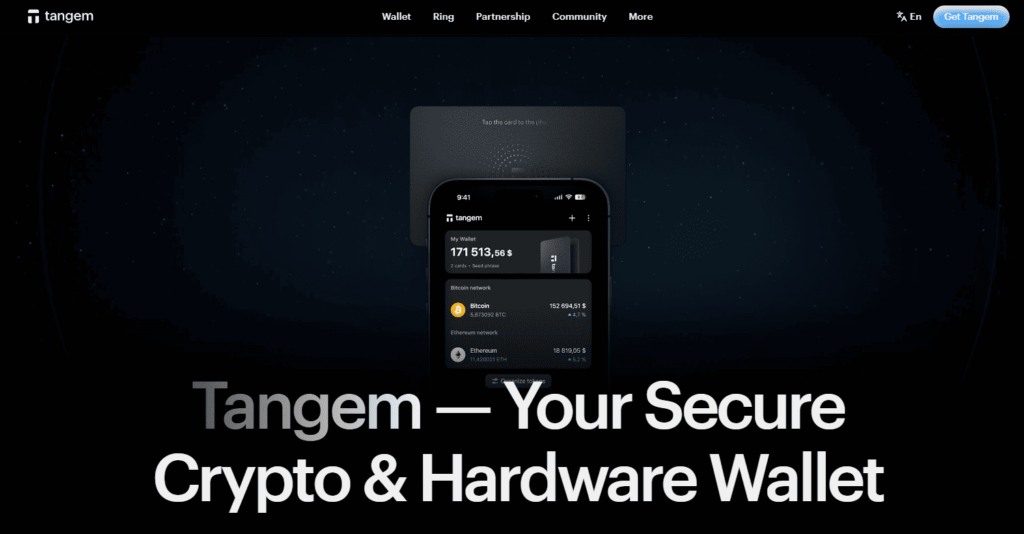
Tangem is a hardware-style wallet built around NFC cards and a mobile app. It is attractive for users who want hardware-style protection with a simpler mobile experience.
pros:
- Hardware-style security with a simple mobile workflow;
- Supports in-app buying through common payment methods;
- Good for users who want offline-style protection;
- Portable and easy to carry.
cons:
- Requires buying hardware cards;
- Not as smooth for heavy DeFi usage as browser wallets;
- ADS availability should be confirmed before purchase.
Buy ADS with Apple Pay
Buying ADS with Apple Pay usually means using a wallet that supports Apple Pay for buying a more liquid crypto asset first, then buying ADS directly if available or swapping into it if needed. Trust Wallet explicitly says it supports Apple Pay, and its blog describes it as a fast funding method for self-custody delivery.
In practice, the process is simple. You open the wallet, choose the buy function, select Apple Pay, enter the fiat amount in USD, EUR, or another supported currency, and check whether ADS is available directly. If it is not, you can buy ETH, USDT, or another liquid asset first and then swap into ADS. Since ADS is an AdTech infrastructure token rather than a top-tier mainstream retail asset, that two-step route is often realistic.
For users who want a mobile-first self-custody experience, Walletverse is a practical option because, based on the product information you provided, it combines Apple Pay purchases, broad token support, dApps, and passcode or biometric security in one place.
Buy ADS with Google Pay
Google Pay is another convenient way to buy ADS with fiat. Trust Wallet also publicly references Google Pay support, and its buy-crypto pages show that payment method availability depends on provider and location.
The main thing to remember is that convenient payment methods do not guarantee direct token availability. It is still important to compare quotes, spreads, and whether ADS is offered directly or only through a swap path. Trust Wallet’s own guide notes that different payment methods can carry different fee structures, so comparing the final quote matters.
Walletverse fits this use case well because it is designed around mobile self-custody, supports multiple fiat currencies, and is positioned for both new and experienced users who want a fast in-app buying experience.
How to Buy the Adshares (ADS) with Fiat?
To buy Adshares with fiat, follow these steps:
- Choose a self-custody wallet with fiat on-ramp support, such as Walletverse, MetaMask, Trust Wallet, Exodus, or another wallet from the list above. Trust Wallet publicly supports Apple Pay, Google Pay, cards, and bank transfer routes.
- Set up the wallet and safely back up your recovery phrase or other security credentials.
- Open the buy section and select your payment method, such as Apple Pay, Google Pay, credit card, debit card, or bank transfer.
- Enter the amount in USD, EUR, or another supported fiat currency. Trust Wallet says it supports 100+ local fiat currencies.
- Check whether the provider offers ADS directly in your region.
- If direct purchase is unavailable, buy ETH, USDT, or another liquid supported asset first.
- Swap that asset into ADS through a compatible route if supported.
- Review the final quote, fees, and network costs before confirming. Trust Wallet notes that payment methods can carry different fee structures, so comparing the final quote matters.
- Store your ADS in the wallet and enable every available security feature.
For Adshares specifically, the wallet-plus-swap route is often practical because ADS is an AdTech infrastructure token rather than one of the biggest fiat-on-ramp assets.
FAQ
Most frequent questions and answers
ADS has a clearer utility case than many generic tokens because it is tied to a blockchain-based advertising protocol rather than a vague ecosystem promise. That gives it a more defined role than a simple transfer token, but it still carries adoption, ecosystem, and execution risk like any niche infrastructure asset. Whether it is a good crypto depends on your view of Web3 advertising and blockchain-based monetization networks.
The practical route is to open a wallet with fiat purchase support, fund the purchase in USD using a card, Apple Pay, Google Pay, or bank transfer, and check whether the provider offers ADS directly, for example Walletverse.
You can use several wallet types depending on your needs. Walletverse is a strong option for mobile-first users who want self-custody, Apple Pay or Google Pay support, and broad token coverage.
You can potentially access ADS through wallets, exchange routes, or swap paths that support the token, for example Walletverse.


