Buy Shiba Inu (SHIB) with USD, EUR and other fiat
Buy Shiba Inu (SHIB) directly from your mobile device with Walletverse. Choose SHIB, enter the amount you want to purchase, select an available fiat payment method, and receive your crypto in your self-custody wallet.
Walletverse gives you one place to buy, store, send, receive, and swap SHIB while keeping control of your wallet.
Depending on your country and payment provider, you can buy SHIB using USD, EUR, GBP, KZT and other supported fiat currencies with payment options such as Visa, Mastercard, Apple Pay, and Google Pay.
Buy SHIB with Walletverse
Pay with supported fiat currencies
Use credit or debit cards where available
Apple Pay and Google Pay supported by selected providers and regions
Receive SHIB in a self-custody wallet
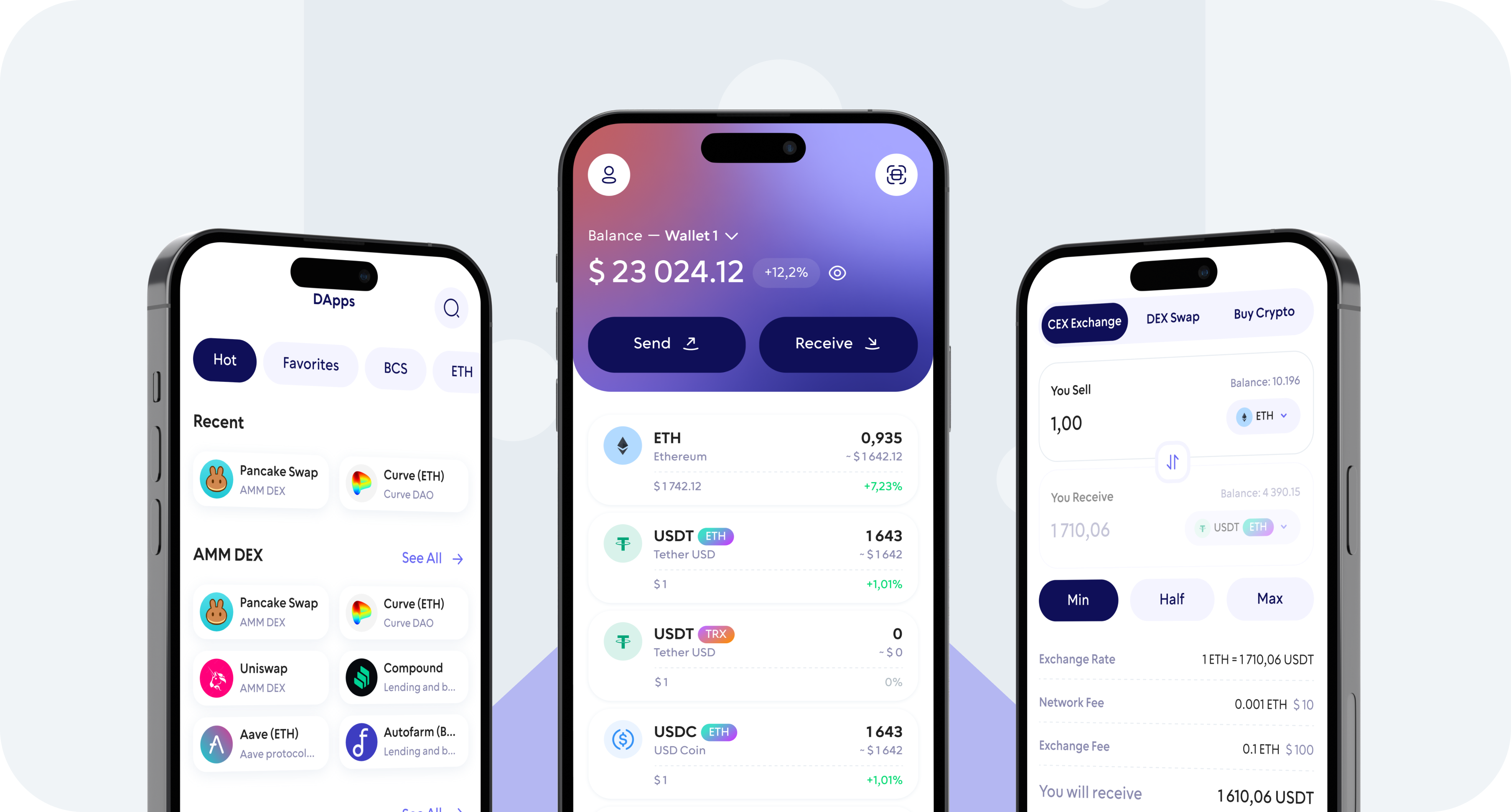
Buy and manage crypto from one mobile app
Access 700+ supported cryptocurrencies
How to Buy Shiba Inu (SHIB) with Walletverse
Buying SHIB with Walletverse takes only a few steps.
1. Download and Open Walletverse
Install Walletverse on your mobile device and create a new self-custody wallet or access an existing one.
Protect access to your wallet using the available security features and make sure your recovery information is stored safely.
2. Select Buy and Choose Shiba Inu (SHIB)
Open the Buy section and search for Shiba Inu or SHIB.
Select SHIB as the cryptocurrency you want to purchase.
3. Enter the Amount in Your Fiat Currency
Enter how much you want to spend.
Available fiat currencies depend on your location and the selected fiat-to-crypto provider. Walletverse supports access to providers offering currencies such as USD, EUR, GBP, KZT and others.
Before confirming the transaction, review how much SHIB you are expected to receive.
4. Choose a Payment Method
Select one of the payment methods available for your transaction.
Depending on your region and provider, options may include:
Visa
Mastercard
Credit card
Debit card
Apple Pay
Google Pay
Other locally available payment methods
Payment availability, purchase limits, verification requirements, fees, and processing times may vary by provider and country.
5. Review the Quote and Buy SHIB
Check the purchase amount, exchange rate, provider fees, and final amount of SHIB before confirming your payment.
Complete any verification requested by the payment provider.
Once the purchase is processed, SHIB is delivered to your Walletverse wallet.
Buy SHIB with USD
Walletverse lets users access fiat-to-crypto providers that support purchases in US dollars.
To buy SHIB with USD:
Open Walletverse.
Select Buy.
Choose Shiba Inu (SHIB).
Enter your purchase amount in USD.
Select an available payment method.
Review the quote and provider fees.

Confirm the purchase.
Your available payment options will depend on your location and the provider selected for the transaction.
Buy SHIB with EUR
You can also purchase Shiba Inu using EUR when supported by the available fiat provider.
Select EUR as your payment currency, choose SHIB, enter the amount you want to spend, and compare the available purchase option before confirming your transaction.
Always review the final exchange rate and fees displayed by the provider.
Buy SHIB with a Credit or Debit Card
A bank card is one of the simplest ways to purchase SHIB.
Walletverse provides access to fiat on-ramp providers that may support Visa and Mastercard credit or debit card payments.
To buy SHIB with a card:
Choose SHIB in Walletverse.
Enter the amount you want to buy.
Select an available card payment option.
Enter or confirm your payment details through the provider.
Complete any required identity verification.
Review and confirm your purchase.
Your bank or card issuer may apply its own restrictions or additional charges for cryptocurrency transactions.
Buy SHIB with Apple Pay
Apple Pay may be available for SHIB purchases through supported providers, countries, and devices.
If Apple Pay is available for your transaction, it will appear as one of the payment options after you enter your SHIB purchase amount.
Choose Apple Pay, review the purchase quote, authorize the payment, and complete the transaction.
Buy SHIB with Google Pay
Google Pay can also be available through selected fiat-to-crypto providers.
To check availability, choose Shiba Inu in Walletverse and enter your purchase amount. If Google Pay is supported for your region and transaction, it will appear among the available payment methods.
Review the quote before approving the payment.
Why Buy Shiba Inu with Walletverse?
Your SHIB Goes to a Self-Custody Wallet
Walletverse is a self-custody crypto wallet.
Instead of leaving your SHIB in an exchange account, you manage your assets through a wallet where you control access.
Self-custody also means that protecting your wallet credentials and recovery information is your responsibility.
Buy and Manage SHIB in One App
After buying Shiba Inu, you can continue managing it from Walletverse.
Use the app to:
Store SHIB
Receive SHIB
Send SHIB
View your balance
Check transaction history
Swap supported cryptocurrencies
Manage multiple crypto assets from one wallet
This removes the need to use one service for buying and another application simply to hold your SHIB.
Multiple Fiat On-Ramp Providers
Walletverse integrates fiat-to-crypto services that can provide different payment options depending on the user’s location.
Available exchange rates, limits, payment methods, verification requirements, and fees can differ between providers.
Always review the final purchase quote before confirming a transaction.
Mobile-First Crypto Management
Walletverse is designed for mobile crypto management.
You can access your wallet, purchase supported crypto, manage multiple accounts, send assets, and interact with Web3 services from your smartphone.
Security Features for Self-Custody
Walletverse includes security features designed to protect access to your wallet, including passcode and biometric protection.
Because Walletverse is self-custodial, users should also follow standard wallet security practices:
Never share wallet recovery information.
Never disclose private keys.
Verify wallet addresses before sending crypto.
Keep your device and wallet software updated.
Avoid suspicious links and fake support accounts.
What Is Shiba Inu (SHIB)?
Shiba Inu is a cryptocurrency launched in 2020 by a pseudonymous creator known as Ryoshi.
SHIB was originally created as an Ethereum-based community token and became widely known as a meme-inspired cryptocurrency. It later developed into a broader ecosystem involving products and projects such as ShibaSwap and Shibarium.
SHIB is commonly held and transferred as a digital asset and is supported by many cryptocurrency wallets and services.
Because SHIB is associated with the Ethereum ecosystem, users should always verify the correct network and wallet address when sending or receiving tokens.
What Can You Do After Buying SHIB?
Once SHIB is in your Walletverse wallet, you can manage it alongside your other supported crypto assets.
Hold SHIB
Keep your Shiba Inu in your self-custody wallet and maintain control over wallet access.
Send SHIB
Send SHIB to another compatible wallet address.
Always check both the recipient address and the selected network before confirming a transfer.
Receive SHIB
Share your compatible receiving address when another user or service needs to send SHIB to your wallet.
Swap SHIB
Where supported, you can exchange SHIB for other cryptocurrencies using Walletverse swap functionality.
Before swapping, review the exchange rate, network costs, and any other fees shown for the transaction.
How Much Does It Cost to Buy SHIB?
The total cost of buying Shiba Inu can depend on several factors:
The fiat currency used
The payment method
The fiat-to-crypto provider
Your country
Purchase amount
Provider fees
Exchange rate or spread
Blockchain-related costs where applicable
There is no single fee that applies to every SHIB transaction.
For the most accurate cost, enter the amount you want to purchase in Walletverse and review the final quote before paying.
Is It Safe to Buy Shiba Inu Online?
Buying cryptocurrency involves financial and security risks, so the purchase process and storage method both matter.
When buying SHIB, check the payment details carefully and use only trusted payment flows available directly through the Walletverse app.
After receiving SHIB, protect your wallet credentials, never share recovery information, and verify addresses and networks before making transfers.
Cryptocurrency prices can change significantly, and buying SHIB does not guarantee a profit.
FAQ
Most frequent questions and answers
In Walletverse, you can purchase SHIB using Apple Pay, Google Pay, or your bank card.
Walletverse is a convenient self-custody wallet for buying and holding SHIB.
You can buy SHIB directly in Walletverse or other wallets such as Trust Wallet, Coinbase Wallet, or MetaMask.
Walletverse typically offers competitive rates and fast settlement, making it a cost-efficient method for acquiring SHIB.
Yes, USD purchases may be available through supported Walletverse fiat-to-crypto providers. Choose SHIB, enter an amount in USD, and check the payment methods currently available for your region.
Available currencies vary by payment provider and location. Walletverse provides access to providers supporting fiat currencies such as USD, EUR, GBP, KZT and others.
You can manage SHIB using the features supported by Walletverse, including sending and swapping supported assets. Availability of specific services can vary by asset, network, provider, and region.