Buy SwissBorg (BORG) with USD, EUR and Other Fiat Currencies

SwissBorg (BORG) is the utility token of the SwissBorg ecosystem, a crypto wealth management platform focused on buying, selling, exchanging, staking, and managing digital assets. The token is used across the SwissBorg app for ecosystem access, community participation, governance-related activity, and long-term holder incentives.

For users who want to buy SwissBorg with USD, EUR, or other fiat currencies, the process usually starts with a crypto wallet, exchange, or fiat on-ramp that supports bank cards, Apple Pay, Google Pay, and crypto swaps. This guide explains what BORG is, how the SwissBorg ecosystem works, and which wallets can help users buy, store, send, and manage the token.

This article was prepared by ilink, a FinTech and Web3 software developer with 14 years of experience and completed projects worldwide.

What is SwissBorg (BORG)?

SwissBorg is a crypto wealth management platform built to make digital asset investing more accessible through a mobile app. The official SwissBorg website describes it as a crypto buying and selling app available in 47 countries and 11 currencies, with 913.6K verified users, $1.19 billion in total user crypto assets value, and 222.2K BORG holders at the time of review.

BORG is the official utility token of the SwissBorg ecosystem. It evolved from CHSB, the original SwissBorg token introduced during the project’s 2017 initial coin offering, and the new BORG token launched on October 17, 2023. SwissBorg explains that the transition was designed to expand token functionality and make the asset more suitable for the DeFi landscape.

The migration from CHSB to BORG was an important milestone for the project. SwissBorg said the CHSB-to-BORG migration was created to give users better access to DeFi opportunities and align the token with broader decentralized finance use cases.

BORG is an ERC-20 compatible token. SwissBorg’s public token repository says BORG was developed to replace CHSB with a lighter design and updated code, while a migrator contract enabled users to move from CHSB to BORG.

One of the key functions of BORG is participation in the SwissBorg ecosystem. SwissBorg’s official BORG page presents the token as a growth-focused ecosystem asset that unlocks utility, access to performance insights, and an all-in-one SwissBorg experience.

BORG also supports staking and governance-related activity. SwissBorg explains that staking BORG gives users voting power and that rewards are connected to participation in governance votes, rather than passive yield farming. In a February 2026 update, SwissBorg also introduced a 30-day cooldown period for locked tokens.

SwissBorg has also used token supply management programs. Its Protect & Burn program was described as a system where 20% of exchange fees generated in the SwissBorg app were reserved to buy tokens on the market and permanently remove them from supply.

The token has a fixed supply structure. CoinGecko states that SwissBorg rebranded from CHSB to BORG and migrated from the older contract to a new one. CoinGecko also lists BORG with a total supply of about 981.85 million tokens and a maximum supply of 1 billion tokens at the time of review.

For buyers, BORG should be understood as a utility and ecosystem token, not a stablecoin. Its value can change depending on market liquidity, exchange support, SwissBorg ecosystem growth, user activity, token utility, and broader crypto market conditions.

Where Can I Buy SwissBorg (BORG) with Cash? 10 Best Crypto Wallets

1. Walletverse

Walletverse - best crypto wallet

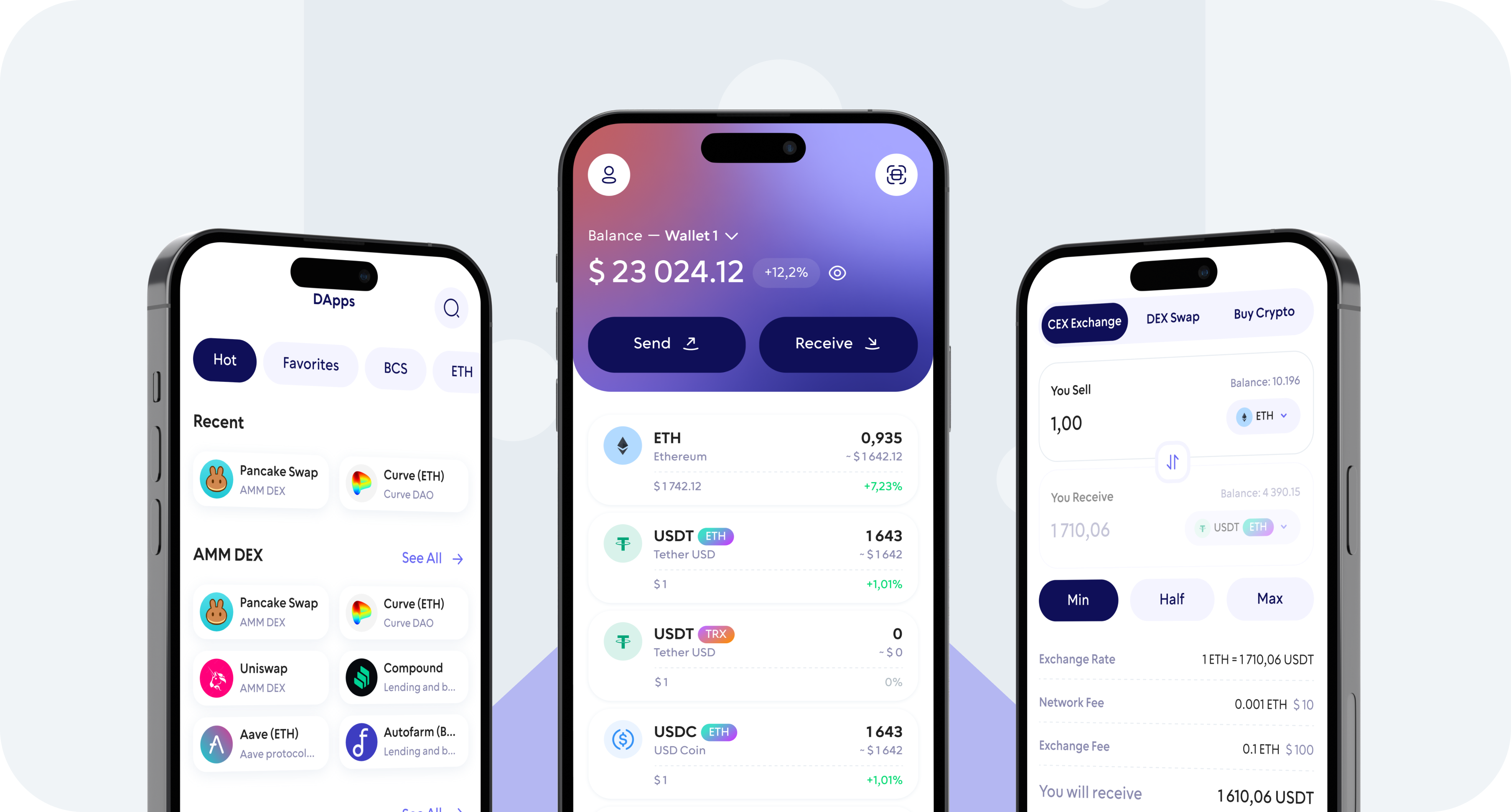
Walletverse is a mobile crypto wallet created for users who want to buy, store, send, and exchange digital assets in one app. It supports more than 700 cryptocurrencies and allows users to buy crypto with Apple Pay, Google Pay, credit/debit cards, and fiat currencies such as USD, EUR, GBP, JPY, KZT, INR, CAD, AUD, and others.

For BORG users, Walletverse can be useful as a mobile fiat-to-crypto entry point. If BORG is not available for direct purchase, users can buy another supported asset first and then check whether a swap route to BORG is available.

Pros:

  • Supports 700+ cryptocurrencies;
  • Allows purchases with Apple Pay, Google Pay, and credit/debit cards;
  • Supports multiple fiat currencies, including USD and EUR;
  • Provides a non-custodial wallet model;
  • Uses passcode and biometric authentication;
  • Includes Web3, DeFi, dApps, and multi-account features;
  • Offers staking for selected assets such as Solana, ETH, and TRX;
  • Has a 4.8 rating on Google Play and a 5.0 rating on the App Store.

Cons:

  • BORG availability should be checked inside the app before purchase;
  • Mobile-only format may not suit users who prefer desktop wallets;
  • Some swaps depend on third-party providers and liquidity;
  • Fiat provider fees may vary by region.
Walletverse Reviews

2. MetaMask

metamask website screenshot

MetaMask is one of the most widely used wallets for Ethereum and EVM-compatible assets. Since BORG is an ERC-20 compatible token, MetaMask can be useful for users who want to store the token, add a custom contract, or connect to decentralized exchanges.

For BORG buyers, MetaMask may be more practical after the fiat purchase step. Users can buy ETH, USDT, USDC, or another liquid asset first, send it to MetaMask, and then use a supported swap route if BORG liquidity is available.

Pros:

  • Strong Ethereum and ERC-20 token support;
  • Works with many decentralized exchanges and Web3 apps;
  • Available as a browser extension and mobile app;
  • Allows custom token imports;
  • Suitable for experienced Web3 users.

Cons:

  • Less beginner-friendly than fiat-focused mobile wallets;
  • Users must manage gas fees and token approvals manually;
  • Direct BORG fiat purchase may not be available;
  • Incorrect token contracts can create asset risks.

3. Trust Wallet

Trust wallet website screenshot

Trust Wallet is a self-custody wallet that supports many blockchains, tokens, and Web3 features. It is popular among mobile users who want private key control and access to decentralized applications.

For BORG, users should check whether the token is supported directly or whether it needs to be added manually. If direct buying is unavailable, users may need to buy another asset first and then swap through a supported route.

Pros:

  • Supports many crypto assets and networks;
  • Offers mobile access to dApps;
  • Allows users to control private keys;
  • Can support custom token additions.

Cons:

  • BORG may not be available for direct fiat purchase;
  • Swap routes depend on liquidity;
  • Users need to check the correct token contract and network;
  • Beginners may need time to understand approvals and gas fees.

4. Crypto.com DeFi Wallet

Crypto.com Wallet website screenshot

Crypto.com DeFi Wallet is a non-custodial wallet for users who want to manage assets and interact with DeFi services. It can be useful for mobile users who prefer a wallet connected to a recognizable crypto ecosystem.

For BORG, users should verify token support before sending funds. If BORG is not supported directly, another wallet or exchange route may be required.

Pros:

  • Non-custodial wallet structure;
  • Supports DeFi use cases;
  • Mobile-friendly interface;
  • Connected to a recognizable crypto brand.

Cons:

  • BORG support may be limited;
  • Built-in swaps depend on third-party liquidity;
  • Smaller ecosystem tokens may have fewer direct routes;
  • Users should check network compatibility.

5. Atomic Wallet

Atomic Wallet website screenshot

Atomic Wallet is a desktop and mobile wallet that supports many cryptocurrencies and built-in exchange features. It can be useful for users who want one app for managing multiple assets.

For BORG, users should confirm whether the token is supported and whether swaps are available. If BORG is not listed, users may need a different wallet or exchange route.

Pros:

  • Supports many crypto assets;
  • Available on desktop and mobile;
  • Includes built-in exchange options;
  • Useful for multi-asset storage.

Cons:

  • BORG support may not be available in all versions;
  • Swaps depend on third-party providers;
  • Users should compare fees before buying;
  • Web3-specific functionality may be limited.

6. Binance Web3 Wallet

binance wallet website screenshot

Binance Web3 Wallet is designed for users who want self-custody and Web3 access while staying connected to the Binance ecosystem. It can be useful for users who already buy crypto through Binance and want to explore decentralized routes.

For BORG, users should check whether the token is available through their regional product, exchange route, or Web3 swap path. If direct access is unavailable, users may need to buy a liquid asset first and move it to a wallet that supports BORG.

Pros:

  • Integrated with the Binance ecosystem;
  • Supports Web3 and DeFi access;
  • Useful for users who already buy crypto on Binance;
  • Can simplify movement between exchange and wallet tools.

Cons:

  • BORG availability is not guaranteed in every region;
  • Regional restrictions may affect fiat access;
  • Users should check token and network support;
  • Self-custody still requires careful wallet protection.

7. Exodus

Exodus website screenshot

Exodus is a multi-asset wallet available on desktop and mobile. It is known for a clean interface, portfolio tracking, and simple asset management.

For BORG, Exodus may be suitable if the token is supported directly or through integrated exchange services. Users should confirm asset support before buying or transferring funds.

Pros:

  • Available on desktop and mobile;
  • Beginner-friendly interface;
  • Good for portfolio tracking;
  • Supports many digital assets.

Cons:

  • BORG support may vary;
  • Advanced Web3 access is more limited;
  • Built-in exchange fees may be higher than some external routes;
  • Users may need another wallet for niche token swaps.

8. Guarda

Guarda Wallet website screenshot

Guarda Wallet supports a wide range of crypto assets and works across web, desktop, and mobile. It can be useful for users who want flexible wallet access from different devices.

For BORG, users should check whether Guarda supports the asset directly and whether exchange options are available. Ecosystem tokens may require extra verification before transfer.

Pros:

  • Available across several platforms;
  • Supports many assets;
  • Provides non-custodial storage;
  • Suitable for users who want multi-device access.

Cons:

  • BORG support should be verified before use;
  • Swap fees and routes can vary;
  • Interface may be less simple than mobile-only wallets;
  • Users need to confirm asset availability before sending funds.

9. OKX Wallet

OKX Wallet website

OKX Wallet is a multi-chain Web3 wallet with swap, DeFi, NFT, and dApp features. It can be useful for users who want one wallet connected to a large crypto ecosystem and several networks.

For BORG, users should check whether OKX Wallet supports the asset or a reliable exchange route. Since ecosystem tokens may have different liquidity conditions across platforms, fees and slippage should be reviewed before swapping.

Pros:

  • Supports multi-chain Web3 activity;
  • Offers swap and dApp access;
  • Useful for active crypto users;
  • Connected to a large exchange ecosystem.

Cons:

  • Some tools may feel complex for beginners;
  • BORG support may vary by region and product;
  • Users should compare swap fees and liquidity;
  • Fiat access depends on local availability.

10. Coinbase Wallet

Coinbase Wallet website svreenshot

Coinbase Wallet is a self-custody wallet separate from the Coinbase exchange. It supports Ethereum-compatible assets and allows users to connect to decentralized applications.

For BORG users, Coinbase Wallet may be useful for storage and Web3 access if the token and network route are supported. Buyers should always check current BORG availability before transferring funds.

Pros:

  • Supports Ethereum-based assets;
  • Connects to DeFi applications;
  • Offers a familiar interface;
  • Suitable for users who already know Coinbase products.

Cons:

  • BORG may not be available for direct fiat purchase;
  • Some features depend on region;
  • Ethereum network fees still apply;
  • Users must verify token support before transfers.

Buy BORG with Apple Pay

Buying BORG with Apple Pay depends on whether the wallet or payment provider supports BORG directly. Since BORG is a SwissBorg ecosystem token, direct Apple Pay purchases may not be available in every wallet or region.

A practical route is to buy a more liquid asset first, such as ETH, USDT, USDC, or BTC, then swap it for BORG through a supported wallet or exchange route. Walletverse supports crypto purchases with Apple Pay, making it a convenient mobile fiat-to-crypto entry point for users who want to start with USD, EUR, or another supported currency.

Before confirming any transaction, check the selected asset, network, provider fee, exchange rate, and whether BORG is supported directly or through a swap.

Buy BORG with Google Pay

Google Pay can also be used to buy crypto in supported wallets and regions. The usual process is to choose a crypto asset, select Google Pay as the payment method, enter the fiat amount, and complete the purchase through the wallet’s payment provider.

In Walletverse, users can buy crypto with Google Pay and manage assets in a non-custodial mobile wallet. If BORG is not available as a direct purchase option, users can buy another supported asset first and then check whether a BORG swap route is available.

This route can be convenient for beginners because it separates the fiat purchase from the token swap. Still, users should check fees, liquidity, token support, and the final amount before completing the transaction.

How to Buy SwissBorg (BORG) with Fiat?

Buying BORG with fiat requires a wallet or platform that supports crypto purchases and token swaps. The exact steps may vary depending on region, payment provider, and asset availability.

  1. Choose a crypto wallet. Select a wallet that supports fiat purchases, secure storage, and token swaps. Walletverse is a convenient option for mobile users because it supports Apple Pay, Google Pay, card payments, multiple fiat currencies, and 700+ crypto assets.
  2. Create or import your wallet. Install the wallet app and create a new wallet, or import an existing one using your recovery phrase. Store the recovery phrase offline and never share it in chats, screenshots, emails, or cloud notes.
  3. Select your fiat currency. Choose USD, EUR, GBP, CAD, AUD, INR, KZT, JPY, or another supported fiat currency. Available currencies and payment methods depend on your location and the wallet’s on-ramp provider.
  4. Search for BORG. Search for SwissBorg or BORG inside the wallet. If the token is available, review the network, purchase limits, provider fees, and estimated delivery time.
  5. Check the old CHSB vs new BORG token. SwissBorg migrated from CHSB to BORG, and the automated migration process was scheduled to close on April 29, 2026. Users who still hold CHSB after that date were advised to contact SwissBorg support, so buyers should make sure they are buying the current BORG token rather than an outdated asset.
  6. Buy a liquid asset first if needed. If BORG is not available for direct fiat purchase, buy ETH, USDT, USDC, BTC, or another supported asset first. This can make it easier to swap into BORG through a supported route.
  7. Choose a payment method. Use Apple Pay, Google Pay, debit card, credit card, or another supported fiat payment method. Review all fees and the final crypto amount before confirming.
  8. Swap to BORG if supported. Use a wallet swap feature, exchange, or decentralized route if BORG liquidity is available. Check the exchange rate, slippage, network fees, and token details before approving the transaction.
  9. Store BORG securely. After purchase, store BORG in a wallet where you control access. Walletverse uses passcode and biometric authentication, while its self-custody model means users remain responsible for protecting their wallet credentials.
  10. Monitor SwissBorg ecosystem updates. BORG is connected to SwissBorg’s app, staking, governance, and ecosystem incentives. Users should follow official updates, token utility changes, market liquidity, and exchange support before making long-term decisions.

Why Wallet Choice Matters When Buying BORG

Wallet choice matters because BORG is an ecosystem token, not a simple fiat-backed stablecoin. Buyers need to check token support, swap routes, contract details, liquidity, network fees, fiat payment availability, and wallet security before making a transaction.

Walletverse can be useful for users who want a mobile-first crypto experience with fiat payment methods, self-custody, biometric protection, Web3 access, and support for 700+ cryptocurrencies. For BORG buyers, the practical route may be to buy a liquid asset with fiat first and then swap to BORG when a supported route is available.

Conclusion

SwissBorg (BORG) is the utility token of the SwissBorg ecosystem, created after the migration from the original CHSB token. It is connected to ecosystem access, staking, governance participation, token utility, and long-term community incentives.

Buying BORG with USD, EUR, Apple Pay, Google Pay, or other fiat methods depends on wallet support, payment provider access, exchange listings, liquidity, and network fees. Walletverse can help users enter crypto with fiat, manage assets in a non-custodial mobile wallet, and protect access with passcode and biometric authentication.

Before buying BORG, users should check whether the token is supported directly, whether a swap route is available, and whether they are interacting with the current BORG token rather than legacy CHSB. BORG has a defined role in the SwissBorg ecosystem, but it remains a volatile crypto asset.

Data current as of May 15, 2026.

FAQ

Most frequent questions and answers

BORG may be interesting for users who understand SwissBorg’s ecosystem, utility token model, staking, and governance features. However, it is a volatile crypto asset, so users should review token liquidity, exchange support, SwissBorg activity, and personal risk tolerance before buying.

To buy BORG with USD, choose a wallet or exchange route that supports fiat payments and BORG access. In Walletverse, users can buy crypto with USD through supported payment methods, then check whether BORG is available directly or whether they need to swap from another asset.

You can use multi-asset and Web3 wallets such as Walletverse, MetaMask, Trust Wallet, Coinbase Wallet, OKX Wallet, and similar options, depending on current BORG support. Walletverse is suitable for users who want a mobile self-custody wallet with fiat payment methods, 700+ supported assets, biometric protection, and Web3 features.

BORG can be bought through supported exchanges, decentralized routes, and wallet swap services when liquidity is available. CoinGecko tracks SwissBorg under the BORG ticker and notes that it rebranded from CHSB and migrated from the older contract to a new one.

The cheapest way depends on fiat provider fees, card fees, exchange fees, network costs, and swap liquidity. Many users compare direct BORG purchase with buying a liquid asset first and swapping later when fees are lower.

Yes, BORG may be bought with EUR if the wallet, exchange, or fiat provider supports EUR payments and a BORG route is available. Walletverse supports multiple fiat currencies, including EUR, so users can buy crypto with EUR and then check available BORG swap options.

Yes, Apple Pay and Google Pay can be used in wallets that support these payment methods. Walletverse supports Apple Pay and Google Pay for crypto purchases, but users should check whether BORG is available directly or whether another asset must be bought first.

BORG is used as the utility token of the SwissBorg ecosystem. It is connected to ecosystem access, staking, governance-related participation, and long-term community incentives.

Walletverse can be a good option for users who want a mobile crypto wallet with fiat payment options, self-custody, biometric authentication, and support for 700+ crypto assets. For BORG, users should first check whether the token is supported directly or whether they need to buy another crypto asset and swap.