Buy Tether (USDT) with Credit and Debit Card - Walletverse

Buy USDT in minutes using a credit card, debit card, Apple Pay, or Google Pay.
Pay with USD, EUR, AUD, INR, KZT, and other supported currencies.
Your USDT is delivered to your self-custody wallet, so you stay in control of your funds.

Buy and Send Tether (USDT) Instantly

Buy USDT instantly and store it in your wallet.
Send USDT to any supported address.
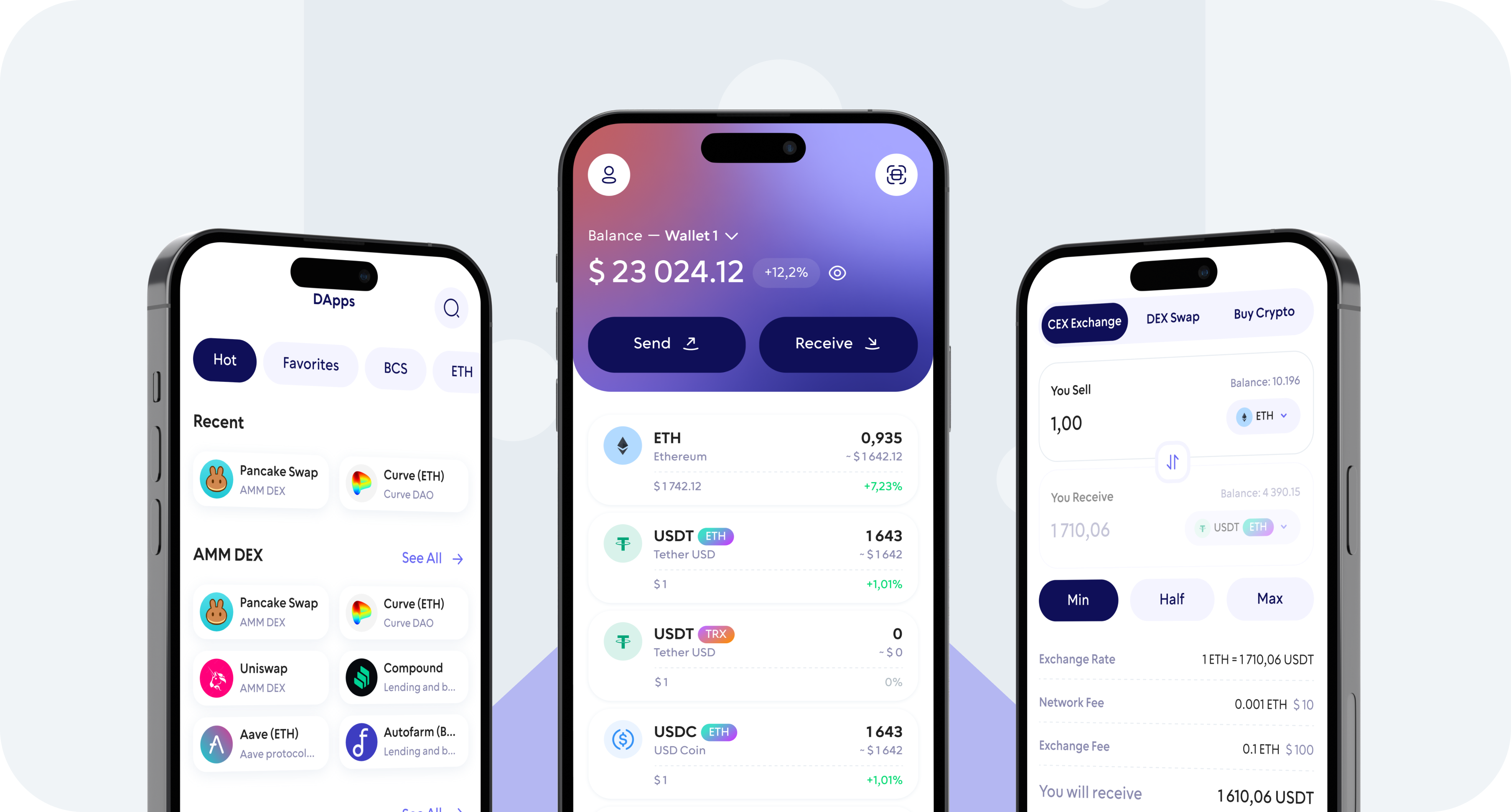
Swap USDT to other cryptocurrencies inside the app.
Track your balance and transaction history in one place

Buy, Sell, and Trade

Take control of your crypto portfolio using your mobile device. Purchase cryptocurrencies effortlessly using your credit card, payment app, or bank account. Swiftly exchange between different cryptocurrencies. Safeguard your investment returns by trading into stablecoins pegged to the USD.

Group 137337623

Stake and Earn

Earn rewards by staking popular coins like ETH, SOL, TRX, and more, with annual percentage yields (APY) ranging from 3,28% to 20%.

20

APY

Take charge of your crypto


Walletverse empowers you with a self-custody solution, granting you absolute control over your digital assets.

DEX aggregator


Walletverse empowers you with a self-custody solution, granting you absolute control over your digital assets.

Comunity Voting


Participate in decision-making on the development of new features.

WalletConnect


Securely interact with a wide range of dApps and decentralized exchanges.

Seamless Security

Walletverse is a self-custody wallet. That means:

  • You control access to your funds;
  • No one can move your crypto without your confirmation.

Security features available in the app:

  • Passcode protection;
  • Biometric authentication (Face ID / fingerprint);
  • Backup and recovery flow (so you can restore access if you change your device).

Enjoy the peace of mind knowing that all your wallets are automatically backed up, and you can effortlessly restore access using a single personalized password.

700+ coins supported

Tether

Tether

Ripple

Ripple

DogeCoin

DogeCoin

Cosmos

Cosmos

Binance

Binance

Dash

Dash

Matic

Matic

Attention

Attention

Bitcoin

Bitcoin

RavenCoin

RavenCoin

Stellar

Stellar

Gifto

Gifto

Polkadot

Polkadot

LiteCoin

LiteCoin

Generic

Generic

Dragonereum

Dragonereum

Chainzilla

Chainzilla

ZCash

ZCash

Hotto

Hotto

Cardano

Cardano

PowerLedger

PowerLedger

FileCoin

FileCoin

FAQ

Best app for Tether (USDT)

Discover the premier solution to buying Tether with the Walletverse app, available for download from Google Play and the App Store. This application is the best place for a community-driven initiative, offering a versatile crypto wallet designed for multi-wallet management. Supporting over 700 cryptocurrencies and compatible with various decentralized applications (dApps), Walletverse is the definitive app for managing your USDT and other digital assets.

How to buy Tether (USDT) on the app?

Open Walletverse → Buy → choose USDT → choose Card/Apple Pay/Google Pay → enter amount → confirm → receive USDT in your wallet.

Where to buy Tether (USDT)

You can buy USDT directly in Walletverse using supported payment providers and methods available in your region.

Can I send USDT after buying it?

Yes. After purchase, open USDT → Send → paste the recipient address → choose the correct network (if prompted) → confirm.

What other cryptocurrencies can I own in Walletverse?

Walletverse opens the door to a universe of over 300 different cryptocurrencies, far beyond just Tether (USDT). Whether you’re looking to invest in Ripple, Litecoin, or explore other digital currencies, our application provides a secure and intuitive environment for all your crypto needs. With Walletverse, diversifying your portfolio is not just possible; it’s simple and secure. 

Where your USDT goes after purchase

Your USDT is delivered directly to your Walletverse address.

Before you buy, check:

  • The receiving wallet/account inside the app (if you use multi-account).
  • The USDT network/format (if prompted).
  • Your balance and transaction history after payment completes.

If you need USDT for an exchange or another wallet, first confirm which USDT network they accept, then buy/send using the same network.

Download to access all of Web3 with just one app