Buy TRON (TRX) with USD, EUR and Other Fiat
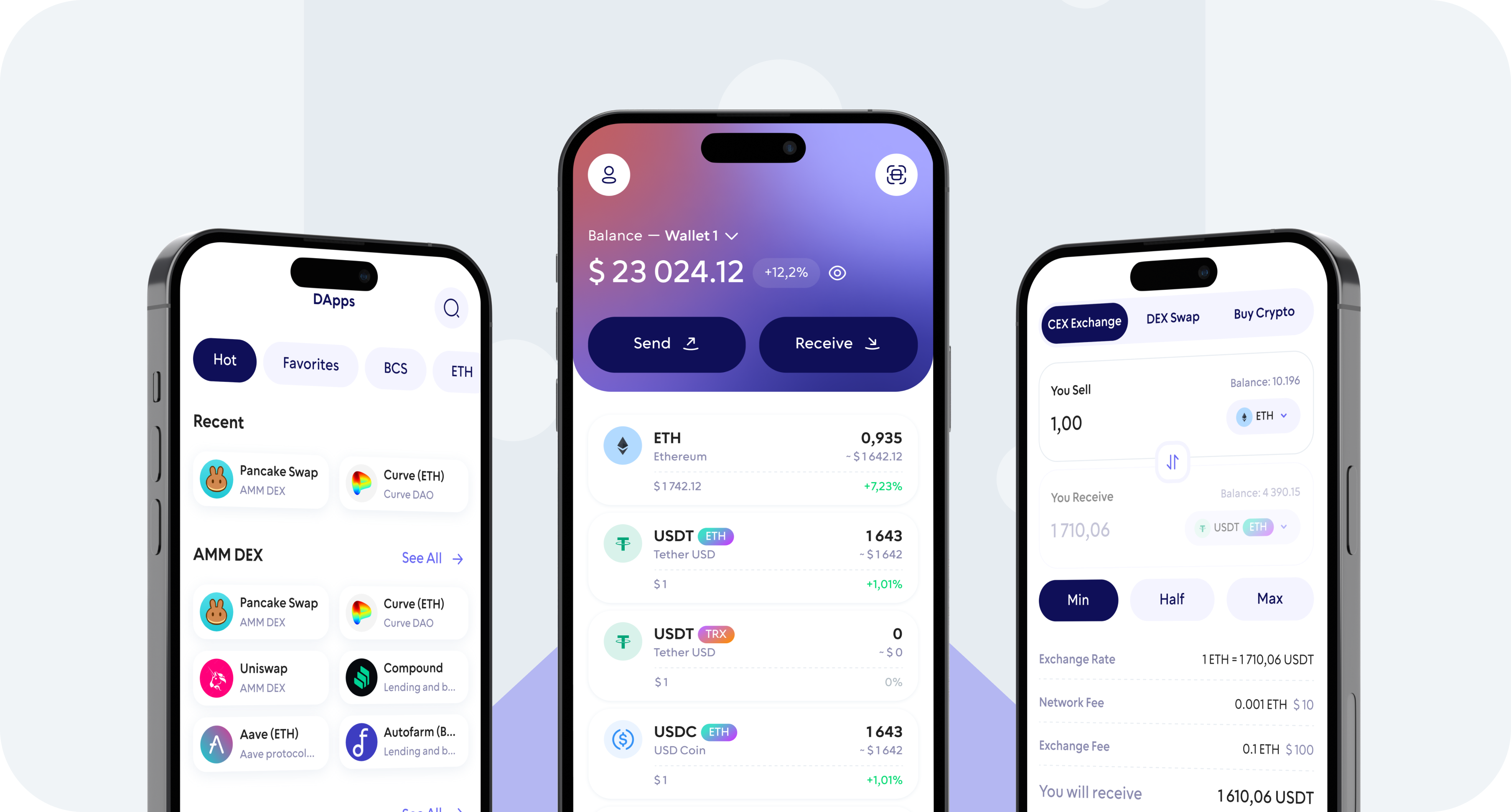
Buy TRON (TRX) with USD, EUR, GBP and other supported fiat currencies directly from the Walletverse app.
Walletverse gives you access to fiat-to-crypto payment providers that make it possible to purchase TRX using a credit or debit card, Apple Pay, Google Pay and other payment methods available in your country.
Your TRX is delivered to your Walletverse self-custody wallet, where you control your crypto and private keys.
Buy TRX with:
- Visa and Mastercard credit or debit cards
- Apple Pay where supported
- Google Pay where supported
- USD, EUR, GBP and other supported fiat currencies
How to Buy TRON (TRX) with Walletverse
Buying TRX in Walletverse takes only a few steps.
1. Download and Open Walletverse
Install Walletverse on your mobile device and create or import your self-custody crypto wallet.
2. Choose TRON (TRX)
Open the Buy section and select TRON (TRX) as the cryptocurrency you want to purchase.
3. Enter the Amount
Choose how much you want to spend and select your preferred fiat currency, such as USD or EUR.
The available currencies, purchase limits and exchange rate depend on the fiat payment provider available for your transaction.
4. Select a Payment Method
Choose one of the available payment options. Depending on your location and provider, these may include a Visa or Mastercard credit/debit card, Apple Pay, Google Pay or another supported payment method.
5. Review the TRX Quote
Before confirming your order, check the fiat amount, estimated TRX amount, exchange rate and any provider fees shown during checkout.
6. Complete the Purchase
Follow the payment provider’s instructions and complete any verification that may be required.
After the transaction is processed, your TRX will be delivered to your Walletverse wallet.
Buy TRX with USD
Walletverse allows users to access payment providers that support buying crypto with US dollars.
To buy TRX with USD, select TRON in the Walletverse app, enter the dollar amount you want to spend and choose an available payment method.
Depending on your country and payment provider, you may be able to purchase TRX with a Visa or Mastercard debit/credit card, Apple Pay, Google Pay or other supported options.
Always review the final USD-to-TRX quote before confirming your purchase, as cryptocurrency prices and provider fees can change.
Buy TRX with EUR
You can also buy TRON with euros through supported fiat-to-crypto providers in Walletverse.
Select EUR as your payment currency and TRX as the cryptocurrency you want to receive. The app will show the available purchase options for your region.
European users may see different payment methods depending on the selected provider and country.
Review the EUR-to-TRX exchange rate and total transaction details before making the payment.
Buy TRX with Other Fiat Currencies
Walletverse supports crypto purchases through payment providers offering multiple fiat currencies.

In addition to USD and EUR, currencies such as GBP, CAD, AUD, INR, JPY, KZT and others may be available depending on your country and the payment provider processing the purchase.
Open the Buy section in Walletverse to see the fiat currencies currently available for your TRX transaction.
Buy TRX with a Credit Card
A credit card can be a convenient way to buy TRON without first depositing money to a cryptocurrency exchange.
In Walletverse:
- Open Buy
- Select TRON (TRX)
- Enter your purchase amount
- Choose a card payment provider
- Enter or confirm your card details
- Review the TRX quote and fees
- Complete the purchase
Visa and Mastercard credit cards may be supported through available fiat providers.
Availability can depend on your country, payment provider and card issuer. Some banks restrict cryptocurrency transactions or may apply additional charges, so review the final payment details before confirming your order.
Buy TRX with a Debit Card
You can use supported debit cards to purchase TRON through fiat-to-crypto providers available in Walletverse.
Choose TRX, enter your preferred fiat amount and select the debit card option during checkout.
Debit card purchases may provide a convenient alternative to sending funds to a centralized crypto exchange first.
Supported card networks, transaction limits, verification requirements and fees depend on the selected provider and region.
Buy TRX with Apple Pay
Apple Pay may be available for TRX purchases through supported payment providers.
If Apple Pay is available for your device, country and selected transaction, it will appear as a payment option during the Walletverse purchase flow.
Choose TRON, enter the amount you want to buy, select Apple Pay and review the transaction details before confirming the payment.
Once the payment has been processed, the purchased TRX is delivered to your Walletverse wallet.
Buy TRX with Google Pay
Google Pay may also be available when purchasing TRX in supported regions.
Select TRON in Walletverse, enter the amount you want to spend and check the payment methods offered for your transaction.
If Google Pay is supported by the provider, select it, review the exchange rate and fees and confirm your purchase.
Your TRX will be received in your self-custody wallet after the transaction is completed.
How Long Does It Take to Buy TRX?
TRX purchase times depend on the selected fiat provider, payment method, verification requirements and transaction processing.
Card and mobile payment methods can often be processed faster than some bank-based payment options, but completion times are not guaranteed.
The payment provider will display the relevant transaction information during checkout.
What Are the Fees for Buying TRX?
The total cost of purchasing TRON may include the provider’s transaction fee and the exchange rate used for converting your fiat currency into TRX.
Fees can differ depending on:
- the payment provider
- your payment method
- your country
- the fiat currency
- the purchase amount
- current market conditions
Walletverse lets you review the available purchase quote before completing the transaction.
Always check the final amount of TRX you will receive rather than comparing only the advertised fee percentage.
Why Buy TRON with Walletverse?
Self-Custody
Walletverse is a self-custody crypto wallet. You retain control of your wallet and private keys instead of leaving your TRX in a centralized exchange account.
Multiple Fiat Payment Options
Access supported fiat-to-crypto providers and purchase crypto using payment methods such as bank cards, Apple Pay and Google Pay where available.
Buy and Manage TRX in One App
After purchasing TRON, you can keep your TRX in Walletverse and use supported wallet features to send, receive, exchange or manage your assets.
Mobile Security
Walletverse protects wallet access with security features including passcode and biometric authentication.
Multi-Asset Wallet
Manage TRON together with hundreds of other supported cryptocurrencies and tokens from the same mobile wallet.
What Can You Do After Buying TRX?
Once TRX arrives in your Walletverse wallet, you can manage it without transferring it from a centralized exchange first.
Store TRX
Keep TRON in your Walletverse self-custody wallet while retaining control of your private keys.
Send TRX
Send TRX to another compatible TRON wallet address.
Always verify the recipient address and selected blockchain network before confirming a cryptocurrency transfer.
Receive TRX
Use your Walletverse TRON address to receive TRX from another wallet or supported platform.
Swap TRX
Exchange TRX for other supported cryptocurrencies using swap functionality available in Walletverse.
What Is TRON (TRX)?
TRON is a blockchain network launched in 2017. Its native cryptocurrency is TRX.
TRX was initially issued as an ERC-20 token before TRON moved to its own blockchain mainnet in 2018.
Today, the TRON network supports cryptocurrency transfers, smart contracts, decentralized applications and TRC-20 tokens.
TRX is used throughout the network for transactions and other blockchain operations.
Buy TRON and Keep Control of Your Crypto
Walletverse combines fiat-to-crypto access with a self-custody wallet.
Instead of purchasing TRX on one platform and then transferring it to another wallet, you can access available fiat purchase providers from the Walletverse app and receive your TRON in the same wallet you use to manage it.
Choose TRX, select your fiat currency and payment method, review the quote and complete your purchase.
FAQ
Most frequent questions and answers
You can buy Tron (TRX) using USD through the Walletverse app with Apple Pay, Google Pay, or debit/credit cards. It’s fast, secure, and requires no exchanges.
Walletverse is one of the best wallets for Tron, offering decentralized storage, multi-currency support, and integrated fiat payment options.
Download Walletverse, create your wallet, select Tron (TRX), and choose your preferred payment method such as Apple Pay or Google Pay to complete your purchase
Buying Tron directly through Walletverse with Apple Pay or Google Pay is one of the most affordable and convenient options, minimizing fees and providing instant transactions.
Yes. EUR purchases may be available through supported fiat-to-crypto providers in Walletverse. Select EUR and TRX in the Buy section to see the options currently available for your region.
Google Pay may be available depending on your country, device and fiat provider. Check the payment options displayed when purchasing TRX in Walletverse.
The purchased TRX is delivered to your Walletverse wallet after the payment provider processes the transaction.
Walletverse itself supports TRON, so you can use your Walletverse wallet to receive and manage purchased TRX.
USD, EUR and other fiat currencies may be supported. Available currencies depend on the fiat provider and your region. Check the Walletverse purchase flow for the current options.