


Buy UMA (UMA) with USD, EUR and Other Fiat Currencies
This article was developed in collaboration with ilink, a seasoned FinTech and Web3 software developer with over 13 years of experience and a proven track record of delivering successful digital projects worldwide. Their expertise ensures the technical accuracy and reliability of the information presented here.
The world of decentralized finance (DeFi) is constantly pushing the boundaries of what’s possible with blockchain technology. One project that stands at the forefront of this innovation is UMA (Universal Market Access) , a protocol designed to enable the creation of synthetic financial contracts without intermediaries. This guide, prepared for Walletverse users, provides a comprehensive overview of UMA and, most importantly, how you can easily purchase UMA tokens using familiar fiat currencies like USD, EUR, GBP, and more.
What is UMA (UMA)?
UMA is a decentralized financial contracts platform that allows users to create self-enforcing financial agreements secured by economic incentives. Founded in 2018 by Allison Lu and Hart Lambur, two former Goldman Sachs traders, the protocol was built with a vision to enable anyone, anywhere, to transfer risk across the internet without relying on central authorities. Lu holds a degree in Economics and Management from MIT, while Lambur is a computer scientist and co-founder of Risk Labs, the organization responsible for developing the UMA protocol .
At its core, UMA consists of two critical components. First, it offers “priceless” financial contract templates that allow developers to create synthetic tokens tracking the value of any underlying asset, from equities to commodities. Second, it features a Data Verification Mechanism (DVM), which is UMA’s innovative “Optimistic Oracle.” Unlike traditional oracles that actively push data on-chain, UMA’s oracle operates on an optimistic model where data is assumed correct unless disputed. If a dispute arises, UMA token holders vote to resolve it, ensuring security with minimal overhead.
Where Can I Buy UMA (UMA) With Cash: 10 Best Crypto Wallets
To buy and store UMA, you need a reliable crypto wallet that supports Ethereum-based ERC-20 tokens. Here are 10 top contenders, with a special focus on the all-in-one solution, Walletverse.
1. Walletverse

Walletverse stands out as the most comprehensive and user-friendly mobile crypto wallet, perfect for both beginners and advanced users. It’s a community-driven, non-custodial wallet, meaning you, and only you, have control over your private keys and funds.
Walletverse offers a seamless experience for managing your digital assets. With support for over 700 cryptocurrencies, including all ERC-20 tokens like UMA, it acts as your gateway to Web3 and DeFi. Its intuitive design ensures fast and secure transactions, whether you’re trading, storing, or sending crypto.
Pros:
- User-Friendly: A fast app with a clean interface, available on both Google Play (rated 4.8) and the App Store (rated 5.0).
- Multi-Currency & Multi-Account: Supports 700+ cryptocurrencies and allows you to manage multiple accounts within one app.
- Versatile Purchase Options: Buy crypto directly with Apple Pay, Google Pay, credit/debit cards, or fiat currencies like USD, EUR, GBP, JPY, CAD, and AUD.
- Cutting-Edge Security: Employs passcode and biometric authentication. As a non-custodial wallet, even the Walletverse team cannot access your funds.
- Innovative Features: Includes a proprietary GasFree USDT Transaction System, allowing users to transfer USDT on the TRON blockchain without needing TRX for gas fees, removing a major barrier for new users.
- Staking Opportunities: Earn passive income by staking popular assets like Solana (SOL), Ethereum (ETH), and TRX.
- AML & CYT Compliance: Incorporates advanced security checks for safer transactions.
Cons:
- Currently available only as a mobile app (no desktop version yet).



2. MetaMask

The leading browser extension and mobile wallet for the Ethereum ecosystem. As UMA is an ERC-20 token, MetaMask is a perfect, secure choice for storing and interacting with it.
- Pros: Free, highly secure, direct gateway to dApps and DeFi protocols.
- Cons: Primarily focused on Ethereum and EVM chains.
3. Trust Wallet

The official Binance wallet, Trust Wallet is a popular mobile option known for its broad multi-chain support, including all ERC-20 tokens like UMA.
- Pros: Free, supports millions of assets, built-in Web3 browser for dApp access.
- Cons: Relies on third-party services for fiat on-ramps.
4. Ledger Nano X

For maximum security, hardware wallets like the Ledger Nano X store your private keys offline. You can manage UMA securely using the Ethereum app on Ledger Live or by connecting it to MetaMask.
- Pros: Unparalleled security for long-term storage, Bluetooth connectivity for mobile use.
- Cons: Not free (costs around $150), less convenient for frequent trades.
5. Trezor Model T
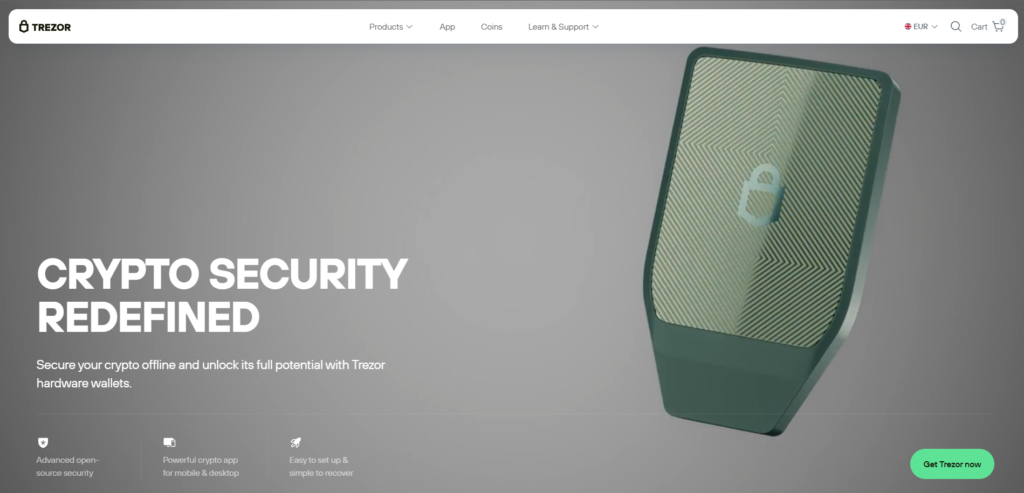
Another top-tier hardware wallet with a touchscreen interface and open-source software. It provides excellent security for storing ERC-20 tokens like UMA by installing the Ethereum app.
- Pros: Excellent security, open-source transparency, intuitive touchscreen interface.
- Cons: Higher price point.
6. Coinbase Wallet

A standalone, non-custodial wallet from Coinbase. It supports Ethereum and all ERC-20 tokens and is very user-friendly.
- Pros: Free, integrates with the Coinbase exchange for easy transfers.
- Cons: Supports fewer networks than some competitors.
7. Rabby Wallet

A favorite in the DeFi space, Rabby is an EVM-focused extension wallet with advanced features like transaction simulation and automatic network switching.
- Pros: Free, advanced security features, perfect for multi-chain DeFi users.
- Cons: Primarily a browser extension.
8. OKX Wallet

The official wallet of the OKX exchange, supporting over 60 blockchains, including Ethereum for ERC-20 tokens like UMA.
- Pros: Free, vast chain support, integrated with OKX DEX and exchange.
- Cons: Feature-rich interface may overwhelm beginners.
9. Bitget Wallet

Formerly BitKeep, this multi-chain wallet offers built-in swap, NFT, and dApp capabilities across 100+ mainnets, including Ethereum.
- Pros: Free, strong fiat on-ramp options, all-in-one features.
- Cons: Busy interface.
10. Zengo

A unique mobile wallet using Multi-Party Computation (MPC) technology to eliminate seed phrase risk. It supports Ethereum and all major ERC-20 tokens.
- Pros: Free, no seed phrase to lose, strong security with 3-factor authentication.
- Cons: Supports fewer total assets than traditional multi-coin wallets.
Buy UMA with Apple Pay
Apple Pay offers one of the most seamless and secure ways to fund your crypto purchases. With wallets like Walletverse, you can use Apple Pay to buy a base cryptocurrency like USDT or ETH instantly, then swap it for UMA within the app. It’s fast, private, and eliminates manual card entry.
Buy UMA with Google Pay
Google Pay provides a frictionless payment experience for Android users. By selecting Google Pay in a wallet like Walletverse, you can quickly fund your crypto purchases using your device’s PIN or biometrics. This makes buying UMA with fiat as simple as confirming a payment on your phone.
How to Buy UMA (UMA) with fiat?
Buying UMA with regular money is simple through Walletverse. Just follow these steps.
- Download Walletverse from Google Play Store or Apple App Store.
- Create a new wallet and securely store your recovery phrase offline. Enable passcode and biometric login.
- Tap “Buy Crypto” on the main screen.
- Search for “UMA” and select UMA.
- Choose your currency like USD or EUR and enter the amount you want to spend.
- Pick Apple Pay, Google Pay, or your credit card as the payment method.
- Review the details including fees and the exchange rate.
- Confirm with your fingerprint or face scan. Your UMA appears in your wallet instantly.
UMA (UMA) represents a sophisticated and powerful protocol at the heart of DeFi innovation, enabling the creation of synthetic assets and trustless financial contracts through its unique Optimistic Oracle. Backed by a strong founding team from Goldman Sachs and MIT, it continues to be a foundational layer for developers and users seeking to build and access novel financial products.
With the advent of user-friendly, self-custody wallets like Walletverse, the process of buying UMA with fiat currencies such as USD or EUR has been stripped of its complexity. By integrating familiar payment methods like Apple Pay and Google Pay, Walletverse empowers you to take full control of your digital assets securely and efficiently.
Data current as of March 2026.
FAQ
Most frequent questions and answers
UMA’s value lies in its utility as a governance token for a leading DeFi derivatives protocol with an innovative Optimistic Oracle, backed by a strong founding team from Goldman Sachs.
You can buy UMA with USD directly in the Walletverse app by selecting “Buy Crypto,” choosing UMA, and paying with Apple Pay, Google Pay, or a credit card.
Since UMA is an ERC-20 token on Ethereum, any Ethereum-compatible wallet works. Walletverse is an excellent choice for its ease of use and built-in purchase options.
You can buy UMA tokens directly in the Walletverse app, on centralized exchanges like Binance and Coinbase, or on decentralized exchanges like Uniswap.
The cheapest way is to buy USDT via bank transfer on Walletverse, then swap it for UMA within the app to avoid high exchange withdrawal fees.


