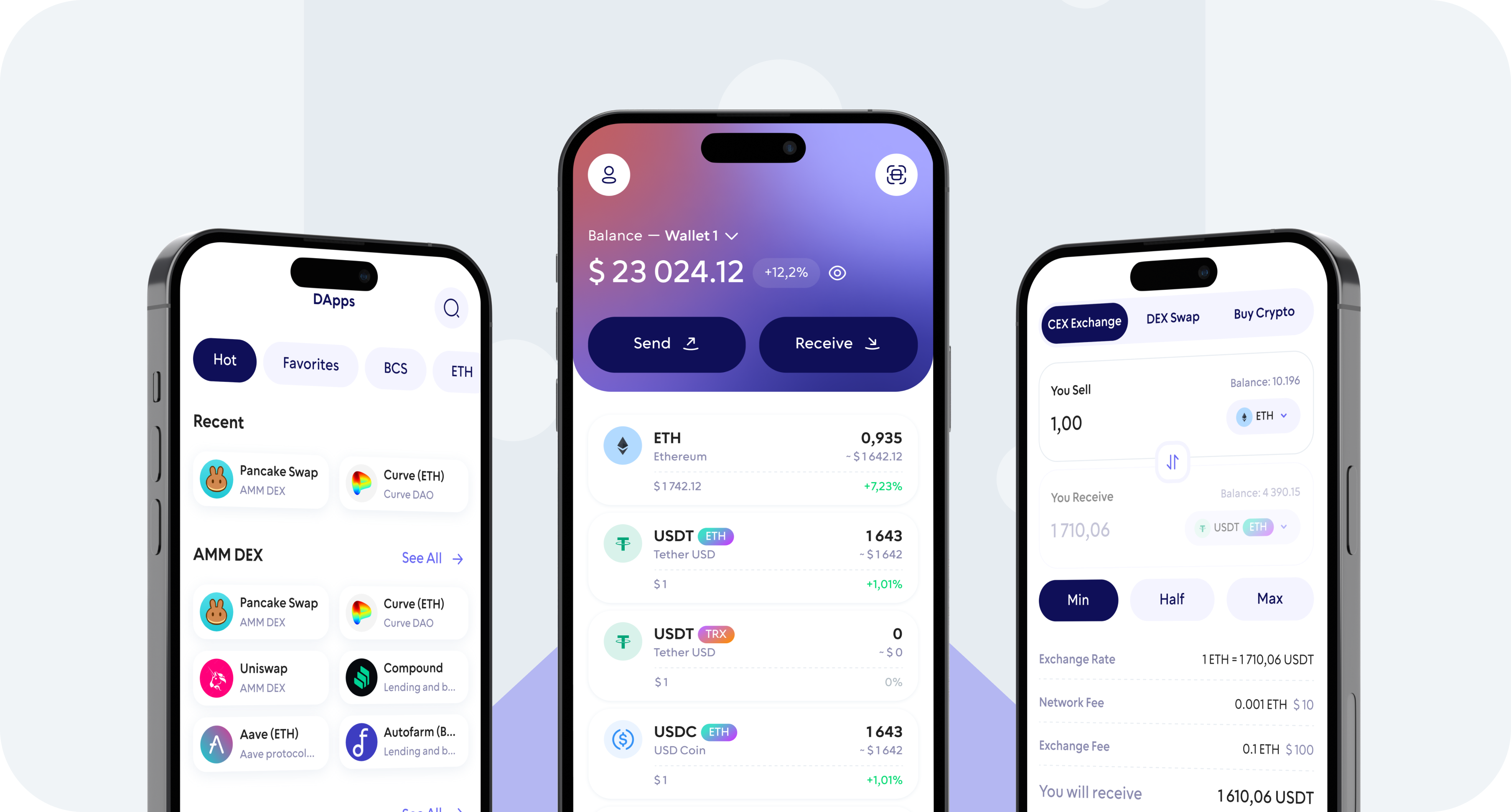
Buy USD Coin (USDC) directly from your mobile device with Walletverse. Use a supported credit or debit card, Apple Pay, or Google Pay and receive USDC in your self-custody wallet.
With Walletverse, you stay in control of your crypto. Buy, store, send, receive, and swap USDC from one mobile app without relying on Walletverse to custody your funds.
What Is USD Coin (USDC)?
USD Coin (USDC) is a digital dollar issued through regulated affiliates of Circle. USDC is designed to maintain a stable value relative to the U.S. dollar and is backed by highly liquid cash and cash-equivalent assets.
Unlike cryptocurrencies whose prices can move significantly over short periods, USDC is designed to maintain price equivalence with the U.S. dollar.
USDC is used for transferring digital dollars, crypto trading, payments, and interacting with blockchain applications.
Use a supported credit card to purchase USD Coin directly from your mobile device.
Buy USDC with a Debit Card
Select USDC, enter your purchase amount, choose the available debit card option, and complete the payment.
Buy USDC with Apple Pay
Where supported, Apple Pay lets you buy USDC without manually entering your card details during every purchase.
Buy USDC with Google Pay
Android users can select Google Pay when it is available through the payment provider in their region.
Is KYC Required to Buy USDC?
Identity verification requirements depend on the payment provider, transaction details, and applicable regulations in your region.
Wallet and Network
USDC exists on multiple blockchain networks. Make sure you are using the correct supported network whenever sending USDC to an external wallet or exchange.
What Should I Check Before Buying USDC?
Payment Method
Purchase Amount
Fees and Quote
What Can I Do After Buying USDC?
Store USDC
Send USDC
Receive USDC
Swap USDC
Why Buy USDC with Walletverse?
Your USDC, Your Control
Walletverse is a self-custody crypto wallet. You control your wallet and digital assets rather than leaving your USDC in a custodial exchange account.
Buy and Manage USDC in One App
After buying USDC, you can store it in Walletverse, send it to another compatible wallet, receive USDC, or swap supported crypto assets without switching between multiple apps.
Multiple Payment Options
Depending on your location and provider availability, you can purchase cryptocurrency using credit or debit cards and mobile payment methods such as Apple Pay and Google Pay.
Built for Mobile
Buy and manage USDC directly from your smartphone. Walletverse is available for iOS and Android.
Self-Custody Security
Walletverse is designed so that you remain in control of your crypto assets. The app also supports security features such as passcode and biometric protection.
300+ coins supported
Tether
Ripple
DogeCoin
Cosmos
Binance
Dash
Matic
Attention
Bitcoin
RavenCoin
Stellar
Gifto
Polkadot
LiteCoin
Generic
Dragonereum
Chainzilla
ZCash
Hotto
Cardano
PowerLedger
FileCoin
FAQ
Can I buy USDC with a credit card?
Yes. Walletverse supports fiat-to-crypto purchase options that can include credit cards. Available cards and payment providers depend on your country and transaction details.
Can I buy USDC with a debit card?
Yes. Select USD Coin in Walletverse and choose an available debit card option during the purchase process.
Can I buy USDC with Apple Pay?
Apple Pay may be available as a payment method depending on your device, country, and payment provider. Check the available options when starting your USDC purchase in Walletverse.
Can I buy USDC with Google Pay?
Google Pay may be available through supported payment providers. The Walletverse purchase flow will show the options currently available for your transaction.
What currencies can I use to buy USDC?
Walletverse supports fiat-to-crypto purchases in multiple currencies. The currencies available for your USDC purchase depend on your location and payment provider.
Can I swap USDC for another cryptocurrency?
Walletverse supports in-app crypto swaps for supported assets. Open the swap feature, select USDC and the asset you want to receive, review the transaction details, and confirm the swap.