


Buy VVS Finance (VVS) with USD, EUR and Other Fiat Currencies
This article was developed in collaboration with ilink, a seasoned FinTech and Web3 software developer with over 13 years of experience and a proven track record of delivering successful digital projects worldwide. Their expertise ensures the technical accuracy and reliability of the information presented here.
The decentralized finance (DeFi) landscape can often feel like a complex maze of jargon and high barriers to entry. Enter VVS Finance (VVS) , a platform built on the principle of “Very, Very Simple Finance.” As the leading decentralized exchange (DEX) on the Cronos blockchain, an ecosystem powered by Crypto.com, VVS Finance is democratizing access to DeFi tools like swapping, staking, and yield farming . This guide, prepared for Walletverse users, provides a comprehensive overview of VVS Finance and, most importantly, how you can easily purchase VVS tokens using familiar fiat currencies like USD, EUR, GBP, and more.
What is VVS Finance (VVS)?
Launched in November 2021, VVS Finance was created with a clear and ambitious mission: to make DeFi accessible to everyone . The name itself, “Very, Very Simple Finance,” reflects its core philosophy of stripping away complexity to provide a user-friendly gateway into decentralized trading and earning.
At its heart, VVS Finance is an automated market maker (AMM) DEX , similar to Uniswap or PancakeSwap, but built natively on the Cronos blockchain . This strategic integration with Cronos, a network associated with the major exchange Crypto.com, offers users several key advantages:
- Lower Transaction Fees: By operating on Cronos, VVS avoids the high gas fees of the Ethereum mainnet, making smaller trades and frequent interactions far more economical .
- Faster Confirmation Times: Cronos’s EVM-compatible infrastructure ensures quick and efficient transaction processing .
- Ecosystem Synergy: As one of the primary liquidity hubs on Cronos, VVS is central to the network’s DeFi activity .
Where Can I Buy VVS Finance (VVS) With Cash: 10 Best Crypto Wallets
To buy and store VVS, you need a reliable crypto wallet. The best wallet for you depends on your needs, whether it’s convenience, security, or access to decentralized apps (dApps). Here are 10 top contenders for 2026, with a special focus on the all-in-one solution, Walletverse.
1. Walletverse

Walletverse stands out as the most comprehensive and user-friendly mobile crypto wallet, perfect for both beginners and advanced users. It’s a community-driven, non-custodial wallet, meaning you, and only you, have control over your private keys and funds.
Walletverse offers a seamless experience for managing your digital assets. With support for over 700 cryptocurrencies, including the ability to hold ERC-20 tokens like VVS (on both Ethereum and Cronos networks via bridging), it acts as your gateway to Web3 and DeFi. Its intuitive design ensures fast and secure transactions, whether you’re trading, storing, or sending crypto.
Pros:
- User-Friendly: A fast app with a clean interface, available on both Google Play (rated 4.8) and the App Store (rated 5.0).
- Multi-Currency & Multi-Account: Supports 700+ cryptocurrencies and allows you to manage multiple accounts within one app.
- Versatile Purchase Options: Buy crypto directly with Apple Pay, Google Pay, credit/debit cards, or fiat currencies like USD, EUR, GBP, JPY, CAD, and AUD.
- Cutting-Edge Security: Employs passcode and biometric authentication. As a non-custodial wallet, even the Walletverse team cannot access your funds.
- Innovative Features: Includes a proprietary GasFree USDT Transaction System, allowing users to transfer USDT on the TRON blockchain without needing TRX for gas fees, removing a major barrier for new users.
- Staking Opportunities: Earn passive income by staking popular assets like Solana (SOL), Ethereum (ETH), and TRX.
- AML & CYT Compliance: Incorporates advanced security checks for safer transactions.
Cons:
- Currently available only as a mobile app (no desktop version yet).



2. MetaMask

The undisputed king of browser extension and mobile wallets, MetaMask is essential for interacting with EVM-compatible ecosystems. To use VVS on Cronos, you would simply add the Cronos network to MetaMask.
- Pros: Free, highly secure, supports all ERC-20 tokens, direct gateway to dApps like VVS Finance.
- Cons: Can be intimidating for absolute beginners; requires manual network configuration for non-default chains like Cronos.
3. Crypto.com DeFi Wallet

As the native wallet for the Cronos ecosystem, this is arguably the most seamless option for interacting with VVS Finance. It’s a non-custodial wallet specifically designed to work with Cronos dApps.
- Pros: Free, deep integration with the Cronos ecosystem, easy connection to VVS Finance, supports staking and earning directly.
Cons: Primarily focused on the Crypto.com and Cronos ecosystem; less versatile for other chains.
4. Trust Wallet

As the official wallet of the Binance exchange, Trust Wallet is a popular mobile wallet known for its broad multi-chain support. It supports Cronos and its native tokens, including VVS.
- Pros: Free, supports millions of assets across many blockchains, includes a built-in Web3 browser for dApp access.
- Cons: Relies on third-party services for fiat on-ramps.
5. Ledger Nano X

For maximum security, hardware wallets like the Ledger Nano X are the gold standard. You can store your VVS securely by using the Ledger with MetaMask or the Crypto.com DeFi Wallet as an interface.
- Pros: Unparalleled security for long-term storage, Bluetooth connectivity for mobile use, supports a wide range of coins.
- Cons: Not free (costs around $150), less convenient for frequent, small transactions.
6. Rabby Wallet

An emerging favorite in the DeFi space, Rabby is an extension wallet optimized for EVM chains. It excels at displaying the best network for a transaction and simulating its outcome before you sign, which is perfect for multi-chain users.
- Pros: Free, advanced security features, transaction simulation, supports Cronos and other EVM chains.
- Cons: Primarily a browser extension, may be too advanced for casual users.
7. Coinbase Wallet

A standalone, non-custodial wallet from the Coinbase exchange. It supports multiple networks, and users can add the Cronos network to interact with VVS.
- Pros: Free, very user-friendly, integrates with the Coinbase exchange for easy transfers.
- Cons: Adding custom networks, while possible, is not as intuitive as in some other wallets.
8. OKX Wallet

The official wallet of the OKX exchange, this is a powerful multi-chain wallet that supports over 60 blockchains, including Cronos. It offers a built-in swap feature and direct access to dApps.
- Pros: Free, supports a vast number of chains, integrated with the OKX DEX and exchange, strong security features.
- Cons: The interface can be feature-rich and potentially overwhelming for complete beginners.
9. Bitget Wallet

Formerly known as BitKeep, this is a feature-rich, multi-chain wallet that offers built-in swap, NFT, and dApp capabilities, with support for Cronos.
- Pros: Free, supports 100+ mainnets, strong fiat on-ramp options, includes swap and earn features directly in the wallet.
- Cons: The interface can feel busy due to its many features.
10. Tangem Wallet
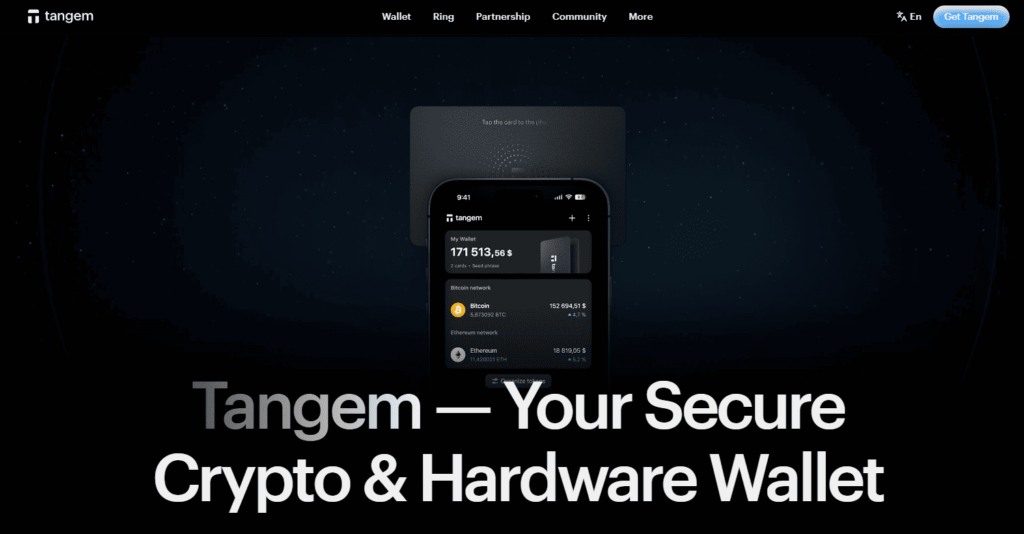
A unique hardware wallet that looks like a payment card. It’s a non-custodial wallet where the private key is stored on the card’s secure chip. It supports multiple networks, and you can manage VVS by adding the Cronos network through the app.
- Pros: Extremely portable and durable, easy to use (tap the card to your phone), strong seedless security.
- Cons: Requires a smartphone with NFC; no desktop interface.
Buy VVS with Apple Pay
Apple Pay offers one of the most seamless and secure ways to fund your crypto purchases. By using Apple Pay, you can buy a base cryptocurrency like CRO (the native token of Cronos) or USDT instantly, which you can then exchange for VVS.
With wallets like Walletverse, the process is integrated directly into the app. You select “Buy,” choose your fiat currency (e.g., USD or EUR), and select Apple Pay as your payment method. You authorize the purchase with Face ID or Touch ID, and the funds (typically in the form of a stablecoin like USDT) are credited to your wallet almost instantly.
Buy VVS with Google Pay
Just like Apple Pay, Google Pay provides a frictionless payment experience for Android users looking to enter the crypto space.
On a wallet like Walletverse, you can select Google Pay as your funding source when purchasing crypto with fiat. After confirming your identity and the transaction amount, you use your Android device’s PIN, pattern, or biometrics to authenticate the payment.
How to Buy VVS Finance (VVS) with fiat?
Buying VVS with regular money is simple through Walletverse. Just follow these steps.
- Download Walletverse from Google Play Store or Apple App Store.
- Create a new wallet and securely store your recovery phrase offline. Enable passcode and biometric login.
- Tap “Buy Crypto” on the main screen.
- Search for “VVS” and select VVS.
- Choose your currency like USD or EUR and enter the amount you want to spend.
- Pick Apple Pay, Google Pay, or your credit card as the payment method.
- Review the details including fees and the exchange rate.
- Confirm with your fingerprint or face scan. Your VVS appears in your wallet instantly.
VVS Finance (VVS) represents a pivotal building block in the Cronos ecosystem, successfully delivering on its promise of “Very, Very Simple Finance” . By providing an accessible platform for swapping, staking, and farming, it serves as an ideal entry point for users new to DeFi, while still offering depth for experienced participants. With its token unlock schedule now complete, the project’s focus turns fully to ecosystem growth and feature development .
With the advent of user-friendly, self-custody wallets like Walletverse, the process of buying VVS with fiat currencies like USD or EUR has been stripped of its complexity. By integrating familiar payment methods like Apple Pay and Google Pay with powerful DeFi tools, Walletverse empowers you to take full control of your digital assets securely and efficiently.
Data current as of March, 2026.
FAQ
Most frequent questions and answers
VVS is a solid entry point into DeFi on the Cronos network, offering utility for staking and farming, but like many reward tokens, it has a large supply and its price is tied to the growth of its ecosystem.
You can buy VVS with USD by first purchasing a stablecoin like USDT in a wallet such as Walletverse using a card or Apple Pay, then swapping that USDT for VVS directly in the app or on the VVS Finance DEX.
You can use any wallet that supports the Cronos blockchain, including Walletverse, Crypto.com DeFi Wallet, MetaMask (with Cronos added manually), and Trust Wallet.
You can buy VVS tokens on the official VVS Finance decentralized exchange (DEX) by swapping CRO or USDT, or through a multi-functional wallet like Walletverse that offers built-in swaps.
The cheapest way is to buy USDT with low-fee methods like bank transfer, then swap it for VVS directly on the Cronos network using a wallet like Walletverse to avoid high exchange withdrawal fees.


