



Centric Swap (CNS) Crypto Wallet
Centric Swap (CNS) is part of the Centric dual-token ecosystem and operates on the Solana blockchain. CNS is the freely traded token used to enter and exit the Centric ecosystem, while Centric Rise (CNR) is designed for holding within the protocol.
Since Centric migrated to Solana, users need a wallet that supports Solana SPL tokens to manage CNS. Before transferring CNS, always verify the network, token contract and receiving address.
Walletverse is a self-custody multi-currency mobile wallet. If CNS on Solana is available in the current Walletverse asset list, users can manage it from the application together with other supported cryptocurrencies. Always confirm current CNS and network support before depositing funds.
Featured in:


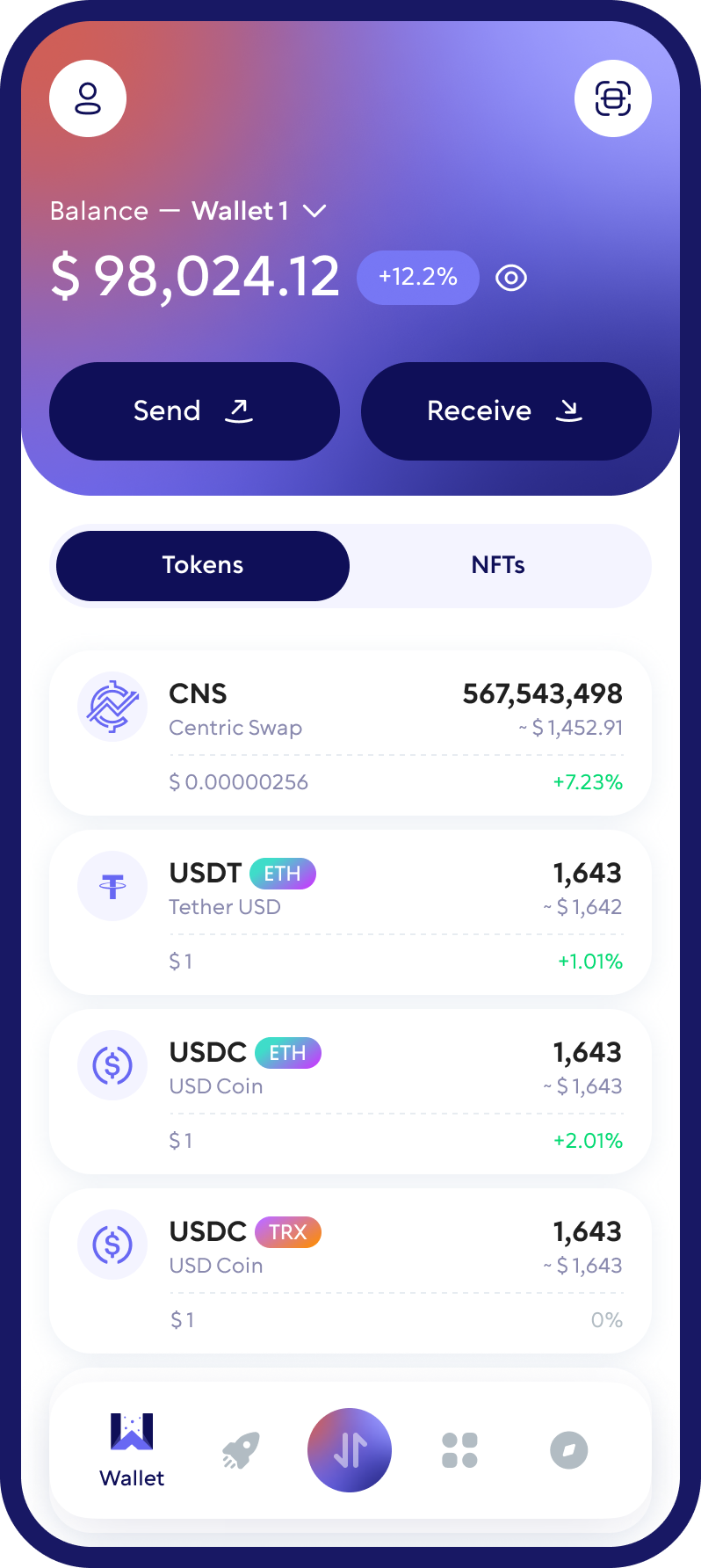
What Is Centric Swap (CNS)?
Centric is a dual-token cryptocurrency ecosystem built around Centric Swap (CNS) and Centric Rise (CNR).
CNS is the token that can be traded on cryptocurrency markets and used as the entry and exit point for the Centric ecosystem. CNR is the second token in the system and can be converted to and from CNS through Centric’s official conversion tools.
In 2026, Centric launched its tokens on the Solana blockchain. CNS and CNR are now SPL tokens, which means users need a Solana-compatible wallet to receive and manage them.
The official Centric Swap interface allows users to convert between CNS and CNR. This conversion should not be confused with a regular cryptocurrency exchange between CNS and assets such as Bitcoin or USDT.
Buy, Sell, and Trade CNS
Take control of your crypto portfolio using your mobile device. Purchase cryptocurrencies effortlessly using your credit card, payment app, or bank account. Swiftly exchange between different cryptocurrencies. Safeguard your investment returns by trading into stablecoins pegged to the USD.
Which Network Does Centric Swap (CNS) Use?
Centric Swap (CNS) currently operates as an SPL token on the Solana blockchain.
The official CNS Solana contract address is:
2jUSPvEuxSxJ6nGpUHyXVAcNxyhugPC1iBeNjhTXzAUy
Before sending CNS to any wallet, confirm that the receiving wallet supports Solana SPL tokens and that you are using the current CNS contract.
Older information about CNS on another blockchain may no longer apply after Centric’s migration to Solana. Users should therefore verify the network and contract using official Centric resources before transferring funds.
If you plan to use Walletverse for CNS, first confirm that the current Walletverse application supports the Solana version of CNS. Do not send CNS to an address based only on information from an older wallet listing.
What Cryptocurrencies Does Walletverse Support?
Walletverse is a multi-currency self-custody wallet supporting 700+ cryptocurrencies. Users can manage multiple supported digital assets from the same mobile application rather than using a separate wallet for every cryptocurrency.
Supported assets include major cryptocurrencies such as Bitcoin (BTC), Ethereum (ETH), Tether (USDT), USD Coin (USDC), XRP, Dogecoin (DOGE), Litecoin (LTC) and many others.
However, cryptocurrency support and blockchain-network support are not the same thing. Because Centric Swap migrated to Solana, users should specifically verify support for the current SPL version of CNS before transferring it to Walletverse.
The same rule applies to other tokens that have migrated between blockchains: always check the exact network and token version before sending funds.
Can You Store CNS on a Hardware Wallet?
Because the current Centric Swap token is an SPL token on Solana, compatible Solana hardware wallets can be an option for users who prefer to keep their private keys offline.
Ledger supports Solana and SPL tokens through its hardware wallets and companion software. Trezor also supports Solana and SPL tokens on supported models, including the Safe 3, Safe 5, Safe 7 and Model T.
Before sending CNS to a hardware wallet, verify that the wallet can display and manage the specific CNS SPL token and confirm the official token contract.
A hardware wallet is generally more suitable for users who prioritize offline key storage, while a mobile self-custody wallet such as Walletverse is designed for more convenient everyday portfolio management.
Walletverse should not be described as a hardware wallet, and this section does not imply direct Walletverse–Ledger or Walletverse–Trezor integration.
How to Store Centric Swap (CNS) Safely
Secure CNS storage starts with using a wallet that supports Solana SPL tokens and gives you appropriate control over access to your assets.
Walletverse is a self-custody mobile wallet with passcode and biometric protection. With a self-custody wallet, users are responsible for protecting their wallet credentials and recovery information.
When managing CNS, always verify the Solana network and the official token contract before making a transfer. A token with a similar name or ticker does not necessarily represent the genuine Centric Swap asset.
Never share your recovery phrase, private keys or wallet password with another person. Avoid websites or messages that ask you to “verify” or “synchronize” a wallet by entering recovery credentials.
When transferring CNS to a new wallet for the first time, consider sending a small test transaction before moving a larger balance.
FAQ
Acquiring Centric Swap (CNS) is straightforward and secure with the Walletverse crypto wallet. Our platform makes it easy for you to convert USD or any fiat currency into CNS using a credit or debit card directly from your wallet. This process is designed to be accessible and convenient, allowing you to invest in CNS and confidently partake in its unique economic model. Whether you’re a seasoned crypto enthusiast or new to the world of digital currencies, Walletverse provides a seamless and secure gateway to owning CNS and diversifying your crypto portfolio.
For those looking to manage their Centric Swap (CNS) investments, Walletverse offers a comprehensive wallet solution. Our app is designed to support CNS and over 300+ other cryptocurrencies, offering a wide range of functionalities for managing your digital assets. With Walletverse, you can easily create a wallet, monitor your balance, and perform essential transactions such as receiving, sending, storing, and exchanging CNS. Additionally, our platform’s integration with decentralized applications (dApps) and decentralized exchanges (DEXs) means you can access a broad spectrum of services and opportunities within the crypto ecosystem. Choose Walletverse for a secure, efficient, and feature-rich experience in cryptocurrency management.
The application supports more than 300 different cryptocurrency wallets, including Cocos-BCX wallets, COTI Token wallets, etc.
Download to access all of Web3 with just one app





