Conflux (CFX) Crypto Wallet Walletverse

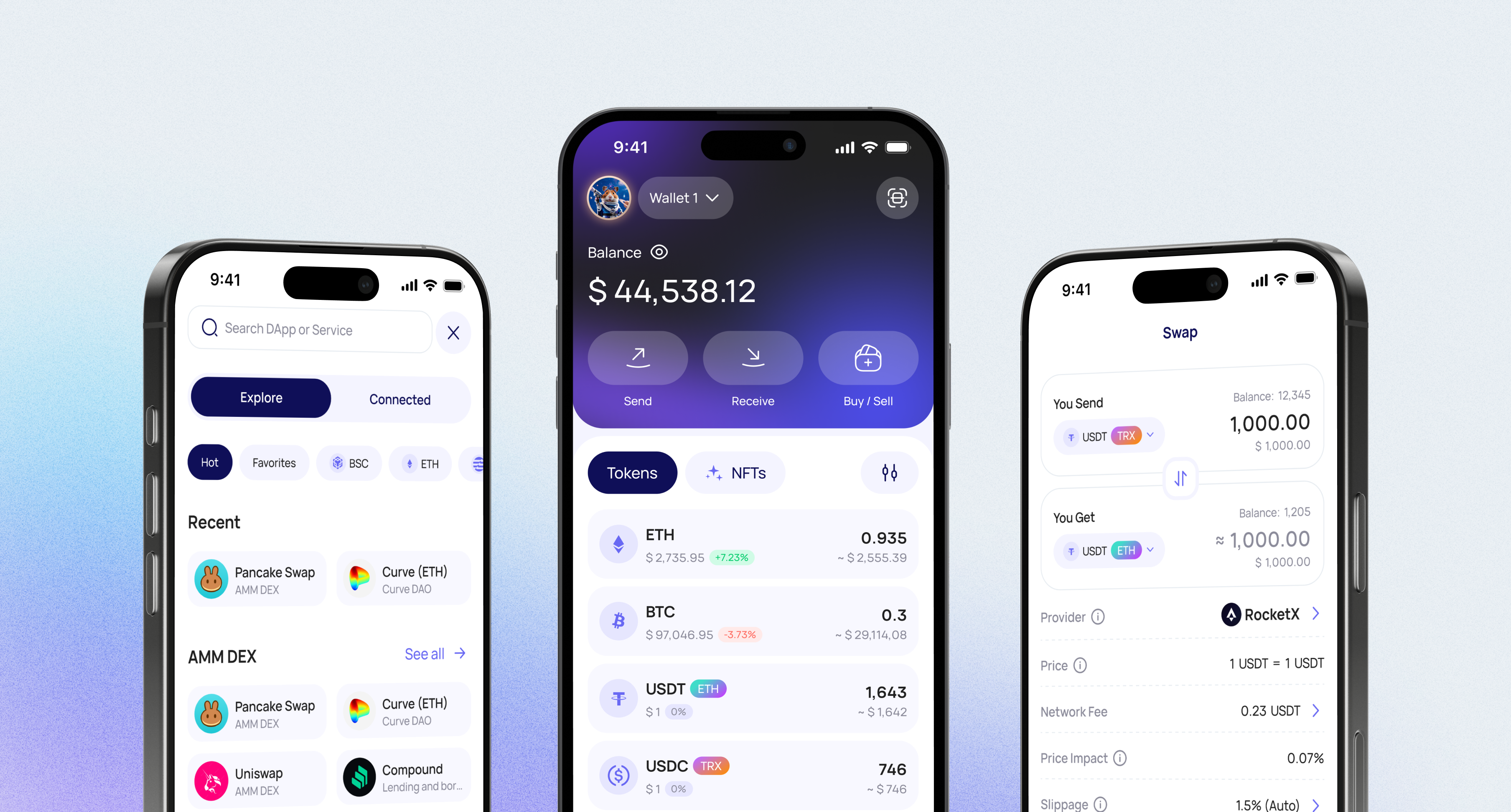
Walletverse gives you a mobile way to manage CFX with self-custody, simple navigation, and everyday crypto tools in one app. You can store, send, receive, buy, and swap CFX while keeping control of your assets instead of relying on a custodial platform.

Buy, Sell, and Trade Conflux (CFX)

The app supports crypto purchases with Apple Pay, Google Pay, credit and debit cards, so users can add assets without switching between services.

Swap CFX for Other Crypto

Walletverse has a built-in DEX aggregator, so you can exchange CFX for other supported cryptocurrencies, or buy CFX with the crypto you already hold, without opening an exchange account.

  1. Open Swap in Walletverse.
  2. Choose CFX and the asset you want to receive, for example USDT or ETH. To buy CFX, select it as the asset you want to receive.
  3. Enter the amount and review the rate, the network fee and the minimum amount you’ll receive.
  4. Confirm the swap. The new asset will appear in your wallet.

Good to know:

  • Transaction fees on Conflux are paid in CFX, so keep a small CFX balance for fees.
  • Conflux has two environments: Core Space, with addresses that start with “cfx:”, and eSpace, with Ethereum-style addresses that start with “0x”. You can’t send CFX from one space directly to an address in the other, so always check which one the recipient or exchange uses.
  • Rates and fees depend on the available liquidity providers. Compare the final “You receive” amount rather than the market price.

DEX aggregator

Access to a unlimited range of trading pairs and allows you to get access to the board and the best closing performance

Take charge of your crypto

Walletverse empowers you with a self-custody solution, granting you absolute control over your digital assets

Gas free transfers

Walletverse also offers GasFree USDT transactions, allowing USDT transfers on TRON without requiring TRX for network fees

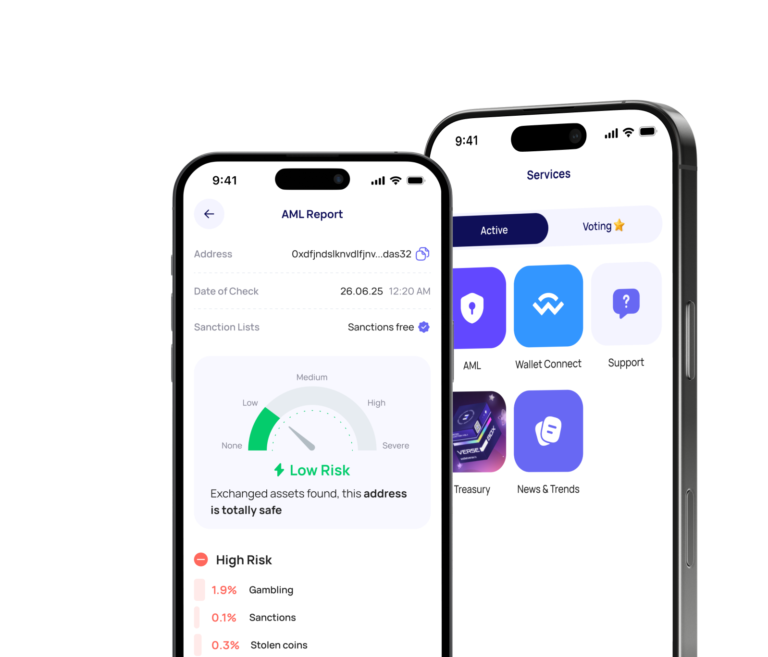
WalletConnect

Securely interact with a wide range of dApps and decentralized exchanges

Community voting

Participate in decision-making on the development of new features

Crypto AML checks

With AML and KYT tools, strong security architecture, and full control over private keys, Walletverse helps users store, buy, swap, send, receive, and manage crypto assets with confidence.

Seamless security​

Safeguard your digital assets with unparalleled security measures that ensure only you have access to your wallet – not even our team can access it. Protect your funds using passcode and biometric security features. Enjoy the peace of mind knowing that all your wallets are automatically backed up, and you can effortlessly restore access using a single personalized password.

Using CFX with a Hardware Wallet

If you hold a large amount of CFX for the long term, consider a hardware wallet that keeps your private keys offline. Ledger devices support Conflux in both spaces:

  • Core Space: install the Conflux app on your Ledger device and connect it to Fluent, the browser wallet built for Conflux. This works with Ledger Nano S Plus, Nano X, Stax and Flex.
  • eSpace: use the Ethereum app on your Ledger device together with MetaMask, set up for the Conflux eSpace network.

Many users combine the two: a hardware wallet for long-term savings and Walletverse for everyday transfers, purchases and swaps.

How to Move CFX From Walletverse to a Hardware Wallet

  1. Check which space your CFX is in: a Core Space address starts with “cfx:”, and an eSpace address starts with “0x”.
  2. Copy the receiving address for the same space from your hardware wallet setup, and confirm that it matches the one shown on the device screen.
  3. In Walletverse, open CFX, tap Send and paste the address.
  4. Send a small test amount first. Once it arrives, send the rest, keeping a little CFX in Walletverse for future fees.

CFX and 700+ Other Cryptocurrencies in One App

Walletverse supports more than 700 cryptocurrencies and tokens, so you can manage CFX together with the rest of your portfolio instead of switching between wallets. Popular assets include: Bitcoin (BTC) and Ethereum (ETH), stablecoins such as Tether (USDT) and USD Coin (USDC), including GasFree USDT transfers on TRON, other Layer-1 coins: Solana (SOL), TRON (TRX), BNB, NEAR, Cardano (ADA), Polkadot (DOT) and Polygon (POL), popular tokens such as XRP, Uniswap (UNI) and Shiba Inu (SHIB).

Tether

Tether

Ripple

Ripple

Dogecoin

Dogecoin

Ethereum

Ethereum

Binance

Binance

USDC

USDC

Shiba Inu

Shiba Inu

Uniswap

Uniswap

Bitcoin

Bitcoin

Bitcoin Cash

Bitcoin Cash

Dai

Dai

Immutable

Immutable

Polkadot

Polkadot

Litecoin

Litecoin

Maker

Maker

NEAR Protocol

NEAR Protocol

Injective

Injective

OKB

OKB

Cardano

Cardano

Lido DAO

Lido DAO

Render

Render

Download to access all of Web3 with
just one app

FAQ

What is Conflux?

Conflux is a Layer-1 blockchain ecosystem built for scalable decentralized applications and digital asset activity. Its Core Space uses a Tree-Graph ledger structure and GHAST consensus, while its eSpace is compatible with Ethereum-style tools and smart contracts.

What is CFX used for?

CFX is the native asset of the Conflux network and is used across the ecosystem for network activity, transaction fees, and blockchain interactions. Users can hold, send, receive, and manage CFX in supported crypto wallets.

Can I buy Conflux (CFX) in Walletverse?

You can buy supported crypto assets in Walletverse using Apple Pay, Google Pay, credit cards, and debit cards. After purchase, you can store, send, receive, and swap assets directly in the app.

Is Walletverse a non-custodial CFX wallet?

Yes, Walletverse is a non-custodial crypto wallet. This means users keep control over their assets while using the app to manage CFX and other supported cryptocurrencies.

How to buy Conflux Network?

The easiest way to buy Conflux Network (CFX) is in the Walletverse app. You can pay with a card, Apple Pay or Google Pay, or swap crypto you already hold, such as USDT or ETH, for CFX. You can also buy CFX on a crypto exchange and withdraw it to your Walletverse wallet. Conflux has two spaces with different address formats, “cfx:” for Core Space and “0x” for eSpace. When you withdraw, make sure the network the exchange uses matches your Walletverse CFX address.

How to buy Conflux Network in Australia?

In Australia, you can buy CFX in Walletverse with a card, Apple Pay or Google Pay, and pay in Australian dollars (AUD) where your payment provider supports it. The tokens go straight to your self-custody wallet, so you don’t need an exchange account. If you prefer an exchange, choose one registered with AUSTRAC, Australia’s financial regulator, then withdraw CFX to your Walletverse wallet on the network that matches your address.

What is Conflux (CFX)?

Conflux is a Layer-1 blockchain for decentralized applications and digital assets, and CFX is its native coin. It has two environments. Core Space uses Conflux’s own Tree-Graph ledger structure and GHAST consensus. eSpace is compatible with Ethereum tools and smart contracts. CFX is used to pay transaction fees and interact with apps on the network. You can buy, store, send and swap CFX in Walletverse, a self-custody wallet that supports 700+ cryptocurrencies.