Updated: October 2026. Facts about DAI are taken from Sky, exchange announcements and market data sites. Prices and listings change, so check a live source before you act. This is not investment advice.
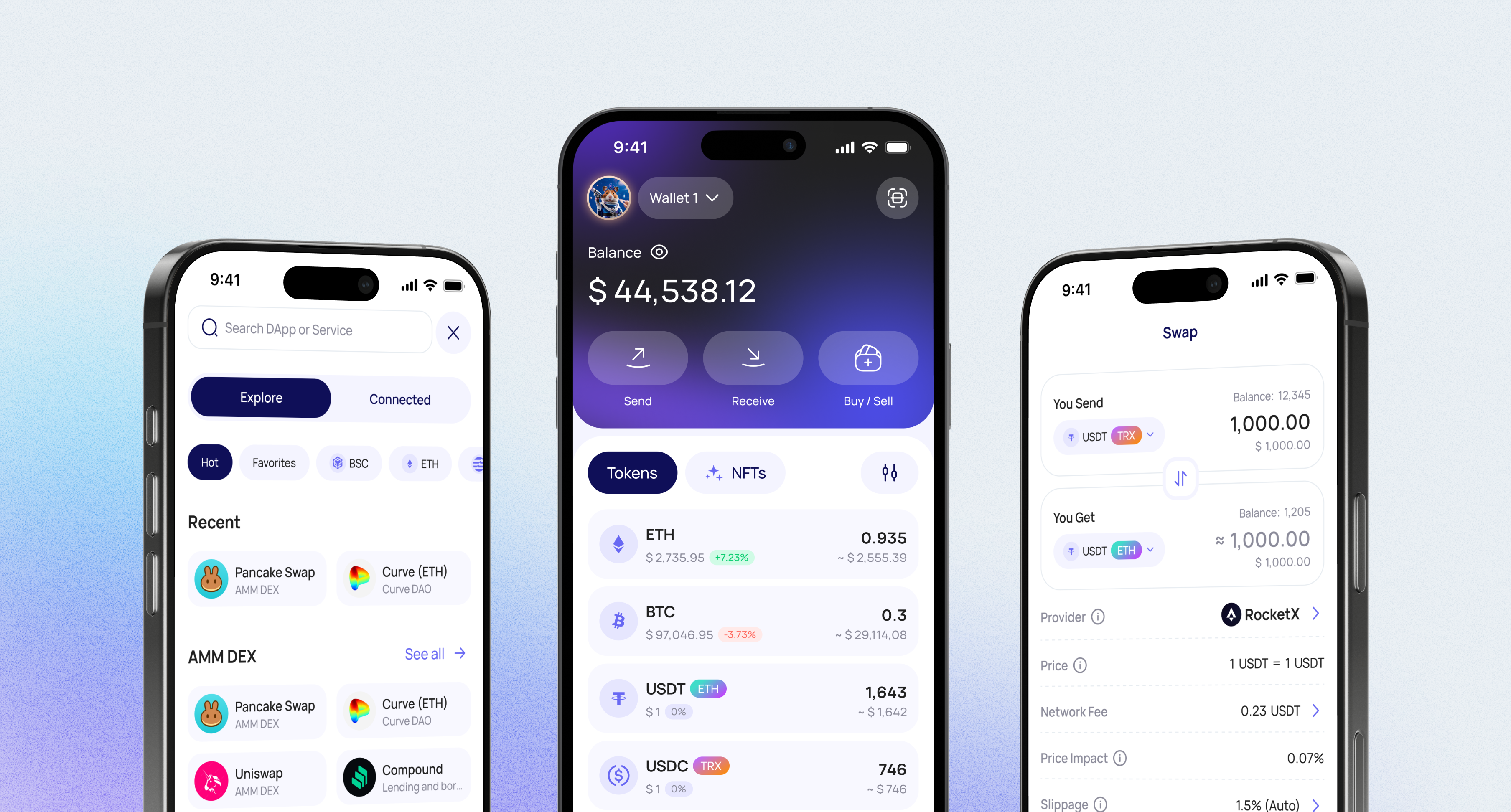
Walletverse is a free self-custody wallet app for iOS and Android. You can keep Dai (DAI) in it alongside Bitcoin, Ethereum, USDT, USDC and 700+ other cryptocurrencies and tokens. Your private keys are encrypted on your device, and nobody else can move your funds.
How to Set Up a DAI Wallet in Walletverse
Install Walletverse from the App Store or Google Play.
Create a wallet and protect the app with a passcode and biometrics. Save your backup offline.
Find DAI in the coin list and open it to see your address. On Ethereum, it’s the same address as your ETH address and starts with 0x.
Receive DAI: copy the address or show the QR code. Tell the sender which network to use.
Send DAI: paste the recipient’s address, enter the amount and confirm. Keep enough ETH for the network fee.
What Is DAI?
DAI is a decentralized stablecoin pegged to the US dollar. MakerDAO created it and launched it on Ethereum in December 2017.
Unlike USDT or USDC, DAI isn’t backed by cash in a bank. It’s minted when users lock collateral in smart contracts, called vaults, and it is overcollateralized. Today the collateral includes crypto assets, fiat-backed stablecoins and tokenized real-world assets such as US Treasuries.
DAI at a glance:
Price: about $1.00. The market cap was about $4.5 billion in October 2026.
The peg can slip. DAI’s all-time high is $1.22 and its all-time low is $0.882.
Network: DAI is an ERC-20 token on Ethereum. Its contract address is 0x6B175474E89094C44Da98b954EedeAC495271d0F.
Which Network Should You Use for DAI?
Ethereum is DAI’s main network. You pay transfer fees in ETH, so keep some ETH in your wallet.
Bridged DAI exists on other networks too, for example Arbitrum, where it has a different contract address.
Before you send or withdraw DAI, check that both sides use the same network. If you’re not sure, compare the token’s contract address with Etherscan. Fake tokens can use the same name.
Other DAI Wallets
MetaMask: a browser and mobile wallet for Ethereum and EVM networks.
Trust Wallet, Zengo, Guarda, Atomic Wallet, Kraken Wallet: multi-chain wallets that list DAI.
Ledger, Trezor: hardware wallets for long-term storage.
Walletverse: a mobile wallet for keeping DAI with 700+ other coins and swapping between stablecoins.
What Happened to DAI? Sky, USDS and the 2026 Exchange Switch
MakerDAO became Sky. In 2024, MakerDAO rebranded to Sky and launched USDS, the upgraded version of DAI.
DAI and USDS convert 1:1. Sky’s converter contract swaps DAI for USDS and back at a fixed 1:1 rate.
DAI still exists. It isn’t being discontinued, and its contract can’t be changed.
Large exchanges moved from DAI to USDS in 2026. On April 7, 2026, Binance removed all of its DAI spot trading pairs as part of a DAI-to-USDS token swap. OKX converted balances in mid-April 2026, and Coinbase converted DAI balances to USDS from May 4 to 6, 2026.
Kraken in Europe. In the EEA, Kraken converted its clients’ remaining DAI to USDC as of May 22, 2025.
What this means for you: these conversions affected DAI held on exchanges. DAI in your own wallet stays DAI unless you convert it yourself. Before you send DAI to an exchange, check that it still accepts DAI deposits.
Can You Earn on DAI?
DAI has its own savings rate, the Dai Savings Rate, with a wrapped token called sDAI. USDS has the Sky Savings Rate: you supply USDS and receive the yield-bearing token sUSDS. MetaMask put the Sky Savings Rate at 3.52% APY on July 27, 2026 (MetaMask).
Rates are set by Sky governance, they change and they aren’t guaranteed. Smart contracts carry their own risks. Walletverse offers staking for assets such as ETH, SOL and TRX, but not for DAI.
Storing DAI on a Hardware Wallet
Ledger: DAI on Ethereum is managed as an ERC-20 token in your Ethereum account in the Ledger Wallet app (Ledger Support).
Trezor: Trezor Suite supports DAI. You send and receive it with your Ethereum account (Trezor, Trezor Learn).
On both, you need ETH in the same account to pay the network fee. Walletverse doesn’t connect to hardware wallets yet. Ledger, Trezor and SafePal support is listed as coming soon. Until then, many people use a hardware wallet for long-term savings and a mobile wallet for everyday DAI.
Keeping Your DAI Safe
Self-custody. Walletverse is non-custodial: your private keys are encrypted and stored on your device. Not even the Walletverse team can access them.
Backup. Write down your recovery details offline and never share them.
Check the token. Compare the contract address before you receive or swap DAI.
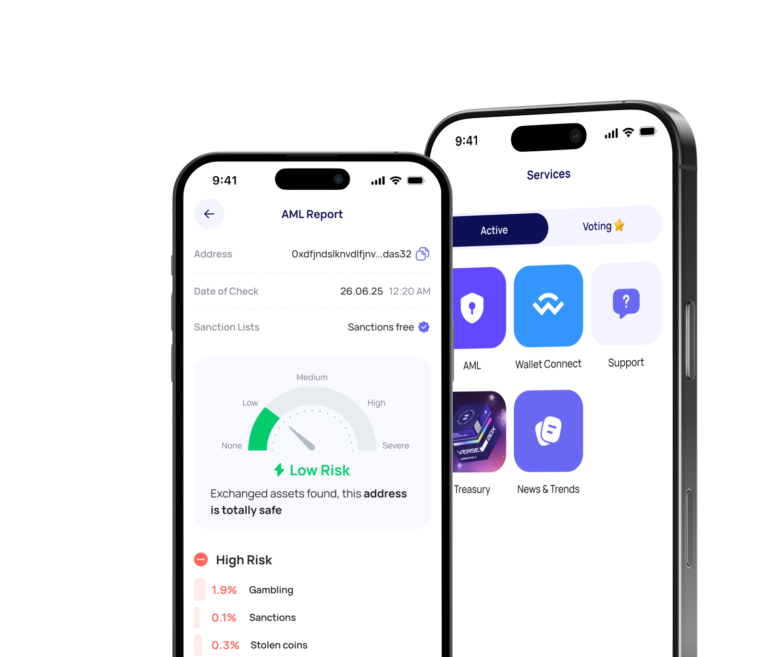
Address checks. Walletverse has built-in AML checks, powered by Crystal. They show an address’s risk level before you send.
Know the risks. DAI depends on collateral, smart contracts and Sky governance. It has traded below $1 before.
Buy and Swap DAI
Buy with a card or Apple Pay. Walletverse lets you buy crypto with Visa, Mastercard and local payment methods. Purchases go through partner providers: MoonPay, Simplex, Banxa, Transak and Wert. Apple Pay and Google Pay work where they are available in your region. You can pay in currencies such as USD, EUR, GBP and so on. Which coins you can buy depends on the provider and your country, so check whether DAI is offered to you.
To buy:
Open DAI in Walletverse and tap Buy.
Choose a payment method and enter the amount.
Review the provider’s quote and confirm. The DAI arrives at your own address.
Swap. Walletverse has a built-in swap aggregator that connects 100+ DEX and CEX venues with more than 10,000 trading pairs. To swap, open the coin you hold, for example USDT or ETH, tap Swap and choose DAI. Check the rate and fees, then confirm. The app shows which routes are available for your amount. Swapping between stablecoins is a common way to move between DAI, USDT and USDC.
On exchanges. After the 2026 switch to USDS, Binance and Coinbase no longer offer DAI trading. Kraken still lists DAI pairs such as DAI/EUR and USDT/DAI (Kraken), but availability depends on your region.
Selling crypto for fiat isn’t available in Walletverse yet. In many countries, swapping one crypto for another is a taxable event.
DAI and 700+ Other Coins in One App
Walletverse supports 700+ cryptocurrencies and tokens. You can manage DAI together with USDT, USDC, Bitcoin, Ethereum, Solana, TRON, BNB and others. Supported networks include Ethereum (ERC-20), TRON (TRC-20), BNB Smart Chain (BEP-20), Polygon, Avalanche C-Chain and Solana. Other features:
multi-wallet: create several accounts and addresses;
portfolio tracking and price alerts;
a built-in crypto news feed;
WalletConnect for dApps;
community voting on new Walletverse features.
Tether
Ripple
Dogecoin
Ethereum
Binance
USDC
Shiba Inu
Uniswap
Bitcoin
Bitcoin Cash
Dai
Immutable
Polkadot
Litecoin
Maker
NEAR Protocol
Injective
OKB
Cardano
Lido DAO
Render
Download to access all of Web3 with just one app
FAQ
What is DAI?
DAI is a USD stablecoin associated with the Sky ecosystem. It is commonly used for transfers, trading, DeFi, and holding digital dollar exposure in crypto wallets.
Is DAI the same as USDS?
No. USDS is described by Sky as the upgraded stablecoin of Sky Protocol, while DAI remains a known USD stablecoin in the ecosystem.
Can I store DAI in Walletverse?
Yes, you can manage supported assets like DAI in Walletverse. The app is non-custodial, which means users keep control over their assets while storing, sending, receiving, buying, and swapping crypto.
How can I buy DAI?
You can buy DAI in Walletverse using supported payment methods such as Apple Pay, Google Pay, credit cards, and debit cards, depending on availability in your region.
What else does Walletverse support?
Walletverse supports more than 700 cryptocurrencies and tokens, multi-wallet management, dApps, Web3 access, AML and KYT tools, GasFree USDT transactions, and staking options for ETH, SOL, TRX, and more.