



Dovu (DOV) Wallet
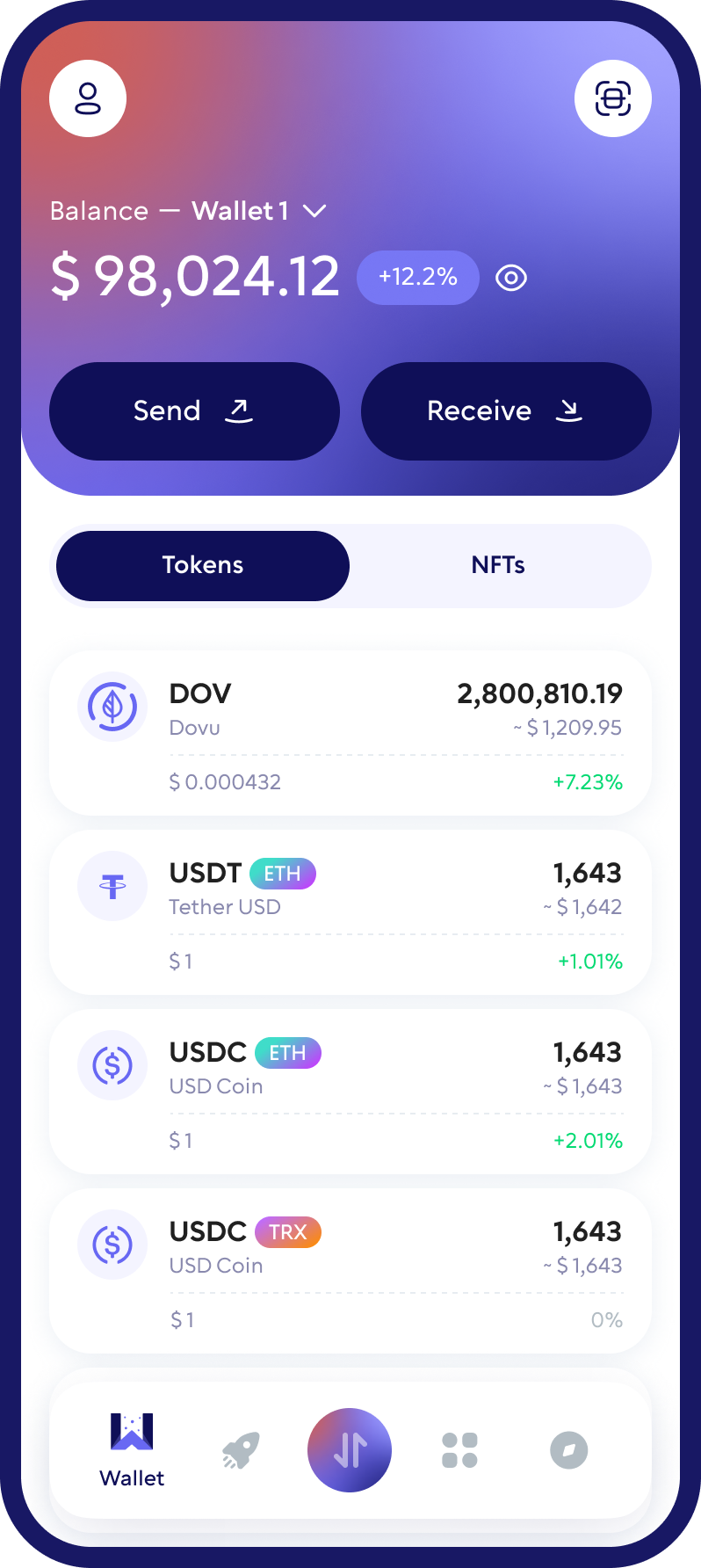
Store, send and receive DOVU with Walletverse — a self-custody mobile wallet for iOS and Android. DOVU lives on the Hedera network, so this page also explains the Hedera-specific steps, such as token association, that you need before your first DOVU transfer.
Featured in:


What Is DOVU?
DOVU is the token of the DOVU ecosystem, which builds tools for creating and managing real-world assets and environmental credits on Hedera — its DOVU OS platform is described by Hedera as a modular platform for real-world assets and environmental credits (Hedera).
| DOVU | |
|---|---|
| Ticker | DOVU (previously DOV) |
| Blockchain | Hedera |
| Token standard | Hedera Token Service (HTS) |
| Hedera token ID | 0.0.3716059 |
| Where it trades on-chain | SaucerSwap, the Hedera-native DEX (HBAR/DOVU pair) |
Sources: DOVU, CoinGecko, SaucerSwap.
From DOV on Ethereum to DOVU on Hedera
The token used to be an Ethereum token with the ticker DOV. After a vote by token holders, DOVU completed a migration from Ethereum to Hedera, and the token now trades as DOVU (DOVU). If you still see “DOV” in old guides or price lists, it refers to the pre-migration token.
Why Use Walletverse for DOVU
Self-custody
Walletverse is a non-custodial wallet. Your private keys are encrypted on your device and never leave it — the Walletverse team has no access to your funds.
DOVU with 700+ other assets
Keep DOVU and HBAR alongside Bitcoin, Ethereum, USDT, USDC, Solana, TRON and 700+ other cryptocurrencies and tokens. Create multiple accounts and addresses in one app.
Swaps and buying
Swap crypto through a built-in DEX and CEX aggregator with 100+ exchanges and more than 10,000 trading pairs; routes depend on the selected assets. Buy crypto such as HBAR with Visa, Mastercard, Apple Pay or Google Pay through partner providers, where available.
Security
Protect the app with a passcode and biometrics. Built-in AML checks (powered by Crystal) let you check the risk level of an address or transfer before you deal with it.
Staking HBAR
Walletverse supports staking for several proof-of-stake assets, including HBAR. DOVU itself is not among the staking options. Rewards are not guaranteed.
Before You Receive DOVU: Token Association
On Hedera, an account must be associated with a token before it can receive it. Association is an on-chain step that helps prevent unwanted token spam.
To receive DOVU:
- Make sure your Hedera account holds a little HBAR — association and transfers are paid in HBAR. You can buy HBAR in Walletverse.
- Associate the DOVU token ID 0.0.3716059 with your account (some wallets do this automatically).
- Share your Hedera account ID with the sender.
If a DOVU transfer fails, check the association first — without it, the account can’t receive the token.
How to Set Up a DOVU Wallet in Walletverse
- Download Walletverse from the official App Store or Google Play listing.
- Create a wallet and follow the backup instructions. No account registration is needed — you create a self-custody wallet.
- Add HBAR for network fees.
- Add DOVU and complete token association if the app asks you to.
- Tap Receive to get your Hedera account ID and share it with the sender.
How to Buy and Trade DOVU
- On a Hedera DEX: DOVU trades against HBAR on SaucerSwap, the Hedera-native decentralized exchange. Connect a Hedera wallet, swap HBAR for DOVU and make sure your account is associated with DOVU.
- In Walletverse: open the swap screen and check whether a route to DOVU is available for the asset you hold.
- From an exchange: if you hold DOVU on an exchange, withdraw it to your Hedera account ID on the Hedera network.
Storing DOVU on a Hardware Wallet
For long-term storage, you can secure a Hedera account with a Ledger device through HashPack, a Hedera wallet; Ledger explains how to create a Ledger Hedera account via HashPack. HBAR staking isn’t available in the Ledger Wallet app itself, according to Ledger.
Walletverse is a mobile hot wallet and doesn’t connect to hardware wallets yet. Many users keep long-term holdings on a hardware wallet and a smaller balance in a mobile wallet for everyday use.
Other DOVU Wallets
| Wallet | Type | Platforms | Notes |
|---|---|---|---|
| Walletverse | Self-custody, mobile | iOS, Android | 700+ assets, swaps, AML checks |
| HashPack | Self-custody, Hedera-native | iOS, Android, Chrome | Manual and automatic token association |
| Ledger (via HashPack) | Hardware | Hardware + HashPack | Cold storage for Hedera accounts |
Sources: HashPack, HashPack — token association, Ledger; checked October 2026.
How to Check Your DOVU Balance
You can see your DOVU balance in Walletverse. For independent verification, paste your Hedera account ID into a Hedera explorer such as HashScan to view balances and transactions.
DOVU Wallet Safety Tips
- Check the token ID. The DOVU token on Hedera is 0.0.3716059 — fake tokens can copy the name.
- Use the Hedera network when withdrawing DOVU from an exchange.
- Keep some HBAR for fees and association.
- Send a small test amount before a large transfer.
- Keep your recovery details offline and never share them.
FAQ
DOVU is issued on Hedera and uses the HTS token standard. The Hedera Token ID is 0.0.3716059.
Creating a Dovu (DOV) wallet address is effortless with Walletverse. Simply sign up for an account, and your wallet address is automatically generated, streamlining the process and getting you started on your Dovu journey without delay.
Yes. In Walletverse you can see balances directly in the app. If you prefer a public verification method, you can also paste your address into a Hedera-compatible explorer to view balances and transactions.
You need a wallet that supports Hedera tokens. Walletverse is a self-custody mobile wallet for managing DOVU alongside 700+ other assets; HashPack is a Hedera-native wallet; for cold storage, Ledger can be used through HashPack.
DOV was the token’s ticker on Ethereum. After the migration to Hedera, the token trades as DOVU.
Download to access all of Web3 with just one app





