How to Buy Chainlink (LINK) in 2026
Buying Chainlink (LINK) in 2026 can take only a few steps. With Walletverse, you can access crypto purchase providers from a self-custody wallet and use supported payment methods such as a credit or debit card, Apple Pay, Google Pay, or other options available in your region.
Once the purchase is completed, your crypto is received in your Walletverse wallet, where you control access to your assets.
Quick answer: To buy Chainlink, download Walletverse, create or import your wallet, select Buy, choose Chainlink (LINK) when available, enter the amount, select an available payment method, review the purchase quote, and confirm the transaction.
How to Buy Chainlink (LINK) With Walletverse
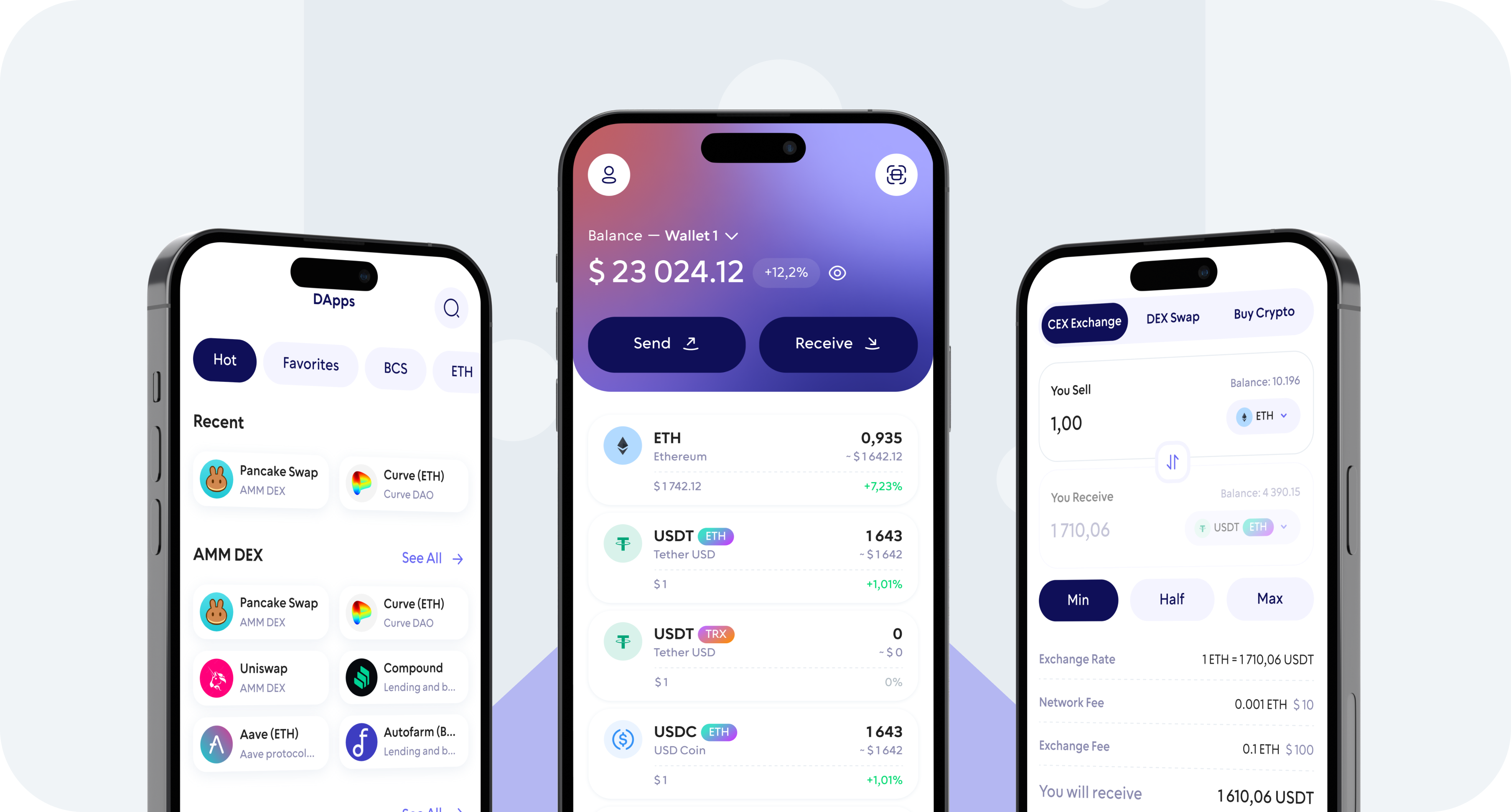
Walletverse combines buying and storing crypto in one mobile app. Instead of purchasing LINK on a centralized exchange and then making a separate withdrawal to a personal wallet, you can access available fiat-to-crypto providers directly from your self-custody wallet.
Here is how to buy Chainlink in five steps.
1. Download Walletverse
Download the Walletverse app for iOS or Android and create a new wallet or import an existing one.
Walletverse is a self-custody crypto wallet, which means you control access to your crypto assets. Protect your wallet with the available passcode and biometric security features and make sure you follow the app’s backup and recovery instructions.
2. Tap Buy and Select Chainlink (LINK)
Open Walletverse and select the Buy option.
Search for Chainlink or its ticker LINK and select it from the available assets.
Availability can vary depending on your country and the fiat-to-crypto provider available for your transaction. If a direct LINK purchase is not offered in your region, another option may be to purchase a supported cryptocurrency and swap it for LINK inside Walletverse.
3. Enter the Amount of LINK You Want to Buy
Enter the amount you want to spend in your preferred fiat currency.
The available currencies, purchase limits and minimum transaction amount can vary by country, payment method and provider.
Before continuing, check the purchase quote to see how much LINK you are expected to receive.
4. Choose a Payment Method
Select one of the payment methods available for your transaction.
Depending on your region and selected provider, available options may include:
Visa or Mastercard credit and debit cards
Apple Pay
Google Pay
Bank or other local payment methods
The exact payment options shown in Walletverse depend on your location, device and payment provider.
5. Review the Quote and Confirm Your Purchase
Before paying, carefully review the purchase amount, exchange rate, provider information and any fees displayed in the transaction quote.
Complete any verification required by the payment provider and confirm your purchase.
After the transaction has been processed, your crypto will be received in your Walletverse wallet. You can then manage, send or swap supported assets without moving them to a separate wallet first.
Buy Chainlink With a Credit or Debit Card
A bank card is one of the simplest ways to buy crypto.
Walletverse provides access to fiat-to-crypto providers that may support Visa and Mastercard credit or debit cards, depending on your country and card issuer.
To buy LINK with a card, open the Buy section, select Chainlink, enter the amount and choose a card option if one is available.
Always review the final quote before confirming. Cryptocurrency purchase availability, fees and limits can differ between providers and regions.
Buy Chainlink With Apple Pay
Apple Pay can provide a fast mobile checkout option for buying cryptocurrency.
If Apple Pay is supported by an available purchase provider in your region, it will appear among the payment methods after you choose LINK and enter your purchase amount.

Select Apple Pay, review the quote and complete the payment on your device.
Apple Pay availability depends on your location, device and payment provider.
Buy Chainlink With Google Pay
You may also be able to buy Chainlink using Google Pay.
Choose LINK in Walletverse, enter the amount you want to purchase and check the available payment methods. If Google Pay is supported for your transaction, select it and follow the provider’s payment instructions.
Availability may vary by country, device and fiat-to-crypto provider.
Can You Buy Chainlink With a Bank Transfer?
Bank and local payment options may be available through selected purchase providers and in supported regions.
Bank-based payments can be useful for users who prefer not to use a card, although processing times, fees, limits and availability differ between providers.
Open the Walletverse Buy flow and enter your transaction details to see the payment methods currently available in your country.
Why Buy Chainlink With a Self-Custody Wallet?
There are several ways to buy LINK. You can use a centralized cryptocurrency exchange, a decentralized exchange or a wallet with integrated fiat-to-crypto services.
The main difference is custody.
When crypto remains on a centralized exchange, the exchange controls the private-key infrastructure associated with the account. With a self-custody wallet such as Walletverse, the user controls access to the wallet.
Walletverse is designed to let users buy, store, send and swap supported cryptocurrencies from one application while maintaining self-custody of their assets.
Walletverse supports 700+ cryptocurrencies and provides security features including passcode and biometric protection.
How Much Does It Cost to Buy Chainlink?
There is no single universal cost for buying LINK.
The final amount can depend on the current Chainlink price, the purchase amount, your country, selected payment method and fiat-to-crypto provider.
Before confirming a transaction in Walletverse, review the quote displayed by the provider. It should show the amount you are paying and the amount of cryptocurrency you are expected to receive.
Card payments and alternative payment methods can also have different pricing, so compare the options available to you before confirming.
Where Can I Buy Chainlink?
Chainlink is widely available across the crypto market.
Common ways to buy LINK include centralized cryptocurrency exchanges, decentralized exchanges and self-custody wallets with integrated purchase or swap functionality.
Centralized exchanges can be convenient for active trading. Decentralized exchanges are useful for users who already hold compatible cryptocurrency. A self-custody wallet can be suitable for users who want to buy crypto and keep control of their wallet from the beginning.
With Walletverse, users can access available purchase services and manage supported cryptocurrencies from the same mobile wallet.
How to Store Chainlink Safely After Buying
Buying LINK is only the first part of managing cryptocurrency. You also need to decide how it will be stored.
Walletverse is a self-custody wallet. Only the wallet owner should have access to the credentials required to control the assets.
Use your device security, enable passcode and biometric protection where available, and keep your wallet backup information private.
Never share a recovery phrase, private key, password or verification code with anyone claiming to be customer support.
When sending LINK to another wallet or service, always verify the receiving address and make sure you are using a compatible network before confirming the transaction.
For larger amounts, some users also choose dedicated hardware wallets for long-term cold storage.
What Is Chainlink (LINK)?
Chainlink is an oracle platform that connects blockchain applications with external data and systems.
Its infrastructure is used across decentralized finance and increasingly across institutional and tokenized-asset applications. Chainlink provides services related to data, interoperability and cross-chain communication, including the Cross-Chain Interoperability Protocol (CCIP).
LINK is the native digital asset of the Chainlink Network. It is used within the network for services, incentives and cryptoeconomic security through staking.
In 2026, Chainlink describes its platform as infrastructure for bringing capital markets onchain and supporting applications across DeFi and traditional financial systems.
Walletverse vs a Centralized Exchange for Buying LINK
A centralized exchange and a self-custody wallet solve different problems.
A centralized exchange usually holds crypto on a user’s behalf and can offer advanced trading tools such as order books, market orders and limit orders.
Walletverse focuses on self-custody. It is designed for users who want to control their wallet while buying, storing, sending and swapping supported cryptocurrencies from one application.
For a beginner who primarily wants to buy LINK and hold it in a personal wallet, avoiding a separate exchange-to-wallet withdrawal can make the process easier to understand.
Active traders who need advanced order types and professional trading features may prefer a centralized exchange.
What to Check Before Buying Chainlink
Before purchasing LINK, check the current price, total amount you are spending, payment-provider fees, transaction limits and the amount of LINK shown in your final quote.
Also make sure Chainlink purchasing is supported in your country and that you understand the custody model of the platform you are using.
Cryptocurrency prices can move quickly. Only purchase an amount that fits your own financial situation and risk tolerance.
FAQ
Most frequent questions and answers
You can buy Chainlink through a cryptocurrency exchange, decentralized exchange or a crypto wallet with integrated purchase services. In Walletverse, open the Buy section, select LINK when available, enter the amount, choose an available payment method, review the quote and confirm your purchase.
Credit-card purchases may be available through Walletverse’s integrated fiat-to-crypto providers. Select Chainlink and enter your purchase amount to see whether Visa, Mastercard or another card option is available in your region.
Available fiat currencies depend on your country and payment provider. Walletverse purchase providers support multiple fiat currencies, so enter the Buy flow to see which currencies and payment methods are currently available to you.
The best wallet depends on how you plan to use LINK. A self-custody mobile wallet can be convenient for everyday management, while a hardware wallet may be preferable for long-term cold storage. Walletverse provides mobile self-custody together with buying, sending and swapping functionality.
Walletverse includes cryptocurrency swapping functionality. Available assets, networks and swap routes can vary, so check the swap interface for the pairs currently available before starting a transaction.