


How to Swap APPC to ETH
AppCoins (APPC) is a token created for the app economy, aiming to make in-app purchases and app advertising more transparent and efficient.
Ethereum (ETH) is the native currency of the Ethereum network and is widely used for transactions, DeFi, NFTs, and smart contracts.
If you hold APPC and want to move into the Ethereum ecosystem more directly, swapping APPC to ETH is one of the most practical conversions because APPC is commonly associated with Ethereum-based infrastructure.
Best Way to Simply Exchange APPC to ETH
There are a few straightforward ways to exchange APPC to ETH. The best option depends on what you value most: speed, simplicity, or maximum control over your funds.
- Use a centralized exchange (CEX). Many users choose a major exchange because it’s familiar and fast.
Typical flow looks like this: deposit APPC → trade APPC/ETH (or APPC → stablecoin → ETH) → withdraw ETH to your wallet.
This is often convenient, but it requires trusting the platform with custody during the trade and may involve account verification. - Swap through a decentralized exchange (DEX). If APPC liquidity is available on-chain, a DEX route can work well:
connect a Web3 wallet → swap APPC to ETH using a DEX/aggregator → receive ETH to the same wallet.
This approach keeps you in control, but network fees can be noticeable, and you must double-check token contract details to avoid fake assets. - Use a crypto wallet with a built-in swap feature. Modern multi-currency wallets can simplify the process by handling the swap in-app through integrated liquidity providers.
This is a popular choice for users who want a “one app” experience: hold APPC, swap to ETH, store ETH, and use Web3 features without jumping between services.
Practical safety tips before you swap
- Confirm the network (APPC is typically handled in an Ethereum context), and make sure you’re using the correct token version/contract where relevant.
- Plan for network fees. If you swap on-chain, you usually need a small amount of ETH for gas.
Start with a small test swap if you’re using a new platform or route.
Convert APPC to ETH - Top 10 Best Crypto Wallets to Swap
1. Walletverse

- Walletverse is a mobile self-custody wallet built for everyday crypto management: hold assets, swap, send, and explore Web3 from one app. It supports 700+ cryptocurrencies and includes multi-account management for separating portfolios (for example, “daily,” “DeFi,” and “long-term”).
It also supports buying crypto with Apple Pay, Google Pay, and bank cards in multiple fiat currencies, which is useful if you plan to top up ETH for fees or future transactions. The app emphasizes user control: only you have access to your wallet, protected by passcode and biometrics.
Walletverse also includes staking options (including ETH) and follows an AML-focused approach. A notable feature is its GasFree USDT system for TRON transfers, designed to remove the need to hold TRX when sending USDT on TRON (fees can be handled in USDT instead).
Pros:
- Self-custody with passcode + biometric protection
- 700+ assets supported, multi-account setup
- Built-in buy/swap/send workflow in a mobile-first interface
Cons:
- Mobile-only format


2. Trust Wallet

- Trust Wallet is widely used for holding and swapping a large variety of tokens. It supports Web3 access and commonly relies on integrated swap providers and DEX connections for trades.
Pros:
- Beginner-friendly interface with broad token coverage
- Good Web3 compatibility for Ethereum-based assets
Cons:
- Swap rates/fees depend on third-party routes, which can vary
3. SafePal
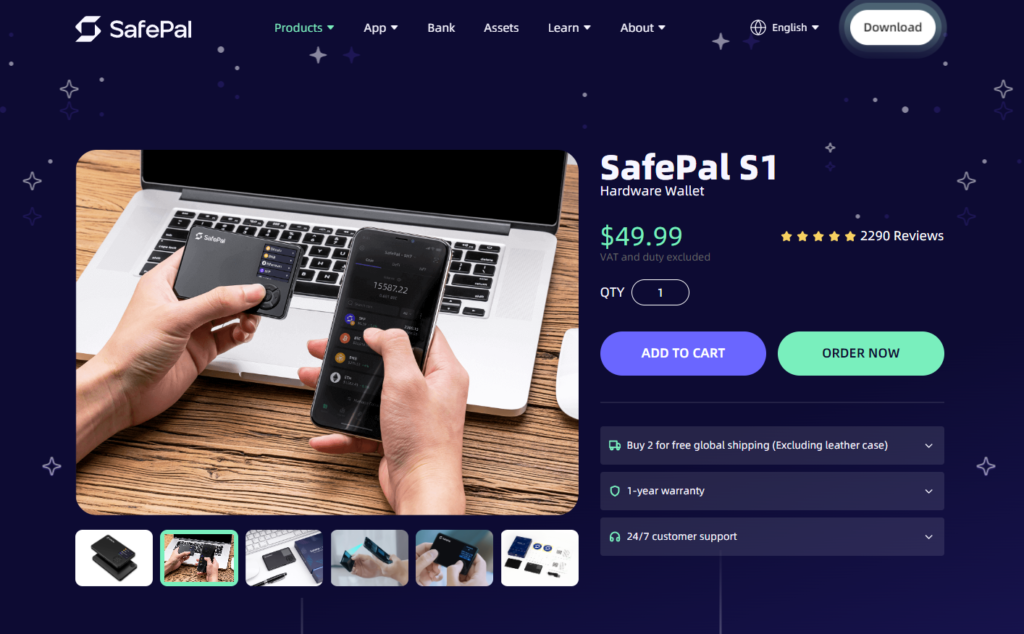
SafePal combines a mobile wallet with optional hardware integration and supports swaps via built-in services.
Pros:
- Good security options, including hardware pairing
- Helpful for users who want an upgrade path from mobile-only
Cons:
- Swap routes can be complex depending on the token/network
4. Atomic Wallet

Atomic Wallet offers multi-asset storage and exchange options inside the app, aiming for a simple, “all-in-one” experience.
Pros:
- Clean interface for holding and swapping multiple assets
- Convenient portfolio view
Cons:
- Swap availability depends on partner coverage for specific tokens
5. Guarda Wallet

Guarda provides a multi-platform wallet experience with swap integrations and a broad list of supported assets.
Pros:
- Available across web/desktop/mobile
- Useful for users managing crypto on multiple devices
Cons:
- Some features rely on third-party services for swaps and rates
6. Ledger (with Ledger Live + partner swaps)
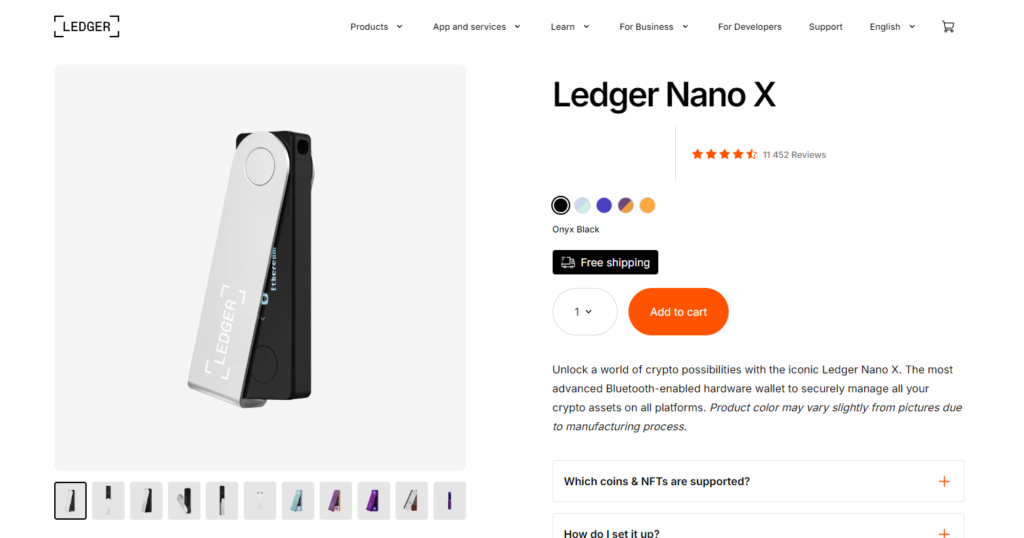
Ledger is a hardware wallet brand, typically used with Ledger Live and partner integrations for swapping. It’s popular for users holding larger balances and prioritizing cold-storage security.
Pros:
- Strong security model for long-term storage
- Can still access swaps through supported integrations
Cons:
- Requires purchasing a device and following a more involved setup process
7. MetaMask

MetaMask is a classic choice for Ethereum users. It’s especially convenient if you plan to swap APPC and then use ETH in DeFi, since it connects easily to DEXs and dApps.
Pros:
- Strong Ethereum ecosystem support and dApp connectivity
- Flexible: browser extension + mobile app
Cons:
- New users can make mistakes with networks, approvals, and gas settings
8. Coinbase Wallet

Coinbase Wallet is a self-custody wallet (separate from the Coinbase exchange account) built for Web3 usage, swaps, and dApp access.
Pros:
- Smooth UX for Web3 beginners
- Simple dApp connection flow
Cons:
- Swaps often route through integrated services with variable fees
9. Exodus

Exodus is known for its polished design and easy navigation. It includes built-in exchange options and works well for users who want simplicity over deep DeFi tooling.
Pros:
- Very easy UI for newcomers
- Solid multi-asset support with in-app swaps
Cons:
- Exchange fees/spreads can be higher than manual DEX routing
10. Coinomi

Coinomi is a long-running wallet with multi-asset support and exchange integrations, often used by users who want a lightweight setup.
Pros:
- Large asset support and straightforward wallet features
- Good for basic storage + swapping needs
Cons:
- Web3/DeFi experience can feel less “native” than MetaMask-style wallets
What Is APPC?
AppCoins (APPC) is a token designed around app store payments and advertising, created to support a more open and decentralized app economy. It has been described as an application-specific token intended to help standardize mobile advertising and in-app purchase flows.
AppCoins is also presented as a protocol for app stores built around Ethereum and smart contracts, focusing on areas like advertising, in-app purchases, and app approval processes.
What else can you swap APPC for?
Depending on the platform and available liquidity, APPC is often swapped into assets that are more widely supported across exchanges and wallets, such as:
- USDT or other stablecoins (for price stability before moving into another coin);
- BTC (for a more “market benchmark” asset);
- ETH (for DeFi and Ethereum network usage);
- Other major coins like BNB or SOL (usually via an intermediate trade path).
The exact options depend on where you swap and which routes the service supports at that moment.
Why convert APPC to ETH?
Many users swap APPC to ETH for practical reasons:
- ETH is a core asset for the Ethereum ecosystem.
ETH is used to pay transaction fees and interact with smart contracts on Ethereum. - Better utility in DeFi and Web3.
ETH is widely used in DeFi, NFT marketplaces, and Web3 applications, making it more flexible for on-chain activity than many niche tokens. - Liquidity and accessibility.
ETH typically has deeper liquidity and broader support across wallets, exchanges, and on-chain services than smaller-cap tokens.
Swapping APPC to ETH can be done through exchanges, DEX tools, or wallets with built-in swap features. If your goal is speed and convenience, an integrated wallet swap can be the simplest route. If your goal is full on-chain control, a DEX path may be a better fit, just be sure you’re prepared for network fees and careful token verification.
FAQ
Most frequent questions and answers
APPC is a utility-focused token tied to a specific idea: improving how app economies handle advertising and in-app payments.
Whether it’s “good” depends on adoption, real usage, and your personal strategy. It’s generally best to evaluate the project’s activity, liquidity, and availability on reputable platforms before making decisions.
A simple way to buy ETH using Walletverse is:
- Install Walletverse from Google Play or the App Store.
- Create a wallet and secure it with passcode and biometric protection.
- Open the buy section and choose ETH.
- Select a payment method such as Apple Pay, Google Pay, or a bank card (availability depends on your region and currency).
- Complete the purchase and store ETH directly in your self-custody wallet.
Walletverse is designed for mobile-first convenience while keeping ownership of funds on the user side.
Walletverse is a strong option if you want to swap APPC to ETH inside a self-custody mobile wallet. It supports 700+ assets, provides an in-app swap flow, and adds security layers like passcode and biometrics so you can manage and exchange crypto without giving up control of your funds.
If you swap through a DEX on Ethereum, you usually need a small amount of ETH to pay network fees (gas). If you swap through certain in-app providers, fees may be handled differently, but it still often originates from Ethereum network costs.
AppCoins is commonly presented as a protocol based on Ethereum and smart contracts, and APPC is typically handled in an Ethereum context.
Swap duration can depend on:
- Network congestion;
- Gas settings (on-chain swaps);
- Provider routing (if the wallet uses third-party liquidity);
- Additional confirmation steps on the blockchain.


