


How to Swap LINK to BNB
Swapping digital assets is an essential part of today’s crypto ecosystem. Traders often move from one token to another to explore different opportunities, diversify their holdings, or take advantage of price changes. If you hold Chainlink (LINK) and want to exchange it for Binance Coin (BNB), there are several reliable ways to do it. Let’s break down the most straightforward options and review the best wallets for this type of swap.
Best Way to Simply Exchange LINK to BNB
The easiest way to exchange LINK for BNB is by using a cryptocurrency wallet with a built-in swap function. Instead of sending your coins to an exchange, waiting for confirmations, and then withdrawing, wallets with integrated swaps let you trade directly within the app.
For example, mobile wallets allow you to connect to decentralized exchanges (DEXs) or use third-party providers to convert assets instantly. This makes the process simple, fast, and secure since you remain in control of your private keys.
Wallets like Walletverse offer a user-friendly interface where you can store LINK, access multiple networks, and exchange it for BNB in just a few taps. All you need to do is select the tokens, input the amount, confirm the swap, and the assets will be updated in your wallet balance.
Convert LINK to BNB - Top 10 Best Crypto Wallet to Swap
Here’s a closer look at some of the most trusted wallets where you can swap LINK for BNB. Each comes with unique strengths and possible drawbacks, so choosing the right one depends on your goals.
1. Walletverse

A multi-currency Web3 and DeFi wallet built for both beginners and advanced users. It supports over 600 cryptocurrencies, including LINK and BNB, and offers integrated swaps, staking, and dApp access. Users can buy crypto via Apple Pay, Google Pay, or bank cards in multiple currencies (USD, EUR, INR, KZT, AUD, CAD).
- Pros: Self-custody, biometric/passcode security, smooth UI, staking support, community-driven
- Cons: Available only as a mobile app


2. Trust Wallet

A popular wallet backed by Binance, supporting thousands of tokens across multiple blockchains. Swapping LINK to BNB is straightforward due to direct integration with Binance’s ecosystem.
- Pros: Built-in DEX, strong token support, simple design
- Cons: Less advanced analytics, owned by a centralized exchange
3. Exodus Wallet

A well-designed desktop and mobile wallet that allows swaps across many pairs, including LINK and BNB.
- Pros: Clean interface, built-in swaps, portfolio tracking
- Cons: Higher exchange spreads than some alternatives
4. Atomic Wallet

Non-custodial wallet that offers atomic swaps for selected pairs and integrates third-party swap providers.
- Pros: Multi-currency, built-in staking, simple layout
- Cons: Some swap pairs limited, fees depend on providers
5. Binance Chain Wallet

Designed for the BNB Chain ecosystem, this wallet is ideal for converting assets into BNB.
- Pros: Seamless BNB support, integrates with Binance platform
- Cons: Narrow focus compared to multi-chain wallets
6. MetaMask

Well-known in the Ethereum and DeFi community. It supports LINK on Ethereum and allows swaps through connected DEXs and liquidity aggregators.
- Pros: Browser extension + mobile app, customizable network support
- Cons: Requires manual network switching for BNB Chain
7. Guarda Wallet

Non-custodial multi-currency wallet that provides both in-app swaps and staking.
- Pros: Web, desktop, and mobile access, strong multi-chain support
- Cons: Swap fees vary by partner
8. Crypto.com DeFi Wallet

Built by the Crypto.com ecosystem, it enables swaps, staking, and bridging.
- Pros: DeFi-oriented, integrates with Crypto.com app, supports many tokens
- Cons: Works best when paired with their ecosystem services
9. SafePal
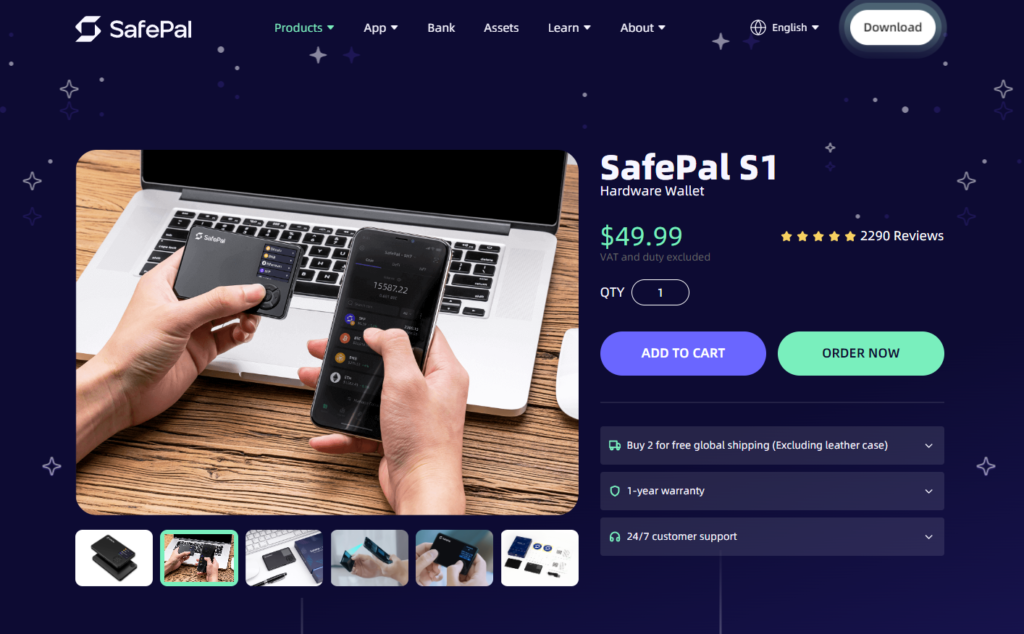
Mobile and hardware wallet option with in-app swaps and Binance integration.
- Pros: Hardware + mobile options, supports LINK and BNB natively
- Cons: Interface can feel complex for beginners
10. Coinbase Wallet

Separate from the Coinbase exchange, this non-custodial wallet supports in-app swaps and broad token storage.
- Pros: Backed by a major brand, easy to use, secure
- Cons: Swap fees can be higher compared to DEXs
What is LINK?
Chainlink (LINK) is the native token of the Chainlink network, a decentralized oracle system. It connects smart contracts with real-world data such as market prices, APIs, or payment systems. LINK is used for staking, paying node operators, and securing oracle services across multiple blockchains. This makes it a key infrastructure token in the DeFi space.
What is BNB?
BNB (Binance Coin) started as a utility token for discounted trading fees on Binance but has evolved into a multi-purpose asset powering the BNB Chain. Today, it’s used for transaction fees, staking, liquidity, and participating in decentralized applications. BNB is one of the most widely adopted tokens, supporting both centralized and decentralized finance ecosystems.
Why convert LINK to BNB?
Investors often swap LINK for BNB to take advantage of different ecosystems. While LINK thrives in the oracle and DeFi sector, BNB opens the door to cheaper transactions and a wide range of applications on the BNB Chain. Some traders also diversify into BNB for yield opportunities, staking, and participation in Binance Launchpad projects.
Swapping LINK to BNB is straightforward with the right tools. Using a secure wallet like Walletverse ensures speed, simplicity, and self-custody. Whether you want exposure to the BNB ecosystem or to rebalance your portfolio, having access to a reliable swap option makes the process effortless.
FAQ
Most frequent questions and answers
Yes, you can. Many wallets and exchanges support LINK to BNB swaps, including decentralized and custodial platforms.
BNB can be purchased on most exchanges or directly through wallets that support fiat payments, such as Walletverse, which allows purchases with Apple Pay, Google Pay, or cards
Walletverse stands out as the best choice due to its self-custody security, support for 600+ assets, and simple in-app swapping feature.


