


How to Swap MTL to BTC
Exchanging Metal (MTL) for Bitcoin (BTC) is a straightforward process thanks to modern crypto platforms that allow fast and simple conversions. Users often swap MTL for BTC to gain access to greater liquidity, diversify their portfolio, or move into a more established cryptocurrency. With the right tools, this conversion can be completed in just a few steps.
Best Way to Simply Exchange MTL to BTC
The simplest method to convert MTL to BTC is to use services that support direct and instant crypto swaps. Centralized exchanges are one option: you deposit MTL, trade it for BTC, and then withdraw your Bitcoin to a personal wallet. This method works well for users who are comfortable with traditional trading interfaces.
Instant-swap platforms make the process even easier. You select how much MTL you want to exchange, choose BTC as the currency you want to receive, and complete the transaction without having to work with order books.
Another convenient option is a cryptocurrency wallet with an integrated swap feature. You choose MTL as the token you want to send, select BTC as the token you want to receive, and approve the exchange. The wallet handles the entire swap using internal liquidity providers, making the process smooth and beginner-friendly.
Decentralized applications may also support MTL swaps if there is sufficient liquidity. This is useful for users who prefer on-chain transactions without intermediaries.
Convert MTL to BTC – Top 10 Best Crypto Wallets to Swap
1. Walletverse

Walletverse is a mobile Web3 wallet designed for smooth asset management and fast crypto swaps. It supports over 600 cryptocurrencies, including the ability to buy crypto using Apple Pay, Google Pay, and bank cards. The wallet is fully self-custodial, meaning users maintain complete control over their private keys. Security features include biometric authentication, passcode protection, and AML-friendly tools.
Pros:
- Built-in swap feature for fast crypto conversions
- Supports 600+ cryptocurrencies
- Complete self-custody with no third-party access
- Apple Pay, Google Pay, and bank-card support
- Biometric and passcode protection
Cons:
- Available only as a mobile application


2. Trust Wallet

Trust Wallet is a decentralized multi-chain wallet that supports thousands of assets across various blockchains. It includes built-in swapping tools and a Web3 browser for interacting with decentralized applications.
Pros:
- Built-in swaps for many assets
- Supports multiple blockchains
- Integrated Web3 browser
Cons:
- No desktop version
- Limited support options
3. Ledger Live

Ledger Live is the official companion app for Ledger hardware wallets. Through integrated partners, it supports crypto swapping with a high security level.
Pros:
- Exceptional security with hardware device
- Broad crypto support
- Clean and structured interface
Cons:
- Requires purchasing hardware
- Some swaps limited by region
4. Atomic Wallet

Atomic Wallet is a non-custodial multi-asset wallet offering internal swaps and portfolio management tools. It supports a wide range of cryptocurrencies and includes staking options for certain assets.
Pros:
- Convenient in-wallet swaps
- Support for many cryptocurrencies
- Staking available for selected coins
Cons:
- Swap fees may vary
- Not fully open-source
5. Guarda Wallet

Guarda is a Web3 wallet available on mobile, desktop, and web. It supports many cryptocurrencies and offers built-in swap functionality.
Pros:
- Multiple platform versions
- Easy integrated swaps
- Wide crypto support
Cons:
- Some swaps have higher fees
- Occasional performance issues
6. Zengo Wallet

Zengo is a keyless wallet that focuses on security and simplicity. It supports crypto swaps inside the app and uses advanced biometric verification.
Pros:
- No private key to manage
- Strong biometric security
- Integrated crypto swapping
Cons:
- Limited advanced features
- More centralized structure
7. Edge Wallet

Edge Wallet is a privacy-focused wallet offering secure, non-custodial storage and crypto swaps.
Pros:
- Strong privacy features
- Integrated swap functionality
- No personal data required
Cons:
- Limited selection of supported networks
- Older interface design
8. SafePal Wallet
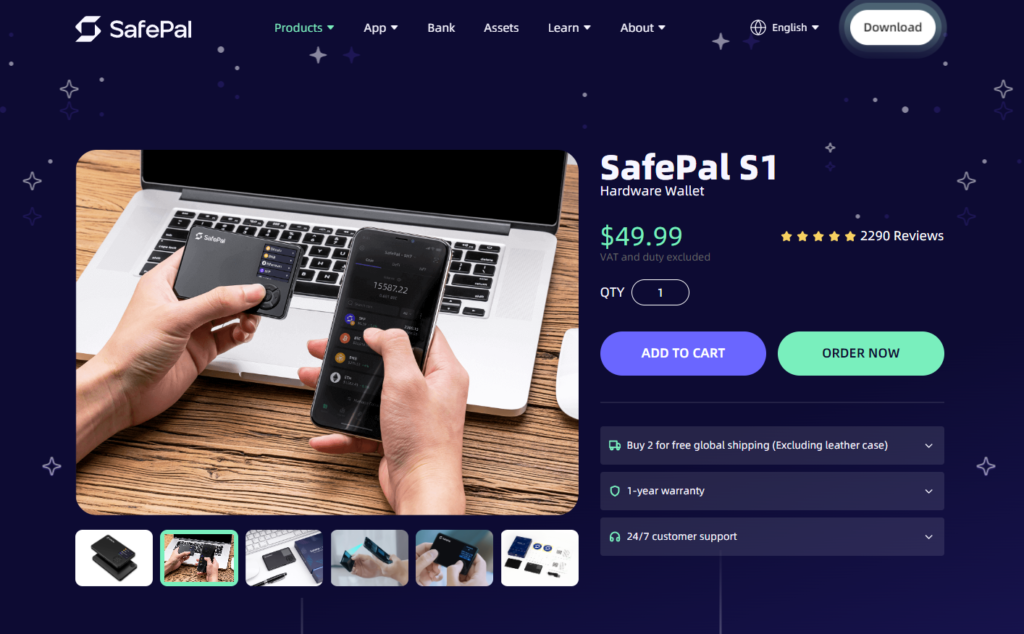
SafePal offers mobile, hardware, and extension versions, with crypto swap support through internal partners.
Pros:
- Hardware option available at low cost
- Wide asset support
- Fast swap execution
Cons:
- Interface can be complex
- Occasional syncing delays
9. Exodus

Exodus is a multi-asset wallet with a user-friendly interface and an integrated exchange tool. It is available on both desktop and mobile, making it convenient for users who manage portfolios across multiple devices.
Pros:
- Easy in-app swaps
- Desktop and mobile versions
- Large selection of supported assets
Cons:
- No built-in two-factor authentication
- Not fully open-source
10. Coinomi

Coinomi is a long-established multi-asset wallet known for security and broad asset support. It offers built-in swaps through integrated providers.
Pros:
- Strong reputation and long history
- Built-in exchange support
- Wide range of supported assets
Cons:
- No 2FA
- Not open-source
What is MTL?
Metal (MTL) is a cryptocurrency created to simplify digital payments and promote mainstream crypto usage. It operates as an ERC-20 token on the Ethereum network and has been used in various fintech solutions. MTL focuses on user-friendly transactions and rewards, making it accessible to a broad audience interested in digital payments.
What Else Can You Swap MTL For?
MTL can be exchanged for many cryptocurrencies besides BTC. Depending on the platform, users often convert MTL for:
- Ethereum (ETH)
- Tether (USDT)
- USD Coin (USDC)
- Litecoin (LTC)
- TRON (TRX)
- Solana (SOL)
- Binance Coin (BNB)
Other trading pairs may also be available depending on the exchange or wallet.
Why Convert MTL to BTC?
Users choose to swap MTL for BTC for several reasons:
- Bitcoin is highly liquid and easier to trade globally
- BTC is considered a long-term store of value
- Most exchanges support BTC pairs
- BTC offers access to broader investment and DeFi opportunities
Converting part of a portfolio to BTC can help users increase stability and flexibility.
Swapping MTL to BTC is fast, convenient, and accessible for both beginners and experienced crypto users. Wallets with built-in swap features offer the easiest method, while centralized and decentralized services provide additional flexibility. Whether you prefer mobile apps, on-chain tools, or hardware-secured environments, converting MTL to BTC can be completed smoothly and securely.
FAQ
Most frequent questions and answers
Metal (MTL) has long been involved in digital-payment innovation, and its adoption depends on market conditions. It may appeal to users interested in payment-focused tokens and fintech systems.
You can buy MTL directly in the Walletverse app using bank cards, Apple Pay, Google Pay, or supported local payment methods. Walletverse provides secure storage and full self-custody for MTL and other cryptocurrencies.
Walletverse is one of the most convenient apps for converting MTL to BTC thanks to its built-in swap tool, strong security features, self-custody model, and support for more than 600 cryptocurrencies.


