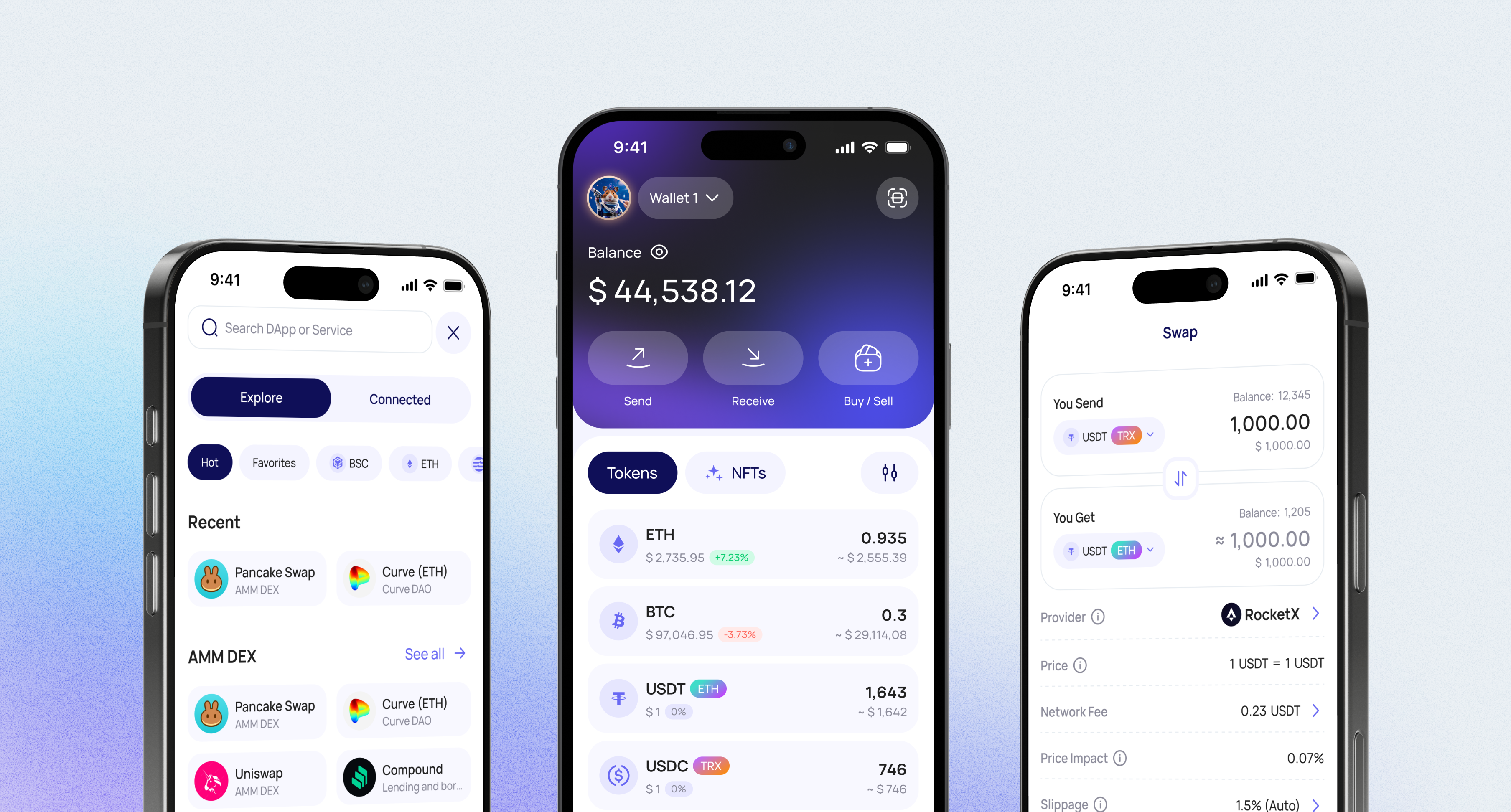
Manage OKB in a self-custody mobile wallet. With Walletverse, your private keys stay encrypted on your device, and you can hold OKB alongside 700+ other cryptocurrencies and tokens in one app for iOS and Android.
Before you send or receive OKB, check one thing: which network your OKB is on. Since August 2025, OKB is the native coin of X Layer, and the Ethereum (ERC-20) version is being phased out (OKX).
What Is OKB?
OKB is the utility token of the OKX ecosystem and the only gas and native token of X Layer, OKX’s own blockchain built with Polygon CDK (OKX).
In August 2025, OKX burned 65,256,712.097 OKB from past buybacks and reserves and fixed the total supply at 21 million OKB. On August 18, 2025, it upgraded the OKB smart contract to remove minting and burning (OKX).
OKB today (November 17, 2026), according to CoinGecko (CoinGecko):
Price: about $87 per OKB
Market cap: about $1.83 billion (CoinGecko rank #45)
Supply: 21 million OKB
All-time high: $228.74, on October 4, 2025
Change over 1 year: about −24%
Most OKB trading happens on OKX. Other exchanges with OKB/USDT markets include Gate, MEXC, BingX and XT.COM (CoinGecko).
OKB Networks: X Layer vs Ethereum
OKB exists on more than one network, and they aren’t interchangeable:
OKB on X Layer is the native coin of the network and pays its fees.
OKB on Ethereum (ERC-20) is the original version, at contract 0x75231f58b43240c9718dd58b4967c5114342a86c. OKX is phasing it out. On August 13, 2025, OKX Exchange stopped OKB withdrawals to Ethereum, and it advises holders to deposit Ethereum OKB to OKX and use “Withdraw to X Layer”.
OKTChain (OKC) is being retired. OKT stopped trading on OKX on August 13, 2025, and OKX said OKTChain would remain operational until January 1, 2026.
X Layer and Ethereum addresses both start with 0x, so an address alone doesn’t tell you the network. Always choose the network that your receiving wallet supports, and send a small test amount first.
Store, Send and Receive OKB in Walletverse
Walletverse lists OKB among its supported assets. In the app:
Find OKB in the asset list and check which network it uses.
Receive: tap Receive, copy your OKB address or show the QR code, and share it with the sender. Tell the sender which network to use.
Send: tap Send, paste the recipient’s address, choose the amount, review the network fee and confirm.
If you withdraw OKB from an exchange, select the network that matches your Walletverse OKB address. If your OKB is on a network that your wallet doesn’t support, it won’t appear in your balance.
Swap OKB for Other Crypto
Walletverse has a built-in swap aggregator that connects 100+ DEX and CEX venues with more than 10,000 trading pairs. You can use it to exchange OKB for other supported assets, or swap into OKB, without an exchange account:
Open Swap.
Choose OKB and the asset you want to receive, for example USDT or ETH.
Check the rate, the fees and the minimum amount you’ll receive, then confirm.
Available pairs and rates depend on the swap providers and on liquidity on the network your OKB is on. Compare the final “You receive” amount, not the market price. You can also buy crypto in the app with Visa, Mastercard or local payment methods through providers such as MoonPay, Simplex, Banxa, Transak and Wert, and Apple Pay or Google Pay where available in your region. Whether OKB itself is available to buy depends on the provider.
Using a Hardware Wallet With OKB
For larger amounts, a hardware wallet keeps your keys offline. Several makers publish OKB support:
Tangem lists two OKB networks, X Layer and Ethereum. You need ETH to pay fees for OKB on Ethereum (Tangem).
Trezor supports sending and receiving OKB in the Trezor Suite app (Trezor).
Keystone signs OKB transactions air-gapped, connecting to a software wallet through QR codes (Keystone).
Before you move OKB to a hardware wallet, check that the device and its companion app support the network your OKB is on, especially X Layer. Walletverse doesn’t connect to hardware wallets yet: Ledger, Trezor and SafePal support is listed as coming soon in its App Store and Google Play descriptions.
Keep Your OKB Safe
Self-custody. Private keys stay encrypted on your device. Walletverse doesn’t hold them.
Passcode and biometrics. Lock the app so no one else can open your wallet.
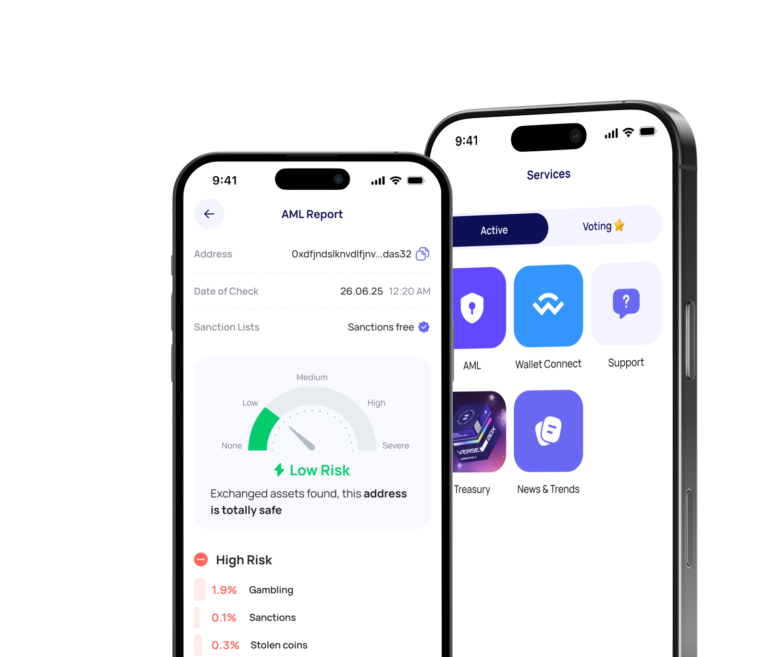
AML checks. Built-in AML checks, powered by Crystal, help you assess an address or transaction before you interact with it.
Back up your recovery phrase offline and never share it. OKX, Walletverse and exchanges will never ask for it.
Beware of “OKB mining” apps. OKB’s supply is fixed at 21 million, and OKX removed minting from the contract, so OKB can’t be mined. Apps that promise to mine OKB aren’t part of OKX.
OKB and 700+ Other Coins in One App
Walletverse supports 700+ cryptocurrencies and tokens, so you can manage OKB together with the rest of your portfolio:
Major coins: Bitcoin (BTC), Ethereum (ETH), XRP, Litecoin (LTC), Dogecoin (DOGE), Solana (SOL), TRON (TRX)
Stablecoins: Tether (USDT) and USD Coin (USDC)
Token standards and networks: ERC-20, TRC-20, BEP-20, Avalanche C-Chain, Polygon and Solana
You can also stake some assets, such as ETH, SOL and TRX, and connect to dApps with WalletConnect.
Tether
Ripple
Dogecoin
Ethereum
Binance
USDC
Shiba Inu
Uniswap
Bitcoin
Bitcoin Cash
Dai
Immutable
Polkadot
Litecoin
Maker
NEAR Protocol
Injective
OKB
Cardano
Lido DAO
Render
Download to access all of Web3 with just one app
FAQ
What is OKB?
OKB is a utility token connected to the OKX ecosystem. According to OKX, OKB is used as the gas token and core asset of the X Layer network, supporting transaction fee payments and ecosystem functions.
What is OKB used for?
OKB can be used within the OKX and X Layer ecosystem, including for gas payments on X Layer and other ecosystem-related functions. OKX also describes OKB as a utility token for users in its broader exchange and Web3 environment.
Can I store OKB in Walletverse?
Yes, Walletverse lets users manage supported crypto assets in a non-custodial mobile wallet. This means you keep control of your assets while using the app to store, send, receive, buy, and swap crypto.
How can I buy OKB?
You can buy supported crypto assets in Walletverse using Apple Pay, Google Pay, credit cards, and debit cards. After purchase, you can manage OKB and other assets directly inside the app.
Is Walletverse a non-custodial OKB wallet?
Yes, Walletverse is a non-custodial crypto wallet or full web3 platform. Users keep control of their assets and can manage OKB together with other supported cryptocurrencies from one mobile app.
What else does Walletverse support?
Walletverse supports more than 700 cryptocurrencies and tokens, including Bitcoin, Ethereum, Tether, Solana, TRON, BNB, Polygon, and more. The app also includes multi-wallet management, dApps, Web3 access, AML and KYT tools, GasFree USDT transactions, and staking options for ETH, SOL, TRX, and more.