
Telcoin (TEL) Cryptocurrency Wallet Walletverse
Updated: October 2026.
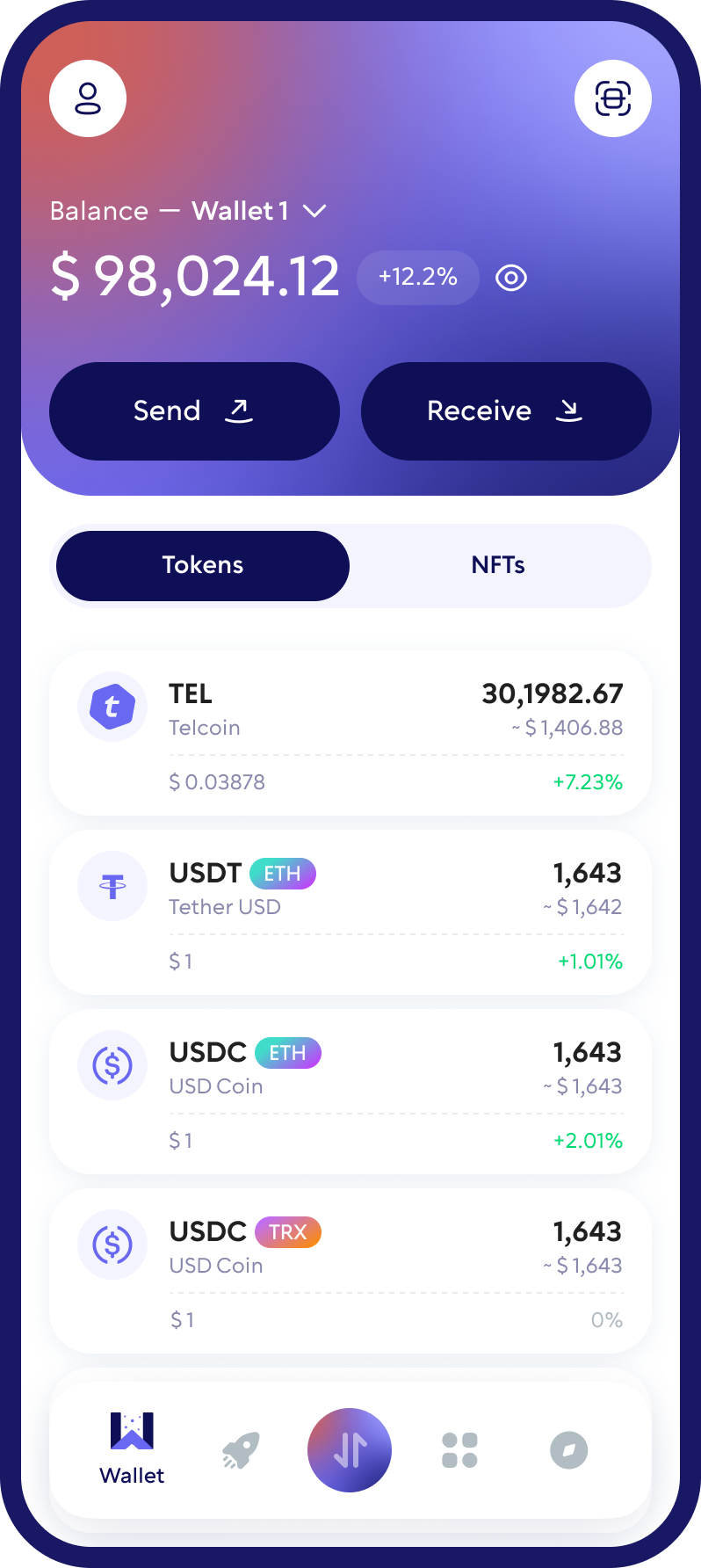
Walletverse is a free self-custody wallet app for iOS and Android. You can keep Telcoin (TEL) in it alongside Bitcoin, Ethereum, USDT and 700+ other cryptocurrencies and tokens. Your private keys are encrypted on your device, and nobody else can move your funds.
Featured in:
What Is Telcoin?
Telcoin is a fintech company founded in 2017 by Paul Neuner and Claude Eguienta (Telcoin, Dealroom). It combines blockchain, digital banking and telecommunications. Telcoin offers remittances and stablecoins, and it is building its own blockchain. The Telcoin Association, a non-profit Swiss Verein, governs the Telcoin Platform (Telcoin). Telcoin is a GSMA Associate Member (Telcoin).
TEL is the platform’s native token. It is used across Telcoin’s products, as the liquidity bridge in TELx, and as the gas and staking token of Telcoin Network (Telcoin).
TEL at a glance (CoinMarketCap, October 2026):
- Price: about $0.0015 per TEL. The price is volatile.
- Market cap: about $149 million.
- Circulating supply: about 96.3 billion TEL, out of a maximum supply of 100 billion (CoinMarketCap).
How to Set Up a TEL Wallet in Walletverse
- Install Walletverse from the App Store or Google Play.
- Create a wallet and protect the app with a passcode and biometrics. Save your backup offline.
- Find TEL in the coin list. Make sure the network and contract match the upgraded TEL.
- Receive TEL: copy your address or show the QR code. Tell the sender which network to use.
- Send TEL: paste the recipient’s address and choose the network. Enter the amount and confirm. You pay the fee in the network’s gas coin, for example ETH on Ethereum or POL on Polygon.
Is Telcoin a stablecoin?
No. The price of TEL moves with the market. Telcoin’s stablecoin is a separate token, eUSD, issued by Telcoin Digital Asset Bank. The bank received its charter from the Nebraska Department of Banking and Finance in November 2025.
Which Network Is TEL On?
- Ethereum, Polygon and Base. The upgraded TEL is an ERC-20 token on all three networks.
- Telcoin Wallet uses Polygon. Telcoin warns that sending tokens to it on any other network may cause delays or the loss of the funds.
- Telcoin Network. Telcoin is building its own EVM-compatible, public Proof-of-Stake blockchain. It will be secured by GSMA mobile network operators, and TEL will be its native gas token. As of October 2026, telcoin.network still lists the mainnet as upcoming.
Before you send TEL, check three things: the network, the recipient’s address and the token contract. Do this every time.
The 2026 TEL Upgrade: What Holders Need to Know
TEL was replaced with a new token contract on September 24, 2026 (CoinMarketCap). If you hold TEL in your own wallet, this affects you.
- What changed. The old TEL token had 2 decimal places. The upgraded TEL has 18 decimals, the standard for EVM tokens (Telcoin forum, TELIP).
- One address on three networks. The upgraded TEL uses the same contract address on Ethereum, Polygon and Base:
0x7E13B43065380aCdeC1c2d138c579cbBbafA0731. The legacy TEL contract on Ethereum is0x467Bccd9d29f223BcE8043b84E8C8B282827790F(Telcoin forum, TGIP, PolygonScan). - 1:1 swap. Legacy TEL holders keep the right to upgrade at 1:1. The upgrade contract locks the old TEL and mints the same amount of new TEL in one transaction (Telcoin forum, TELIP).
- Where to upgrade. Telcoin Wallet users can upgrade inside the app. If you hold TEL in another wallet, use the official page tel3.telcoin.network. The Telcoin Association asks holders to type that address by hand and not to click links (Telcoin Association on X, tel3.telcoin.network).
Fake “upgrade portals” are a common scam during token migrations. Never enter your recovery phrase on any website. A real upgrade only asks you to connect your wallet and approve a transaction.
Buy with a card
Walletverse lets you buy crypto with Visa, Mastercard and local payment methods. Purchases go through partner providers: MoonPay, Simplex, Banxa, Transak and Wert. Apple Pay and Google Pay work where they are available in your region. The coins you can buy depend on the provider and your country.
Swap
Walletverse has a built-in swap aggregator that connects 100+ DEX and CEX venues with more than 10,000 trading pairs. To swap: open the coin you hold and tap Swap, choose the coin you want, check the rate and fees, then confirm.
The app shows which TEL routes are available for your amount.
Buy on an exchange
TEL is traded on exchanges such as Kraken (Kraken). It is also traded on TELx, Telcoin’s liquidity network on DeFi protocols (Telcoin). When you withdraw TEL from an exchange to your wallet, select a network your wallet supports.
Before you swap, compare the final amount you’ll receive. In many countries, swapping one crypto for another is a taxable event. You can’t yet sell crypto for fiat in Walletverse.
Other Telcoin Wallets
- Telcoin Wallet is Telcoin’s official app for iOS and Android. It offers remittances, eUSD and swaps. Services depend on your country. Telcoin isn’t available to residents of some countries, and in the UK it serves existing customers only.
- Multi-chain wallets such as Walletverse, Guarda and Atomic Wallet let you keep TEL together with coins from other networks.
Keeping Your TEL Safe
- Self-custody. Walletverse is non-custodial: your private keys are encrypted and stored on your device. Not even the Walletverse team can access them.
- Backup. Write down your recovery details offline and never share them.
- Upgrade scams. Use only tel3.telcoin.network to upgrade TEL. Type the address by hand.
- Address checks. Walletverse has built-in AML checks, powered by Crystal. They show an address’s risk level before you send.
- Wrong network. Sending TEL on a network the recipient doesn’t support can mean losing it.
TEL and 700+ Other Coins in One App
Walletverse supports 700+ cryptocurrencies and tokens. You can manage TEL together with Bitcoin, Ethereum, USDT, USDC, Solana, TRON, BNB and others. Other features:
- multi-wallet: create several accounts and addresses;
- portfolio tracking and price alerts;
- a built-in crypto news feed;
- WalletConnect for dApps on supported networks;
- staking for assets such as ETH, SOL and TRX;
- community voting on new Walletverse features.
FAQ
Acquiring Telcoin (TEL) is a straightforward process with the Walletverse app. Our platform welcomes users to purchase TEL using USD, with a variety of payment options at your disposal, including Visa, Mastercard, Apple Pay, and Google Pay. Walletverse simplifies the conversion process, allowing for a seamless transition from traditional currency to TEL or any other cryptocurrency of your choice, all within the secure environment of Walletverse.
Dive into the vast opportunities of decentralized applications and investments with your very own Telcoin (TEL) wallet through Walletverse. Our application is engineered to support your venture into the world of digital currencies, offering robust multi-wallet management features that cater to both new and experienced investors alike. Start your journey today and unlock the potential of decentralized finance.
To secure a Telcoin (TEL) wallet, download Walletverse from Google Play or the App Store. Our comprehensive app provides an array of features to manage your digital finances effectively, including balance checks, transactions, and exchanges among over 300 supported cryptocurrencies. Walletverse ensures you have the tools needed to send, receive, store, and exchange TEL, along with exploring a multitude of dApps.
Protecting your Telcoin (TEL) investments is our top priority at Walletverse. Our app incorporates cutting-edge security features such as passcode and biometric authentication to ensure your funds remain safe from unauthorized access. With Walletverse, you can transact with confidence, knowing that your digital assets are secured with the highest standards of protection.
A Telcoin (TEL) wallet address serves as your digital identity within the blockchain network, enabling secure transactions for sending and receiving TEL. This unique identifier is crucial for navigating the digital finance ecosystem, ensuring that your assets move safely and efficiently across the blockchain.
Creating a Telcoin (TEL) wallet address with Walletverse is an effortless and automatic process. Upon setting up your Walletverse wallet, the application instantly generates a wallet address for you, allowing you to begin your digital finance activities without delay. Walletverse is dedicated to providing a user-friendly and secure platform, making it easier than ever to manage your Telcoin (TEL) and other cryptocurrencies.
The application supports more than 300 different cryptocurrency wallets, including Alien Worlds Trilium wallet, TomiNet wallet, etc.
Download to access all of Web 3 with just one app