


Best Dogecoin (DOGE) Wallet in 2026
- Updated: 2026-09-09
Choosing the best Dogecoin wallet in 2026 depends on how you plan to use DOGE.
A mobile self-custody wallet can be the most convenient choice for everyday transactions, while a hardware wallet is usually better suited to long-term cold storage. Dogecoin-focused users may prefer a dedicated DOGE wallet, while people who hold Bitcoin, Ethereum, stablecoins and other assets often benefit from a multi-currency wallet.
In this guide, we compare the best Dogecoin wallets for mobile, desktop and hardware storage based on security, custody, native DOGE support, ease of use, backup and recovery, supported platforms and overall usability.
Best Dogecoin Wallets in 2026: Quick Comparison
| Wallet | Type | Custody | Platforms | Best For |
|---|---|---|---|---|
| Walletverse | Mobile software wallet | Self-custody | iOS, Android | DOGE + multi-asset portfolios |
| MyDoge | Mobile DOGE wallet | Self-custody | iOS, Android | Dogecoin-focused users and tipping |
| Ledger | Hardware wallet | Self-custody | Hardware + companion app | Long-term DOGE cold storage |
| Trezor | Hardware wallet | Self-custody | Hardware + desktop/mobile tools | Open-source-oriented cold storage |
| Exodus | Software wallet | Self-custody | Mobile, desktop | Beginners who want desktop + mobile |
| Trust Wallet | Mobile software wallet | Self-custody | iOS, Android | Multi-chain mobile users |
| Dogecoin Core | Full-node desktop wallet | Self-custody | Windows, macOS, Linux | Advanced Dogecoin users |
Our quick picks
Best mobile multi-asset Dogecoin wallet: Walletverse
Walletverse is suited to users who want to manage DOGE together with a broader cryptocurrency portfolio from one mobile app.
Best Dogecoin-focused mobile wallet: MyDoge
MyDoge is designed around the Dogecoin ecosystem and is particularly convenient for users who mainly hold and use DOGE.
Best Dogecoin hardware wallets: Ledger and Trezor
Hardware wallets keep private-key operations away from an everyday internet-connected phone or computer and are better suited to users who prioritize long-term storage.
Best full-node wallet: Dogecoin Core
Dogecoin Core is the reference full-node wallet for users who want to independently participate in and verify the Dogecoin network.
How We Compare Dogecoin Wallets
There is no single DOGE wallet that is best for every user. Our ranking focuses on the factors that matter most when storing and using Dogecoin.
1. Custody
We distinguish between custodial services and self-custody wallets.
With a custodial service, a company controls access to the private keys associated with the funds. With a self-custody wallet, the user is responsible for securing access and recovery credentials.
For users who specifically want direct control over their DOGE, custody should be one of the first things they compare.
2. Native Dogecoin Support
DOGE runs on the Dogecoin network. A wallet should support native Dogecoin rather than requiring users to rely on wrapped representations of DOGE on another blockchain.
Native support makes sending, receiving and monitoring DOGE easier and reduces the risk of choosing the wrong network.
3. Security and Recovery
We consider features such as device security, passcodes, biometric authentication, private-key handling, backup and recovery options and hardware-wallet support.
No security feature replaces careful recovery management. Users should understand exactly how they can restore a wallet before transferring a significant amount of DOGE.
4. Ease of Use
The best Dogecoin wallet for a beginner should make the basic actions clear:
create or restore a wallet;
receive DOGE;
verify the receiving address;
send DOGE;
review transaction history;
understand network fees.
A technically secure wallet can still be a poor choice if its interface makes mistakes more likely.
5. Use Case
A wallet for frequent DOGE payments has different requirements from a wallet designed for years of storage.
That is why we compare mobile wallets, desktop wallets, full-node software and hardware wallets separately.
Top 10 Best Dogecoin (DOGE) Wallets in 2026
1. Walletverse — Best Mobile Multi-Asset Dogecoin Wallet

Walletverse is a mobile self-custody crypto wallet designed for users who manage DOGE alongside other digital assets.
It supports more than 700 cryptocurrencies and tokens and provides a mobile interface for managing a broader portfolio without maintaining a separate wallet app for every asset.
For a Dogecoin holder, the main advantage is convenience. DOGE can be managed in the same environment as other supported cryptocurrencies, while security features such as passcode and biometric authentication help protect everyday access to the application.
Why choose Walletverse for DOGE?
Walletverse is particularly suitable for users who:
hold DOGE together with other cryptocurrencies;
prefer managing crypto on a smartphone;
want a straightforward send-and-receive experience;
value self-custody;
want portfolio management and additional Web3 features in one application.
Walletverse pros
Multi-asset portfolio. Users can manage DOGE alongside hundreds of other supported cryptocurrencies and tokens.
Mobile-first experience. Walletverse is designed around everyday smartphone use.
Self-custody approach. Users do not need to rely on an exchange account simply to hold and transfer their DOGE.
Device protection. Passcode and biometric security can be used to protect access to the wallet.
Walletverse cons
Mobile-focused. Users who want a traditional desktop-first DOGE wallet may prefer Exodus or Dogecoin Core.
Not DOGE-only. MyDoge may provide a more Dogecoin-specific experience for users who do not need a broader multi-chain portfolio.
Best for
Walletverse is best suited to mobile users who want one self-custody wallet for Dogecoin plus a wider cryptocurrency portfolio.


2. MyDoge — Best DOGE-Native Mobile Experience
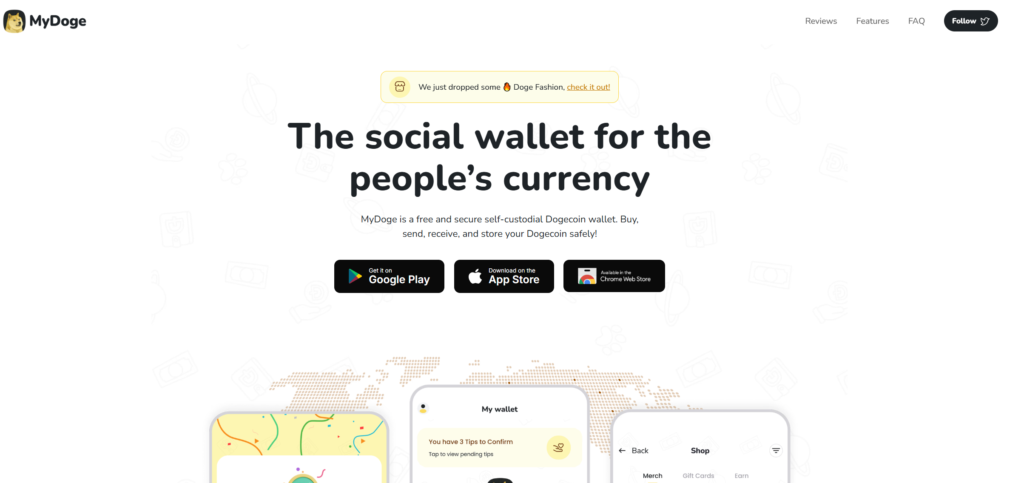
MyDoge is a mobile wallet built around the Dogecoin community.
Unlike multi-chain wallets that treat DOGE as one of many supported assets, MyDoge focuses heavily on the Dogecoin experience. This makes it an attractive choice for people who primarily use DOGE for holding, sending, receiving or community-related activity.
Pros
Dogecoin-focused interface;
self-custody;
mobile access;
community-oriented DOGE features;
simple experience for users who mainly hold Dogecoin.
Cons
less convenient for a large multi-chain portfolio;
mobile rather than desktop-first.
Best for
Users who want a dedicated mobile Dogecoin wallet instead of a general-purpose multi-currency wallet.
3. Ledger — Best for Long-Term Dogecoin Cold Storage

Ledger hardware wallets support Dogecoin and are designed to keep private-key operations on a dedicated hardware device.
This significantly changes the security model compared with a normal hot wallet. An internet-connected computer or smartphone is used to prepare the transaction, but sensitive signing operations remain associated with the hardware wallet.
For users storing a meaningful DOGE balance for the long term, a hardware wallet can provide stronger separation between everyday online activity and the keys protecting their crypto.
Pros
hardware-based storage;
native DOGE support;
suitable for long-term holding;
multi-asset support;
transactions require interaction with the hardware device.
Cons
requires purchasing a physical device;
less convenient than a mobile hot wallet for frequent payments;
users still need a secure recovery strategy.
Best for
Long-term Dogecoin holders who prioritize cold storage over everyday convenience.
4. Trezor — Best Open-Source-Oriented Hardware Option
Trezor is another established hardware-wallet option with Dogecoin support.
It combines offline signing with an ecosystem that emphasizes transparent and auditable software. This makes Trezor particularly attractive to users who consider open-source development an important part of their wallet-selection process.
Pros
hardware-wallet security model;
Dogecoin support;
strong open-source orientation;
suitable for long-term storage;
multi-asset support.
Cons
requires dedicated hardware;
additional setup compared with a mobile wallet;
less convenient for frequent DOGE spending.
Best for
Users who want hardware-based DOGE storage and place a high priority on open-source software.
5. Exodus — Best Dogecoin Wallet for Desktop and Mobile Users

Exodus is a multi-currency self-custody software wallet available across desktop and mobile platforms.
Its interface and portfolio-management tools make it a popular option for beginners who want to manage DOGE and other cryptocurrencies from both a computer and smartphone.
Pros
desktop and mobile applications;
native Dogecoin support;
beginner-friendly interface;
multi-asset portfolio management;
built-in crypto exchange functionality.
Cons
a software hot wallet remains connected to an internet-enabled device;
users primarily focused on long-term cold storage may prefer hardware.
Best for
Beginners and multi-asset users who want access to their Dogecoin wallet from both desktop and mobile devices.
6. Trust Wallet — Best Multi-Chain Mobile Alternative

Trust Wallet is a mobile self-custody wallet with support for a large number of blockchain networks and digital assets.
For DOGE holders, its main advantage is the ability to manage multiple crypto ecosystems without installing numerous wallet applications.
Pros
self-custody;
mobile-first;
broad blockchain support;
simple sending and receiving;
useful for diversified crypto portfolios.
Cons
DOGE is only one of many supported assets;
users looking for a Dogecoin-specific experience may prefer MyDoge.
Best for
Mobile users who interact with many different blockchains in addition to Dogecoin.
7. Dogecoin Core — Best Full-Node Dogecoin Wallet
Dogecoin Core is the reference Dogecoin client and can operate as a full node.
Instead of relying entirely on external infrastructure, a full node downloads and verifies blockchain data and participates directly in the Dogecoin network.
This provides a very different experience from lightweight mobile wallets.
The trade-off is resource usage and complexity. Initial synchronization requires considerably more time and storage than installing a standard mobile wallet, which makes Dogecoin Core better suited to advanced users.
Pros
official reference Dogecoin software;
full-node functionality;
open-source;
direct participation in the Dogecoin network;
advanced control.
Cons
requires substantial local blockchain data;
longer initial synchronization;
desktop-focused;
unnecessarily complex for many beginners.
Best for
Experienced Dogecoin users who specifically want to operate a full node.
Self-Custody vs Custodial Dogecoin Wallets
A second important distinction is custody.
With a custodial exchange account, the service controls the infrastructure used to access the cryptocurrency.
With a self-custody Dogecoin wallet, control and recovery become the user’s responsibility.
Self-custody provides greater independence, but it also means there may be no company capable of recovering the wallet if the user loses all recovery credentials.
Before transferring DOGE to any self-custody wallet, understand its backup and recovery process.
How to Choose the Best Dogecoin Wallet
The easiest way to choose is to start with your use case.
For beginners
Look for:
clear mobile or desktop interface;
straightforward backup and recovery;
native DOGE support;
easy send and receive functions;
clear transaction history.
Walletverse, MyDoge and Exodus are examples of wallets aimed at relatively straightforward everyday use.
For long-term DOGE storage
Consider a hardware wallet such as Ledger or Trezor.
The additional setup is usually worth considering when security matters more than immediate access.
For a DOGE-only user
A Dogecoin-focused wallet such as MyDoge can provide a cleaner experience without the additional complexity of dozens of blockchain ecosystems.
For a multi-coin portfolio
Walletverse, Exodus and Trust Wallet make more sense when DOGE is only one part of a larger portfolio.
For advanced users
Dogecoin Core provides full-node functionality and greater direct participation in the Dogecoin network.
How to Create a Dogecoin Wallet
The exact process depends on the wallet, but the general steps are similar.
Download the wallet from its official website, App Store or Google Play listing.
Create a new wallet.
Review the backup and recovery instructions carefully.
Secure recovery information offline.
Enable available device protection such as a passcode or biometric authentication.
Open the Dogecoin account.
Copy or scan your DOGE receiving address.
Send a small test transaction before transferring a large amount.
Never share a seed phrase, recovery phrase or private key with someone claiming to be wallet support.
How to Receive Dogecoin
To receive DOGE:
Open Dogecoin in your wallet.
Select Receive.
Copy your Dogecoin address or display the QR code.
Confirm that the sender is using the native Dogecoin network.
For larger transfers, verify the address carefully before sending.
A public receiving address can be shared with another person. Recovery credentials and private keys cannot.
How to Keep Your DOGE Wallet Safe
Wallet security depends as much on user behavior as it does on the wallet software.
Use official wallet downloads, keep your device updated and protect it with a strong passcode.
Never send a recovery phrase through email, messaging apps or social media.
Do not enter recovery credentials into a website because someone claiming to be support asks you to.
Be suspicious of Dogecoin giveaway scams that promise to return more DOGE if you send cryptocurrency first.
For important balances, consider separating everyday spending funds from long-term storage.
Which Dogecoin Wallet Is Best in 2026?
There is no single answer for every holder.
Choose Walletverse if you want a mobile self-custody wallet for DOGE together with a broader multi-asset portfolio.
Choose MyDoge if you want a mobile wallet centered specifically around the Dogecoin ecosystem.
Choose Ledger or Trezor if long-term cold storage is your main priority.
Choose Exodus if you prefer a polished desktop and mobile software wallet.
Choose Trust Wallet if you need a broad multi-chain mobile wallet.
Choose Dogecoin Core if you are an advanced user who wants full-node functionality.
The best Dogecoin wallet is ultimately the one whose custody model, security approach, recovery process and platform match the way you actually use DOGE.
FAQ
Most frequent questions and answers
For most users, a self-custody mobile wallet with strong UX and multi-asset support is the most practical option. Walletverse fits that profile if you want DOGE plus a broader portfolio in one app.
Beginners generally benefit from a wallet with native DOGE support, a clear interface and straightforward recovery. Walletverse, MyDoge and Exodus serve different beginner use cases.
Install a trusted wallet (for example, Walletverse).
Create a new wallet.
Write down the recovery phrase (seed) offline.
Enable passcode/biometrics.


