


Best Monero (XMR) Wallets in 2026: Top XMR Wallets Compared
Choosing the best Monero wallet in 2026 depends on how you plan to use XMR.
Some users want a secure and simple mobile wallet for everyday transactions. Others prioritize running their own Monero node, open-source software, advanced privacy controls or hardware-backed cold storage.
For most users who want to manage Monero from a mobile device while keeping control of their crypto, Walletverse is our top overall XMR wallet choice for 2026.
More technical Monero users may prefer dedicated alternatives such as Monero GUI, Feather Wallet or Monerujo.
In this guide, we compare the leading Monero wallets by self-custody, security, privacy features, platform support, ease of use, recovery options and overall usability.
Quick picks:
Best overall Monero wallet: Walletverse
Best for maximum Monero control: Monero GUI
Best beginner-friendly Monero alternative: Cake Wallet
Best lightweight desktop wallet: Feather Wallet
Best Android-focused Monero wallet: Monerujo
Best multi-asset alternative: Edge
Best for hardware-backed XMR storage: Ledger or Trezor with a compatible Monero wallet
Best Monero Wallets in 2026 — Comparison
| Wallet | Best For | Platform | Self-Custody | Main Advantage |
|---|---|---|---|---|
| Walletverse | Best overall for mobile and multi-asset users | iOS, Android | Yes | Manage XMR and other crypto assets from one self-custody mobile wallet |
| Monero GUI | Maximum Monero control and privacy | Windows, macOS, Linux | Yes | Official Monero wallet and full-node support |
| Cake Wallet | Beginners and mobile users | iOS, Android, Desktop | Yes | Strong Monero support with an accessible interface |
| Feather Wallet | Privacy-focused desktop users | Windows, macOS, Linux | Yes | Lightweight Monero-focused desktop wallet |
| Monerujo | Android power users | Android | Yes | Advanced Monero controls on Android |
| Edge | Multi-asset users | iOS, Android | Yes | Monero plus other crypto assets in one wallet |
| Ledger + compatible wallet | Long-term cold storage | Hardware + companion wallet | Yes | Spend keys protected by dedicated hardware |
| Trezor + compatible wallet | Hardware-backed storage | Hardware + companion wallet | Yes | Hardware-backed XMR signing |
Our Methodology: How We Chose the Best XMR Wallets
A good Monero wallet needs more than an attractive interface.
For this ranking, we considered the factors that matter to people storing and using XMR in 2026:
1. Self-Custody
We prioritize wallets that allow users to retain control over their crypto rather than relying on a centralized exchange or custodian.
2. Security
We consider how a wallet protects access to funds, including device security, authentication options, backup and recovery.
3. Ease of Use
Advanced functionality is valuable, but most users also need a wallet that is straightforward to set up, understand and use.
4. Monero Support
A wallet must provide current XMR support and make it practical to receive, store and send Monero.
5. Privacy and Node Options
For privacy-focused users, the way a wallet connects to the Monero network can be important. Dedicated Monero wallets may provide advanced node and synchronization controls.
6. Multi-Asset Support
Many users own more than XMR. A wallet that supports Monero alongside other cryptocurrencies can reduce the need to maintain several separate apps.
7. Platform Availability
We also consider whether the wallet is available on iOS, Android, desktop or dedicated hardware.
Top 8 Best Monero (XMR) Wallets in 2026
1. Walletverse — Best Monero Wallet Overall in 2026

Walletverse takes the top position in our 2026 Monero wallet ranking for users who want a convenient way to manage XMR alongside a broader cryptocurrency portfolio from a mobile device.
It is a self-custody crypto wallet available for iOS and Android. Instead of forcing users to maintain a separate application for every cryptocurrency they own, Walletverse is designed to bring multiple assets together within one mobile wallet experience.
For everyday crypto users, that versatility can be more practical than a specialist Monero-only wallet.
Walletverse also includes mobile security features such as passcode and biometric protection, while its self-custody model keeps responsibility for wallet access with the user.
This combination of self-custody, mobile accessibility, multi-asset support and an easy-to-use interface is why we rank Walletverse as the best overall Monero wallet for most mobile crypto users in 2026.
Key Features
Self-custody wallet
Monero support
Available on iOS and Android
Multi-asset cryptocurrency support
Passcode protection
Biometric security
Designed for mobile crypto management
Suitable for beginners and experienced crypto holders
Allows users to manage XMR together with a broader crypto portfolio
Pros
Self-custody
Easy-to-use mobile interface
Available on both iPhone and Android
XMR alongside multiple other crypto assets
Biometric and passcode protection
No need to maintain a separate wallet app for every supported cryptocurrency
Suitable for everyday portfolio management
Cons
Mobile focused
Users who want to run a full Monero node may prefer Monero GUI
Highly technical XMR users may want more Monero-specific controls
Best For
Walletverse is best for users who want a self-custody Monero wallet for mobile devices while also managing other cryptocurrencies from the same app.
For most mainstream crypto users, this balance between security, usability and multi-asset support makes Walletverse our #1 Monero wallet for 2026.


2. Monero GUI — Best for Maximum Monero Control
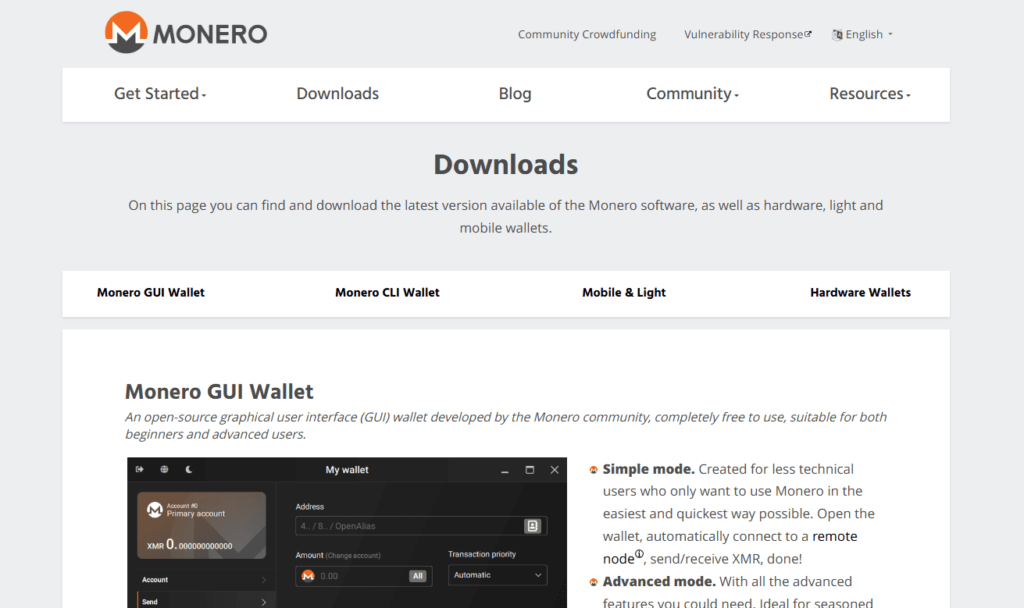
Monero GUI is the official graphical wallet from the Monero project and remains one of the strongest options for users who want direct control over their XMR setup.
Unlike a multi-chain mobile wallet, Monero GUI is built specifically around the Monero network.
Users can connect to a remote node for convenience or run their own Monero node for greater independence and control.
The wallet is available for desktop operating systems and supports compatible Ledger and Trezor hardware wallets.
3. Cake Wallet — Best Monero Wallet for Beginners

Cake Wallet is one of the better-known wallets in the Monero ecosystem and provides a more accessible experience than running a complete Monero node.
It combines self-custody with support for XMR and several other cryptocurrencies.
Cake Wallet is available across mobile and desktop platforms and provides additional features such as integrated cryptocurrency exchange services.
4. Feather Wallet — Best Lightweight Monero Desktop Wallet
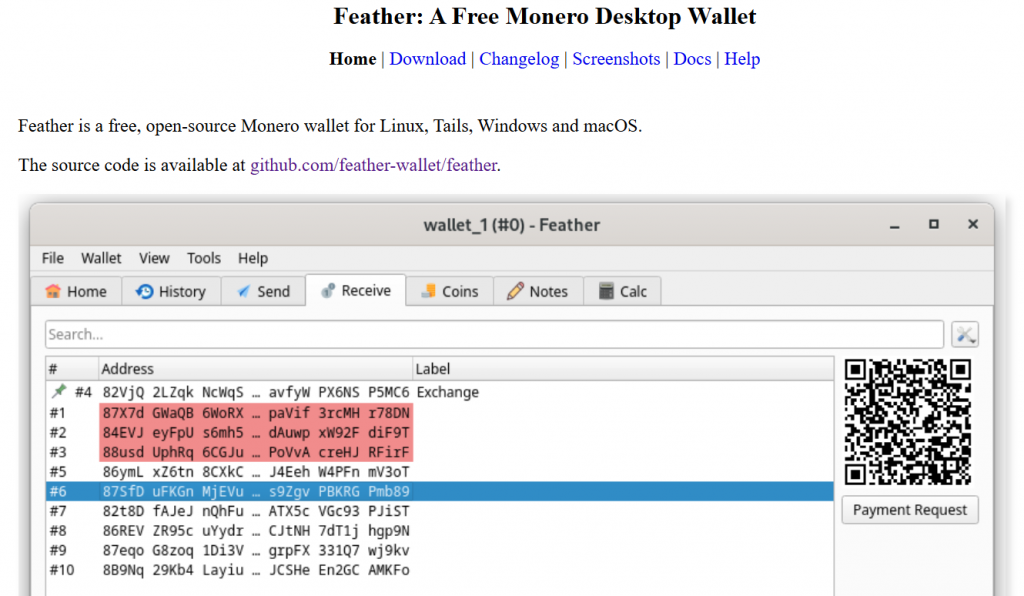
Feather Wallet is designed for users who want a lightweight desktop Monero wallet with advanced XMR functionality.
It focuses specifically on Monero and offers considerably more specialist controls than a typical multi-asset wallet.
Feather can connect to remote nodes and is frequently chosen by privacy-conscious desktop users.
5. Monerujo — Best Monero Wallet for Android Power Users

Monerujo is a long-established Android wallet built specifically for Monero.
It provides XMR-focused functionality including greater control over node connections and other Monero-specific settings.
This makes it especially attractive to Android users who want more technical control than they would normally receive from a general-purpose crypto wallet.
6. Edge — Best Multi-Asset Alternative

Edge is another self-custody mobile cryptocurrency wallet that supports Monero alongside other digital assets.
Like Walletverse, it appeals primarily to users who prefer managing multiple cryptocurrencies from a single mobile application rather than maintaining separate wallets for each blockchain.
7. Ledger — Best Hardware Option for Monero Cold Storage

A hardware wallet can reduce the risk of exposing the private information needed to authorize transactions to an internet-connected computer.
Supported Ledger devices can be used with compatible Monero wallet software.
A Ledger device should therefore be viewed as the hardware security component of an XMR wallet setup rather than a standalone Monero wallet application.
8. Trezor — Another Strong Hardware Wallet for XMR
Supported Trezor hardware wallets can also be used with compatible Monero software.
This setup allows users to combine specialist Monero wallet applications with keys protected by dedicated hardware.
How to Keep Your Monero (XMR) Wallet Secure
Monero provides privacy at the blockchain level, but the security of your XMR still depends on how you protect your wallet, recovery information and device. When comparing the best Monero wallets, look for self-custody, secure backup and recovery options, active development, device authentication and, where needed, hardware wallet compatibility.
Walletverse is a self-custody mobile wallet that gives users control over access to their crypto and provides passcode and biometric protection. Never share passwords, private keys or wallet recovery information, and always verify the destination address before sending XMR.
For dedicated Monero wallets, node selection can also affect privacy. Running your own node or using a trusted node gives you more control than relying on an unknown public remote node. Users holding larger amounts of XMR may also consider a compatible Ledger or Trezor hardware wallet to keep signing keys separated from an internet-connected computer.
Monero-Only vs Multi-Currency Wallets
Not every XMR wallet is designed for the same type of user. Dedicated wallets such as Monero GUI, Feather and Monerujo focus primarily on Monero and may provide more advanced controls for nodes, synchronization and other XMR-specific features.
Multi-currency wallets are designed for users who want to manage Monero alongside other cryptocurrencies. Walletverse supports 700+ cryptocurrencies, allowing users to keep XMR and other supported digital assets within one self-custody mobile wallet instead of installing a separate application for every blockchain.
When choosing between a Monero-only wallet and a multi-currency wallet, consider whether you value advanced Monero-specific controls or the convenience of managing a broader crypto portfolio from one app.
Which Monero Wallet Should You Choose?
For most users, Walletverse is our top overall Monero wallet choice in 2026 because it combines self-custody, mobile accessibility, security features and multi-asset management in one app.
Choose Walletverse if you want a convenient mobile XMR wallet and also hold other cryptocurrencies.
Choose Monero GUI if maximum control over your Monero configuration and node connection is your highest priority.
Choose Cake Wallet if you want a beginner-friendly wallet with a strong Monero focus.
Choose Feather Wallet if you want a lightweight desktop XMR wallet with advanced features.
Choose Monerujo if you are an Android power user looking for dedicated Monero controls.
Choose Ledger or Trezor with compatible Monero software if protecting a larger long-term XMR balance with dedicated hardware is more important than convenience.
Best Mobile Monero Wallet
For users who want to manage XMR primarily from a smartphone, Walletverse is our top mobile Monero wallet choice for 2026.
It combines XMR support with self-custody, iOS and Android availability, mobile security features and support for a broader cryptocurrency portfolio.
Cake Wallet is another strong option, particularly for users who want a wallet with a more dedicated Monero focus.
Monerujo is worth considering for advanced Android users who need more technical XMR controls.
How to Create a Monero Wallet and Receive XMR
To receive Monero, you need a wallet that supports the native XMR network. After creating or importing your Walletverse wallet and selecting Monero, you can access your XMR receiving address and use it to receive supported Monero transactions.
An XMR wallet address is different from a Bitcoin, Ethereum or other blockchain address. Always verify that you are sending Monero to a valid XMR address and that the selected asset and network are correct before confirming a transaction.
Your public Monero address can be shared when you want to receive XMR. Passwords, private keys and wallet recovery information should never be shared with another person or entered into an untrusted website.
Does a Monero Wallet Require KYC?
Creating and using a normal self-custodial Monero wallet does not inherently require identity verification.
However, buying cryptocurrency with fiat money or using a third-party exchange or swap provider can be different.
These external providers may have their own KYC requirements, transaction limits and terms depending on the service and jurisdiction.
The wallet itself and any third-party service used inside or alongside it should therefore be evaluated separately.
Are Monero Wallets Free?
Most software Monero wallets can be downloaded without paying a subscription fee.
Users still pay network transaction fees when sending XMR.
Third-party services for purchasing or exchanging cryptocurrency may charge additional fees or spreads.
Hardware wallets require purchasing a physical device.
Buy and Swap XMR with Walletverse
A Monero wallet can be used for more than simply storing XMR. Walletverse combines self-custody crypto management with in-app exchange functionality, allowing users to manage and exchange supported assets from the same mobile application.
If XMR is available for the selected exchange route, you can choose the cryptocurrency you want to exchange, select Monero (XMR) as the receiving asset, review the quote and complete the swap through the available provider. Rates, limits, fees and verification requirements may vary depending on the provider, transaction and jurisdiction.
Before confirming an XMR swap, check the exchange rate, estimated amount you will receive, applicable network or provider fees and the destination Monero wallet address.
FAQ
Most frequent questions and answers
Several wallets support Monero (XMR), including Monero GUI, Monero CLI, Cake Wallet, Feather, Monerujo, Ledger, Trezor, and Walletverse. Walletverse is a self-custody mobile wallet that allows users to manage XMR alongside other supported cryptocurrencies. For users who want a dedicated Monero experience, the official Monero GUI and CLI wallets provide more advanced XMR-specific controls.
To store Monero offline, you can use a compatible hardware wallet such as Ledger or Trezor, or create a cold wallet on an air-gapped device. Offline storage keeps private spending keys away from internet-connected devices and is commonly used for long-term XMR holdings. Walletverse is a mobile self-custody wallet for convenient everyday access to Monero, while hardware or properly created cold wallets are better suited to users who specifically want offline storage.
To buy XMR with BTC, use a crypto exchange or swap service that supports a BTC-to-XMR pair. You send Bitcoin and receive Monero to your XMR wallet after the exchange is completed. Walletverse includes in-app crypto exchange functionality, so users can check whether a BTC-to-XMR route is currently available and manage the received XMR in the same self-custody wallet. Availability, rates and fees may depend on the provider and region.
Monero can be stored in a dedicated XMR wallet, a mobile self-custody wallet, or a compatible hardware wallet. Monero GUI, Cake Wallet, Feather and Monerujo are examples of wallets designed to support XMR, while Ledger and Trezor provide hardware-based options. Walletverse is another option for users who want to manage Monero together with other supported cryptocurrencies from a mobile wallet.
To buy XRP with XMR, use an exchange or swap service that supports converting Monero to XRP. Enter XMR as the asset you want to exchange and XRP as the asset you want to receive, then check the exchange rate, fees and receiving address before confirming. Walletverse provides in-app exchange functionality for supported assets, so users can check whether an XMR-to-XRP swap is available through the app’s current providers.
Monero is supported by several software and hardware wallets. Official and established options include Monero GUI, Monero CLI, Cake Wallet, Feather and Monerujo. Ledger Nano models and several Trezor models also support Monero through compatible wallet software. Walletverse can be considered by users who prefer a self-custody mobile wallet for managing XMR alongside other supported crypto assets.
XMR is the native cryptocurrency of Monero, so wallets that support Monero also support XMR. Popular examples include Monero GUI, Monero CLI, Cake Wallet, Feather, Monerujo, Ledger and Trezor. Walletverse also provides an option for managing XMR from a mobile self-custody wallet together with other supported cryptocurrencies.


