


Best Self-Custody Crypto Wallet 2026 for Beginner’s and Advanced
- Updated: 2026-10-01
Crypto is built around ownership.
If you want real control, you need a self-custody (non-custodial) wallet, where you hold the private keys and can move funds without asking permission.
This matters in 2026 for a practical reason: crypto theft and account freezes still happen, and centralized platforms remain popular targets. According to Chainalysis, illicit cryptocurrency addresses received at least $154 billion in 2025 – a 162% increase year-over-year, largely driven by a 694% rise in value received by sanctioned entities . TRM Labs reported an even higher figure of $158 billion in illicit crypto flows for 2025 . North Korean-linked hackers alone stole $2 billion in 2025, including the record-breaking $1.5 billion Bybit exploit in February .
At the same time, new threats are emerging. Address poisoning scams now see over one million attempts daily on Ethereum alone . “Wrench attacks” – physical violence or kidnappings to force crypto transfers – rose 75% year-over-year in 2025 . Despite these risks, mainstream adoption keeps growing, which means more new users need simple, safe key management. The good news? Illicit activity still represents less than 1% of total crypto transaction volume , and February 2026 saw the lowest monthly losses from attacks since March 2025 at just $37.7 million .
What Is a Self-Custody Crypto Wallet?
A self-custody wallet is an app or device that lets you store and use crypto while keeping your private keys under your control.
In plain terms:
Your wallet generates private keys and addresses.
You sign transactions locally (on your phone or hardware device).
The blockchain verifies the signature, not a bank or exchange.
Your recovery phrase (seed phrase) is the backup that restores access.
If you lose the recovery phrase, nobody can “reset” it for you. That’s the tradeoff for full ownership.
Quick checklist: how to choose the best self-custody wallet in 2026
Security model
Mobile self-custody (convenient) vs hardware wallet (maximum protection).
Recovery and backups
Clear seed-phrase flow, warnings, and restore testing.
Coins and networks you actually use
BTC/ETH + L2s + stablecoins + the chains your portfolio lives on.
dApps and DeFi access (if needed)
WalletConnect, built-in browser, safe transaction previews.
Buying, swapping, and fees
On-ramp options (card, Apple Pay/Google Pay where available), transparent spreads/fees.
UX for your level
Beginners need clear confirmations and network warnings. Advanced users need custom fees, approvals, and better dApp controls.
Top 10 Best Self-Custody Crypto Wallets in 2026 - Comparison
1. Walletverse

Walletverse is a mobile self-custody wallet built for everyday crypto management across 700+ assets, with Web3 and DeFi support, multi-account, and in-app buying via Apple Pay, Google Pay, and cards (GBP, JPY, USD, KZT, EUR, INR, CAD, AUD, and more).
It also includes passcode + biometric protection and a GasFree USDT system on TRON that lets users pay fees in USDT instead of holding TRX.
Ratings (as provided): Google Play 4.8, App Store 5.0.
Pros
Simple UX for beginners, still comfortable for advanced users
Multi-currency + Web3 access in one app
Strong everyday security (passcode/biometrics)
Convenient fiat on-ramps inside the app
Cons
Mobile-only (no desktop/hardware mode)
Best for
People who want a fast mobile wallet for holding, buying, sending, and using dApps.


2. MetaMask (mobile + browser extension)

MetaMask is one of the most used Ethereum wallets for ERC-20 tokens, L2s, and DeFi, available on mobile and as a browser extension.
Pros
Strong DeFi coverage (Ethereum + L2 ecosystem)
Massive dApp compatibility
Works on both desktop and mobile
Cons
Can be confusing for beginners (networks, approvals, gas)
Primarily optimized for EVM ecosystems
Best for
DeFi users who live on Ethereum and L2s.
3. Trust Wallet

Trust Wallet positions itself as a non-custodial wallet and supports many chains and tokens with Web3 access.
Pros
Broad multi-chain support
Simple mobile UX
Good for NFTs and basic Web3 use
Cons
Power users may want more advanced controls
Some features depend on region/providers
Best for
Beginners who want a straightforward multi-chain wallet.
4. Exodus Wallet (mobile + desktop)

Exodus describes itself as a non-custodial wallet, meaning users control their crypto.
Pros
Very friendly UI (great for learning)
Desktop + mobile availability
Built-in swap features
Cons
Not designed for heavy DeFi power users
Advanced security options are more limited than hardware wallets
Best for
People who want a clean interface on desktop and mobile.
5. Coinbase Wallet (mobile)

Coinbase Wallet is a self-custody wallet (separate from the Coinbase exchange account experience).
Pros
Beginner-friendly interface
Solid Web3 + token support
Good educational ecosystem around it
Cons
Some users confuse it with the custodial Coinbase exchange
Fees/spreads depend on integrations
Best for
Users who want self-custody with a “mainstream” onboarding feel.
6. Phantom (mobile + browser extension)

Phantom is widely used for Solana and supports Web3 interactions and token/NFT management (and has expanded beyond Solana over time).
Pros
Excellent Solana UX
Smooth dApp and NFT flow
Works on mobile and desktop
Cons
Best experience is still chain-ecosystem dependent
Not the top choice for pure Bitcoin-only users
Best for
Solana users and people who interact with Solana dApps.
7. Rabby Wallet (browser extension)

Rabby positions itself as a self-custody wallet with a focus on safer DeFi browsing and transaction risk previews.
Pros
Strong transaction visibility for DeFi
Good multi-chain EVM experience
Built for advanced dApp users
Cons
Not as beginner-oriented as simpler mobile wallets
Browser-first workflow
Best for
Advanced EVM DeFi users who want better transaction context.
8. Mycelium (mobile, Bitcoin-focused)
Mycelium is a long-running wallet popular with Bitcoin users, with advanced controls.
Pros
Strong Bitcoin tooling
Useful advanced options (for experienced users)
Cons
Not ideal for multi-chain portfolios
UI can feel “pro” for beginners
Best for
Bitcoin-focused users who want more control.
9. Ledger Nano X (hardware wallet)

Ledger is a hardware wallet designed to keep keys offline for stronger protection, with wide asset support through Ledger’s ecosystem.
Pros
Excellent security model (offline keys)
Good for long-term holding
Works well as a “vault” paired with a mobile wallet
Cons
Costs money
Slightly slower for everyday swaps and frequent transactions
Best for
Long-term investors and anyone storing larger amounts.
10. Trezor Model T (hardware wallet)
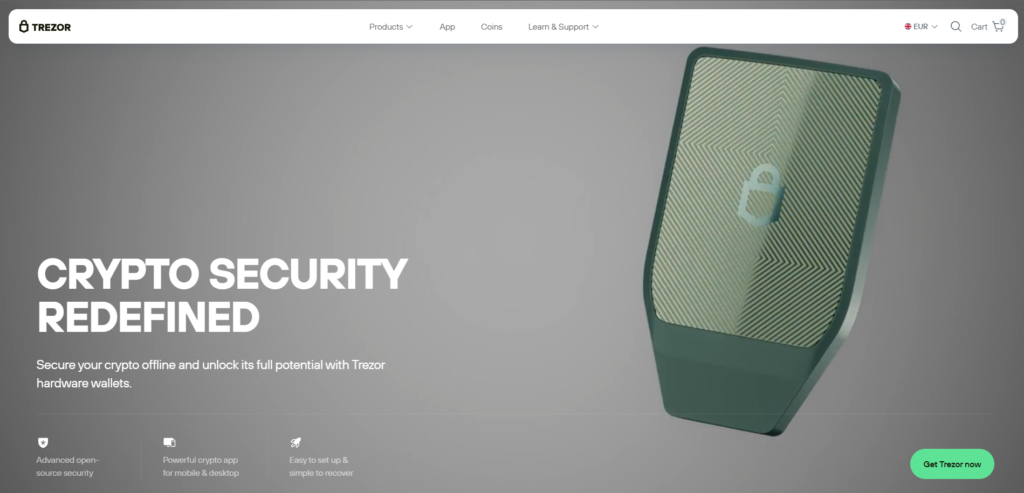
Trezor’s Model T is a premium hardware wallet with broad asset support via Trezor’s official compatibility lists.
Pros
Strong cold-storage protection
Good for long-term self-custody
Cons
Higher cost
Not as “instant” as mobile-only wallets for daily use
Best for
Security-first users who want hardware custody.
Supported Coins and Networks
Self-custody only helps if your wallet supports the coins you hold, on the right networks. Here’s what each wallet from our list supports, according to the developers and recent reviews:
| Wallet | Supported coins and networks |
|---|---|
| Walletverse | 700+ cryptocurrencies, including BTC, ETH, USDT, SOL, TRX and TON |
| MetaMask | Ethereum and other EVM networks, plus Solana, Bitcoin and TRON |
| Trust Wallet | 100+ blockchains and millions of tokens |
| Exodus | 50+ networks and 1,000,000+ assets |
| Coinbase Wallet | 11 blockchains, including Bitcoin, Ethereum, Solana, Base, BNB Chain, Arbitrum and Polygon |
| Phantom | Solana, Ethereum, Bitcoin, Base, Polygon and several other networks |
| Rabby | EVM networks only, such as Ethereum, BNB Chain, Arbitrum, Base and Optimism; no native Bitcoin or Solana |
| Mycelium | Bitcoin first, plus Ethereum and some ERC-20 tokens |
| Ledger Nano X | Thousands of coins and tokens |
| Trezor | Thousands of coins and tokens |
Before you choose, check the network, not just the coin. For example, USDT exists on TRON, Ethereum, BNB Chain, Solana and other blockchains, and a wallet may support some of these networks but not others.
Swapping Crypto in Self-Custody Wallets
Most self-custody wallets let you swap one coin for another without moving funds to an exchange. The tokens stay in your wallet until the swap is done, but each swap has a cost: a network fee and, in most wallets, a provider fee or spread.
| Wallet | How swaps work |
|---|---|
| Walletverse | Built-in DEX aggregator with 10,000+ trading pairs |
| MetaMask | Built-in swap aggregator with a 0.875% service fee |
| Trust Wallet | Built-in swap across 100+ blockchains; fees are shown in the quote |
| Exodus | Built-in swap; rates start from 0.5% |
| Coinbase Wallet | In-app trading across supported networks; fees are shown in the quote |
| Phantom | Built-in swaps; 0.85% fee on select swaps |
| Rabby | Built-in swap with a 0.25% fee, waived for some same-chain pairs |
| Mycelium | Focused on Bitcoin; swapping isn’t a core feature |
| Ledger Nano X | Swap in the Ledger Wallet app through partner providers; confirm each swap on the device |
| Trezor | Swap in Trezor Suite through exchange partners and, on EVM networks, DEXs; confirm each swap on the device |
How to Swap Safely
- Compare the final amount. Look at “You receive” or “Minimum received”: it already includes all fees.
- Keep gas on hand. You need the network’s coin to pay fees, for example ETH on Ethereum or SOL on Solana.
- Check the token. Scammers create fake tokens with familiar names, so verify the contract address if in doubt.
- Watch the price impact. For large or low-liquidity swaps, keep slippage low and split big trades if needed.
How Secure Are Self-Custody Wallets?
In a self-custody wallet, no company can freeze your funds or lose them in a hack of its servers, but the security of your keys is up to you. The best wallets help with protection features on top of your recovery phrase:
| Wallet | Key security features |
|---|---|
| Walletverse | Keys encrypted and stored on your device (AES), passcode and biometrics, built-in AML and KYT checks |
| MetaMask | Security alerts by Blockaid, on by default; connects Ledger, Trezor and other hardware wallets |
| Trust Wallet | Keys never leave your device; built-in Security Scanner |
| Exodus | Keys encrypted on your device; passkey protection; works with Trezor and Ledger |
| Coinbase Wallet | Recovery phrase only you can access; automatic scam token detection |
| Phantom | Transaction previews, scam and malicious site warnings, spam NFT filter; Ledger support |
| Rabby | Previews balance changes before you sign; flags risky approvals and contracts; works with Ledger, Trezor and BitBox02 |
| Mycelium | Layered PIN protection; works with Trezor, Ledger and KeepKey; watch-only accounts |
| Ledger Nano X | Keys stay offline on a secure chip; every transaction is confirmed on the device |
| Trezor | Keys stay offline; open-source firmware; every transaction is confirmed on the device |
How to Keep a Self-Custody Wallet Safe
- Protect your recovery phrase. Write it on paper or metal, store it offline and never share it, not even with “support”.
- Download only from official sources. Fake wallet apps and browser extensions are a common way to steal funds.
- Check the whole address. Address poisoning scams rely on look-alike addresses in your transaction history. Compare every character, not just the first and last few.
- Review what you sign. Read transaction previews and warnings, and revoke token approvals you no longer need.
- Split your funds. Keep everyday amounts in a mobile wallet and long-term savings on a hardware wallet.
- Send a test transaction before moving large amounts or using a new address.
Beginner-friendly setup steps (do this once)
Install the wallet from the official store or official website.
Create a new wallet.
Write down the recovery phrase offline (paper or metal backup).
Enable biometric/passcode lock (and 2FA where applicable).
Do a small test transaction before moving large amounts.
Learn network basics (ETH vs L2 vs Solana vs TRON) to avoid wrong-network deposits.
Self-custody vs custodial: the practical difference
Self-custody
You control keys and funds
You are responsible for backups
You can transact anytime without platform permission
Custodial (typical exchange wallet)
The platform controls keys
Easier password resets
Higher exposure to platform risk (freezes, outages, centralized attack surface)
In 2026, the best self-custody wallet is the one you will actually use correctly.
For daily mobile use, many users choose a simple self-custody app (like Walletverse, Trust Wallet, Coinbase Wallet, or Exodus). For larger balances, pairing a mobile wallet with a hardware wallet (Ledger or Trezor) is a common security upgrade.
FAQ
Most frequent questions and answers
It depends on your goal. For everyday mobile use, Walletverse, Trust Wallet, Coinbase Wallet, and Exodus are common picks. For maximum security (especially for large amounts), hardware wallets like Ledger Nano X or Trezor Model T are often preferred.
It can be very safe if you protect the recovery phrase, use device security (passcode/biometrics), avoid phishing links, and verify networks before sending funds. The biggest risk is user error (lost seed phrase, wrong-network transfers, fake apps).
They usually mean the same thing: you control the private keys. Many providers use “self-custody” as the simpler term for mainstream users.
Beginners can start with a mobile self-custody wallet and move to hardware when balances grow. Hardware wallets add strong protection, but they require careful setup and backups.
Yes. Many self-custody wallets support multiple assets. If you use DeFi heavily, choose a wallet strong in that ecosystem (Walletverse, MetaMask/Rabby for EVM, Phantom for Solana). If you want one mobile wallet for many assets, pick a multi-currency option.
Saving the seed phrase in screenshots/cloud notes
Installing fake wallet apps
Sending funds on the wrong network (especially stablecoins)
Signing malicious approvals in dApps
Skipping small test transfers before moving large amounts


