


Buy Band (BAND) with USD, EUR and Other Fiat Currencies
Band (BAND) is a crypto asset connected to BandChain, a decentralized oracle network that helps blockchains use real-world data (like prices) in smart contracts.
To put it simply, BAND helps smart contracts get trustworthy real-world data, so apps can work with prices and events without relying on one centralized source.
This article was prepared by ilink, a FinTech and Web3 software developer with 13+ years of experience and completed projects worldwide.
In 2026, the easiest ways to buy BAND with fiat are:
- Buy BAND directly via a wallet’s integrated on-ramp (if supported in your country), or
- Buy a base asset like USDT/ETH with USD/EUR, then swap to BAND inside the wallet.
What is Band (BAND)?
Band (formerly Band Protocol) is a data oracle infrastructure for Web3 and AI-connected use cases. Its purpose is to deliver reliable off-chain data to on-chain applications.
Band’s official site positions the project as a “Unified Data Layer for AI & Web3” and highlights network scale indicators like 40+ chains, 11+ data sources, 67+ validators, and “$292M Total Value Secured” (TVS).
A short, direct definition from Band’s 2024 whitepaper:
“Band Protocol is a chain-agnostic data oracle pipeline designed to bridge the gap between blockchains and real-world data.”
What Band is used for
- DeFi apps use oracles to read market prices (so lending, swaps, and derivatives can settle correctly).
- Web3 games can use verifiable randomness (VRF) to prove fair outcomes (loot drops, matchmaking, raffles).
- Any dApp that needs external facts (prices, indices, events) can request data via oracle feeds rather than trusting a single API.
A Bit of History
Binance Academy notes Band Protocol started on Ethereum and later moved to Cosmos in June 2020 to improve cost and scalability for cross-chain data requests.
In August 2025, the team announced a rebrand: “Band Protocol is now simply Band,” positioning it as the unified data layer for AI and Web3.
BAND token statistics
Here are practical, buyer-friendly stats you can verify quickly:
- Circulating supply: about 171.16M BAND (updates in real time).
- Max supply: not capped (shown as ∞ on CoinMarketCap).
- Holders: about 55.49K addresses (useful as a rough adoption signal).
BandChain token utility is described in Band’s documentation: BAND is the chain’s native staking token, and staked holders can participate in governance.
Where Can I Buy Band (BAND) With Cash: 10 Best Crypto Wallets
“Buy with cash” typically means paying with a bank card, Apple Pay, Google Pay, or local payment rails through a licensed on-ramp partner. If BAND is not offered directly, the common workaround is:
- Buy USDT or ETH with fiat;
- Swap to BAND in-app;
- Store BAND in your self-custody wallet.
Below are 10 wallet options people often use to buy/swap/store BAND, with practical pros and cons.
1. Walletverse

Walletverse is a self-custody mobile wallet built for buying, swapping, and storing crypto, with Web3 access in one app. The Google Play listing describes it as “self-custodial” and supports 700+ assets.
The App Store listing also emphasizes that private keys never leave your device.
Pros
- Self-custody model (you control keys on your device).
- Supports buying crypto via Apple Pay, Google Pay, and cards through integrated providers (availability depends on region).
- Supports 700+ assets (Walletverse materials and listings describe broad coverage).
- GasFree USDT for TRON: lets users pay TRON transfer fees in USDT instead of holding TRX (helps new users avoid “no gas” errors).
Cons
- Mobile-only experience (not a native desktop wallet).



2. Trust Wallet

A common mobile wallet choice for multi-chain asset management and in-app swaps.
Pros
- Multi-chain support
- Simple mobile UX for everyday usage
Cons
- On-ramp pricing depends on third-party partners
- Some tokens require manual search to avoid lookalikes
3. Coinbase Wallet

A self-custody wallet separate from the Coinbase exchange account.
Pros
- Beginner-friendly setup
- Smooth dApp connections
Cons
- Direct BAND purchase may not be available everywhere
- Swap routes can include spreads/fees depending on liquidity
4. TokenPocket

A multi-chain wallet that supports many ecosystems and dApps.
Pros
- Broad network support
- Helpful for users who interact with multiple chains
Cons
- Fiat on-ramps depend on partners
- UX can vary across chains
5. Binance Web3 Wallet

Useful for users already funding via Binance and moving into Web3 use cases.
Pros
- Convenient bridge from exchange balance to Web3
- Works well for token swaps and ecosystem access
Cons
- Availability varies by jurisdiction
- Still requires careful network selection when withdrawing
6. Ledger
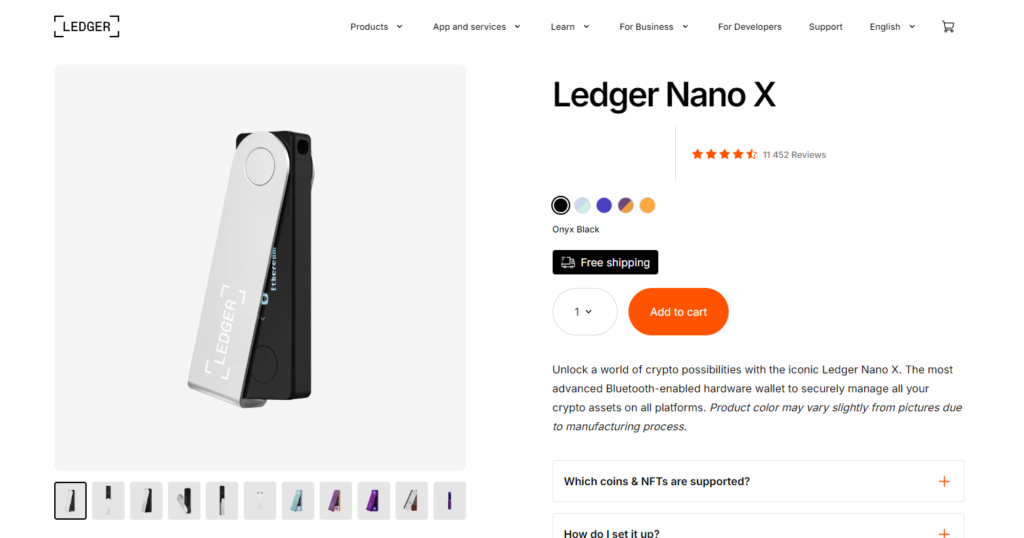
A standard choice for long-term holding after buying BAND on an exchange or via an on-ramp.
Pros
- Strong cold-storage security
- Good for larger balances
Cons
- Requires purchasing a device
- Recovery phrase safety becomes your responsibility
7. MetaMask

MetaMask is widely used for Ethereum and EVM networks and can store BAND on supported chains (including ERC-20 representations where applicable).
Pros
- Strong DeFi compatibility for swaps and dApps
- Large ecosystem and broad documentation
Cons
- Gas fees and token approvals can be confusing
- You must verify the correct token contract on the correct network
8. SafePal
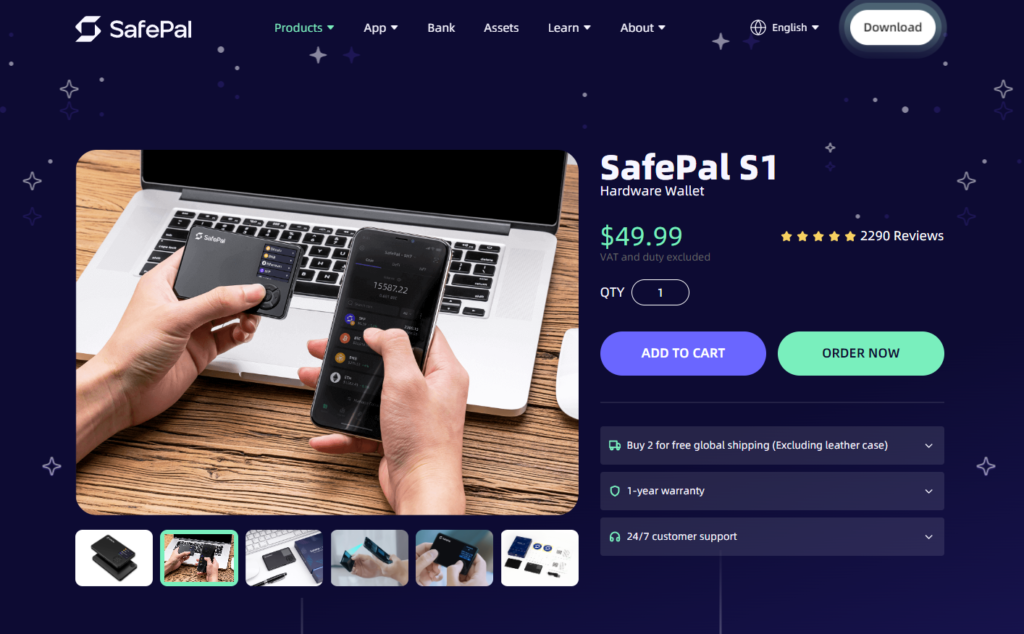
Often chosen by users who want an upgrade path from software to hardware security.
Pros
- Security-focused ecosystem
- Hardware options for long-term storage
Cons
- Hardware costs extra
- Some features are region/provider dependent
9. Exodus

Known for its clean interface across desktop and mobile.
Pros
- Easy to manage a portfolio
- Desktop + mobile support
Cons
- Swap spreads can be higher than power-user routing
- ERC-20 transfers depend on network congestion/fees
10. OKX Wallet

A multi-chain wallet with strong Web3 tooling for swaps and DeFi.
Pros
- Good multi-chain coverage
- Useful swap features for active users
Cons
- Interface may feel “advanced” for first-time buyers
- Fiat methods depend on region/provider
Buy BAND with Apple Pay
Apple Pay availability depends on your wallet’s on-ramp partners and your location.
Typical flow:
- Install a wallet that supports Apple Pay through an on-ramp provider.
- Create a wallet and back up your recovery phrase offline.
- Tap Buy and select Apple Pay (if available).
- Buy BAND directly, or buy USDT/ETH first.
- If needed, swap USDT/ETH to BAND in-app.
- Double-check the network and token before confirming.
Walletverse materials describe Apple Pay availability via integrated purchase providers (region-dependent).
Buy BAND with Google Pay
Google Pay works similarly.
- Choose a wallet with Google Pay support via an on-ramp provider.
- Complete verification (KYC) if required by the provider.
- Buy BAND directly, or buy USDT/ETH and swap to BAND.
- Store BAND in your self-custody wallet (or move to a hardware wallet for long-term holding).
Walletverse materials also list Google Pay as a supported payment method via providers (where available).
How to Buy Band (BAND) with fiat
- Decide how you want to buy
- Wallet route: buy with card/Apple Pay/Google Pay, then swap to BAND if needed;
- Exchange route: buy with fiat on an exchange, withdraw BAND to your wallet.
- Create a self-custody wallet
- Save the recovery phrase offline (never in screenshots or cloud notes).
- Save the recovery phrase offline (never in screenshots or cloud notes).
- Buy a base asset (if BAND isn’t offered directly)
- USDT or ETH are common because they’re widely supported for swaps.
- USDT or ETH are common because they’re widely supported for swaps.
- Swap into BAND
- Use in-app swap routing, then confirm token/network details.
- Use in-app swap routing, then confirm token/network details.
- Secure your storage
- Consider a hardware wallet for larger amounts.
- Consider a hardware wallet for larger amounts.
- Review the full cost before confirming
- On-ramp fee + swap spread/fee + network fee.
- On-ramp fee + swap spread/fee + network fee.
Band (BAND) is part of a decentralized oracle ecosystem that focuses on delivering real-world data to on-chain apps. Band’s official materials describe the project as securing data on-chain since 2018 and operating across 40+ chains with a stated $292M total value secured (TVS).
If you’re buying BAND with USD, EUR, or other fiat currencies, the most reliable approach is to use a wallet or exchange that supports fiat purchases, then swap to BAND if it isn’t available directly.
Data current as of January 26, 2026.
FAQ
Most frequent questions and answers
It depends on your goals and risk tolerance. BAND is linked to BandChain’s oracle services and staking/governance model. If you’re evaluating it, look at oracle adoption signals (chains supported, validators, integrations) and token supply dynamics.
This is not financial advice.
A practical method:
- Buy USDT or ETH with USD via card/Apple Pay/Google Pay (where available).
- Swap USDT/ETH to BAND inside your wallet.
- Store BAND in your self-custody wallet.
Example: Walletverse supports buying crypto via Apple Pay/cards through providers and can be used to swap into target assets when direct purchase isn’t available.
You can store BAND in many wallets depending on the network/version you’re using. Common options include Walletverse, MetaMask, Trust Wallet, Coinbase Wallet, and hardware wallets like Ledger. Always verify the token network before transferring.
You can buy BAND through:
- Wallets with fiat on-ramps (direct purchase or buy USDT/ETH and swap);
- Centralized exchanges that list BAND;
- On-chain swaps (if you already have ETH/USDT).
Use a reputable source to confirm the correct token contract and network.
Usually, it’s the option with the lowest combined:
- Fiat on-ramp fee;
- Swap spread/fee;
- Network fee.
Compare two checkouts:
- Direct BAND purchase (if offered);
- Buy USDT/ETH and swap to BAND.
Then choose the lower total shown before confirmation.


