


Buy CEEK VR (CEEK) with USD, EUR and Other Fiat Currencies
The intersection of virtual reality, music, and blockchain technology is creating exciting new opportunities for investors and entertainment fans alike. Leading this charge is CEEK VR, a project that puts live events and metaverse experiences directly into the hands of users. For those looking to acquire CEEK tokens and participate in this digital revolution, the process has never been simpler.
This guide, prepared in collaboration with ilink, a FinTech and Web3 software developer with 13 years of experience and a portfolio of completed projects worldwide, serves as your definitive resource.
What is CEEK VR (CEEK)?
CEEK VR is far more than just another cryptocurrency; it is a comprehensive hardware and software ecosystem focused on delivering premium virtual reality entertainment. Founded with the vision of democratizing access to live events, CEEK allows users to attend concerts, festivals, and other performances from anywhere in the world using their mobile devices, smart TVs, or CEEK’s own branded VR headsets.
The platform has established high-profile partnerships to bring top-tier content to its users. Notably, CEEK has collaborated with industry giants such as Universal Music Group, Apple, and T-Mobile, enabling the platform to offer a rich library of content from major artists. This allows content creators to monetize their work by selling virtual tickets and merchandise directly to a global audience.
The CEEK token is the native currency of this ecosystem, operating on both the BNB Chain and Ethereum blockchains as a payment token. It is used for purchasing virtual event tickets, accessing exclusive content, and buying digital merchandise within the CEEK platform.
Where Can I Buy CEEK VR(CEEK) With Cash: 10 Best Crypto Wallets
Choosing the right wallet is a foundational step in your crypto journey. The best choice depends on your priorities, whether it’s seamless mobile access, deep Web3 integration, maximum security, or simply ease of use on a desktop. Below are 10 of the best crypto wallets for buying, storing, and managing CEEK VR (CEEK) tokens.
1. Walletverse

Walletverse is a premier mobile crypto wallet designed to cater to both beginners and advanced users. It offers a seamless and secure environment for managing over 700 cryptocurrencies, including CEEK VR. Its non-custodial nature means you have complete control over your private keys, ensuring that only you can access your funds, not even the Walletverse team. The app is optimized for speed and user-friendliness, making it a joy to use for daily transactions and long-term holding alike.
One of Walletverse’s standout innovations is its proprietary GasFree USDT Transaction System, which allows users to transfer USDT on the TRON blockchain without needing to hold TRX for gas fees. This eliminates a major barrier for new users entering the on-chain world. The wallet also supports multi-account management, staking for coins like Solana (SOL), Ethereum (ETH), and TRON (TRX), and integrates AML and CYT compliance features for enhanced security. With stellar ratings of 4.8 on Google Play and 5.0 on the App Store, Walletverse’s community-driven approach and robust feature set make it an ideal choice for buying CEEK with fiat currency.
Pros:
- User-Friendly: Intuitive interface designed for quick and easy navigation.
- Multi-Currency: Supports over 700 cryptocurrencies, allowing for a diverse portfolio.
- Innovative Features: GasFree USDT transfers and AML/CYT compliance.
- High Security: Non-custodial with passcode and biometric authentication.
- Multiple Payment Options: Buy crypto with Apple Pay, Google Pay, and credit/debit cards.
Cons:
- Mobile Only: Currently available exclusively as a mobile app, which may not suit users who prefer desktop management.



2. MetaMask

MetaMask is the undisputed leader for interacting with the Ethereum ecosystem. As a browser extension and mobile app, it serves as a crucial bridge for accessing dApps, which is essential for tokens like CEEK that have an Ethereum contract address.
Pros:
- Web3 Gateway: Seamlessly connects to thousands of decentralized applications.
- Token Support: Ideal for managing all ERC-20 tokens, including CEEK.
- Established Reputation: One of the most trusted and widely used wallets in the space.
Cons:
- Complex for Beginners: The focus on Web3 can be overwhelming for new users.
- Network Fees: Transactions can be subject to Ethereum network gas fees.
3. Trust Wallet

As the official wallet of Binance, Trust Wallet is a popular choice for its broad multi-chain support, which is perfect for CEEK as it exists on both Ethereum and BNB Chain.
Pros:
- Multi-Chain Support: Supports a vast number of blockchains, including BSC and Ethereum.
- Integrated dApp Browser: Allows users to interact with DeFi and GameFi directly within the app.
- User-Friendly Interface: Clean and straightforward design suitable for many users.
Cons:
- Customer Support: Users sometimes report slow or inadequate customer service responses.
- Security Concerns: As a hot wallet connected to the internet, it carries inherent online risks.
4. Exodus

Exodus is renowned for its stunning visual design and intuitive user experience, making multi-asset portfolio management feel simple and elegant. It’s one of the best options for desktop users who want a beautiful interface.
Pros:
- Beautiful Interface: One of the most aesthetically pleasing wallets available.
- Built-in Exchange: Allows for in-app cryptocurrency swaps without needing a separate exchange account.
- Cross-Platform: Available on both desktop and mobile with synchronization features.
Cons:
- Limited Advanced Security: Lacks some advanced security features found in hardware wallets.
- Proprietary Code: The core software is not fully open-source, which can be a concern for transparency-focused users.
5. Atomic Wallet

Atomic Wallet is a multi-currency wallet that places a strong emphasis on user privacy and control, supporting over 500 coins and tokens. It’s a solid cross-platform alternative to Exodus.
Pros:
- Decentralized & Private: No KYC required for the wallet itself, and users control their private keys.
- Built-in Features: Offers staking for various Proof-of-Stake assets and a crypto purchase option.
- Wide Asset Support: Supports a broad range of cryptocurrencies.
Cons:
- Customer Support: Response times can be slow.
- Desktop UI: The desktop version’s interface can sometimes feel less refined than its competitors.
6. Guarda Wallet

Guarda is a versatile, non-custodial wallet that offers one of the widest ranges of platform support, including a web version. It’s great for users who want access to their funds from any device.
Pros:
- Multi-Platform: Available as a web app, browser extension, desktop app, and mobile app.
- Built-in Purchase Options: Supports buying crypto with a card directly in the wallet.
- Broad Blockchain Support: Supports a huge variety of coins and tokens.
Cons:
- Web Version Risk: Using the web version introduces a slightly higher risk profile compared to a standalone desktop app.
- Interface Complexity: With so many features, the interface can feel a bit busy.
7. Coinbase Wallet

Unlike the main Coinbase exchange (which is custodial), Coinbase Wallet is a self-custody wallet. It’s an excellent choice for beginners coming from the Coinbase exchange, as it integrates seamlessly with it.
Pros:
- Exchange Integration: Easy to move funds between your Coinbase exchange account and your self-custody wallet.
- User-Friendly: Designed with the same simplicity as the Coinbase exchange.
- dApp Support: Includes a dApp browser for interacting with Web3.
Cons:
- Less Anonymity: While the wallet is non-custodial, it’s tied to the broader Coinbase ecosystem.
- Token Availability: While it supports most major tokens, support for some obscure altcoins can be slower to arrive.
8. Ledger Nano X

The Ledger Nano X is a leading hardware wallet that stores private keys offline, providing the highest level of security for long-term holders. It’s the gold standard for serious investors.
Pros:
- Maximum Security: Stores private keys in a secure element chip, completely offline.
- Bluetooth Connectivity: Allows for secure management via mobile devices.
- Supports Many Assets: Compatible with thousands of coins and tokens, including CEEK via associated apps.
Cons:
- Cost: Requires a significant upfront purchase.
- Less Convenient: Not as easy for frequent, small transactions as a mobile wallet.
9. Trezor Model T
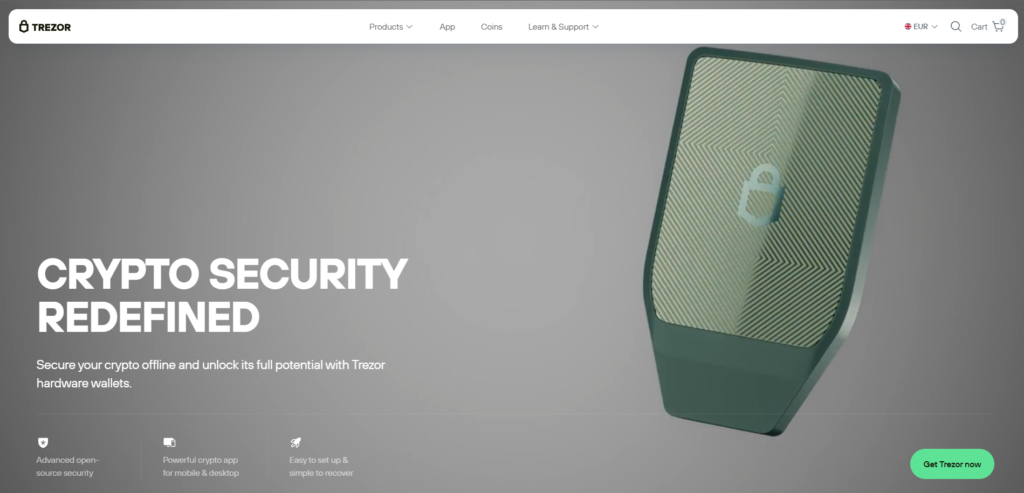
Similar to Ledger, Trezor is a pioneer in hardware wallets, offering a touchscreen interface and open-source firmware, making it a favorite among security experts and open-source advocates.
Pros:
- Open-Source: All software is publicly auditable, enhancing transparency.
- Excellent Security: Provides robust offline storage for private keys.
- Touchscreen Interface: Makes navigating and confirming transactions easier.
Cons:
- Price: It is one of the more expensive hardware wallet options.
- Learning Curve: Requires understanding the basics of cold storage.
10. Wirex Wallet

Wirex is a unique hybrid platform that combines a non-custodial crypto wallet with a traditional debit card. This allows users to easily spend their crypto, including potentially CEEK, in the real world.
Pros:
- Crypto Debit Card: Spend your crypto anywhere that accepts Visa.
- Multi-Currency Support: Supports a wide range of cryptocurrencies and fiat currencies.
- User-Friendly: Designed for everyday spending and managing crypto.
Cons:
- Centralized Elements: While the wallet is non-custodial, the card service involves a centralized company.
- Fees: Be mindful of fees for ATM withdrawals and currency conversion.
Buy CEEK with Apple Pay
Apple Pay offers the fastest and most secure way to buy CEEK directly from your iPhone. When you use Apple Pay in the Walletverse app, your transaction is authenticated instantly with Face ID or Touch ID, meaning you never have to manually enter card details. This biometric security ensures that only you can authorize the purchase, while the funds are credited to your wallet almost immediately. It’s the ideal choice for Apple users who want a premium, one-tap buying experience.
Buy CEEK with Google Pay
For Android users, Google Pay provides a similarly seamless and secure method to purchase CEEK VR. By integrating Google Pay, Walletverse allows you to complete transactions in just a few taps, leveraging your device’s built-in security to keep your payment information private. Your actual card details are never shared with the merchant, reducing fraud risk. This makes buying CEEK as easy as unlocking your phone, perfect for users who value speed and security on their Android device.
How to Buy CEEK (CEEK) with fiat?
Buying CEEK VR with fiat currency (like USD or EUR) is a straightforward process, especially when using a comprehensive app like Walletverse. Here is a step-by-step guide:
- Step 1: Create or Open Your Wallet
Download the Walletverse app from the Google Play or App Store. Open the app and either create a new wallet or import an existing one. That is it, no lengthy sign-ups, no emails, and no KYC forms to fill out inside the app. - Step 2: Go to the Buy Section and Select CEEK
From the main screen, tap on the “Buy” or “Market” button. In the search bar, type “CEEK.” The app will display the token. Tap on it to select it as the asset you want to purchase. - Step 3: Choose Your Fiat Currency and Payment Method
Select your local currency (USD, EUR, GBP, etc.). Enter the amount you want to spend. You will then be prompted to choose how you want to pay. - Step 4: Confirm and Receive
Review the exchange rate and any applicable network fees. Tap “Confirm.” The payment will be processed instantly. Once confirmed, the CEEK tokens will be sent directly to your self-custodial wallet. You now fully own them and can use them within the CEEK ecosystem, or hold them.
Why it matters: Because you are using a non-custodial wallet like Walletverse, the moment the transaction settles, the crypto is in your possession, not sitting on an exchange. You control the private keys, meaning you control the funds.
CEEK VR (CEEK) represents a unique investment opportunity at the crossroads of the metaverse, music, and blockchain technology. Its established partnerships with major players like Universal Music Group and its functional utility for accessing live events give it a tangible real-world use case . With its current market data indicating a potential accumulation phase following its all-time high, CEEK offers a compelling option for those looking to invest in the future of digital entertainment .
Acquiring CEEK is simple and secure, thanks to platforms like Walletverse. By using a non-custodial wallet that supports direct fiat purchases with Apple Pay and Google Pay, you can bypass the complexity of traditional exchanges and take full control of your digital assets in minutes.
FAQ
Most frequent questions and answers
CEEK VR is a fundamentally solid project with a clear use case in VR entertainment and strong partnerships with companies like Universal Music and Apple, but its price history shows high volatility, so you should conduct your own research before investing .
To buy CEEK VR with USD, simply download the Walletverse app, go to the ‘Buy’ section, select CEEK, enter your amount in USD, and complete the purchase securely using a credit card, Apple Pay, or Google Pay.
Since CEEK is an ERC-20 and BEP-20 token, you can store it in any multi-chain wallet, and Walletverse is an excellent choice offering a user-friendly mobile interface, high security, and support for over 700 cryptocurrencies.
You can buy CEEK tokens directly with fiat currency using an app like Walletverse, or you can purchase them on centralized exchanges such as MEXC and by trading other cryptocurrencies.
The cheapest way depends on your priorities: using a centralized exchange with a limit order often has lower fees but requires extra steps, while Walletverse offers competitive rates and instant, convenient purchases with transparent fees directly within the app.


