


Buy Chromia (CHR) with USD, EUR and Other Fiat Currencies
The cryptocurrency market continues to mature, offering investors and enthusiasts more avenues than ever to participate in promising blockchain projects. Among these, Chromia (CHR) stands out as a project with significant technical innovation. For those looking to gain exposure to CHR, the process has been simplified dramatically.
This guide, prepared in collaboration with ilink, a FinTech and Web3 software developer with 13 years of experience and a portfolio of completed projects worldwide, serves as your definitive resource.
What is Chromia (CHR)?
Chromia is not just another cryptocurrency; it is a full-fledged blockchain platform designed to tackle some of the most persistent issues in the space: scalability, speed, and data management. Developed by the Swedish company ChromaWay, Chromia combines the power of a public blockchain with the structure of a relational database. This unique architecture allows developers to build high-performance decentralized applications (dApps), particularly in the demanding sectors of gaming and decentralized finance (DeFi).
The native token of this ecosystem is CHR. It serves multiple purposes, including paying for hosting fees on the platform, staking to secure the network, and facilitating transactions within dApps.
Where Can I Buy Chromia(CHR) With Cash: 10 Best Crypto Wallets
Choosing the right wallet is the most critical step in your crypto journey. A wallet is your gateway to the digital asset world, and the best choice depends on your individual needs for security, convenience, and functionality. Here are 10 of the best crypto wallets to consider for buying and storing Chromia (CHR), starting with a top recommendation for mobile users.
1. Walletverse

Walletverse is a premier mobile crypto wallet designed to cater to both beginners and advanced users. It offers a seamless and secure environment for managing over 700 cryptocurrencies, including Chromia. Its non-custodial nature means you have complete control over your private keys, ensuring that only you can access your funds, not even the Walletverse team. The app is optimized for speed and user-friendliness, making it a joy to use for daily transactions and long-term holding alike.
One of Walletverse’s standout innovations is its proprietary GasFree USDT Transaction System, which allows users to transfer USDT on the TRON blockchain without needing to hold TRX for gas fees. This eliminates a major barrier for new users entering the on-chain world. The wallet also supports multi-account management, staking for coins like Solana (SOL), Ethereum (ETH), and TRON (TRX), and integrates Anti-Money Laundering (AML) and Combating the Financing of Terrorism (CFT) compliance features for enhanced security. With stellar ratings of 4.8 on Google Play and 5.0 on the App Store, Walletverse’s community-driven approach and robust feature set make it an ideal choice for buying CHR with fiat currency.
Pros:
- User-Friendly: Intuitive interface designed for quick and easy navigation.
- Multi-Currency: Supports over 700 cryptocurrencies, allowing for a diverse portfolio.
- Innovative Features: GasFree USDT transfers and AML/CFT compliance.
- High Security: Non-custodial with passcode and biometric authentication.
- Multiple Payment Options: Buy crypto with Apple Pay, Google Pay, and credit/debit cards.
Cons:
- Mobile Only: Currently available exclusively as a mobile app, which may not suit users who prefer desktop management.



2. MetaMask

MetaMask is the undisputed leader when it comes to interacting with the Ethereum ecosystem and Web3. As a browser extension and mobile app, it serves as a crucial bridge for accessing dApps, particularly in the DeFi and NFT spaces.
Pros:
- Web3 Gateway: Seamlessly connects to thousands of decentralized applications.
- Ethereum Focused: Ideal for managing ETH and all ERC-20 tokens, including CHR.
- Established Reputation: One of the most trusted and widely used wallets in the space.
Cons:
- Complex for Beginners: The focus on Web3 can be overwhelming for new users.
- Limited Native Multi-Chain Support: Primarily designed for Ethereum Virtual Machine (EVM) chains.
3. Trust Wallet

As the official wallet of Binance, Trust Wallet has gained immense popularity for its broad multi-chain support and integrated dApp browser. It provides a balanced mix of security and accessibility for managing a wide array of digital assets.
Pros:
- Multi-Chain Support: Supports a vast number of blockchains and tokens.
- Integrated dApp Browser: Allows users to interact with DeFi and GameFi directly within the app.
- User-Friendly Interface: Clean and straightforward design suitable for many users.
Cons:
- Customer Support: Users sometimes report slow or inadequate customer service responses .
- Security Concerns: As a hot wallet connected to the internet, it carries inherent online risks.
4. Exodus

Exodus is renowned for its stunning visual design and intuitive user experience. It is a desktop and mobile wallet that makes managing a multi-asset portfolio feel simple and elegant, with a built-in exchange feature for quick trades.
Pros:
- Beautiful Interface: One of the most aesthetically pleasing wallets available.
- Built-in Exchange: Allows for in-app cryptocurrency swaps without needing a separate exchange account.
- Cross-Platform: Available on both desktop and mobile with synchronization features.
Cons:
- Limited Advanced Security: Lacks some advanced security features found in hardware wallets or more security-focused software wallets .
- Proprietary Code: The core software is not fully open-source, which can be a concern for transparency-focused users.
5. Atomic Wallet

Atomic Wallet is a multi-currency wallet that places a strong emphasis on user privacy and control. It supports over 500 coins and tokens and offers built-in exchange and staking services, all while being non-custodial.
Pros:
- Decentralized & Private: No KYC required for the wallet itself, and users control their private keys.
- Built-in Features: Offers staking for various Proof-of-Stake assets and a crypto purchase option.
- Wide Asset Support: Supports a broad range of cryptocurrencies.
Cons:
- Customer Support: Response times can be slow.
- Desktop UI: The desktop version’s interface can sometimes feel less refined than its competitors.
6. Coinomi

Coinomi has been a staple in the crypto wallet space for years, known for its longevity, strong privacy features, and support for a massive number of blockchain assets. It provides a secure and versatile option for asset management.
Pros:
- Multi-Asset Support: Supports a vast number of cryptocurrencies and tokens.
- Strong Privacy: Does not collect user data and offers built-in anonymity features.
- Built-in Exchange: Partnered with ShapeShift and Changelly for in-wallet trades.
Cons:
- Past Security Breach: Experienced a security incident in 2019, although they have since addressed it.
- Interface: The user interface, while functional, is often considered dated compared to newer wallets.
7. Rainbow Wallet

Rainbow is an Ethereum wallet designed with a heavy focus on delightful user experience and visual appeal, making it perfect for managing ERC-20 tokens like CHR and interacting with the Ethereum ecosystem.
Pros:
- Beautiful Design: Intuitive and visually stunning interface that simplifies crypto management.
- Ethereum & L2 Focus: Excellent support for Ethereum mainnet and Layer 2 networks.
- Address Book & ENS: Simplifies sending crypto with an address book and ENS integration.
Cons:
- Ethereum-Centric: Primarily focused on EVM chains; limited support for non-EVM ecosystems.
- No Desktop Version: Currently only available as a mobile app.
8. Ledger Nano X

The Ledger Nano X is a leading hardware wallet that stores private keys offline, providing the highest level of security. It’s the gold standard for long-term investors who prioritize safety over convenience.
Pros:
- Maximum Security: Stores private keys in a secure element chip, completely offline.
- Bluetooth Connectivity: Allows for secure management via mobile devices.
- Supports Many Assets: Compatible with over 5,500 coins and tokens, including CHR.
Cons:
- Cost: Requires a significant upfront purchase.
- Less Convenient: Not as easy for frequent, small transactions as a mobile wallet.
9. Trezor Model T
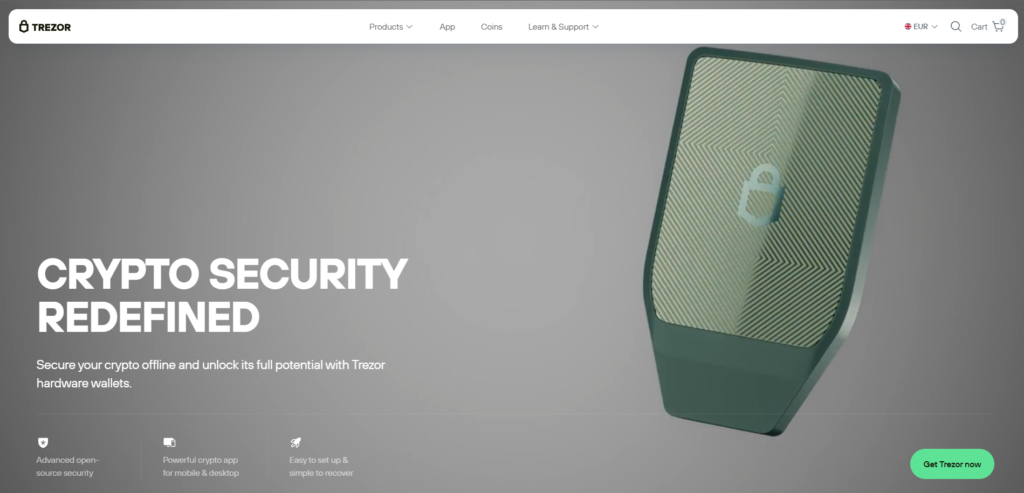
Similar to Ledger, Trezor is a pioneer in hardware wallets. The Model T offers a touchscreen interface and open-source firmware, making it a favorite among security experts and open-source advocates.
Pros:
- Open-Source: All software is publicly auditable, enhancing transparency.
- Excellent Security: Provides robust offline storage for private keys.
- Touchscreen Interface: Makes navigating and confirming transactions easier.
Cons:
- Price: It is one of the more expensive hardware wallet options.
- Learning Curve: Requires understanding the basics of cold storage.
10. Gate Web3 Wallet

Gate Web3 Wallet is a non-custodial multi-chain wallet integrated into the exchange app. It allows users to directly interact with various blockchains and decentralized applications (dApps), combining exchange access with decentralized finance.
Pros:
- Multi-Chain Support: Seamlessly connects to multiple blockchains like Ethereum, BSC, and others where CHR resides.
- Exchange Integration: Easy to move funds between your centralized exchange account and your self-custody wallet.
- dApp Integration: Built-in browser for interacting with various DeFi protocols.
Cons:
- Relatively New: As a newer entrant, it doesn’t have the same long track record as MetaMask or Trust Wallet.
- Dependence on Gate Ecosystem: Best utilized by users already active on the Gate exchange.
Buy CHR with Apple Pay
When you choose to buy CHR with Apple Pay in Walletverse, your transaction is authenticated using your device’s biometrics (Face ID or Touch ID). This adds a critical layer of security, ensuring that only you can authorize the purchase. The funds are transferred almost instantly, allowing you to seize market opportunities without delay. This method is perfect for users who value a premium, secure, and ultra-fast user experience directly from their iPhone.
Buy CHR with Google Pay
For Android users, Google Pay offers a similarly streamlined and secure payment experience. Walletverse’s integration with Google Pay allows you to purchase Chromia with just a few taps, leveraging the security infrastructure built into your Android device.
How to Buy Chromia (CHR) with fiat?
Buying Chromia with fiat currency (like USD or EUR) is a straightforward process, especially when using a comprehensive app like Walletverse. Here is a step-by-step guide:
- Step 1: Create or Open Your Wallet
Download the Walletverse app from the Google Play or App Store. Open the app and either create a new wallet or import an existing one. That is it, no lengthy sign-ups, no emails, and no KYC forms to fill out inside the app. - Step 2: Go to the Buy Section and Select CHR
From the main screen, tap on the “Buy” or “Market” button. In the search bar, type “CHR.” The app will display the token. Tap on it to select it as the asset you want to purchase. - Step 3: Choose Your Fiat Currency and Payment Method
Select your local currency (USD, EUR, GBP, etc.). Enter the amount you want to spend. You will then be prompted to choose how you want to pay. - Step 4: Confirm and Receive
Review the exchange rate and any applicable network fees. Tap “Confirm.” The payment will be processed instantly. Once confirmed, the CHR tokens will be sent directly to your self-custodial wallet. You now fully own them and can use them within the CHR ecosystem, or hold them.
Why it matters: Because you are using a non-custodial wallet like Walletverse, the moment the transaction settles, the crypto is in your possession, not sitting on an exchange. You control the private keys, meaning you control the funds.
Chromia (CHR) represents a compelling blend of established database technology and innovative blockchain architecture, targeting high-growth areas like gaming and DeFi. With its current market data reflecting a period of consolidation and maturation, it presents an interesting option for those looking to diversify within the Web3 infrastructure sector . Acquiring CHR is no longer a complex task reserved for tech experts.
Thanks to platforms like Walletverse, you can seamlessly buy Chromia using familiar fiat currencies and convenient payment methods like Apple Pay and Google Pay. By choosing a secure, non-custodial wallet that prioritizes user experience, you can take full control of your digital assets and confidently participate in the future of decentralized technology.
FAQ
Most frequent questions and answers
Chromia is a fundamentally strong project with a unique relational blockchain architecture aimed at gaming and DeFi, backed by an experienced team and multiple funding rounds, but as with any crypto, you should conduct your own research before investing.
To buy Chromia with USD, simply download the Walletverse app, go to the ‘Buy’ section, select CHR, enter your amount in USD, and complete the purchase securely using a credit card, Apple Pay, or Google Pay.
Since CHR is an ERC-20 token on Ethereum, you can store it in any Ethereum-compatible wallet, and Walletverse is an excellent choice offering a user-friendly mobile interface, high security, and support for over 700 cryptocurrencies.
You can buy CHR tokens directly with fiat currency using an app like Walletverse, or you can purchase them on centralized exchanges such as Binance or KuCoin by trading other cryptocurrencies.
The cheapest way depends on your priorities: using a centralized exchange with a limit order often has lower fees but requires extra steps, while Walletverse offers competitive rates and instant, convenient purchases with transparent fees directly within the app.


