


Buy Civic (CVC) with USD, EUR and Other Fiat Currencies
The world of decentralized finance (DeFi) continues to expand, offering users more control over their digital identities and assets. Among the innovative projects leading this charge is Civic (CVC), a token that bridges the gap between blockchain technology and real-world identity verification. For newcomers and seasoned investors alike, the first step to participating in this ecosystem is acquiring CVC tokens using familiar money, whether that’s US Dollars, Euros, Pounds, or other fiat currencies. We will explore what makes Civic unique, where you can securely store and manage your tokens, highlighting the best wallets on the market, and provide a step-by-step roadmap for your purchase.
This guide, prepared in collaboration with ilink, a FinTech and Web3 software developer with 13 years of experience and a portfolio of completed projects worldwide, serves as your definitive resource.
What is Civic (CVC)?
Civic is a pioneering blockchain-based identity management ecosystem. Launched in 2017, its primary mission is to provide secure, on-demand, and cost-effective access to identity verification services. Instead of repeatedly uploading sensitive documents like passports or driver’s licenses to different services, Civic allows users to reuse their verified identity across multiple platforms securely. This is achieved through the Civic Pass, a tokenized credential on the blockchain that proves you have passed certain verification checks without revealing your underlying personal data.
The project took a significant leap forward in May 2025 by integrating its Civic Pass with the Solana Attestation Service (SAS). This strategic move positions CVC at the heart of Solana’s growing identity infrastructure, catering to the needs of regulated DeFi applications and blockchain gaming. As Chris Hart, CEO of Civic, noted, this integration lowers the verification burden for users and streamlines compliance for developers.
The token’s value is closely tied to the adoption of its identity tools. As Vitalik Butlerin’s discussions on identity systems highlight, the need for secure, non-monopolistic digital identity is a growing sector, making Civic’s role increasingly relevant despite broader market headwinds.
Where Can I Buy Civic(CVC) With Cash: 10 Best Crypto Wallets
Once you purchase Civic, you need a secure place to store it. While exchanges hold your tokens for you, a personal wallet gives you true ownership. Below are the 10 best wallets to consider, ranging from user-friendly mobile apps to robust hardware devices.
1. Walletverse

Walletverse is the ultimate self-custody mobile crypto wallet designed for seamless management of digital assets. It is the perfect companion for both beginners taking their first steps into Web3 and advanced users looking for a powerful, all-in-one tool. It is a community-driven, non-custodial application, meaning only you have access to your funds, not even the Walletverse team can access them.
Key Features:
- Multi-Currency Support: Manage over 700+ cryptocurrencies, including Civic (CVC), all within a single, user-friendly interface.
- Fiat On-Ramp: Buy CVC directly with fiat currency using Apple Pay, Google Pay, or credit/debit cards. It supports a wide range of global currencies including USD, EUR, GBP, JPY, CAD, AUD, INR, and KZT.
- Innovative Technology: Features a proprietary GasFree USDT Transaction System on the TRON blockchain, allowing users to transfer USDT without holding TRX for fees—removing a major barrier for new users.
- Security: Protects your assets with pass-code and biometric authentication. It also features AML and CYT compliance checks to ensure secure transactions.
- DeFi Integration: Access dApps, stake popular assets like Solana, ETH, and TRX, and interact with the Web3 ecosystem directly from the app.
- User Experience: With a fast app design and a 5.0 rating on the App Store and a 4.8 on Google Play, it offers a premium experience.
Pros:
- Extremely user-friendly and fast.
- Built-in fiat purchase options with Apple Pay/Google Pay.
- Innovative GasFree feature saves on TRX costs.
- High security with biometrics and non-custodial architecture.
Cons:
- Currently a mobile-only application (no desktop version).



2. Trust Wallet

The official wallet of Binance, Trust Wallet is a highly popular mobile app supporting millions of assets across multiple blockchains.
Pros:
- Supports a massive range of cryptocurrencies and NFTs.
- Integrated with Binance DEX and other exchange platforms for easy trading.
- Allows staking directly within the app.
Cons:
- Being a hot wallet, it is connected to the internet, presenting a different risk profile than cold storage.
3. MetaMask

The undisputed king of Ethereum-based wallets, MetaMask is essential for interacting with the Ethereum DeFi ecosystem where CVC originally resided.
Pros:
- The standard for interacting with Ethereum dApps.
- Available as a browser extension and a mobile app.
- Highly customizable with network additions.
Cons:
- Primarily focused on Ethereum; managing Solana-based assets (post-SAS integration) requires additional configuration or a separate wallet.
4. Coinbase Wallet

A self-custody wallet from the popular exchange Coinbase. It is separate from the exchange account, giving you full control of your private keys.
Pros:
- Extremely easy to use, especially for those familiar with the Coinbase ecosystem.
- Supports hundreds of thousands of assets across multiple chains.
- Includes a simple fiat on-ramp.
Cons:
- While secure, some advanced privacy features found in other wallets may be lacking.
5. Exodus

A beautiful, desktop-first wallet with a built-in exchange feature, making it easy to swap cryptocurrencies without leaving the interface.
Pros:
- Stunning, intuitive user interface.
- Built-in exchange for quick trades.
- Excellent customer support and 24/7 live chat.
Cons:
- The code is not fully open-source, which some users view as a transparency trade-off.
6. Ledger Nano X

For maximum security, Ledger hardware wallets store your private keys offline. The Nano X connects via Bluetooth to your mobile device, allowing you to manage your crypto securely on the go.
Pros:
- Top-tier security by keeping private keys offline (cold storage).
- Supports a vast number of coins and tokens.
- Bluetooth connectivity offers convenience without sacrificing security.
Cons:
- Requires an upfront purchase cost.
- Less convenient for frequent, small transactions compared to mobile wallets.
7. Trezor Model T
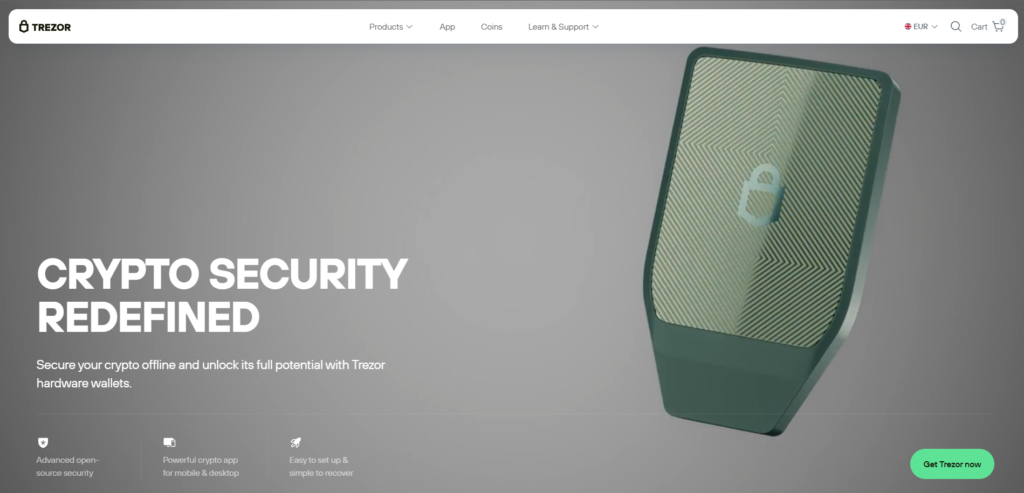
Another leading hardware wallet, Trezor offers a touchscreen interface and open-source software, providing transparency and robust security for long-term holders.
Pros:
- Excellent security with a fully open-source environment.
- Touchscreen makes entering PINs and seed phrases safer and easier.
- Supports Shamir Backup for advanced recovery options.
Cons:
- Higher price point than software wallets.
- Not as portable or quick for daily use as a mobile app.
8. SafePal

Available in both hardware (air-gapped) and software versions, SafePal is a versatile option backed by Binance. It supports a wide range of blockchains and has integrated exchange features.
Pros:
- Affordable hardware wallet option.
- The hardware wallet uses QR codes for air-gapped security.
- Strong multi-chain support.
Cons:
- The software wallet interface, while functional, may not be as polished as market leaders like Walletverse or Exodus.
9. Token Pocket

A multi-chain wallet that is particularly popular in Asia and offers robust support for both Ethereum and Solana ecosystems, making it ideal for holding CVC across both chains.
Pros:
- Excellent support for a huge variety of blockchains.
- Integrated dApp browser for exploring DeFi and games.
- Supports social recovery for accounts.
Cons:
- The interface can feel cluttered due to the sheer number of features.
10. Edge Wallet

A mobile wallet focused on security and privacy. It encrypts all user data client-side, ensuring that only the user can access their information and funds.
Pros:
- Strong focus on privacy with client-side encryption.
- Integrated fiat on-ramp.
- Supports multiple assets and has a simple interface.
Cons:
- Smaller community and ecosystem compared to Trust Wallet or MetaMask.
Buy CVC with Apple Pay
For iPhone users, Apple Pay offers the easiest and most secure way to fund your cryptocurrency wallet. It eliminates the need to manually enter card details, speeding up the transaction process while maintaining a high level of security thanks to Face ID or Touch ID.
With Walletverse, purchasing Civic with Apple Pay is incredibly simple. Because Walletverse integrates a direct fiat-to-cryptocurrency exchange gateway, you can skip the step of transferring funds to a centralized exchange. Simply open the Walletverse app, select “Buy,” select CVC, and choose Apple Pay as your payment method. The transaction is authenticated using your biometrics, and CVC tokens are deposited directly into your custodial wallet. This method is instant and incredibly convenient, allowing you to immediately profit from market movements.
Buy CVC with Google Pay
Android users are not left behind. Google Pay provides a similarly frictionless experience for purchasing digital assets. It acts as a digital bridge between your bank account or cards and the apps you use, without exposing your actual card numbers to the merchant.
In the Walletverse app, buying CVC with Google Pay is just as straightforward as with Apple Pay. After navigating to the buy section and selecting CVC, Google Pay is listed as a payment option. With a single tap, you authorize the purchase using your fingerprint, PIN, or pattern lock. The funds are converted into CVC and appear in your wallet instantly. This integration is particularly useful for users who want to make quick, small investments or enter the Civic ecosystem without the delay of bank transfers.
How to Buy Civic (CVC) with fiat?
Buying CVC with fiat currency in a non-custodial wallet is simpler than most people think. In fact, if you are using a modern mobile wallet like Walletverse, the entire process takes just a few minutes and requires no complicated verification within the wallet itself. Here is exactly how it works:
- Step 1: Create or Open Your Wallet
Download the Walletverse app from the Google Play or App Store. Open the app and either create a new wallet or import an existing one. That is it, no lengthy sign-ups, no emails, and no KYC forms to fill out inside the app. - Step 2: Go to the Buy Section and Select CVC
From the main screen, tap on the “Buy” or “Market” button. In the search bar, type “CVC.” The app will display the token. Tap on it to select it as the asset you want to purchase. - Step 3: Choose Your Fiat Currency and Payment Method
Select your local currency (USD, EUR, GBP, etc.). Enter the amount you want to spend. You will then be prompted to choose how you want to pay. - Step 4: Confirm and Receive
Review the exchange rate and any applicable network fees. Tap “Confirm.” The payment will be processed instantly. Once confirmed, the CVC tokens will be sent directly to your self-custodial wallet. You now fully own them and can use them within the CVC ecosystem, or hold them.
Why it matters: Because you are using a non-custodial wallet like Walletverse, the moment the transaction settles, the crypto is in your possession, not sitting on an exchange. You control the private keys, meaning you control the funds.
Acquiring CVC with fiat currency is now a frictionless process. By utilizing a robust, self-custodial wallet like Walletverse, you can bypass the complexities of traditional exchanges and buy CVC directly using convenient payment methods like Apple Pay and Google Pay. Whether you are a developer looking to integrate Civic Auth or an investor seeking to diversify into DeFi utility tokens, the path is clear: secure a reliable wallet, understand the technology, and enter the market with confidence.
Data current as of February, 2026
FAQ
Most frequent questions and answers
CVC is a fundamentally strong project focused on the real-world need for digital identity. Its utility is growing through integrations like the Solana Attestation Service, and it has an active development team. However, like all cryptocurrencies, it is subject to market volatility and carries investment risk.
You can buy CVC with USD easily using the Walletverse mobile app. Simply open the app, go to the “Buy” section, select CVC, choose USD as your currency, and pay with Apple Pay, Google Pay, or a credit/debit card. The CVC will appear in your wallet instantly.
You have many options, including hardware wallets like Ledger for maximum security or software wallets for convenience. For the best balance of security, user experience, and built-in purchase options, Walletverse is an excellent choice, especially for mobile users.
You can buy CVC tokens on major cryptocurrency exchanges like Binance or Coinbase. Alternatively, for a more direct method, you can use a multi-functional wallet like Walletverse that has a built-in purchase feature, allowing you to buy CVC directly with fiat currency without needing a separate exchange account.
The cheapest way depends on network fees and payment methods. Generally, using a wallet with integrated purchasing like Walletverse saves on transfer fees from an external exchange. Additionally, using Walletverse’s GasFree feature for future transfers of USDT can save on TRON network fees, preserving your capital for buying more CVC. Always compare the exchange rate and fees shown during the purchase flow.


