


Buy Ocean Protocol (OCEAN) with USD, EUR and Other Fiat Currencies
Ocean Protocol (OCEAN) is a crypto asset linked to a set of tools for tokenizing data and AI-related services so they can be shared, priced, and accessed in a more transparent way. Ocean positions itself around “tokenized AI & data” and “monetiz[ing] AI models & data while preserving privacy.”
Important note for 2026: Ocean announced it withdrew from the Artificial Superintelligence Alliance (ASI) in October 2025, and stated that “$OCEAN can be de-pegged and re-listed on exchanges.” If you see OCEAN/ASI/FET references in apps or exchanges, double-check the exact ticker you’re buying and whether a migration or swap is involved.
Market snapshot (quick facts, change in real time): CoinMarketCap lists OCEAN with a max supply of 1.41B, self-reported circulating supply around 629.18M, and ~36.95K holders (numbers update continuously).
This article was prepared by ilink, a company that has been developing blockchain, fintech, and software and application solutions for over 13 years.
What is Ocean Protocol (OCEAN)?
Ocean Protocol is best understood as an ecosystem for turning “data services” into blockchain-based assets that can be exchanged or accessed with clear rules.
To put it simply: it’s a way to tokenize access to data (and sometimes compute on data) so businesses and builders can share and monetize it while keeping control.
In Ocean’s technical whitepaper, Ocean describes its approach as using “data NFTs and datatokens”: a data NFT represents the base rights for a data service, while a datatoken can function like an access “license” to use it.
A short quote
Ocean’s whitepaper summary frames the model like this: “data NFTs are like master tapes, and datatokens are like CDs.”
Why people use Ocean (practical examples)
- Tokenized access to datasets: a company can publish a dataset as a data service, then allow paid access via datatokens (useful for analytics providers, research data vendors, and data marketplaces).
- Compute-to-data: Ocean describes a “Compute-to-Data” approach where compute can be brought to private data “which never leaves the data owner’s premises,” aiming to support monetization while preserving privacy.
- Ecosystem building: Ocean positions its stack as developer tools to build marketplaces and apps around tokenized data/AI services.
OCEAN token notes (2026 context)
- OCEAN is an ERC-20 token with a maximum supply set to 1.41B after a token contract update (project announcement).
- Ocean’s 2025 announcement discusses prior conversions to FET/ASI and a bridge conversion rate (historical context that may still affect holders and listings).
Where can I buy Ocean Protocol (OCEAN) with cash (fiat): 10 best crypto wallets
In practice, “buy with cash” usually means buying with fiat via:
- Apple Pay / Google Pay;
- Credit/debit card;
- Bank transfer (availability varies);
- In-app on-ramp providers.
Some wallets let you buy OCEAN directly. Others help you buy ETH/USDT first, then swap to OCEAN inside the wallet.
Below are popular wallet options that can be used to obtain and store OCEAN (directly or via swap). Always verify token contract details inside the wallet (especially after token migrations or exchange re-listings).
1. Walletverse

Walletverse is a self-custodial mobile wallet focused on a broad asset catalog and in-app buy/swap features. The Google Play listing shows a 4.8-star rating, and the App Store listing shows 5.0 out of 5 (ratings count may vary over time).
It supports buying crypto with Visa/Mastercard and multiple on-ramp providers, plus in-app swapping across many pairs.
Pros:
- Self-custody with private keys on-device (as described in store listings).
- Multiple fiat on-ramps aggregated in-app (provider availability depends on region).
- Built-in swap/DEX aggregation flow for converting into assets like OCEAN (often via ETH/USDT pairs).
Cons:
- Mobile-only product (no native desktop client in store listings).
Some feedback from app users:



2. Trust Wallet

Trust Wallet is a multi-chain wallet with broad token support and in-app purchase options depending on region/provider.
Pros:
- Multi-chain support, convenient for diversified portfolios
- Built-in dApp browser on mobile
- Often supports card purchases via partners
Cons:
- Fees on third-party purchases can be high (varies by provider)
- Token discovery sometimes requires manual search/adding
3. Coinbase Wallet

Coinbase Wallet is self-custodial (separate from the Coinbase exchange app). It’s commonly used to on-ramp and then swap ERC-20 assets.
Pros:
- Beginner-friendly onboarding
- Good support for Ethereum tokens and Web3 apps
- Strong integration with popular dApps
Cons:
- Direct OCEAN purchase availability varies by region
- Swaps may include routing fees/spreads
4. Atomic Wallet

Atomic Wallet supports multi-asset storage and exchanges via integrated services.
Pros:
- Wide asset support
- Simple UI for holding and exchanging
- Desktop + mobile availability
Cons:
- Exchange providers and fees vary
- Less “power-user” DeFi tooling than EVM-native wallets
5. Binance Web3 Wallet

Binance’s Web3 wallet experience can be convenient for users already in the Binance ecosystem, especially for moving assets between CEX and Web3.
Pros:
- Convenient if you already use Binance
- Built-in Web3 access and swaps
- Helps bridge between exchange balances and self-custody flows
Cons:
- Feature availability varies by country
- You still need to verify the correct OCEAN token/version
6. Ledger (Ledger Live + hardware wallet)
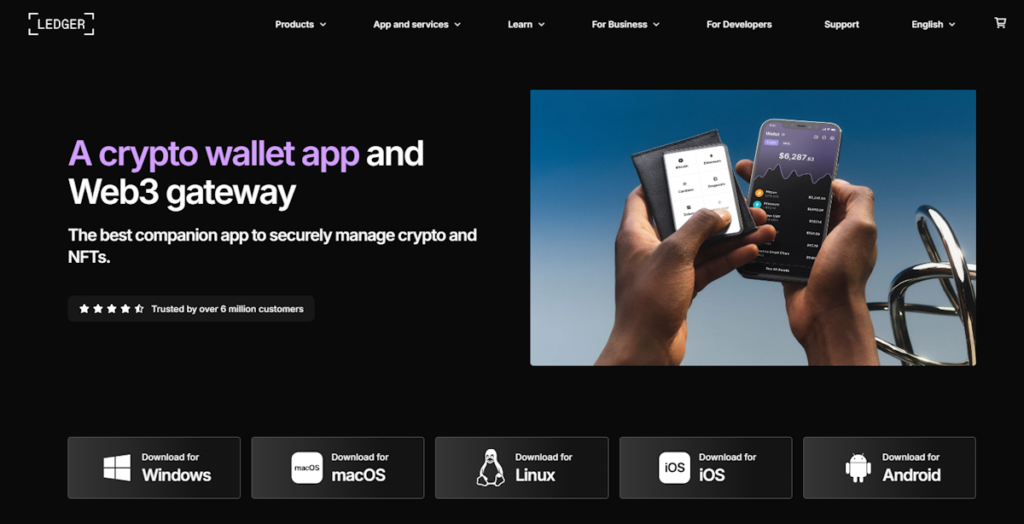
For long-term storage, many users buy OCEAN via exchange/on-ramp, then move it to a hardware wallet address.
Pros:
- Strong security model for long-term holdings
- Reduces risk from mobile/desktop compromises
- Works with Ethereum ERC-20 assets via Ledger Live or integrations
Cons:
- Costs money to buy the device
- Still requires careful handling of seed phrase and addresses
7. MetaMask

MetaMask is widely used for Ethereum and EVM chains, which matters because OCEAN is an ERC-20 token. It’s often used to buy ETH via on-ramps and then swap to OCEAN on a DEX.
Pros:
- Strong EVM compatibility for ERC-20 assets like OCEAN
- Large DEX ecosystem access through dApps
- Works as a browser extension and mobile app
Cons:
- UX can be confusing for beginners (networks, gas, approvals)
- You must carefully verify token contract addresses
8. Trezor (hardware wallet)

Similar to Ledger, Trezor is typically used for safer long-term storage after purchase.
Pros:
- Strong cold-storage security
- Good for higher balances
- Broad ERC-20 support via integrations
Cons:
- Hardware cost
- Requires operational discipline (backups, safe storage)
9. Exodus

Exodus focuses on a polished UI and supports many assets; users often buy crypto then swap.
Pros:
- Very user-friendly UI
- Desktop + mobile apps
- Good for straightforward holding and basic swaps
Cons:
- Swap spreads can be higher than advanced DEX routes
- ERC-20 activity depends on network fees
10. OKX Wallet

OKX Wallet supports multiple chains and has swap features; users often buy stablecoins/ETH and swap to target assets.
Pros:
- Multi-chain with strong DeFi tooling
- Swap routing across liquidity sources
- Web + mobile availability
Cons:
- Some features are region-restricted
- Advanced interface may feel heavy for new users
Buy OCEAN with Apple Pay
If your wallet supports Apple Pay through an on-ramp partner, the flow is usually:
- Install a wallet that offers Apple Pay via integrated providers (availability depends on region).
- Create a wallet and securely back up the recovery phrase.
- Open Buy / Add funds.
- Choose Apple Pay as the payment method (if available).
- Either:
- Buy OCEAN directly (if offered), or
- Buy ETH or USDT first, then swap to OCEAN in the wallet.
- Confirm the network (typically Ethereum for OCEAN) and review fees before finalizing.
Walletverse’s store listings describe in-app buying via payment providers and support for many fiat currencies through aggregated on-ramps.
Buy OCEAN with Google Pay
Google Pay purchases are usually similar:
- Choose a wallet with Google Pay enabled via an on-ramp partner (country/provider dependent).
- Complete identity checks if required by the provider.
- Buy OCEAN directly or buy ETH/USDT and swap.
- Store OCEAN in your self-custody wallet address.
Walletverse is listed on Google Play with purchase functionality via Visa/Mastercard and on-ramp providers (provider availability varies).
How to buy Ocean Protocol (OCEAN) with fiat (step-by-step)
- Pick your route
- Wallet route: buy in a wallet via card/Apple Pay/Google Pay, then swap if needed.
- Exchange route: buy on an exchange with fiat, then withdraw to your self-custody wallet.
- Create a self-custody wallet
- Back up your seed phrase offline and never share it.
- Back up your seed phrase offline and never share it.
- Buy crypto with fiat
- If OCEAN is not offered directly, buy a liquid asset like ETH or USDT first.
- If OCEAN is not offered directly, buy a liquid asset like ETH or USDT first.
- Swap to OCEAN
- Use the wallet’s swap function or connect to a DEX.
- Confirm you’re selecting the correct OCEAN token (contract address/network), especially in 2026 given prior token migration and re-listing discussions.
- Store securely
- For larger amounts, consider moving OCEAN to a hardware wallet.
- For larger amounts, consider moving OCEAN to a hardware wallet.
- Keep an eye on fees
- Ethereum network fees can be significant during congestion; check the final cost before confirming.
- Ethereum network fees can be significant during congestion; check the final cost before confirming.
Ocean Protocol (OCEAN) is tied to a Web3 data/AI tooling ecosystem, including data NFTs and datatokens used to represent rights and access for data services.
In 2026, buying OCEAN with fiat typically means using a wallet or exchange to buy with card/Apple Pay/Google Pay (where available), then swapping into OCEAN if it’s not offered directly.
Data current as of January 26, 2026. (Market metrics like price, market cap, supply and listings can change quickly.)
FAQ
Most frequent questions and answers
It depends on your goals and risk tolerance. OCEAN is linked to a specific ecosystem (tokenized data/AI services). Consider:
- Whether you understand the project’s utility and token risks;
- Liquidity and exchange availability in your region;
- Migration/re-listing context mentioned by Ocean in late 2025.
This is not financial advice.
Common path:
- Buy ETH or USDT with USD using a wallet on-ramp or an exchange.
- Swap ETH/USDT to OCEAN (typically on Ethereum).
- Store OCEAN in your self-custody wallet.
Example: in Walletverse, the app listings describe integrated buying via payment providers and in-app swapping features.
Any wallet that supports Ethereum ERC-20 tokens can store OCEAN. Popular choices include Walletverse, MetaMask, Trust Wallet, Coinbase Wallet, and hardware wallets like Ledger/Trezor (via Ethereum addresses).
You can buy via:
- A wallet with fiat on-ramp + swap (for example Walletverse);
- A centralized exchange that lists OCEAN;
- A decentralized exchange (swap from ETH/USDT).
Because listings can change, verify availability and the token ticker/version (OCEAN vs any migration-related assets).
Often the lowest-cost route is:
- Use a low-fee fiat on-ramp (varies by provider and country), then;
- Swap with good liquidity (check price impact/slippage), and;
- Avoid unnecessary hops (each hop can add fees/spreads).
Always compare:
- On-ramp fees;
- Network fees (gas);
- Swap price impact.
If you want, I can also add a short “fees checklist” section (on-ramp vs swap vs gas) tailored for Walletverse’s typical flow described in its store listings.


