


Buy Polkastarter (POLS) with USD, EUR and Other Fiat Currencies
Buying Polkastarter (POLS) with USD, EUR, GBP, CAD, AUD, INR, and other fiat currencies is usually simple once you choose the right wallet and payment method. In most cases, users fund a wallet with a bank card, Apple Pay, Google Pay, or bank transfer, then either buy POLS directly or swap into it afterward.
This article was prepared by ilink, a FinTech and Web3 software developer with 13 years of experience and completed projects worldwide.
What Is Polkastarter (POLS)?
Polkastarter is a Web3 fundraising and launchpad platform that originally became known for helping crypto projects run token sales and community launches. Its official site presents it as a decentralized protocol for launching new ideas, while Coinbase describes POLS as the token tied to a platform used to create and launch cross-chain token pools and auctions.
Historically, Polkastarter became especially visible during the earlier launchpad cycle, when new crypto projects used community platforms to distribute tokens and build early user bases. That original identity still matters because many people still associate POLS with Web3 launches, early access, and community participation.
At the same time, the project’s current direction appears broader than the older “launchpad only” narrative. Recent public updates tracked by CoinMarketCap point to POLS 2.0, staking incentives, and PolkaTrader adoption as ongoing themes, which suggests that the ecosystem is still evolving rather than standing still.
Where Can I Buy a Polkastarter (POLS) with Cash? 10 Best Crypto Wallets
1. Walletverse

Walletverse is a mobile self-custody crypto wallet designed for users who want to buy, store, send, and exchange crypto in one app. It supports 700+ cryptocurrencies, Web3 and dApp access, multi-account use, and purchases through Apple Pay, Google Pay, credit/debit cards, and multiple fiat currencies. For POLS buyers, its strongest advantage is convenience: it works well as a mobile-first entry point for moving from fiat into crypto while keeping full control of your wallet.
Pros
- Mobile-first and user-friendly;
- Supports Apple Pay, Google Pay, cards, and many fiat currencies;
- Non-custodial with passcode and biometric protection;
- Good fit for Web3 and multi-asset portfolio management.
Cons
- Mobile-only format may not suit desktop-first users;
- Direct POLS availability can depend on the provider path;
- Self-custody means backup and recovery remain the user’s responsibility.



2. MetaMask

MetaMask is one of the best-known wallets for Ethereum and EVM ecosystems. It is a practical option for users who want a wallet centered on token swaps, Web3 tools, and self-custody.
Pros
- Strong fit for Web3 and token-based assets;
- Good for users who may also want DeFi access;
- Familiar wallet for technically engaged users.
Cons
- Less beginner-friendly than simpler wallets;
- Can feel technical for first-time buyers;
- Fiat purchase support depends on the provider and region.
3. Trust Wallet

Trust Wallet is a mainstream self-custody wallet with broad token support and a simple mobile interface. It works well for users who want a general-purpose wallet for buying crypto and later managing altcoins like POLS.
Pros
- Easy mobile experience;
- Broad asset support;
- Good for general-purpose crypto management.
Cons
- Fees vary by provider;
- Direct POLS support may not always be the cheapest route;
- Less specialized for launchpad and governance-token workflows.
4. Ledger Nano X

Ledger is best suited to users who care most about long-term security. For POLS, Ledger makes the most sense after purchase, especially for holders who want hardware-backed protection for altcoins.
Pros
- Strong security for long-term holding;
- Good for broader portfolios;
- Suitable for securing tokens after purchase.
Cons
- Hardware purchase adds cost;
- Less convenient for casual first-time buyers;
- Better for storage than for the easiest first buy.
5. Trezor Model T
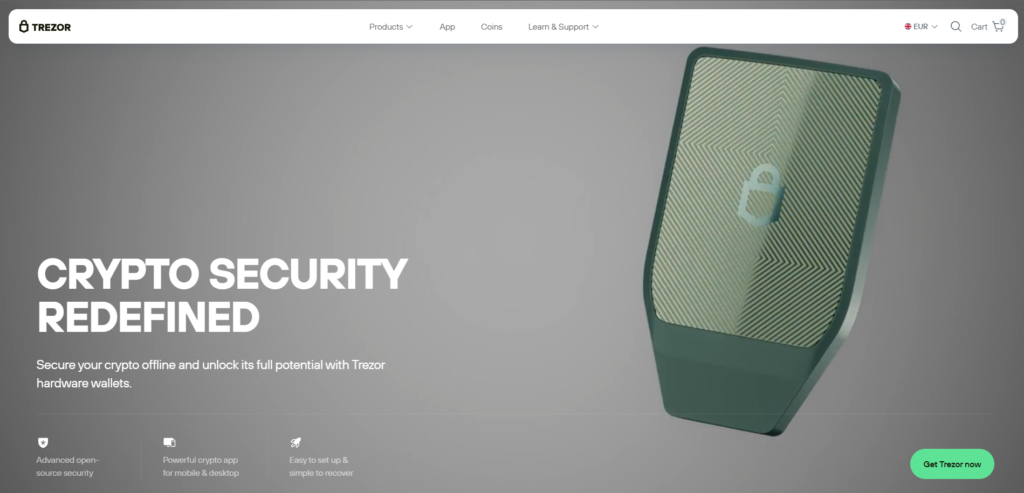
Trezor is another major hardware-wallet option focused on secure self-custody. It is a strong fit for POLS holders who want long-term protection and stronger separation between daily-use wallets and core holdings.
Pros
- Strong hardware-wallet reputation;
- Good for long-term token storage;
- Useful for buyers building a larger portfolio.
Cons
- Less convenient than software wallets;
- Requires hardware setup;
- Better for holding than for quick everyday buying.
6. Coinbase Wallet

Coinbase Wallet is useful for users who want self-custody with a more familiar interface. Coinbase’s Polkastarter pages also make it easy to check current USD or EUR value before buying.
Pros
- Familiar interface for many users;
- Useful for storing and tracking POLS after purchase;
- Good for users already comfortable with Coinbase products.
Cons
- Direct fiat-to-POLS buying may be less straightforward;
- Less specialized for advanced Web3 use;
- Some users may want deeper built-in DeFi tools.
7. Exodus

Exodus is often chosen by users who want a simpler wallet across desktop and mobile. It is practical for funding a wallet with fiat and then using a swap route if needed.
Pros
- Clean and beginner-friendly design;
- Desktop and mobile support;
- Good for general portfolio management.
Cons
- Direct POLS availability may vary;
- Less Web3-native than MetaMask;
- Pricing depends on integrated partners.
8. Guarda

Guarda is a multi-platform wallet used for buying, exchanging, and storing many assets across web, desktop, and mobile.
Pros
- Multi-platform access;
- Broad asset support;
- Good balance between accessibility and flexibility.
Cons
- Fees depend on integrated providers;
- Less specialized for launchpad-token workflows;
- Direct POLS access may still depend on a swap route.
9. Atomic Wallet

Atomic Wallet is an all-in-one wallet built around buying, swapping, staking, and portfolio management. It is often useful for people who want one application for several smaller assets.
Pros
- Broad asset coverage;
- Buy and swap tools in one interface;
- Useful for multi-asset portfolios.
Cons
- Software-wallet security is weaker than hardware storage;
- Fees and availability depend on third-party services;
- Not always the cheapest purchase route.
10. Coinomi

Coinomi is a long-running multi-chain wallet with broad token support. It is a practical choice for users who want one general-purpose wallet for many asset types.
Pros
- Wide asset and chain support;
- Good for all-purpose crypto management;
- Useful for buyers who want one wallet for many token types.
Cons
- Interface feels older than some newer wallets;
- Costs vary by provider;
- Not the strongest choice for deep Web3-specific usage.
Buy POLS with Apple Pay
Buying POLS with Apple Pay can be one of the easiest routes for mobile users.
The exact route depends on the wallet and the purchase provider. In some cases, you may be able to buy POLS directly. In others, the more practical path is to buy another supported crypto first and then swap into POLS.
Walletverse is especially convenient here because it is built around a mobile-first self-custody flow and supports Apple Pay alongside cards and multiple fiat currencies.
Before confirming the purchase, check:
- Whether POLS itself is directly available;
- What the full fee and spread look like;
- Whether a buy-then-swap route would be cheaper.
That matters because POLS is still actively traded, but it remains a small-cap token, so provider spreads can vary more than with larger assets. Coinbase’s converter tools are useful for estimating how much POLS you receive per dollar or euro before buying.
Buy POLS with Google Pay
The process for buying POLS with Google Pay is very similar.
A wallet that supports Google Pay makes fiat funding easier, but the best route still depends on provider spreads, direct token availability, and swap costs.
Walletverse is a strong option for Android users because it combines Google Pay, self-custody, and multi-asset management in one mobile environment.
As with Apple Pay, compare:
- Provider fee;
- Exchange rate or spread;
- Any later swap or network cost.
That extra comparison helps because small-cap tokens often have more noticeable differences between buy routes. Binance and CoinGecko both show modest but active POLS trading, which means more than one route may be practical depending on your region.
How to Buy The Polkastarter (POLS) with Fiat?
Buying Polkastarter (POLS) with fiat is usually simple once you choose the right wallet and funding method. Polkastarter’s own 2024 guide explains that users can reach POLS through routes involving assets such as BTC, ETH, or USDT, which reinforces that both direct-buy and swap paths are valid.
Step 1. Choose a wallet
Pick a wallet that fits your style.
Walletverse is useful if you want a mobile self-custody wallet with broad fiat support.
MetaMask is stronger for users already comfortable with Web3 and token swaps.
Exodus is a good option if you want a simpler interface across desktop and mobile.
Step 2. Complete verification if required
Most regulated fiat on-ramp providers require identity verification before allowing purchases through card, Apple Pay, Google Pay, or bank transfer.
Step 3. Check whether direct POLS purchase is available
Some providers may support POLS directly.
If they do not, buy a more liquid asset first and then swap into POLS. Since POLS is still actively quoted and traded on major platforms, both direct-buy and swap routes are realistic depending on the service you use.
Step 4. Fund the wallet with fiat
Common payment methods include:
- Credit or debit card;
- Apple Pay;
- Google Pay;
- Bank transfer;
- Local payment methods where supported.
Step 5. Buy or swap into POLS
If direct POLS purchase is supported, complete the order.
If not, use the wallet’s swap function or move the purchased asset to a service that supports POLS trading.
Step 6. Store POLS in a wallet you control
After purchase, many users prefer to keep POLS in a self-custody wallet instead of leaving it on an exchange.
Walletverse, MetaMask, Trust Wallet, Exodus, Ledger, and Trezor all fit different needs depending on whether you care most about convenience, Web3 compatibility, or long-term storage.
Step 7. Review the full cost
Always compare the total fee, including:
- Provider spread;
- Card or payment fee;
- Any later swap fee;
- Any network cost.
That helps you avoid overpaying, especially on smaller altcoin purchases.
FAQ
Most frequent questions and answers
POLS has more substance than many smaller altcoins because it is tied to an active Web3 launch platform and still shows signs of ecosystem evolution. It is still actively traded and still has a live token economy around access, staking, and governance. But it is also a small-cap altcoin, which makes it speculative and much riskier than large, liquid assets.
The simplest route is to choose a wallet with fiat support, fund it with USD, and either buy POLS directly or buy another supported asset first and swap into POLS. Walletverse is useful here because it supports USD and other fiat currencies in a mobile self-custody format. Coinbase’s POLS converter is also useful for checking approximate purchase value before buying.
Good options include Walletverse, MetaMask, Trust Wallet, Coinbase Wallet, Exodus, Ledger, Trezor, Guarda, Atomic Wallet, and Coinomi. Since POLS is actively traded and works well in self-custody setups, both multi-asset wallets and Web3-capable wallets are practical starting points.
You can buy POLS through exchanges and through wallets connected to fiat on-ramp providers and swap services, for example Walletverse. Polkastarter’s own guide says users can reach POLS through assets like BTC, ETH, or USDT, and major market platforms still quote it actively.
Yes. Walletverse is suitable for managing POLS as part of a broader self-custody portfolio, especially if you want a mobile wallet with fiat support, multi-asset management, and Web3 access.


