


Buy TitanSwap (TITAN) with USD, EUR and Other Fiat Currencies
Buying TitanSwap (TITAN) with USD, EUR, GBP, CAD, AUD, INR, JPY, KZT, and other fiat currencies usually starts with a crypto wallet or exchange that supports fiat-to-crypto payments.
In this guide, TITAN refers specifically to TitanSwap (TITAN), the Ethereum-based token connected to the TitanSwap DeFi ecosystem.
This is important because several crypto assets use similar names or tickers. Before buying, sending, or importing TITAN, users should verify the token name, network, and contract address.
In many cases, TITAN may not be available as a direct card purchase. A common route is to buy a widely supported crypto asset such as ETH or USDT with fiat, then swap it for TITAN through a supported exchange, wallet, or decentralized exchange route.
The demand for crypto access continues to grow. Triple-A estimated that more than 560 million people owned digital currencies worldwide in 2024. Chainalysis also ranked India, the United States, Pakistan, Vietnam, and Brazil among the leading countries in its 2025 Global Crypto Adoption Index.
For users who want to buy TITAN with fiat, the main question is where to buy it safely and how to store it correctly after purchase. A good wallet should support secure storage, simple fiat access, clear transaction flow, and enough flexibility for swaps.
This article was prepared by ilink, a FinTech and Web3 software developer with 14 years of experience and completed projects worldwide.
Quick Answer: How Can You Buy TitanSwap (TITAN) with Fiat?
You can usually buy TitanSwap (TITAN) with fiat by first purchasing ETH, USDT, or another supported crypto asset with USD, EUR, Apple Pay, Google Pay, credit card, or debit card.
After that, you can swap the purchased asset for TITAN through a supported wallet, exchange, or decentralized exchange route.
Before confirming the transaction, check the correct TitanSwap contract, network fees, liquidity, and wallet compatibility.
Key Takeaways
- TITAN in this article refers to TitanSwap (TITAN), a DeFi-related token connected to the TitanSwap ecosystem;
- TITAN is commonly listed as an ERC-20 token on Ethereum, so users should verify the correct Ethereum contract before buying or storing it;
- Direct TITAN purchases with fiat may not always be available, so many users first buy ETH, USDT, or another supported crypto asset and then swap it for TITAN;
- Walletverse can help users buy supported crypto with USD, EUR, Apple Pay, Google Pay, credit cards, and debit cards before moving to a TITAN swap route;
- Users should always check fees, liquidity, token contract details, and wallet compatibility before confirming a TITAN transaction.
What is TITAN (TITAN)?
TITAN is the token associated with TitanSwap, a decentralized finance project focused on token swaps, liquidity, and automated market maker infrastructure.
TitanSwap was introduced during the DeFi expansion period, when decentralized exchanges and automated liquidity pools became a major part of crypto trading.
Instead of relying only on traditional order books, AMM-based systems allow users to swap crypto assets through liquidity pools. The Bank for International Settlements explains that AMM protocols allow traders to exchange one cryptoasset for another automatically on a blockchain.
TitanSwap has been described as a DeFi platform built around liquidity solutions for digital assets. Public project descriptions mention features such as adaptive bonding curve logic, smart routing, liquidity mining, automated order tools, and DAO-related governance.
The TITAN token is commonly described as the governance and utility token of the TitanSwap ecosystem. TokenInsight describes TITAN as the governing token of the Titan DAO, with proposals and voting rights connected to the future direction of the ecosystem. It also mentions incentives for liquidity providers and traders.
TITAN is listed on Ethereum as an ERC-20 token. Etherscan shows TitanSwap as an ERC-20 token with a maximum total supply of 10 billion TITAN and more than 6,000 holders as of 2026.
These details are useful for verification, but users should still check the latest contract data before making any transaction.
TitanSwap is part of the wider DeFi market. DeFi remains important because it gives users access to on-chain financial tools such as swaps, liquidity provision, staking, lending, decentralized asset management, and self-custody.
CoinGecko reported that stablecoin market capitalization reached a new all-time high of $311.0 billion in 2025, showing that crypto infrastructure continues to expand beyond speculative trading.
For TITAN users, the main value of the token is its connection to a DeFi ecosystem focused on liquidity and decentralized exchange functionality.
However, TITAN is a niche asset, so buyers should approach it carefully and check current liquidity, token support, contract details, and network fees before buying.
Best Way to Buy TitanSwap (TITAN) with Fiat
The best way to buy TitanSwap (TITAN) with fiat is usually to buy a major crypto asset first, then swap it for TITAN.
A simple route can look like this:
- Choose a crypto wallet or exchange that supports fiat payments;
- Buy ETH, USDT, or another supported crypto asset with USD, EUR, or another fiat currency;
- Check where TITAN is available for swap or trading;
- Verify the correct TitanSwap token contract and network;
- Swap the purchased crypto asset for TITAN;
- Store TITAN in a compatible self-custody wallet.
This route is useful because TITAN may not always be available for direct purchase with a bank card, Apple Pay, Google Pay, or local fiat payment method.
Where Can I Buy TitanSwap (TITAN)? 10 Best Crypto Wallets
1. Walletverse

Walletverse is a mobile self-custody crypto wallet for users who want to buy, store, send, receive, and exchange digital assets in one app. It supports more than 700 cryptocurrencies and is available on Google Play and the App Store.
For TITAN users, Walletverse can be useful at the fiat entry stage. Users can buy supported crypto assets with Apple Pay, Google Pay, credit or debit cards, and fiat currencies such as USD, EUR, GBP, JPY, KZT, INR, CAD, AUD, and others.
A practical route is to buy ETH, USDT, or another supported crypto asset in Walletverse first. After that, users can check whether TITAN is available directly in the app or use another supported swap route.
Walletverse is non-custodial, which means users control their own assets. The wallet team cannot access user funds. The app also includes passcode protection, biometric authentication, AML and KYT tools, dApp access, multi-account support, DeFi features, and staking for selected assets such as Solana, ETH, and TRX.
Another useful feature is the GasFree USDT transaction system on TRON. It allows users to send USDT without holding TRX for gas, with fees paid directly in USDT. This can make basic on-chain activity easier for new users.
Pros:
- Supports more than 700 cryptocurrencies;
- Allows crypto purchases with Apple Pay, Google Pay, credit cards, debit cards, and multiple fiat currencies;
- Uses a non-custodial model where users control their own funds;
- Includes passcode and biometric authentication;
- Offers dApps, DeFi tools, multi-account functionality, and selected staking options;
- GasFree USDT transfers on TRON can simplify stablecoin transactions.
Cons:
- Available only as a mobile app;
- Direct TITAN availability should be checked inside the app before purchase;
- Users must protect their recovery phrase and device access.



2. Trezor
Trezor is another hardware wallet used for secure crypto storage. It supports many assets through native tools and third-party integrations.
For TITAN, Trezor may be useful if users manage it through a compatible Ethereum interface. It is mainly suitable for users focused on secure self-custody.
Pros:
- Strong offline private key protection;
- Suitable for long-term storage;
- Established hardware wallet reputation;
- Can work with third-party Ethereum tools.
Cons:
- Requires setup and a physical device;
- Not designed mainly for direct fiat purchases;
- Token display and support should be checked before transfers.
3. Trust Wallet

Trust Wallet is a self-custody mobile wallet that supports many crypto assets, blockchains, and Web3 features. It can be useful for users who want a simple mobile wallet with broad token coverage.
For TITAN buyers, Trust Wallet may be used to manage compatible tokens and access swap routes, depending on current network and liquidity support.
Pros:
- Supports many blockchains and crypto assets;
- Has a beginner-friendly mobile interface;
- Includes Web3 browser and swap features;
- Suitable for users managing several tokens.
Cons:
- Direct fiat purchase support depends on providers and country;
- Some tokens may require manual import;
- Users should verify the TITAN contract before transferring funds.
4. Atomic Wallet

Atomic Wallet is a multi-currency wallet available on desktop and mobile. It supports many digital assets and includes buying, swapping, and storage features.
For TITAN users, Atomic Wallet may be relevant if TITAN support is currently available or if users want a wallet for managing assets used in TITAN purchase routes.
Pros:
- Available on desktop and mobile;
- Supports many cryptocurrencies;
- Includes built-in buy and exchange features;
- Useful for users who prefer non-browser wallet access.
Cons:
- Fiat purchases depend on third-party providers;
- Some swaps may have higher fees or limited liquidity;
- Users are fully responsible for backup phrase security.
5. Coinomi
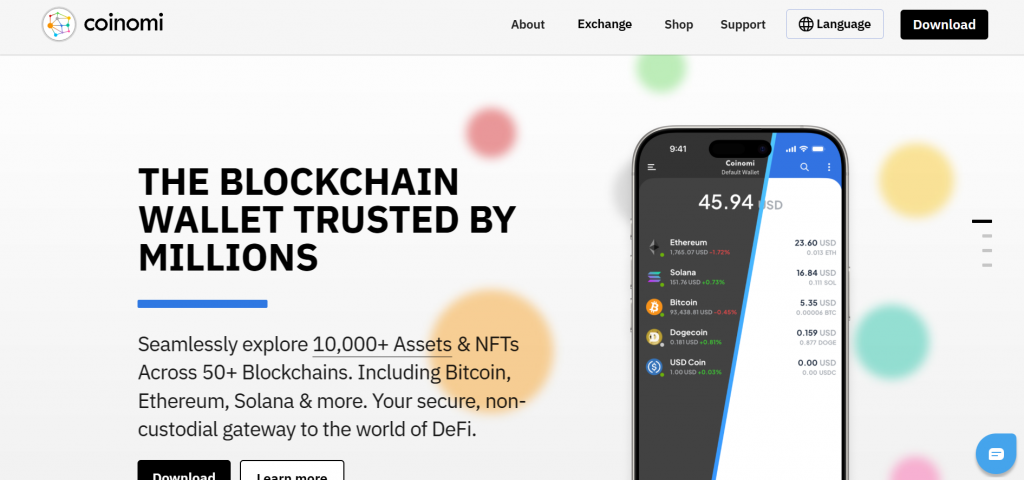
Coinomi is a multi-asset non-custodial wallet that has been used by crypto holders for many years. It supports a wide range of digital assets and is available on mobile and desktop.
For TITAN users, Coinomi may be considered as a general wallet option, but users should check current TITAN support before transferring tokens.
Pros:
- Long-standing multi-asset wallet;
- Non-custodial structure;
- Supports many cryptocurrencies;
- Available on mobile and desktop.
Cons:
- Interface may feel less modern than newer wallets;
- Direct TITAN buying may not be available;
- Current asset support should be checked before use.
6. Exodus

Exodus is a desktop and mobile wallet known for its simple design. It supports many crypto assets and includes integrated exchange features through partner providers.
For TITAN users, Exodus can be useful for buying supported crypto with fiat and managing digital assets. However, users should check whether TITAN is supported directly or whether another route is needed.
Pros:
- Simple and polished interface;
- Available on desktop and mobile;
- Supports many crypto assets;
- Good for beginners who want a clean wallet experience.
Cons:
- Direct TITAN support may be limited;
- Built-in swaps depend on liquidity and partner providers;
- Advanced DeFi users may need more flexible Web3 tools.
7. Ledger Live

Ledger is a hardware wallet designed for users who want stronger private key protection. Since TITAN is commonly listed as an ERC-20 token, it may be managed through Ethereum-compatible wallet interfaces connected to Ledger.
Ledger is better suited for long-term storage than fast fiat purchases.
Pros:
- Hardware-based protection for private keys;
- Good option for long-term storage;
- Can work with Ethereum-compatible wallet interfaces;
- Reduces exposure to mobile and browser-based threats.
Cons:
- Requires buying and setting up a physical device;
- Less convenient for quick purchases and frequent swaps;
- Users still need to verify contract details before transactions.
8. MetaMask

MetaMask is one of the most widely used Ethereum and EVM-compatible wallets. Since TITAN is commonly listed as an ERC-20 token, MetaMask can be useful for users who want to manage Ethereum-based assets and connect to decentralized exchanges.
Users can also import custom tokens by contract address. This is important for TitanSwap because users should verify the official TITAN contract before adding the token manually.
Pros:
- Strong Ethereum and EVM network support;
- Allows custom ERC-20 token imports;
- Connects to many decentralized exchanges and Web3 platforms;
- Available as a browser extension and mobile app.
Cons:
- Network settings and gas fees can be confusing for beginners;
- Fiat purchase options depend on third-party providers and region;
- Users need to avoid phishing links, fake tokens, and unsafe dApps.
9. Coinbase Wallet

Coinbase Wallet is a non-custodial wallet separate from the Coinbase exchange. It supports Ethereum-compatible assets and can connect to decentralized applications.
For TITAN users, Coinbase Wallet can be helpful for managing ERC-20 tokens and interacting with DeFi tools. Availability for direct buying or trading may vary, so users should check current support before using it for TITAN.
Pros:
- Non-custodial wallet with a clean interface;
- Supports Ethereum-based tokens and Web3 access;
- Good option for users familiar with Coinbase products;
- Can connect to decentralized exchanges and dApps.
Cons:
- Not every listed token is available for direct purchase;
- Fiat access depends on providers and region;
- DeFi activity still requires understanding of gas fees and smart contracts.
10. Guarda Wallet

Guarda is a non-custodial wallet available on web, desktop, mobile, and browser extension. It supports many crypto assets and offers purchase, exchange, and selected staking features.
For TITAN users, Guarda may be useful for Ethereum-compatible token management, but direct TITAN support should be checked before sending funds.
Pros:
- Available across several platforms;
- Uses a non-custodial wallet model;
- Supports many assets and networks;
- Offers purchase and exchange features for selected coins.
Cons:
- Direct TITAN purchase may not be available;
- Fees depend on third-party services and network conditions;
- The wide feature set may feel complex for new users.
Can You Buy TitanSwap (TITAN) with Apple Pay?
Yes, you may be able to buy crypto with Apple Pay and then use that crypto to acquire TitanSwap (TITAN).
In many cases, TITAN may not be available as a direct Apple Pay purchase. A more common process is to buy ETH, USDT, or another supported asset with Apple Pay, then swap it for TITAN where liquidity is available.
A simple Apple Pay route can look like this:
- Open a crypto wallet that supports fiat purchases;
- Select a supported crypto asset such as ETH or USDT;
- Choose Apple Pay as the payment method if available;
- Complete the fiat purchase;
- Check whether TITAN is available through the wallet or another swap route;
- Swap the purchased asset for TITAN;
- Store TITAN in a compatible wallet.
Walletverse supports Apple Pay for buying supported crypto assets, which can help users enter the market from fiat before checking TITAN availability or swap options.
Before using Apple Pay, check:
- Whether Apple Pay is supported in your country;
- Which fiat currencies are available;
- Which crypto assets can be purchased directly;
- What provider fees apply;
- Whether TITAN is supported on the selected network;
- Whether the token contract is correct.
Apple Pay can make the fiat-to-crypto step easier, but TITAN purchase may still require an additional swap.
Can You Buy TitanSwap (TITAN) with Google Pay?
Yes, users may be able to buy crypto with Google Pay and then exchange it for TitanSwap (TITAN).
Google Pay is often used for fast card-based crypto purchases inside mobile wallets. Walletverse supports crypto purchases with Google Pay, credit or debit cards, and fiat currencies such as USD, EUR, GBP, JPY, KZT, INR, CAD, AUD, and others.
A practical Google Pay route can look like this:
- Install a wallet that supports Google Pay crypto purchases;
- Create or import a wallet;
- Set up passcode and biometric protection;
- Buy ETH, USDT, or another supported crypto asset with Google Pay;
- Check available TITAN swap routes;
- Verify the TITAN token contract;
- Complete the swap and store TITAN securely.
Google Pay can reduce friction during the fiat purchase. Still, users should check provider fees, network fees, swap fees, liquidity, and the final amount received before confirming the transaction.
How to Buy TitanSwap (TITAN) with Fiat
Buying TitanSwap (TITAN) with fiat is usually a two-step process. First, you buy a widely supported cryptocurrency with fiat. Then, you swap it for TITAN through an available route.
Step 1. Choose a wallet or exchange
Choose a wallet or exchange that supports fiat payments and the networks you plan to use. Walletverse can be useful for mobile users because it supports fiat purchases, 700+ cryptocurrencies, biometric protection, Web3 tools, dApps, and selected staking options.
Step 2. Create or import your wallet
Install the wallet from the official app store or website. Create a new wallet or import an existing one. If you create a new wallet, save your recovery phrase offline and never share it with anyone.
Step 3. Set up security
Enable passcode protection, biometric authentication, and any other available security features. This is especially important when using a mobile wallet for everyday crypto activity.
Step 4. Select a fiat payment method
Choose a payment method available in your region.
Common options include:
- Credit card;
- Debit card;
- Apple Pay;
- Google Pay;
- Local fiat payment providers;
- Bank-supported payment methods where available.
Step 5. Buy a supported crypto asset
Because TITAN may not always be available as a direct fiat purchase, many users first buy ETH, USDT, or another widely supported asset.
Choose the asset based on the TITAN trading route you plan to use.
Step 6. Find a TITAN swap route
Check whether TITAN is available inside the wallet’s swap feature. If it is not available, you may need to use a decentralized exchange or another supported platform.
Before swapping, check liquidity, fees, and the correct TitanSwap token contract.
Step 7. Confirm the network and token contract
TitanSwap (TITAN) is commonly listed as an ERC-20 token on Ethereum. Before sending or importing TITAN, verify the correct contract address through a trusted source.
This step helps users avoid fake tokens and wrong-network transfers.
Step 8. Complete the swap
Enter the amount, review the exchange rate, check network fees, and confirm the transaction.
For smaller tokens, price impact can be higher than for major assets, so review the final amount carefully.
Step 9. Store TITAN securely
After buying TITAN, keep it in a compatible wallet. A mobile or browser wallet may be convenient for active Web3 use. A hardware wallet may be better for long-term storage.
Step 10. Track your transaction
Use a blockchain explorer to confirm the transaction. If TITAN is on Ethereum, Etherscan can help users check transfers, contract details, and token holder data.
Safety Tips Before Buying TitanSwap (TITAN)
TITAN is a niche DeFi token, so users should take extra care before buying.
Before purchasing TITAN, follow these safety rules:
- Verify the TitanSwap token contract before buying or importing it;
- Check whether your wallet supports the correct network;
- Review provider fees, swap fees, and network fees;
- Avoid fake websites, fake support accounts, and fake token pages;
- Use self-custody wallets only if you understand recovery phrase security;
- Start with a small test transaction when using a new route;
- Never share your seed phrase, private key, or wallet backup.
A wallet can make the buying process easier, but users still need to manage risk. This is especially important when buying smaller DeFi tokens through third-party providers or decentralized exchanges.
Conclusion
Buying TitanSwap (TITAN) with USD, EUR, and other fiat currencies is possible through wallets, exchanges, and fiat on-ramp providers, but the exact route may vary by country, payment method, network, and token availability.
In most cases, users buy a major crypto asset such as ETH or USDT with fiat first, then swap it for TITAN through a supported route. This approach is often more practical than searching for a direct TITAN card purchase.
Walletverse can be a useful option for users who want a mobile self-custody wallet with fiat purchases, Apple Pay, Google Pay, card support, 700+ cryptocurrencies, Web3 tools, dApps, selected staking options, and biometric protection.
Before buying TITAN, users should verify that they are buying TitanSwap (TITAN), check the correct contract, review liquidity, compare fees, and make sure their wallet supports the correct network.
Data current as of June 25, 2026.
FAQ
Most frequent questions and answers
TITAN may be suitable for users who understand DeFi risks and want exposure to a niche ecosystem connected to swaps, liquidity, and DAO-style participation. It is a smaller asset, so users should check liquidity, project activity, exchange availability, and personal risk tolerance before buying.
You can buy TITAN with USD by first purchasing ETH, USDT, or another supported crypto asset through a wallet or exchange. Then you can swap that asset for TITAN through an available route. Walletverse supports crypto purchases with cards, Apple Pay, Google Pay, and multiple fiat currencies, which can help with the first step.
You can use an Ethereum-compatible wallet if you want to manage TITAN as an ERC-20 token. Walletverse, MetaMask, Trust Wallet, Coinbase Wallet, Guarda, Atomic Wallet, Ledger, and Trezor may be suitable depending on your needs. Before sending funds, check current TITAN support and verify the correct TitanSwap contract.
TITAN can usually be acquired through crypto platforms or swap routes where the token has active liquidity. If direct fiat purchase is not available, users can buy ETH, USDT, or another supported asset first and then swap it for TITAN. Availability depends on region, network, exchange support, and payment provider.
The cheapest way to buy TITAN is usually the route with the lowest total cost across fiat provider fees, network fees, swap fees, and price impact. Users should compare the final amount received before confirming the transaction. Buying a liquid asset first and swapping when network fees are lower may help reduce costs.
Yes, users may be able to buy crypto with EUR and then swap it for TITAN. Walletverse supports fiat purchases in EUR and other currencies, but direct TITAN availability should be checked inside the app or through a supported swap route.
Yes, card payments can be used to buy supported crypto assets in many wallets and exchanges. If TITAN is not available directly by card, users can buy another crypto asset first and then exchange it for TITAN where supported.
Walletverse supports more than 700 cryptocurrencies and is designed for self-custody storage, sending, buying, and exchanging crypto. Before sending TITAN, users should check whether TITAN is currently supported in the app and confirm the correct Ethereum network and token contract.
TitanSwap (TITAN) is commonly listed as an ERC-20 token on Ethereum. Users should verify the official contract before importing or transferring TITAN because fake tokens can appear on decentralized exchanges and token lists.
If users buy or swap TITAN on Ethereum, they may need ETH to pay network fees. If they use a wallet or exchange route that handles fees differently, the exact requirement may vary. Always check the fee currency before confirming the transaction.


