


How to Swap RENDER to ETH
The Render Network has become a powerful platform that decentralizes GPU computing, enabling artists and developers to leverage idle GPU power. Many investors and traders hold RENDER tokens but often seek to convert them into Ethereum (ETH), the world’s leading decentralized ecosystem. Swapping RENDER for ETH allows users to move value from a utility token used for GPU-based rendering to a universal asset that powers thousands of decentralized applications and smart contracts.
The exchange process is simple, and with the right tools, you can perform it in just a few steps without losing control over your digital assets.
Best Way to Simply Exchange RENDER to ETH
The simplest way to swap RENDER to ETH is through decentralized exchanges (DEXs) or non-custodial wallets that feature built-in token swapping. DEX platforms allow direct peer-to-peer trading between users, eliminating the need for intermediaries.
To perform a swap, connect your crypto wallet to a DEX that supports RENDER and ETH trading pairs. Then, choose RENDER as the token to sell and ETH as the one to receive. Confirm the transaction and wait for the network to process it. The exchange is typically completed within minutes.
This method is preferred by those who value self-custody, transparency, and low fees. With a decentralized wallet, you maintain full ownership of your private keys, which enhances security and ensures no one but you can access your funds.
Convert RENDER to ETH - Top 10 Best Crypto Wallet to Swap
1. Walletverse

Walletverse is a decentralized Web3 crypto wallet supporting over 600 digital assets. It enables users to buy, send, and swap cryptocurrencies directly through its app. With advanced encryption, biometric authentication, and self-custody, Walletverse guarantees complete control over your funds. It’s designed for both beginners and advanced traders, featuring a sleek interface and compatibility with Apple Pay, Google Pay, and credit cards.
- Pros: 600+ supported tokens, secure, multi-account support
- Cons: Mobile app only


2. Trust Wallet

Trust Wallet is one of the most user-friendly wallets, offering built-in token swaps and compatibility with various blockchains, including Ethereum and Binance Smart Chain.
- Pros: Supports many networks, easy to use
- Cons: No desktop application
3. Exodus Wallet

Exodus offers cross-platform compatibility (desktop and mobile) and supports hundreds of assets. It features in-app swapping and a visually appealing interface.
- Pros: Multi-platform, integrated swaps
- Cons: Exchange rates vary depending on the provider
4. Atomic Wallet

Atomic Wallet allows decentralized swaps and staking, with private key storage on the user’s device for maximum security.
- Pros: Decentralized, privacy-focused
- Cons: Limited liquidity for some tokens
5. SafePal
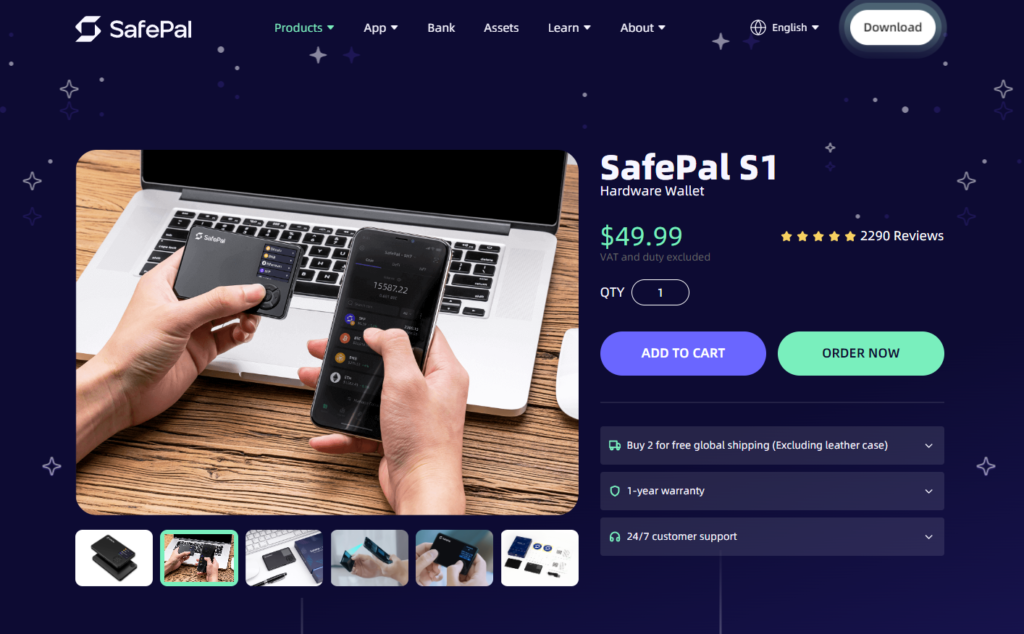
SafePal offers both software and hardware wallets, giving users flexibility and high-level protection. It supports RENDER and ETH swaps directly within the app.
- Pros: Hardware-level security, supports multiple blockchains
- Cons: More complex for beginners
6. MetaMask

MetaMask is widely used across DeFi platforms and dApps. It supports Ethereum-based assets like RENDER and ETH and connects easily to decentralized exchanges.
- Pros: Great for DeFi users, reliable and open-source
- Cons: Limited support for non-EVM chains
7. Guarda Wallet

Guarda supports over 400,000 assets and offers fast in-app swaps. It’s accessible on mobile, desktop, and web browsers.
- Pros: Multi-platform, secure, easy to use
- Cons: Swap fees depend on third-party providers
8. Crypto.com DeFi Wallet

This wallet provides full control over private keys and enables instant token swaps via decentralized liquidity pools.
- Pros: Secure, supports a wide range of tokens
- Cons: Works best within Crypto.com’s ecosystem
9. Binance Chain Wallet

Binance Chain Wallet connects users directly to Binance Smart Chain and allows for fast and efficient token exchanges.
- Pros: Fast transactions, reliable ecosystem
- Cons: Limited Ethereum-native swap support
10. Coinbase Wallet

Coinbase Wallet allows users to manage their own keys and perform swaps through DEX integrations. It’s secure and beginner-friendly, ideal for those entering the crypto space.
- Pros: Simple interface, strong security
- Cons: Slightly higher swap fees
What is RENDER?
RENDER is the utility token powering the Render Network, a decentralized platform that connects GPU owners with those needing rendering power for 3D graphics, metaverse projects, and AI workloads. The token is used to pay for rendering services and reward GPU providers.
The project’s mission is to decentralize digital creation and make high-performance computing more accessible. RENDER plays a key role in bridging creative industries with blockchain technology.
What else can you swap RENDER for?
Besides ETH, RENDER can be exchanged for other major cryptocurrencies like Bitcoin (BTC), Solana (SOL), Tether (USDT), or USD Coin (USDC). Many DeFi and exchange platforms also support swaps between RENDER and various utility or governance tokens, allowing holders to diversify or rebalance their portfolios easily.
Why convert RENDER to ETH?
Converting RENDER to ETH allows users to access the full capabilities of the Ethereum ecosystem, including decentralized finance (DeFi) apps, NFTs, and staking opportunities. ETH serves as a foundational asset in the crypto space, making it ideal for both long-term investment and daily use.
Additionally, since RENDER operates on Ethereum’s blockchain, swapping to ETH can simplify liquidity management, portfolio balancing, and participation in new DeFi protocols.
Swapping RENDER to ETH is quick and efficient using decentralized exchanges or trusted crypto wallets. It enables users to shift from a specialized GPU-based token to one of the most established assets in the crypto world. With a secure wallet, you can exchange tokens, manage funds, and explore DeFi—all while maintaining full control over your digital assets.
FAQ
Most frequent questions and answers
Yes, RENDER is a strong project that supports decentralized GPU rendering, a growing field within the metaverse and digital content industries.
You can buy RENDER directly through Walletverse using Apple Pay, Google Pay, or a credit/debit card. The app supports quick purchases, full self-custody, and instant swaps.
Walletverse is one of the best apps to convert RENDER to ETH. It supports over 600 cryptocurrencies, provides secure self-custody, and ensures fast and reliable swaps with top-level protection through biometric and passcode authentication.


