


How to Swap RENDER to WBTC
The Render Network has become a core project in decentralized GPU computing, enabling creators to access distributed rendering power. Meanwhile, Wrapped Bitcoin (WBTC) bridges Bitcoin’s value with Ethereum’s functionality, combining the stability of BTC with the versatility of the Ethereum ecosystem. Swapping RENDER to WBTC allows users to diversify their portfolio, balance long-term holdings, or access BTC-based liquidity directly within the Ethereum network.
This process is simple and can be done using decentralized exchanges or crypto wallets that support token swaps, all while keeping your assets under full control.
Best Way to Simply Exchange RENDER to WBTC
The easiest method to exchange RENDER for WBTC is through decentralized exchanges (DEXs) or wallets with built-in swap functions. These tools provide direct, on-chain conversions without intermediaries, ensuring transparency and self-custody.
To perform the swap, connect your wallet to a decentralized exchange that supports both RENDER and WBTC. Choose RENDER as the token you want to trade and WBTC as the one you wish to receive. Confirm the transaction, and after a short blockchain confirmation period, your Wrapped Bitcoin will appear in your wallet.
This method is ideal for those who value privacy and ownership. Unlike centralized exchanges, DEXs allow users to maintain control of their private keys, reducing risks associated with custodial platforms.
Convert RENDER to WBTC - Top 10 Best Crypto Wallet to Swap
1. Walletverse

Walletverse is a multi-currency Web3 and DeFi crypto wallet that supports over 600 digital assets. It allows users to buy, send, and exchange cryptocurrencies directly through its intuitive app. Walletverse prioritizes security with biometric authentication, passcode protection, and decentralized self-custody. It also supports purchases through Apple Pay, Google Pay, and credit cards.
- Pros: 600+ assets, simple interface, full user control, multi-account access
- Cons: Mobile-only availability


2. Trust Wallet

Trust Wallet is one of the most popular mobile wallets for decentralized trading. It supports Ethereum-based tokens like RENDER and WBTC and integrates seamlessly with various DEXs for instant swaps.
- Pros: Easy to use, supports multiple blockchains
- Cons: No desktop app
3. Exodus Wallet

Exodus is a cross-platform wallet that supports numerous assets and offers built-in exchange functionality. It’s ideal for users who prefer a visually appealing and simple setup.
- Pros: Works on both desktop and mobile, strong interface design
- Cons: Limited DeFi connectivity
4. Atomic Wallet

Atomic Wallet enables decentralized token swaps and staking, with users maintaining full control of their private keys. It’s known for its strong privacy approach and clean design.
- Pros: Non-custodial, user-friendly, staking options available
- Cons: Limited token liquidity in smaller pairs
5. SafePal
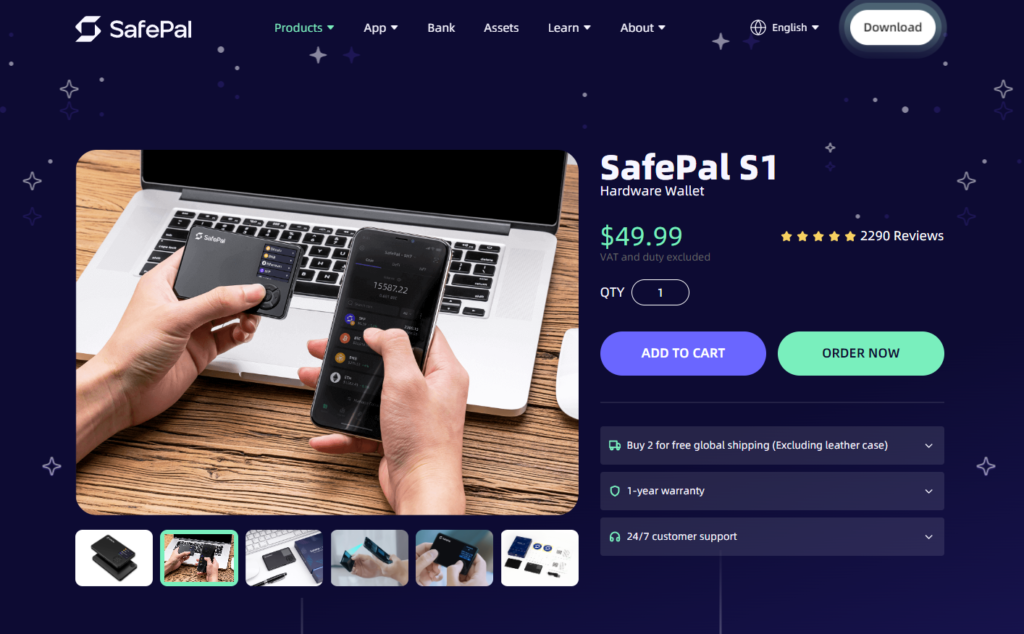
SafePal combines software and hardware wallet solutions, allowing for enhanced protection. It supports thousands of assets and connects directly to DEXs for token exchanges.
- Pros: High-level security, hardware support
- Cons: Slightly complex for new users
6. MetaMask

MetaMask is a trusted wallet for managing Ethereum and EVM-compatible assets. It connects directly to DeFi platforms, enabling secure swaps between tokens like RENDER and WBTC.
- Pros: Widely used, integrates with dApps and DeFi platforms
- Cons: Non-EVM tokens require additional configuration
7. Guarda Wallet

Guarda is a non-custodial wallet that allows token swaps across multiple blockchains. It’s available as a mobile, desktop, and web version, ensuring flexibility for users.
- Pros: Multi-platform, wide token support
- Cons: Swap fees depend on integrated providers
8. Crypto.com DeFi Wallet

Crypto.com’s DeFi Wallet gives users full control of their keys and supports decentralized token swaps, making it an excellent option for managing Ethereum-based assets.
- Pros: Secure, intuitive, good for DeFi users
- Cons: Works best within the Crypto.com ecosystem
9. Binance Chain Wallet

This wallet is ideal for users involved in the Binance ecosystem but also supports Ethereum-based tokens like WBTC. It offers quick swaps through integrated liquidity.
- Pros: Fast, liquid, suitable for BNB and Ethereum tokens
- Cons: Limited multi-chain versatility
10. Coinbase Wallet

Coinbase Wallet gives users complete control over their assets while providing a clean interface for swapping supported tokens via decentralized protocols.
- Pros: Secure, beginner-friendly, reliable brand
- Cons: Higher swap fees compared to DEXs
What is RENDER?
RENDER is the utility token powering the Render Network, a decentralized GPU rendering platform. It connects people needing rendering services with GPU providers, making complex 3D graphics, animation, and metaverse applications more accessible and affordable.
By using RENDER tokens, users pay for GPU computation, while node operators are rewarded for providing processing power. The token thus fuels the ecosystem, promoting collaboration between artists, developers, and hardware owners.
What else can you swap RENDER for?
RENDER can be exchanged for a wide range of cryptocurrencies, including Ethereum (ETH), Solana (SOL), Bitcoin (BTC), and stablecoins like USDT and USDC. These swaps are available on decentralized exchanges and in most leading crypto wallets. This flexibility allows investors to move seamlessly between creative and financial sectors of the blockchain space.
Why convert RENDER to WBTC?
Swapping RENDER for WBTC provides access to Bitcoin’s value within the Ethereum network. WBTC is a tokenized version of Bitcoin backed 1:1 by BTC, combining Bitcoin’s stability with Ethereum’s versatility.
By converting to WBTC, users can participate in Ethereum’s DeFi protocols, liquidity pools, and staking platforms using BTC-based value. It’s a practical option for traders who want the best of both ecosystems, the security of Bitcoin and the innovation of Ethereum.
Converting RENDER to WBTC is an easy and secure way to balance your crypto portfolio and explore new opportunities within decentralized finance. By using reliable crypto wallets or decentralized exchanges, you can perform swaps quickly while maintaining full control of your assets. Both tokens serve unique purposes, RENDER drives decentralized GPU power, while WBTC links Bitcoin to the Ethereum world, making the combination ideal for long-term crypto enthusiasts.
FAQ
Most frequent questions and answers
Yes, WBTC is a strong choice for users who want Bitcoin exposure while remaining active in Ethereum’s DeFi space. It bridges the two major blockchains, enhancing utility and liquidity.
You can purchase RENDER directly through Walletverse using Apple Pay, Google Pay, or your credit/debit card. The app provides instant swaps, high security, and full self-custody of your funds.
Walletverse is one of the best apps to convert RENDER to WBTC. It supports 600+ cryptocurrencies, offers decentralized control, and ensures high-speed, secure transactions through advanced biometric and passcode protection.


