Your keys, your XDC
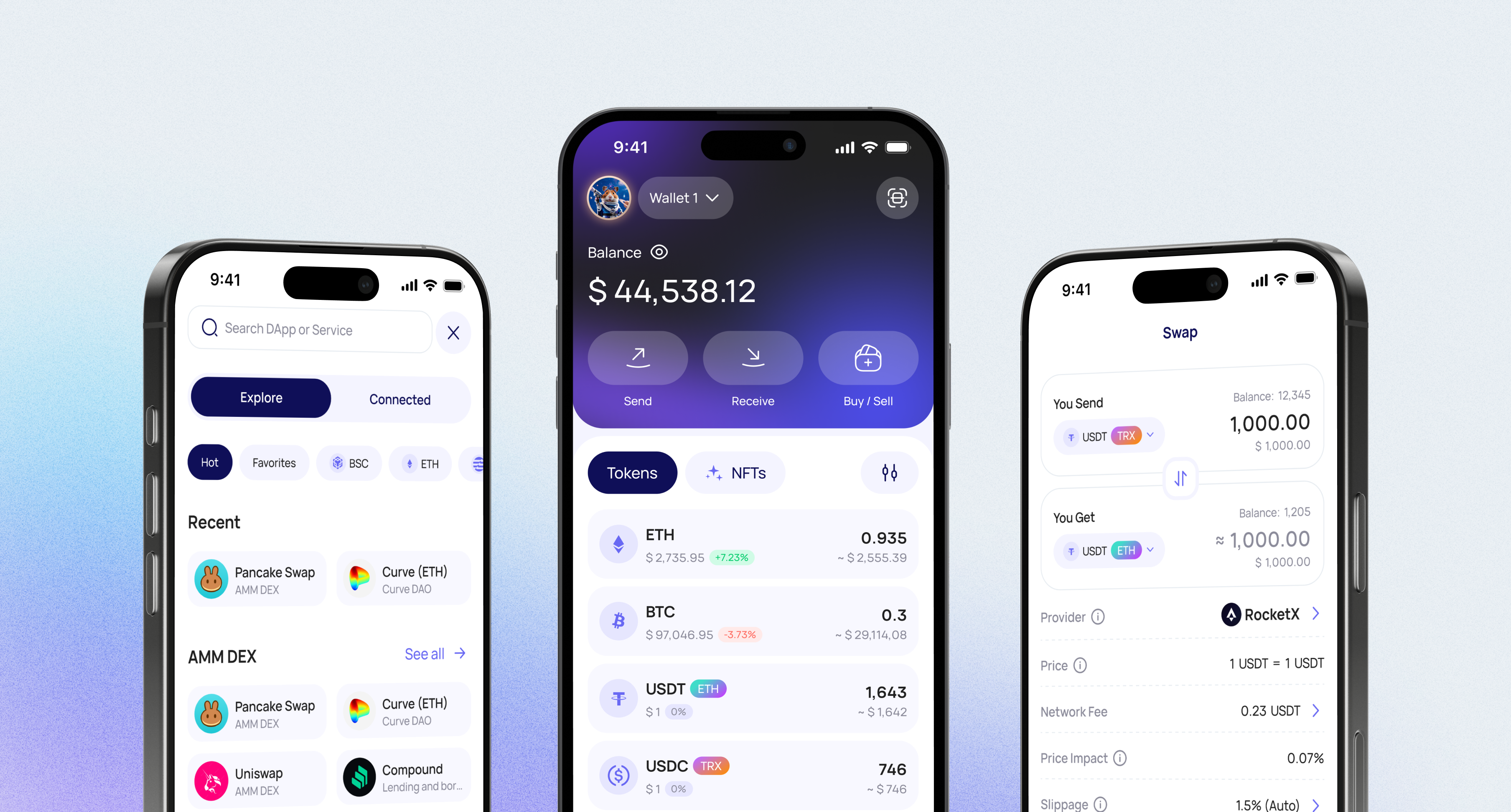
Walletverse is a self-custody (non-custodial) wallet. Private keys are encrypted on your device and never leave it — the Walletverse team has no access to your funds.
XDC and 700+ other assets in one app
Hold XDC together with Bitcoin, Ethereum, USDT, BNB, XRP, USDC, TRON, Solana and other assets. Create multiple accounts and addresses in one app.
Web3 access
Connect to dApps through WalletConnect.
Why Use Walletverse as Your XDC Wallet?
Buy crypto with a card
Buy crypto with Visa, Mastercard or local payment methods through MoonPay, Simplex, Banxa, Transak and Wert, and with Apple Pay or Google Pay — depending on availability in your region and for the selected asset.
Security and AML checks
Protect the app with a passcode and biometrics. Built-in AML checks (powered by Crystal) let you check the risk level of addresses and transfers before you deal with them.
Swap crypto in the app
Swaps run through a built-in DEX and CEX aggregator that connects 100+ exchanges with more than 10,000 trading pairs. Available routes and rates depend on the selected assets.
What Is XDC Network?
XDC Network is an enterprise-grade, open-source, EVM-compatible blockchain. XDC is its native coin, used for transactions and smart-contract activity on the network.
| XDC Network | |
|---|---|
| Type | Layer 1 blockchain, EVM-compatible |
| Consensus | XDPoS 2.0 |
| Block time | About 2 seconds |
| Block finalization | About 6 seconds |
| Smart contracts | Solidity |
| Address prefix | 0x or xdc (both recognized by the network) |
XDC Addresses: 0x or xdc?
An XDC address can be written with either the xdc prefix or the 0x prefix — the address itself is the same. According to the XDC Foundation, the XDC Network recognizes both prefixes; wallets such as MetaMask display XDC addresses with 0x.
When you receive XDC from an exchange or another wallet, check which format the sender’s form accepts. If it only accepts one prefix, replace the first characters (“0x” ↔ “xdc”) and keep the rest of the address unchanged.
Storing XDC on a Hardware Wallet
If you hold a large amount of XDC long-term, consider cold storage:
- Ledger: Ledger devices can secure XDC through third-party wallets that support XDC Network, such as Guarda; XDC is not managed directly in the Ledger Wallet app (Ledger).
- D’CENT: the D’CENT biometric hardware wallet and app support XDC (D’CENT).
Walletverse is a mobile hot wallet: connecting hardware wallets is not available yet. Many users keep long-term XDC on a hardware wallet and a smaller balance in a mobile wallet for everyday transfers.
XDC Wallet Safety Tips
- Download wallets only from official websites, the App Store or Google Play.
- Keep your recovery details offline and never share them.
- Make sure the sender uses the XDC Network — not another EVM network — when sending XDC to you.
- Compare the first and last characters of the address after pasting, and send a small test amount first.
Can You Stake XDC?
On XDC Network, running a masternode requires locking at least 10 million XDC (XDC Docs). Smaller holders can look at staking services that support XDC — rewards are not guaranteed and terms vary by service.
Walletverse offers in-app staking for assets such as ETH, SOL and TRX; XDC staking is not among the listed options.
Other XDC Wallets
| Wallet | Type | Platforms |
|---|---|---|
| Walletverse | Self-custody, mobile | iOS, Android |
| XDCPay | Browser extension for XDC Network | Chrome |
| Guarda | Self-custody, multi-platform | Web, desktop, mobile, extension |
| D’CENT | Hardware + mobile app | Biometric hardware wallet, mobile |
| Ledger | Hardware | Via third-party XDC wallets |
How to Create an XDC Wallet in Walletverse
- Download Walletverse from the official App Store or Google Play listing.
- Create a new wallet and follow the backup instructions.
- Secure the app with a passcode and biometrics.
- Find XDC Network (XDC) in your asset list and open it.
How to Receive and Send XDC
To receive XDC:
- Open XDC in Walletverse and tap Receive.
- Share your address or QR code with the sender and make sure they send XDC on the XDC Network.
To send XDC:
- Open XDC and tap Send.
- Paste the recipient’s address (0x or xdc format, as their wallet requires), enter the amount and review the network fee.
- Confirm. With a block time of about 2 seconds, XDC transfers are usually confirmed quickly.
How to Buy and Swap XDC
- Swap: open the asset you hold, choose Swap and select XDC. If a route is available, the app shows the rate and fees before you confirm.
- Buy with a card: choose the buy option and a payment method. Whether XDC can be bought directly depends on the provider and your region; if it isn’t available, you can buy another asset such as USDT and swap it.
- From an exchange: withdraw XDC to your Walletverse address on the XDC Network. Our guide on how to transfer crypto from an exchange to a wallet explains each step.
All your crypto in one app
The app also supports more than 700 cryptocurrencies and tokens, so you can manage XDC together with Bitcoin, Ethereum, Tether, Solana, TRON, BNB, Polygon, and other digital assets. For users looking for a non-custodial XDC wallet with mobile access, Web3 functionality, and broad portfolio support, Walletverse offers a practical way to manage XDC Network assets in one secure application.
Tether
Ripple
Dogecoin
Ethereum
Binance
USDC
Shiba Inu
Uniswap
Bitcoin
Bitcoin Cash
Dai
Immutable
Polkadot
Litecoin
Maker
NEAR Protocol
Injective
OKB
Cardano
Lido DAO
Render
Download to access all of Web3 with
just one app
FAQ
XDC Network is an enterprise-grade, open-source blockchain protocol. It is EVM-compatible, supports smart contracts, and is designed for use cases such as trade finance, real-world asset tokenization, and enterprise applications.
XDC is used within the XDC Network ecosystem for transactions, smart contract activity, dApps, and blockchain-based financial infrastructure. The network uses XDPoS consensus and supports decentralized applications through EVM compatibility.
Yes, you can buy XDC in Walletverse through supported providers using Apple Pay, Google Pay, credit cards, or debit cards, depending on availability in your region.
Yes, Walletverse is a non-custodial crypto wallet. This means users keep control of their assets while storing, sending, receiving, buying, and swapping XDC and other supported cryptocurrencies.
Walletverse is a fast, convenient, and secure non-custodial crypto wallet that works as a full-fledged Web3 platform. Users can manage crypto, access DeFi, use dApps, work with NFTs, manage multiple wallets, use AML and KYT tools, make GasFree USDT transactions, and stake selected assets such as ETH, SOL, TRX, and more.

Walletverse supports more than 700 cryptocurrencies and tokens, including Bitcoin, Ethereum, Tether, Solana, TRON, BNB, Polygon, and many other digital assets. The app is designed for users who want simple multi-asset portfolio management from one mobile wallet.
It depends on how you use XDC. Walletverse is a self-custody mobile app for managing XDC with 700+ other assets; XDCPay is a browser extension for XDC dApps; Ledger (via third-party wallets) and D’CENT are hardware options for long-term storage.
Yes. Walletverse is available on both Android and iOS.