


How to Buy Unbound (UNB) in 2026
The decentralized finance space continues to evolve, and Unbound (UNB) is one of the tokens that stands out by offering innovative ways to unlock liquidity. In 2026, it is gaining traction for its unique use of liquidity pool tokens as collateral. Here’s a practical guide for anyone interested in buying and storing UNB.
What is Unbound (UNB)?
Unbound (UNB) is the native governance token of the Unbound Finance protocol, a decentralized system that enables users to mint synthetic assets and a native stablecoin using their liquidity pool tokens (LPTs). Unlike many other DeFi protocols, Unbound allows users to leverage their LP tokens without facing interest or liquidation.
Launched to improve capital efficiency, Unbound gained attention by partnering with multiple blockchain ecosystems. Its mission is to provide debt-free liquidity across various AMMs. As of 2026, UNB remains a low-market-cap project with strong utility, appealing to DeFi users who are looking for innovative ways to manage capital.
How Does Unbound (UNB) Work?
Unbound operates on a few core mechanisms:
- Collateralized minting. Users can lock LP tokens from platforms like Uniswap or Curve and mint synthetic assets like UND.
- No liquidation. Unlike traditional lending protocols, Unbound avoids liquidation by using over-collateralization and protocol-controlled reserves.
- Governance. UNB token holders govern key parameters, such as collateral approval, minting limits, and protocol changes.
- Cross-chain functionality. The protocol is being expanded across multiple chains, enabling seamless interoperability.
UNB’s design appeals to users who want to extract value from idle liquidity pool tokens while keeping their principal intact.
Top 10 Best Crypto Wallets to Buy Unbound (UNB) in 2026
1. Walletverse

Walletverse – Mobile-first, user-friendly wallet supporting over 600 cryptocurrencies including UNB.
Pros:
- Easy crypto purchases via Apple Pay, Google Pay, and cards
- Built-in dApp access
- Self-custody and biometric security
- Fast interface for both new and experienced users
Cons:
No desktop version yet


2. MetaMask

One of the most widely used Ethereum wallets, available as a browser extension and mobile app.
Pros:
- Supports UNB and other ERC-20 tokens
- Integrates with dApps and hardware wallets
- Widely trusted in the crypto community
Cons:
- Requires manual token addition
- User interface can feel complex for beginners
3. Coinbase Wallet

Self-custody wallet with access to dApps, separate from the Coinbase exchange.
Pros:
- Easy to use for new crypto holders
- Full control over private keys
- Good mobile app performance
Cons:
- Less advanced for pro users
- Requires manual token management
4. Trust Wallet

A mobile wallet offering access to a wide variety of tokens and Web3 functionality.
Pros:
- Supports UNB and thousands of other tokens
- Built-in Web3 browser for dApp interaction
- No account required
Cons:
- No desktop application
- Lacks advanced trading features
5. Ledger Nano

Hardware wallet offering maximum offline security for long-term storage.
Pros:
- Industry-grade security
- Compatible with dApps via MetaMask
- Protects private keys offline
Cons:
- Requires separate device
- Less convenient for daily transactions
6. Guarda Wallet

A non-custodial wallet that works across platforms and supports many cryptocurrencies.
Pros:
- ERC-20 support including UNB
- Web, mobile, and desktop versions
- Backup and export features
Cons:
- Interface can feel dated
- Limited integration with staking and NFTs
7. SafePal

A mobile wallet with the option to integrate hardware security.
Pros:
- Supports UNB
- Built-in DeFi and NFT interfaces
- Optional hardware wallet support
Cons:
- Less popular than other wallets
- UI can feel cluttered
8. Trezor Wallet
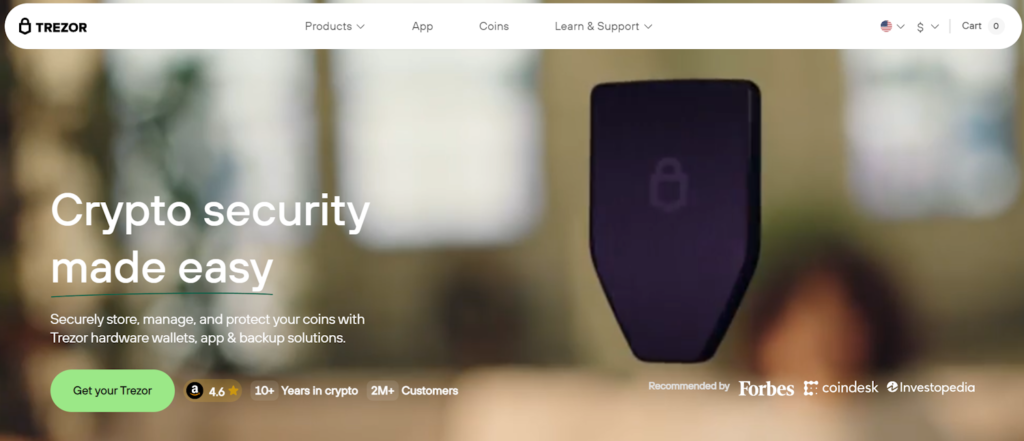
Another popular hardware wallet option for secure storage.
Pros:
- High-end open-source security
- Supports UNB via Ethereum network
- Compatible with multiple wallet apps
Cons:
- No mobile app
- Limited touchscreen functionality
9. Atomic Wallet

All-in-one decentralized wallet that supports custom tokens.
Pros:
- UNB compatible
- Private key stored locally
- Multi-platform support
Cons:
- No dApp browser
- Updates may lag compared to newer wallets
10. Exodus

A desktop and mobile wallet with an attractive interface and support for ERC-20 tokens.
Pros:
- Excellent UI/UX
- Supports UNB via Ethereum
- In-app token swaps
Cons:
- Closed source
- Limited DeFi integration
Where Can I Store Unbound (UNB)?
You can store Unbound (UNB) in any wallet that supports ERC-20 tokens. For active users, Walletverse provides an all-in-one solution with self-custody, fiat purchases, dApp browsing, and secure storage. For long-term holding, combining a mobile wallet like Walletverse with a hardware wallet like Ledger or Trezor ensures maximum security.
Unbound (UNB) is helping reshape DeFi by letting users unlock the value of their liquidity positions without taking on debt. With a growing ecosystem and strong governance model, it offers real utility in decentralized finance. If you’re planning to invest in UNB in 2026, choosing the right wallet is just as important as understanding the protocol.
Walletverse gives users the flexibility to buy, store, and interact with UNB, all within one secure mobile application.
FAQ
Most frequent questions and answers
UNB provides real utility in the DeFi space through collateral-free synthetic asset minting. It’s a niche but promising asset for users focused on capital efficiency.
You can buy UNB using the Walletverse app with Apple Pay, Google Pay, or your card. It’s a user-friendly way to access and manage your tokens.
UNB is primarily used for governance within the Unbound Finance protocol. It allows users to vote on platform upgrades, collateral parameters, and protocol fees.


