


Best TRON (TRX) Wallets in 2026: Top 10 for USDT TRC20, Staking & Security
- Updated 2026-10-05
Updated: October 2026. Wallet features were checked against each provider’s official website and documentation. Walletverse is our own product — we explain below where it fits and where other wallets are a better choice.
The best wallet for TRON depends on what you do on the network. Some people only need a safe place to store TRX. Many use TRON to send and receive USDT TRC20, and others want TRX staking, TRON dApps or long-term cold storage. Below we compare the best TRX wallets — mobile, desktop and hardware — so you can pick the right TRC20 wallet for your needs.
Quick answer:
- For everyday TRX and USDT on a phone: Walletverse — a self-custody mobile wallet with GasFree USDT transfers on TRON.
- For TRON-native staking, voting and dApps: TronLink.
- For long-term cold storage: Ledger or Trezor hardware wallets.
- For beginners who hold many coins: Trust Wallet.
- For desktop users: Exodus, Atomic Wallet or Guarda.
Best TRON Wallets in 2026: Quick Comparison
| Wallet | Type | TRON assets | TRX staking | Platforms | Best for |
|---|---|---|---|---|---|
| Walletverse | Self-custody mobile wallet | TRX, TRC20 (incl. USDT) | Yes, in app | iOS, Android | Everyday TRX and USDT transfers |
| TronLink | Self-custody, TRON-native | TRX, TRC10, TRC20, TRC721 | Yes, native staking and voting | iOS, Android, browser extension | TRON dApps and staking |
| Ledger | Hardware wallet | TRX, supported TRC20 tokens (incl. USDT) | Via partner apps, not directly in Ledger Wallet | Hardware + Ledger Wallet app | Long-term cold storage |
| Trezor | Hardware wallet | TRX, TRC20 (TRC10 not supported) | Not mentioned on Trezor’s TRON pages | Hardware + Trezor Suite (desktop, web, mobile) | Cold storage alternative |
| Trust Wallet | Self-custody multi-chain | TRX and TRON tokens | Yes, in app | iOS, Android, browser extension | Beginners |
| Exodus | Self-custody multi-chain | TRX, TRC20 | Freeze TRX for Bandwidth/Energy | Desktop, mobile | Desktop portfolio management |
| OKX Wallet | Self-custody multi-chain | TRX | Staking options in wallet | iOS, Android, browser extension | Multi-chain Web3 users |
| SafePal | Hardware + mobile app | TRX | Yes, native (Stake 2.0) | iOS, Android, S1/X1 hardware | Budget hardware security |
| Guarda | Self-custody multi-platform | TRX, USDT TRC20 | Yes, in app | Desktop, mobile, web, extension | Access from any device |
| Atomic Wallet | Self-custody multi-chain | TRX | Yes, in app | Desktop, mobile | Multi-asset portfolios |
What Is a TRON Wallet?
A TRON wallet is an app or hardware device that holds the keys to your address on the TRON blockchain. With a compatible wallet you can usually:
- store and receive TRX;
- send TRX and TRON tokens to another address;
- manage TRC20 tokens such as USDT;
- connect to TRON-based decentralized applications (dApps);
- stake TRX, if the wallet supports it;
- use TRON network resources — Bandwidth and Energy — to pay for transactions.
In a self-custody (non-custodial) wallet, only you control the private keys. In a custodial account, such as an exchange balance, the platform holds the keys for you.
Supported TRON Assets: TRX, TRC20 and TRC10
Not every wallet supports the same TRON assets, so check this before you choose:
- TRX is the native coin of the TRON network. It is used for fees and staking.
- TRC20 is the main token standard for smart-contract tokens on TRON. USDT issued on TRON is a TRC20 token, which is why it is called USDT TRC20.
- TRC10 is an older, simpler token standard. Some wallets no longer support it: Trezor Suite, for example, does not support TRC10 tokens and labels TRC10 transactions in your history as a potential scam, because these tokens are cheap to create and are often used for spam.
- TRC721 is the TRON standard for NFTs. TronLink supports TRX, TRC10, TRC20 and TRC721.
Is TRX the same as TRC20? No. TRX is the network’s native coin, while TRC20 is a token standard. You need a wallet that supports both: TRX for fees and TRC20 for tokens like USDT.
USDT also exists on other networks, such as Ethereum and BNB Smart Chain. When you receive USDT on TRON, the sender must choose the TRON (TRC20) network. If they choose a network your address does not support, the funds may be lost.
Best TRON Wallets Reviewed
1. Walletverse — Best for Everyday TRX and USDT on Mobile

Best for: people who want a self-custody phone wallet for TRX, USDT TRC20 and a wider crypto portfolio.
Walletverse is a self-custody crypto wallet for iOS and Android that supports 700+ cryptocurrencies and tokens. Private keys are encrypted on your device and never leave it, so the Walletverse team has no access to your funds.
What matters most for TRON users:
- GasFree USDT transfers on TRON. A USDT TRC20 transfer normally needs Energy, Bandwidth or TRX to cover the fee. With GasFree, a supported USDT transfer can pay its fee in USDT, so you don’t have to keep a separate TRX balance only for fees.
- TRX staking directly in the app.
- Buying TRX with Visa, Mastercard or local payment methods through MoonPay, Simplex, Banxa, Transak and Wert, plus Apple Pay and Google Pay where available in your region.
- Swaps through a DEX and CEX aggregator, for example TRX to USDT or USDT to TRX.
- Security: passcode and biometric protection, plus built-in AML checks (powered by Crystal) that show the risk level of addresses and transfers.
- Web3: WalletConnect to connect to dApps, and multiple accounts and addresses in one app.
Things to consider: Walletverse is mobile-only — there is no desktop app or browser extension — and it does not yet connect to hardware wallets. If you want TRON governance voting or detailed Energy/Bandwidth management, TronLink offers more.


2. TronLink — Best TRON-Native Wallet
Best for: staking, voting, Energy/Bandwidth management and TRON dApps.
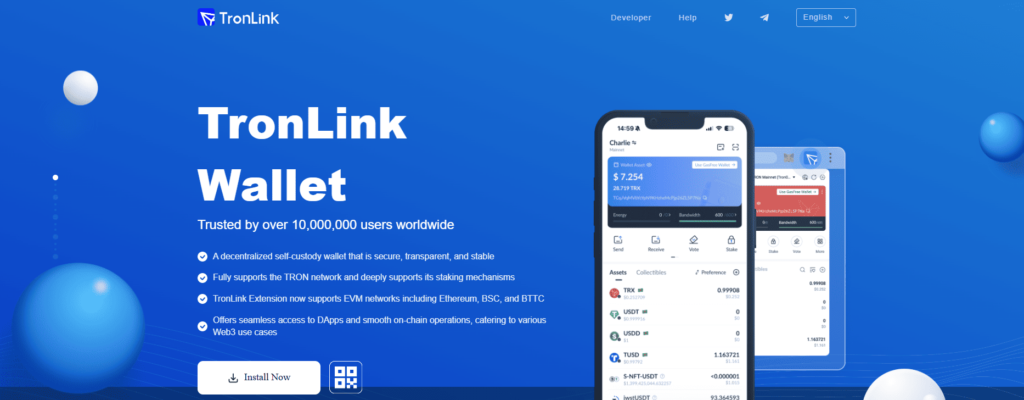
TronLink is a wallet built specifically for the TRON ecosystem. It supports TRX, TRC10, TRC20 and TRC721 tokens. You can stake TRX to get network resources and voting rights, and use those resources instead of paying fees in TRX.
TronLink is available as a mobile app for iOS and Android and as a browser extension. The extension also supports several EVM networks, including Ethereum and BNB Smart Chain.
Things to consider: it is built around TRON, so if most of your portfolio is on other networks, a multi-chain wallet may be more convenient.
3. Ledger — Best Hardware Wallet for TRON

Best for: long-term cold storage of TRX and USDT TRC20.
Ledger hardware wallets keep your private keys on a separate device and require physical confirmation for every transaction. In the Ledger Wallet app you can add a Tron account and manage TRX and supported TRC20 tokens, including USDT. TRC10 and TRC20 tokens that Ledger Wallet does not support can be managed through external apps such as Tronscan.
Staking: according to Ledger support, TRX staking is not available directly in a Tron account in Ledger Wallet. You can still stake while signing with your Ledger through partner apps.
Things to consider: a hardware wallet costs money and adds a confirmation step to every transfer, so it is less convenient for frequent USDT payments.
4. Trezor — Best Ledger Alternative for Cold Storage
Best for: users who want another established hardware wallet for TRON.
Trezor Suite supports TRX and all TRC20 tokens, including USDT, on the Trezor Safe 7, Safe 5, Safe 3 and Model T. TRC10 tokens are not supported. Trezor Suite is available on desktop, web and mobile.
Things to consider: Trezor’s TRON pages focus on storing, sending, receiving and buying TRX and do not mention TRX staking, so if staking matters to you, check Trezor’s current documentation first.
5. Trust Wallet — Best TRON Wallet for Beginners

Best for: beginners who want TRON alongside many other networks in one simple app.
Trust Wallet is a self-custody wallet available on iOS, Android and as a browser extension. You can store, send, receive, buy and swap TRX, and stake TRX in the app. Staking TRX lets you vote for TRON Super Representatives and earn voting rewards plus Bandwidth and Energy.
Things to consider: if you need advanced TRON functions, such as detailed resource management or governance, a TRON-native wallet like TronLink gives you more control.
6. Exodus — Best TRON Wallet for Desktop Users

Best for: people who prefer to manage crypto from a laptop or desktop.
Exodus is a self-custody wallet for desktop and mobile that supports TRX and TRC20 tokens. It lets you freeze TRX for Bandwidth or Energy so that transactions don’t consume TRX. Frozen TRX cannot be sent, and unfreezing takes 14 days.
Things to consider: Exodus has discontinued its Web3 browser extension and removed WalletConnect from its apps, so it is not the best choice if you want to use TRON dApps.
7. OKX Wallet — Best for Multi-Chain Web3 Users

Best for: experienced users who work across many networks.
OKX Wallet is a self-custody multi-chain wallet available as a mobile app (iOS, Android) and a browser extension. For TRON you can store, send, receive and swap TRX and access DeFi options, including staking.
Things to consider: with so many networks and features, the interface can feel complex for beginners.
8. SafePal — Best Budget Hardware Option

Best for: users who want hardware-wallet signing at a lower price.
SafePal combines a mobile app (iOS and Android) with the S1 and X1 hardware wallets. TRX staking built on TRON Stake 2.0 is available in the mobile app and on the S1 and X1 devices. Unstaking requests go through a 15-day withdrawal queue.
Things to consider: SafePal itself warns about TRON multi-signature scams, where scammers share the seed phrase of a wallet they still control. Never import a wallet using a seed phrase someone else gave you.
9. Guarda Wallet — Best for Multi-Platform Access

Best for: users who want the same wallet on every device.
Guarda is a self-custody wallet available on desktop, mobile, web and as a browser extension. It supports TRX, in-wallet swaps and TRX staking. Guarda also offers gas-free USDT transfers on TRON, so you don’t need to keep TRX for fees.
Things to consider: Guarda covers many networks and is not specialized in TRON.
10. Atomic Wallet — Best for Multi-Asset Portfolios

Best for: users who manage TRX alongside many other coins.
Atomic Wallet offers desktop and mobile apps and supports TRX staking (Tron 2.0) from the Staking tab, where you choose a validator.
Things to consider: like other multi-chain wallets, it offers less TRON-specific functionality than TronLink.
Best TRON Wallet for USDT TRC20
For many people the most important TRON asset is not TRX but USDT on the TRON network. A good USDT TRC20 wallet should make it easy to:
- see that USDT is being sent over TRON, not over Ethereum or another network;
- see the expected fee before you confirm;
- cover the transfer fee without getting stuck because you have no TRX;
- copy or scan the correct TRON address;
- keep control of your private keys.
On TRON, a USDT transfer is a smart-contract call, so it consumes Energy. Normally this means you need TRX — either staked for Energy or burned to pay the fee. GasFree services remove that step: the fee is paid in the token you transfer. According to GasFree, users “only need to pay a small fee in the tokens they transfer.” Walletverse and Guarda both support GasFree-style USDT transfers on TRON.
If you only hold USDT and send it occasionally, a GasFree-enabled mobile wallet is the simplest option. If you send large volumes, compare it with staking TRX for Energy in TronLink or another wallet with Stake 2.0 support. For a step-by-step guide to sending, see how to send crypto. To learn more about holding USDT, see our USDT wallet page.
TRON Fees Explained: Bandwidth and Energy
TRON does not charge a single network fee. According to the TRON Developer Hub, transactions use two resources:
| Resource | What it pays for | How to get it |
|---|---|---|
| Bandwidth | The size of every transaction | A small free quota, or stake TRX |
| Energy | Smart-contract execution, including TRC20 transfers such as USDT | Stake TRX (there is no free quota) |
If your staked or free resources don’t cover a transaction, the network burns TRX from your balance at current rates. This is why a USDT TRC20 transfer can fail or cost more when you hold no TRX and no Energy. Your options are:
- keep some TRX for fees;
- stake TRX for Energy and Bandwidth;
- use a wallet with GasFree USDT transfers, where the fee is paid in USDT.
Can You Stake TRX in a Wallet?
Yes. Many wallets support staking TRX. On TRON, staking (Stake 2.0) gives you:
- Bandwidth or Energy for your transactions;
- TRON Power — voting rights you can use to vote for Super Representatives, which can earn voting rewards.
Staking support differs between wallets:
- TronLink, Trust Wallet, SafePal, Guarda, Atomic Wallet and Walletverse offer TRON staking in the app.
- Exodus lets you freeze TRX for Bandwidth or Energy. Unfreezing takes 14 days.
- Ledger does not support staking directly in a Tron account in Ledger Wallet; partner apps are available.
Staking rewards are not guaranteed and can change. Staked TRX is locked for a waiting period when you unstake, so don’t stake funds you may need right away.
Hot vs Cold TRON Wallets
A hot wallet runs on an internet-connected phone, computer or browser. All software wallets in this list are hot wallets. They are best for frequent transfers, swaps and dApps.
A cold wallet (hardware wallet) keeps your private keys on a separate device and requires physical confirmation for every transaction. Ledger, Trezor (Safe 7, Safe 5, Safe 3, Model T) and SafePal (S1, X1) support TRON.
| Hot wallet | Cold (hardware) wallet | |
|---|---|---|
| Cost | Usually free | You buy a device |
| Convenience | High: send from your phone in seconds | Lower: confirm on the device |
| Best for | Everyday USDT transfers, swaps, dApps | Long-term savings |
| Main risk | Malware or phishing on your device | Losing the device and the recovery phrase |
Many users combine both: a hardware wallet for long-term savings and a mobile wallet with a smaller balance for everyday transfers.
How to Keep Your TRON Wallet Secure
Whichever wallet you choose, these rules protect you against the most common risks — phishing, fake support, scam tokens and wrong-network transfers:
- Download wallets only from official sources: the official website, the App Store or Google Play.
- Keep your recovery phrase offline. Never type it into a website, chat or “support” form. No genuine support team will ask for it.
- Never import a seed phrase someone sent you. This is the TRON multi-signature scam that SafePal warns about: the wallet looks full of funds, but the scammer still controls it.
- Ignore unknown tokens and airdrops. TRC10 spam tokens are common — Trezor labels TRC10 transactions as a potential scam.
- Check the network and the address before sending. TRON addresses in the standard format start with “T”. Compare the first and last characters after pasting.
- Send a small test transfer first when you use a new address.
- Check where funds come from. Wallets with built-in AML checks can show the risk level of an address before you deal with it.
- Use a passcode and biometrics, and keep large long-term holdings in a hardware wallet.
Buying and Swapping TRX in a Wallet
You don’t need an exchange account to get TRX. Many self-custody wallets let you:
- buy TRX with a bank card through integrated providers — see how to buy TRON (TRX) with a credit or debit card;
- swap other coins into TRX or USDT TRC20 inside the app, for example TRX to USDT.
Before you buy or swap, compare the total cost shown in the app: provider fees, the exchange rate and the network fee. These differ between providers, regions and payment methods.
How to Choose the Best TRON Wallet
Choose Walletverse if you mainly use a phone, want self-custody, hold several cryptocurrencies, and often send TRX or USDT TRC20 without keeping TRX just for fees.
Choose TronLink if you are active in the TRON ecosystem and want native staking, voting, dApps and resource management.
Choose Ledger or Trezor if protecting a large long-term balance matters more than speed and convenience.
Choose Trust Wallet if you are a beginner who wants one simple multi-chain wallet with TRON support.
Choose Exodus, Atomic Wallet or Guarda if you prefer to manage your crypto on a desktop computer.
How to Create a TRON Wallet
- Download the wallet from its official website or its verified App Store or Google Play listing.
- Create a new wallet and follow the backup instructions. Write down the recovery phrase on paper and store it offline.
- Protect the app with a strong passcode and turn on biometric protection where available.
- Add TRON (TRX) and, if needed, USDT on the TRON network (TRC20).
- Get TRX for fees — or use a wallet with GasFree USDT transfers.
- Before receiving funds, make sure the sender selects the TRON network.
FAQ
Most frequent questions and answers
There is no single wallet that is best for every user. Walletverse is a strong option for everyday mobile self-custody and USDT TRC20 transfers, TronLink is particularly suitable for TRON-native staking and dApps, while Ledger and Trezor are better options for long-term hardware storage.
You can purchase Tron instantly through the Walletverse wallet, which supports Apple Pay, Google Pay, and credit/debit card payments.
Walletverse offers a secure and community-driven platform with self-custody, making it one of the best ways to store your TRX.
For mobile users, Walletverse and TronLink are strong options. Walletverse focuses on simple self-custody and GasFree USDT transfers, while TronLink provides deeper control over TRON-native resources and dApps.
With Walletverse’s supported GasFree USDT functionality, users can pay the transaction fee in USDT instead of maintaining TRX specifically for the transfer.
Walletverse, TronLink and Trust Wallet are all strong Android options. Walletverse is particularly useful for multi-chain users and USDT TRC20 transfers, while TronLink is more suitable for advanced TRON-specific activity.
Walletverse, TronLink and Trust Wallet are available for iOS. The best option depends on whether you prioritize simple multi-chain management, GasFree USDT transfers or deeper TRON ecosystem functionality.


